Remaster Season Guide

Season Pass Guide
Attention, Adventurers starting the new season! All essential information is here for your convenience.
If you have any questions about the season,
take a look at the guide below and progress through the season with ease!
What is a Season Character?
· A Season Character can access the exclusive Season Pass, allowing for much faster growth compared to normal characters.
· The Season Pass also acts as a guide to the basic game systems. By progressing through the Season Pass, Adventurers can learn the basics of the game while enjoying the distinct gameplay of Black Desert Mobile!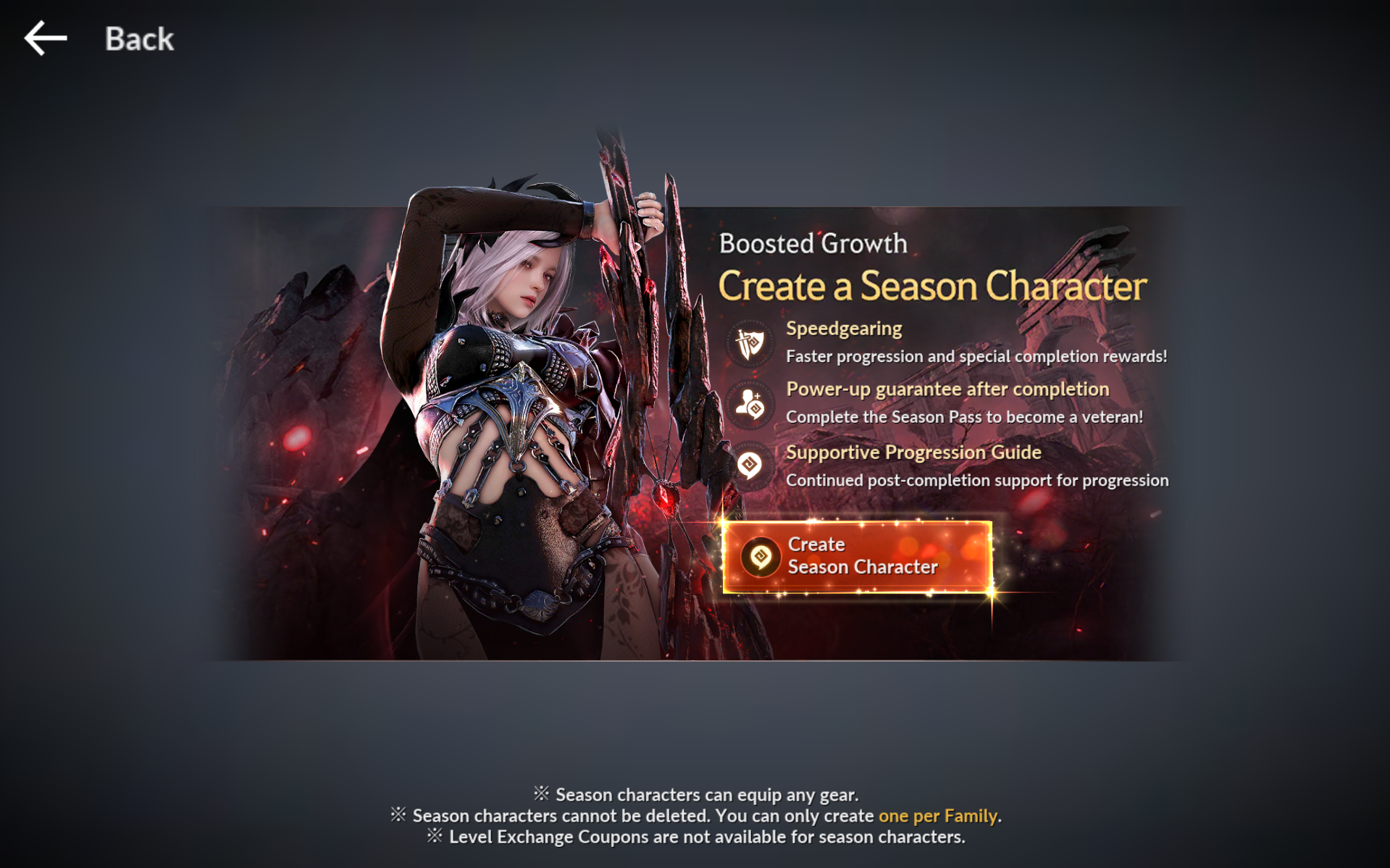
Basic Interface of the Season Pass
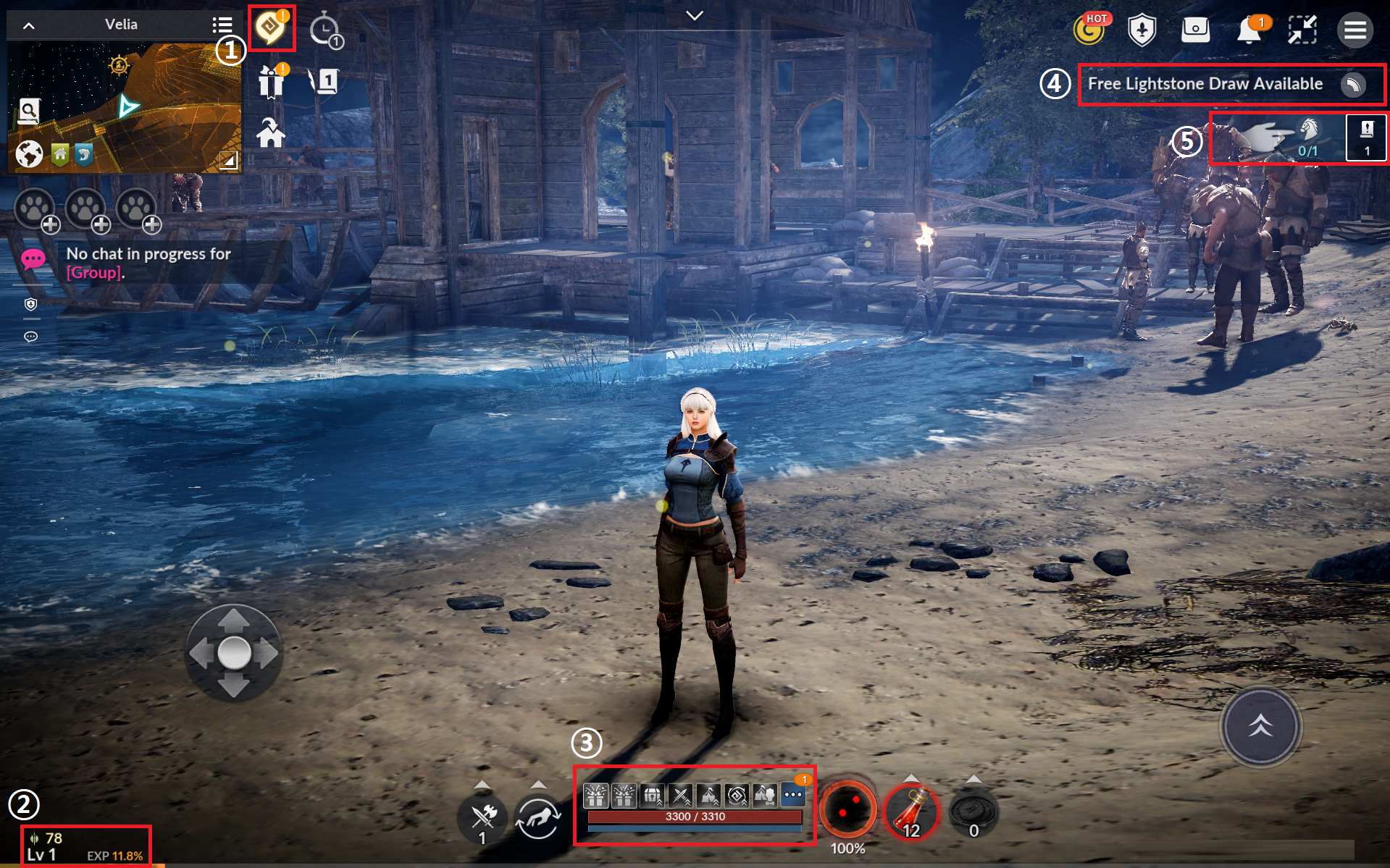
· This is what you'll see after creating your Season Character.
| Number | UI | Details |
| 1 | Season Pass Icon |
Tap the yellow Black Spirit icon to view the Season Pass. Claim Season Pass Rewards, track your progress, and navigate to quest objectives all from a single window. |
| 2 | CP / Level |
This is the current CP of the character. Below that are the current level and EXP. |
| 3 | Character Status |
Here are the buffs currently applied to the character, current HP and MP, Black Spirit, and potions in possession. |
| 4 | Menu |
The menu bar on the upper right is where frequently used icons are. Tap the [三] icon farthest on the right to open the main menu. |
| 5 | Quest UI |
Accepted quests are listed here. Tap to expand the UI and browse the quest names and their corresponding objectives. Tapping the expanded quest again will begin the auto-quest. |
Season Pass
· The Season Pass is a series of quests that helps the Season Character grow and learn the core mechanics of the game.
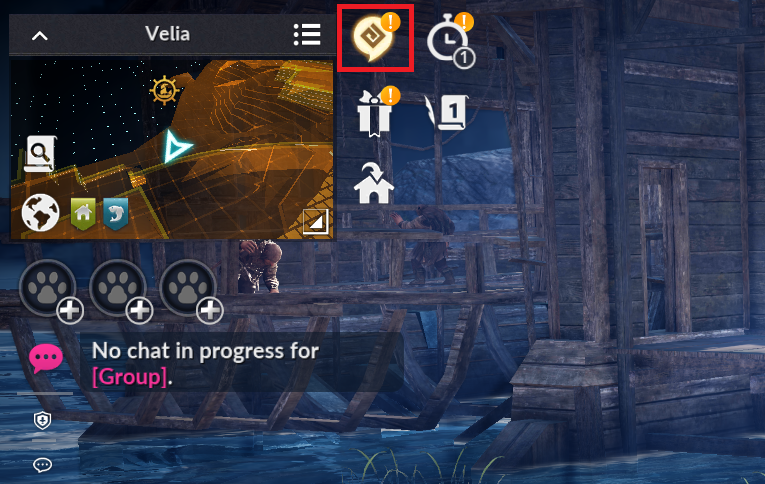
· Tap the Season Pass icon to open the Season Pass.
· An exclamation mark will appear if there are uncollected Season Pass rewards.
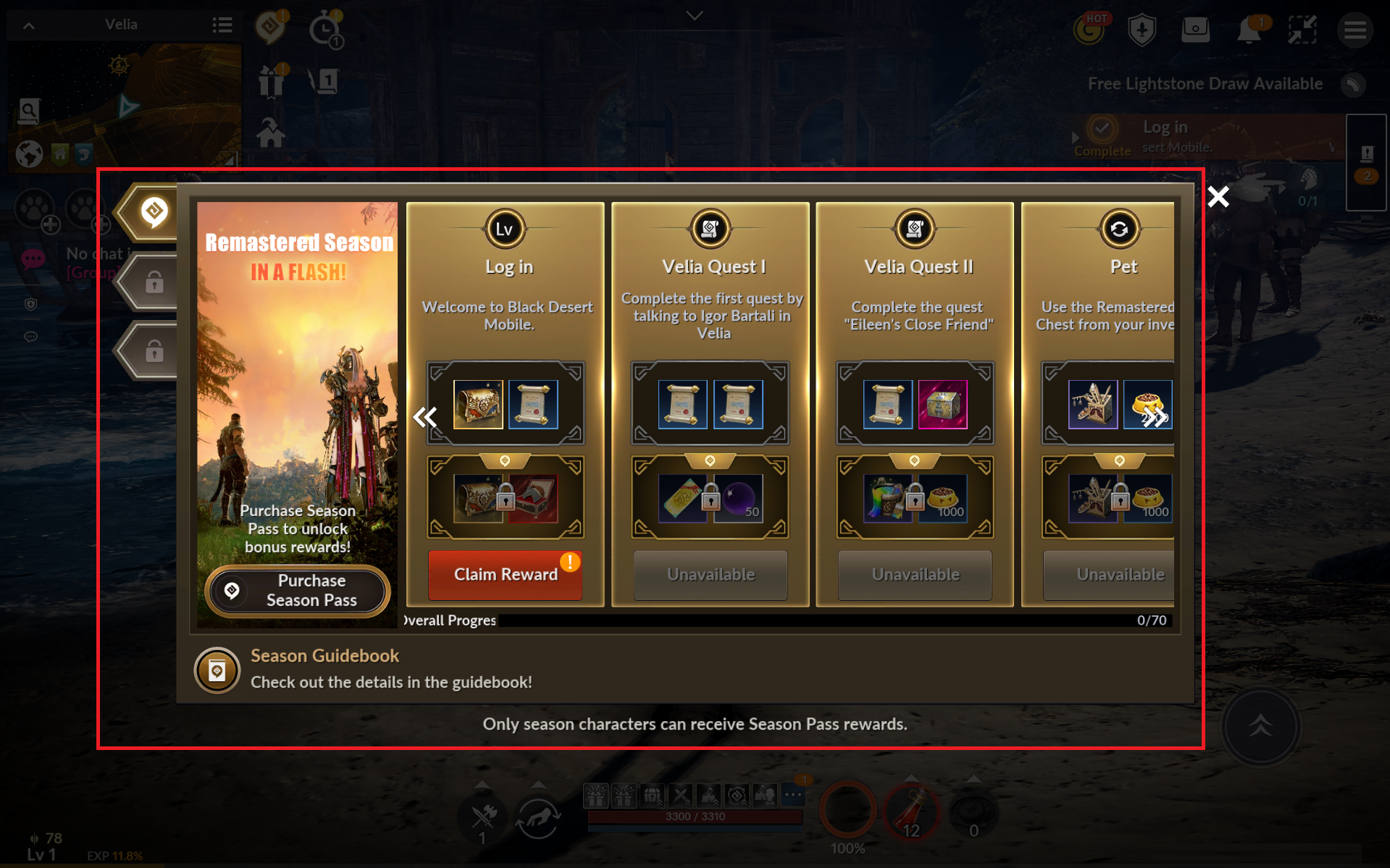
· Tap the Season Pass icon to track the quest objectives and overall progress of the pass.
· Tapping [Go] will take you to the respective content.
· If tapping [Go] takes you to the [Main Quests] screen, you have to progress through the main questline.
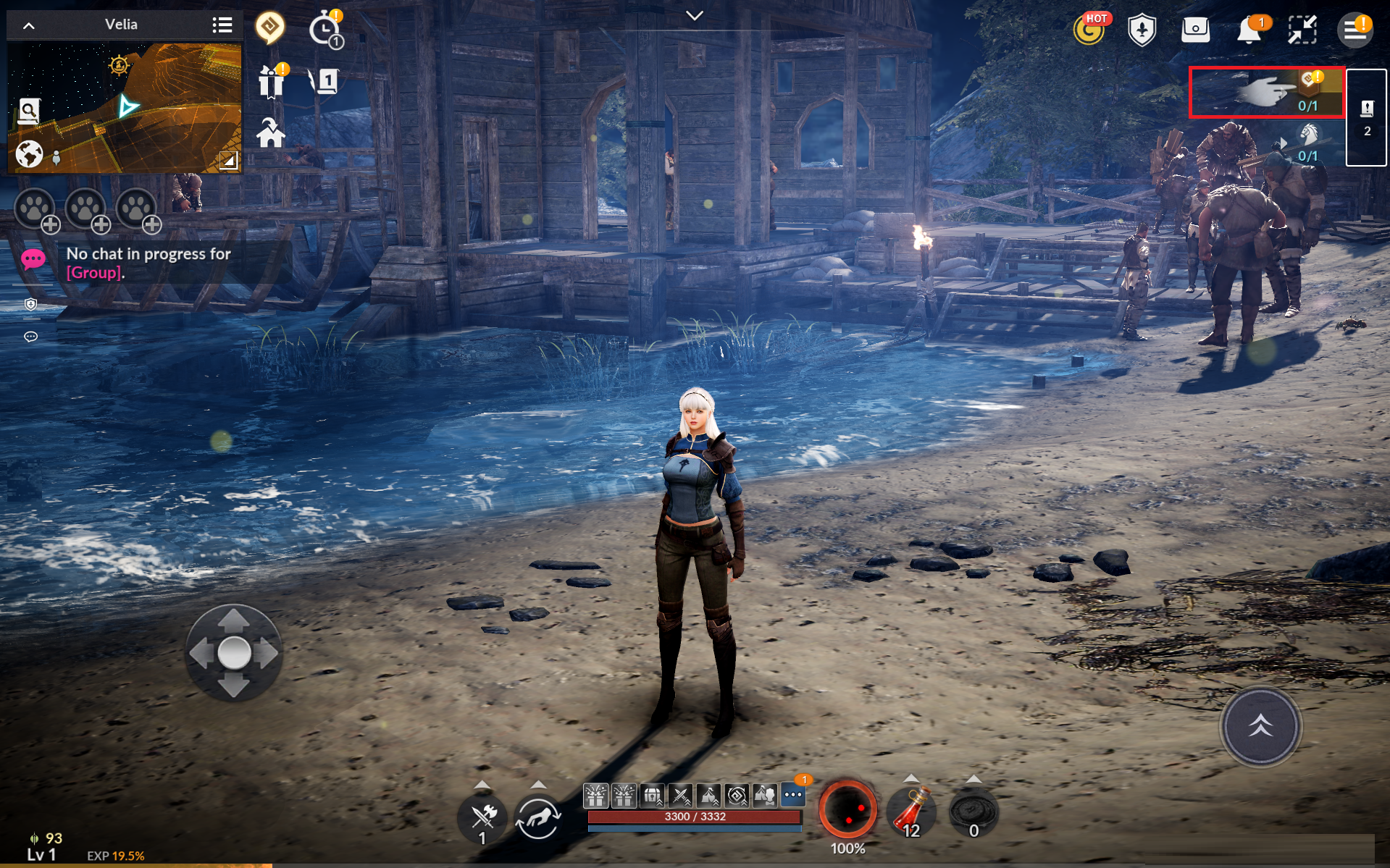
· If you need to progress through the main questline, find the quest marked with a book-and-quill icon from the [Quest List] pop-up.
Season Character Progression & Season Pass Guide
· Complete the Season Pass quests through main quests, character growth, and other in-game content.
· Check out the guide below, which features various types of Season Pass quests, especially those Adventurers often get stuck on.
『Use the search bar in the upper-right corner to find the quest you need help with!』
1) Velia Quest I: Complete the first quest by talking to Igor Bartali in Velia
- Complete the quest through the Quest UI.
- Tap the quest in the Quest UI to begin auto-questing.
2) Velia Quest II: Complete the quest "Eileen's Close Friend"
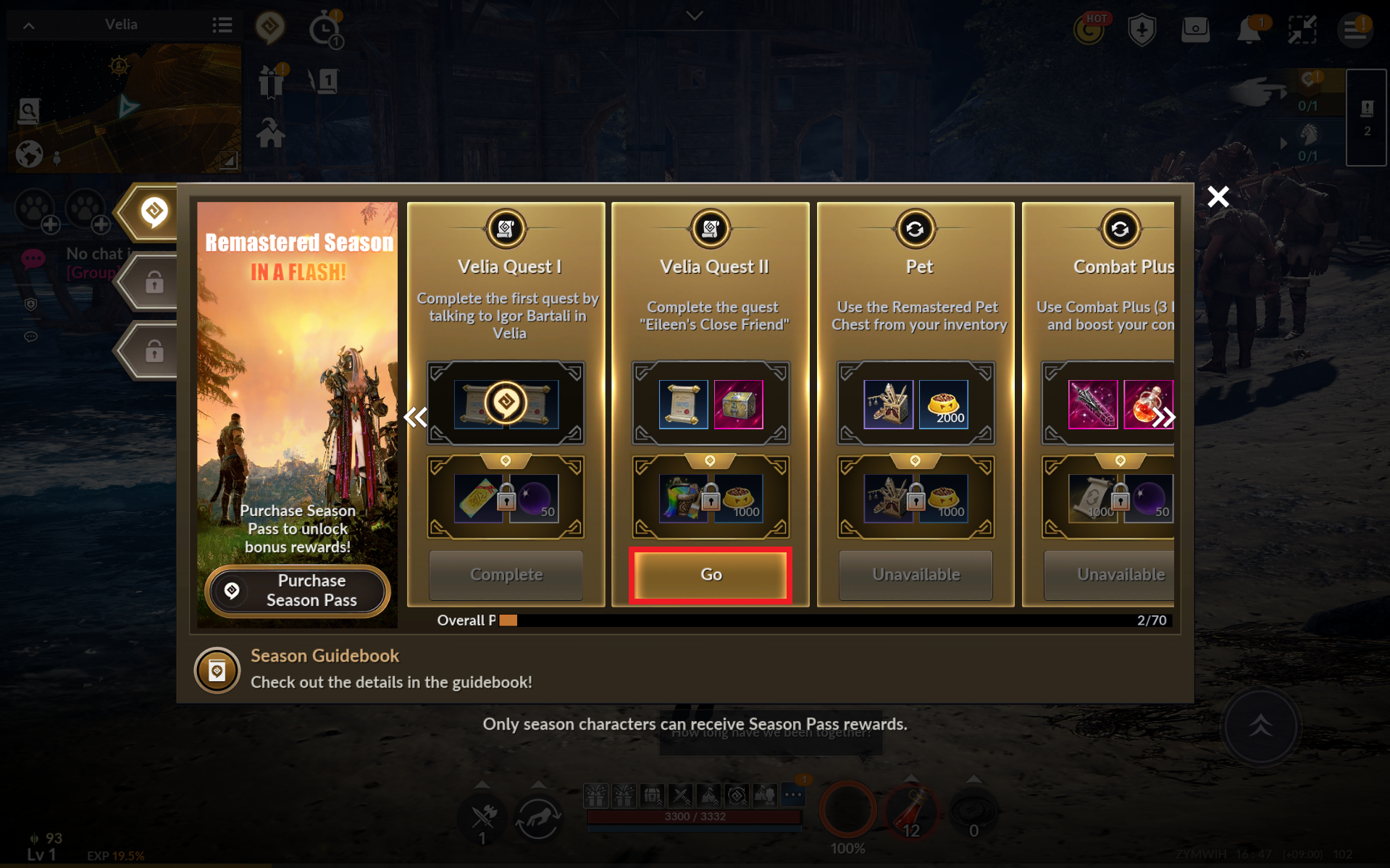
- Tap [Go] from the Season Pass screen to proceed with the Season Pass quest.
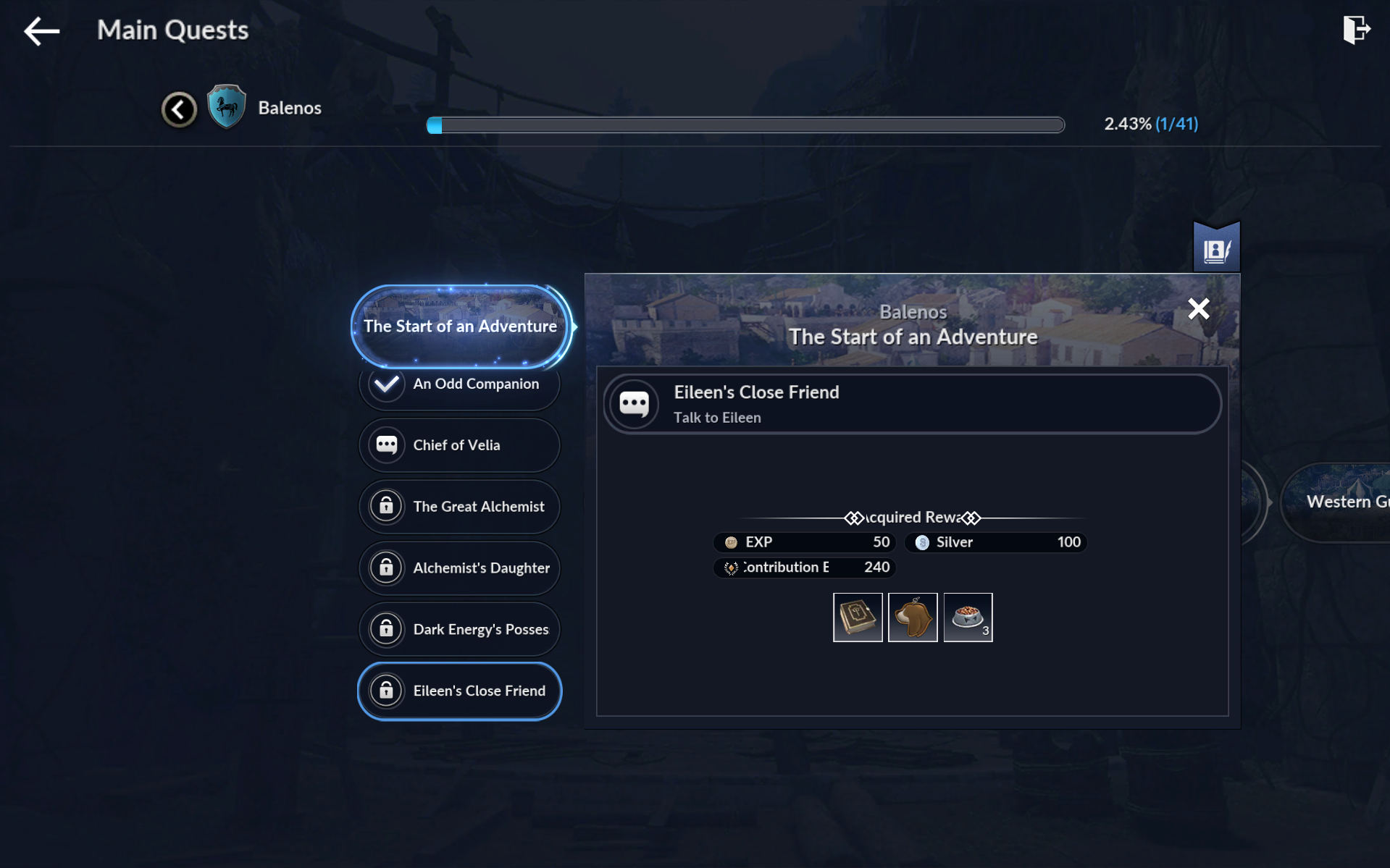
- If you need to progress through the main questline, tapping [Go] will guide you to the [Quest List] window.
- This quest will be completed once you complete the main quest "Eileen's Close Friend."
3) Pet: Use the Remaster Pet Chest from your inventory
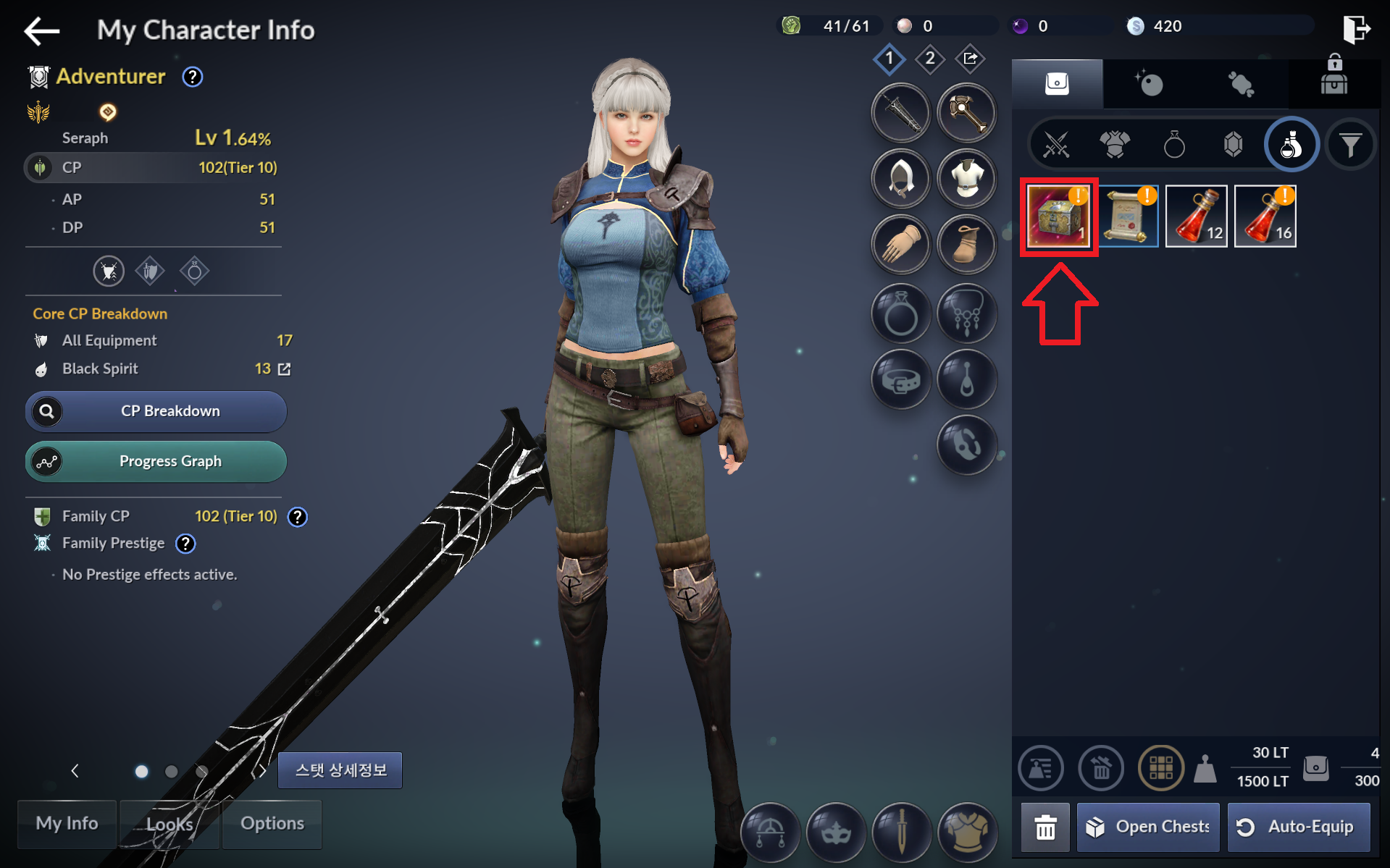
- Tap [Go] or the bag icon to enter [Inventory].
 ㅡ
ㅡ
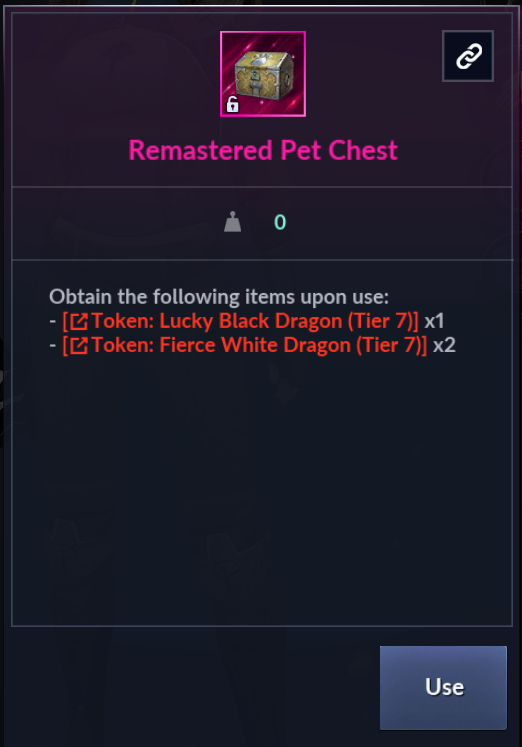
- Use the item "Remastered Pet Chest" in possession.
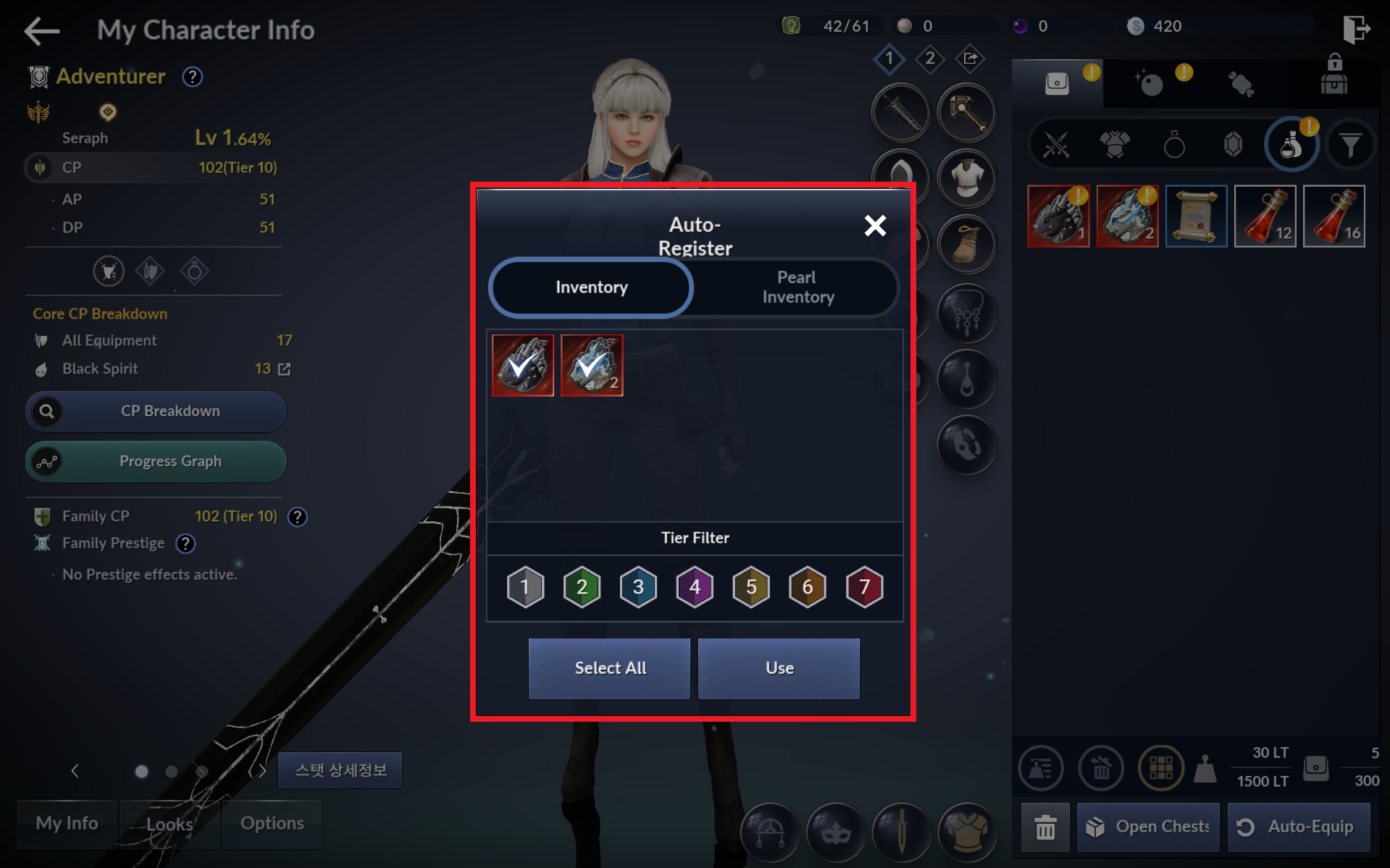
- The pets will be stored as Tokens in the Pearl Inventory.
- Tap [Auto-Register] to register all pets.
4) Combat Plus: Use Combat Plus (3 Days) and boost your combat
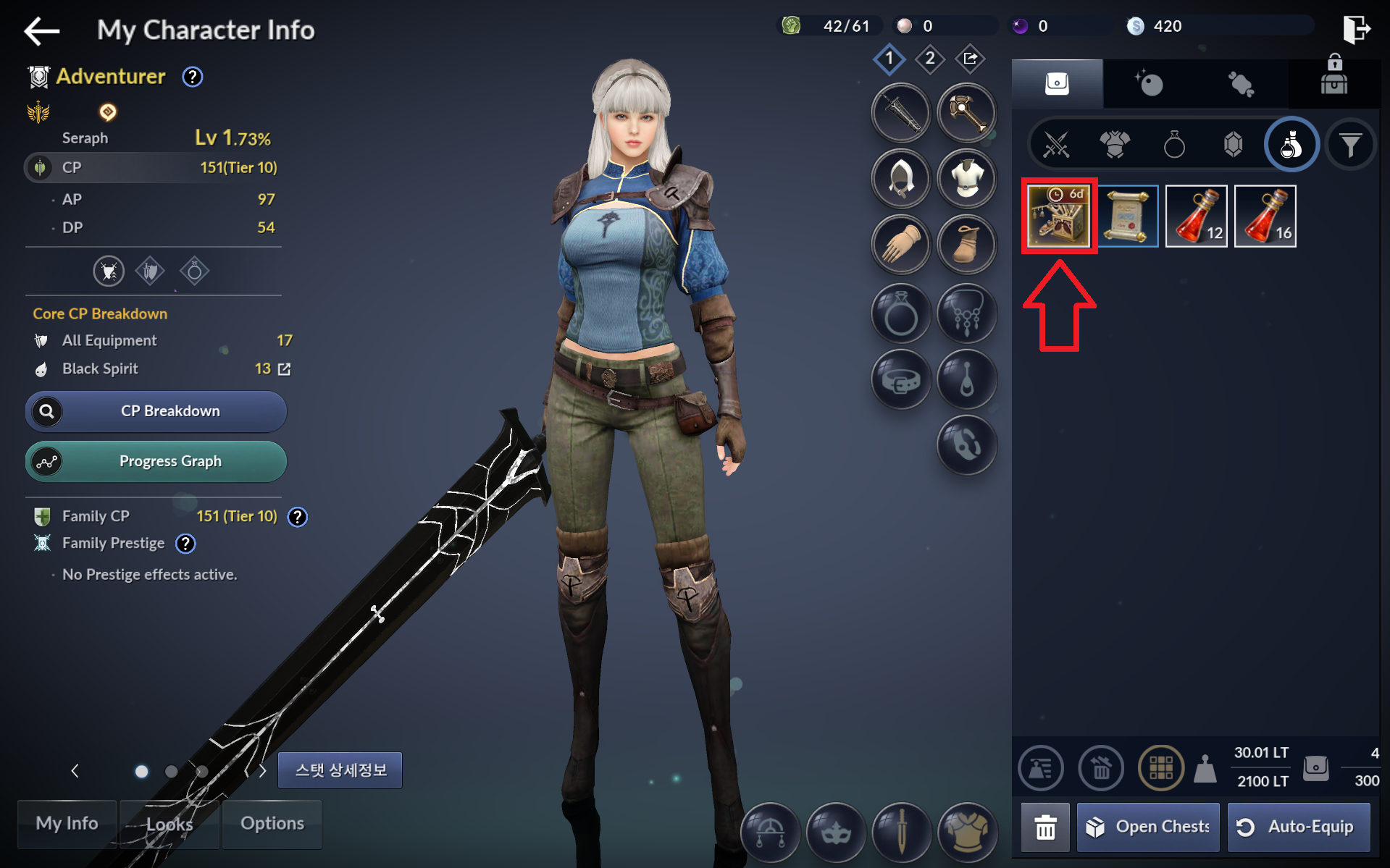
- Tap [Go] or the bag icon to enter [Inventory].
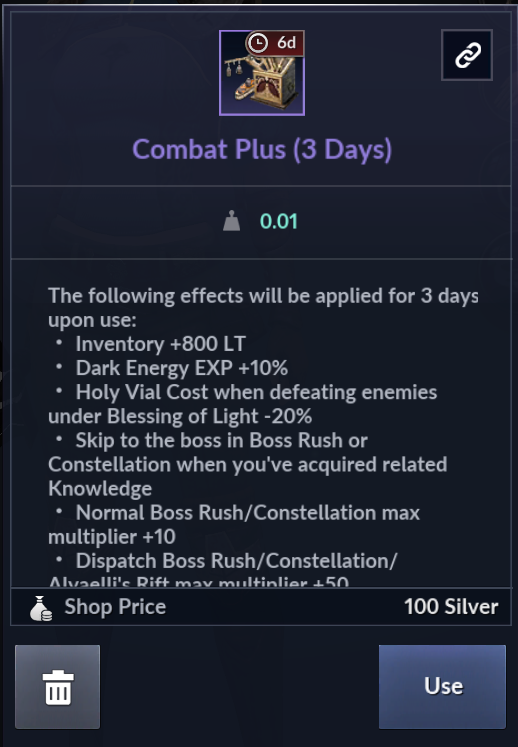
- Use the item "Combat Plus (3 Days)" from your inventory.
5) Equip Gear: Equip a Primal or higher-grade Main Weapon (Absolute Kzarka Main Weapon)
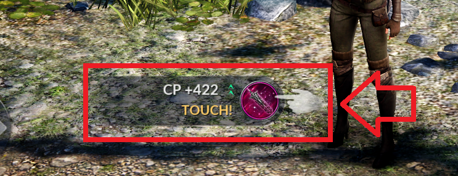
- Equip the Absolute Kzarka Main Weapon you just obtained from the Season Pass.
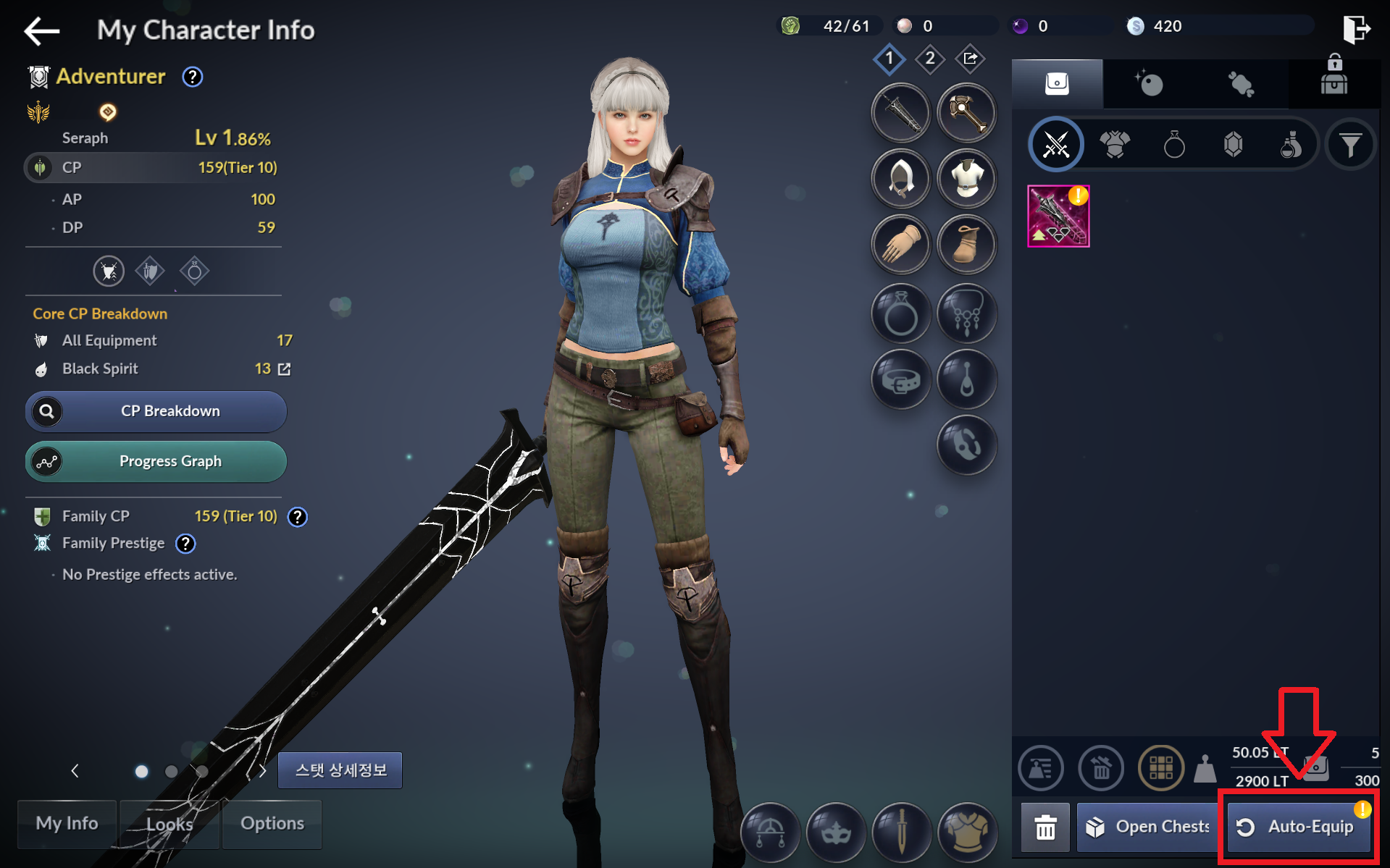
- Tap [Auto-Equip] to put on your gear with the highest CP at once.
6) Black Spirit and Dark Energy I: Feed Condensed Dark Energy to help the Black Spirit grow
- Tap [Go] or [Black Spirit] - [Dark Energy] to enter the Dark Energy menu, then tap the jewel-shaped icon on the upper right corner.
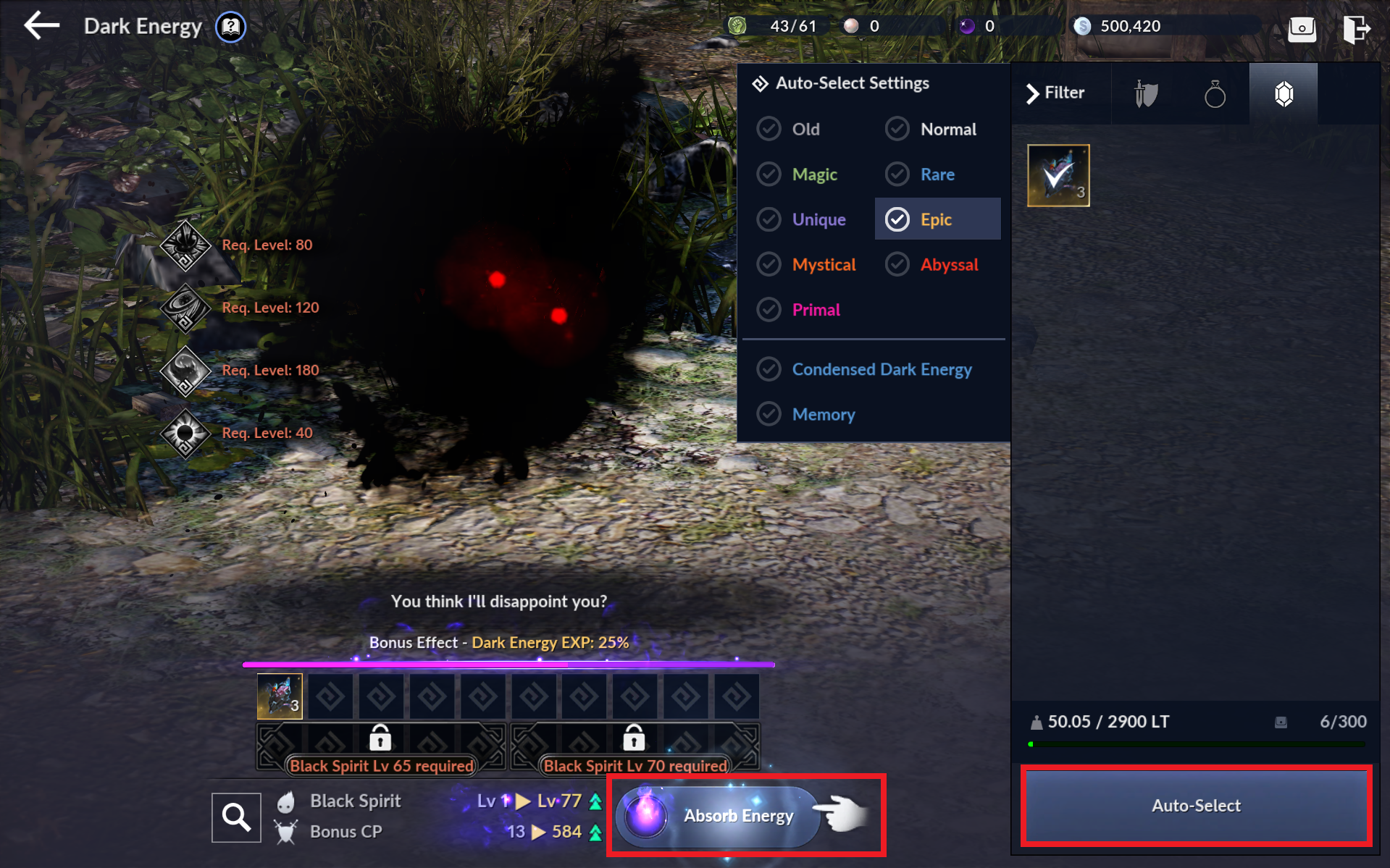
- Tap [Auto-Select], then [Absorb Energy] to absorb the Dark Energy.
- New Black Spirit features will unlock and your CP will increase as your Black Spirit levels up.
7) Enhance Gear I: Enhance a Primal or higher-grade Main Weapon to +10 or higher or equip one
- Tap [Go] or [Black Spirit] - [Go] - [Enhance / Force Enhance] to enter the Enhancement menu.
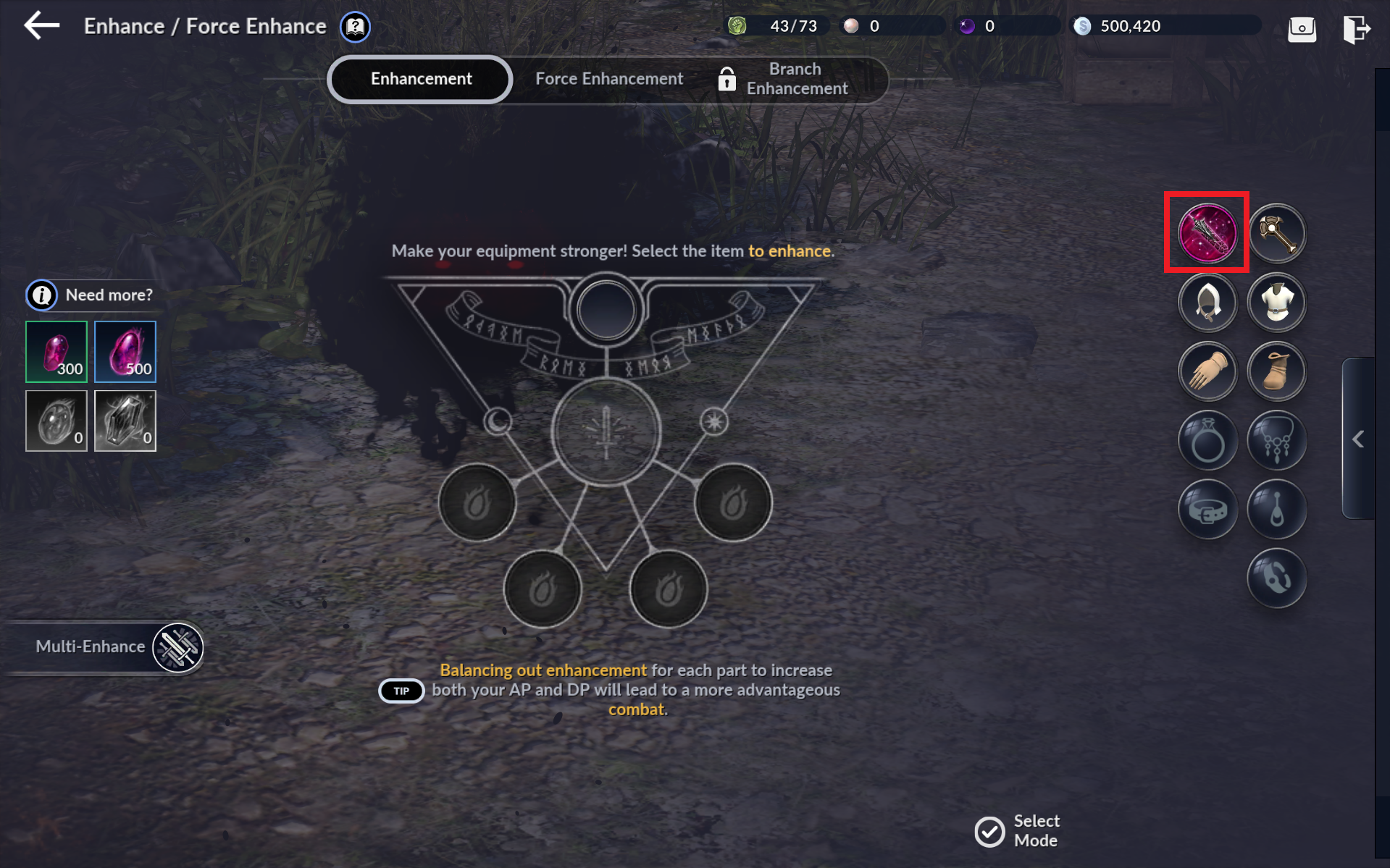
- Tap [Auto-Enhance], then set Target: +10 and Attempt at: 100%.
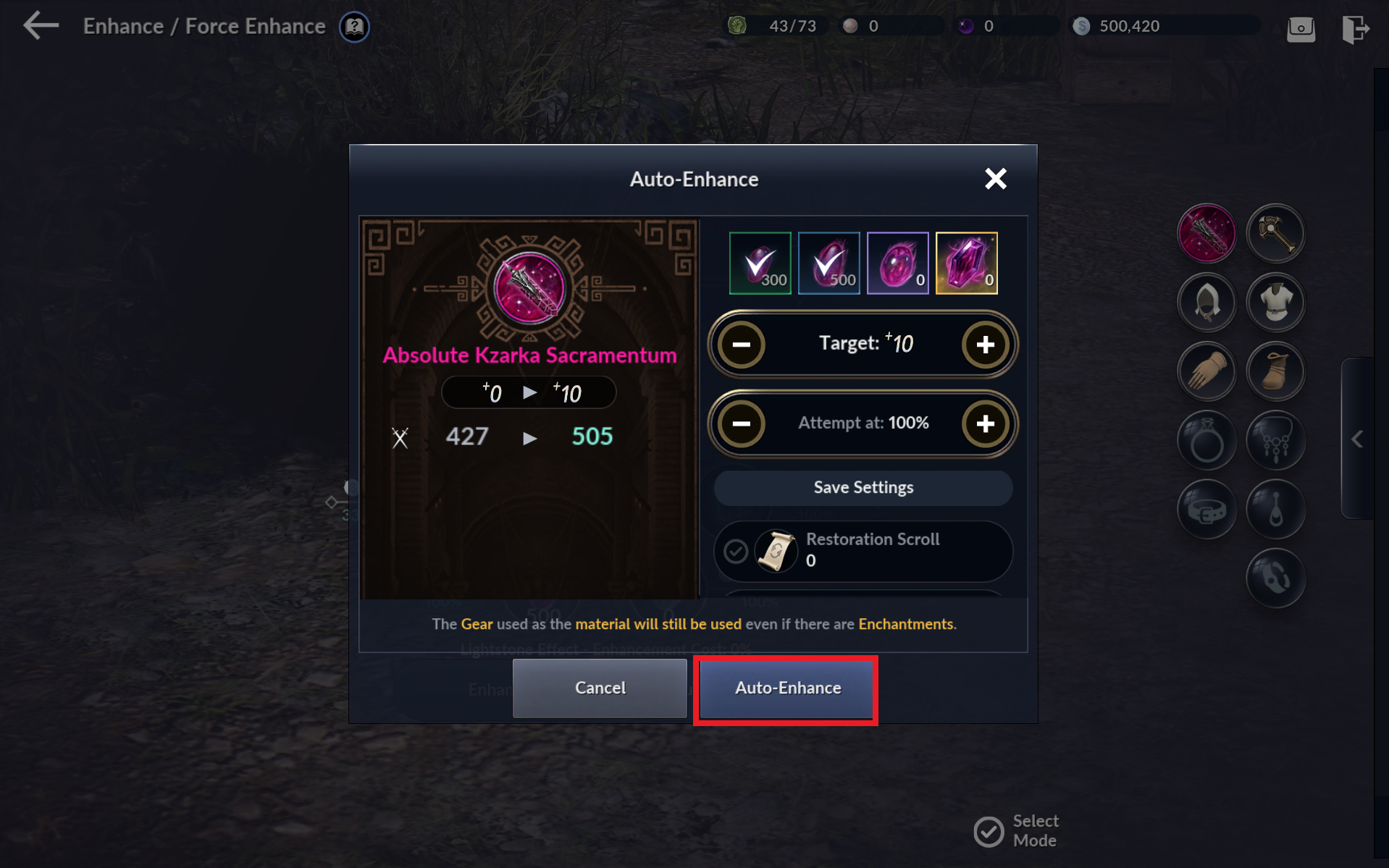
* This will guarantee a 100% success rate until the gear reaches the target Enhancement Level, consuming required materials.
- Enhancement is the most basic means to acquire CP in Black Desert Mobile.
- Try enhancing your gear whenever possible.
- Enhance the Sub-Weapon, Helmet, Armor, Gloves, and Shoes you obtain from the Season Pass to +10 the same way.
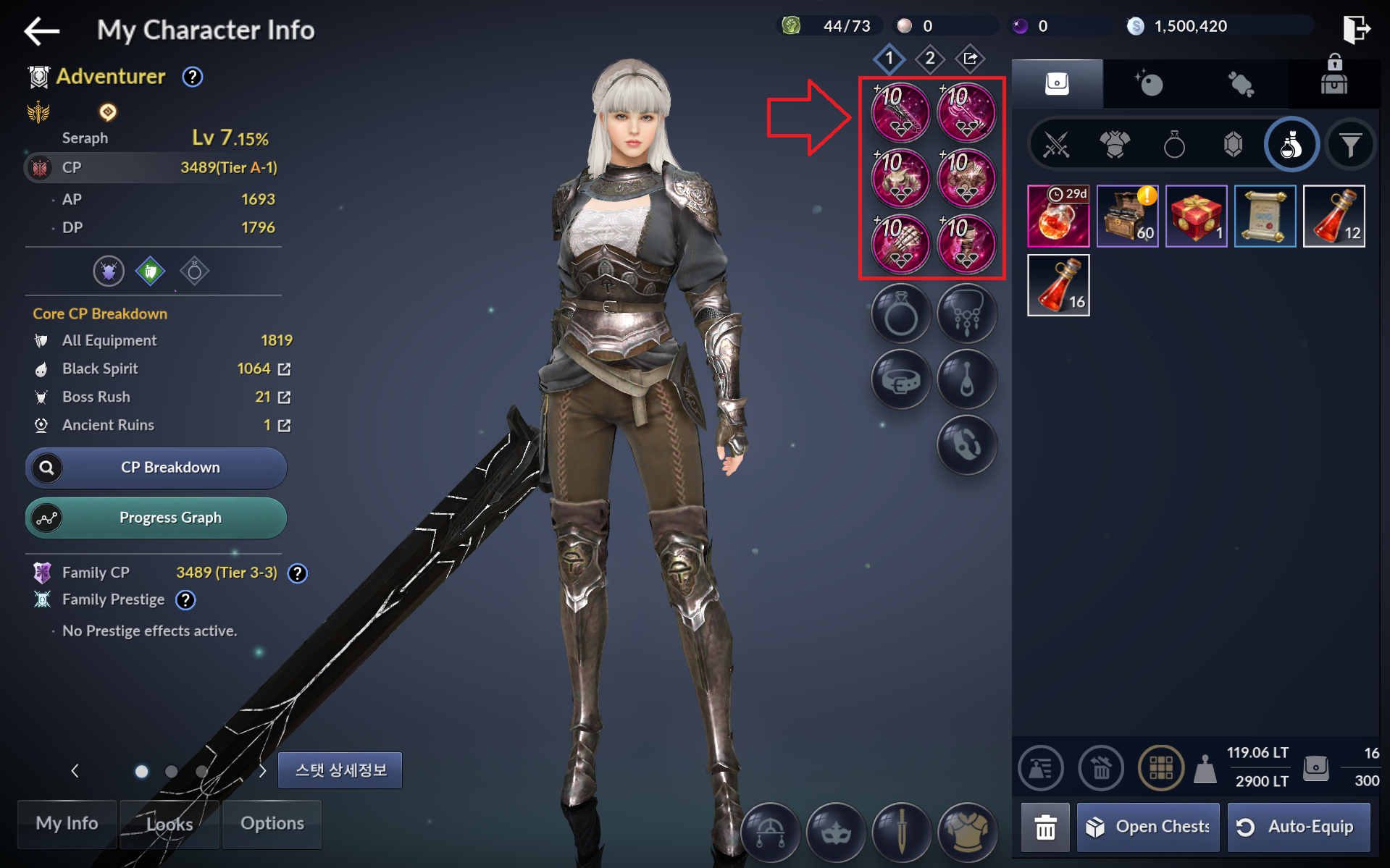
8) Boss Rush I: Complete Boss Rush x1
- Tap [Go] or [Menu] - [Boss Rush] to enter the Rush Board.
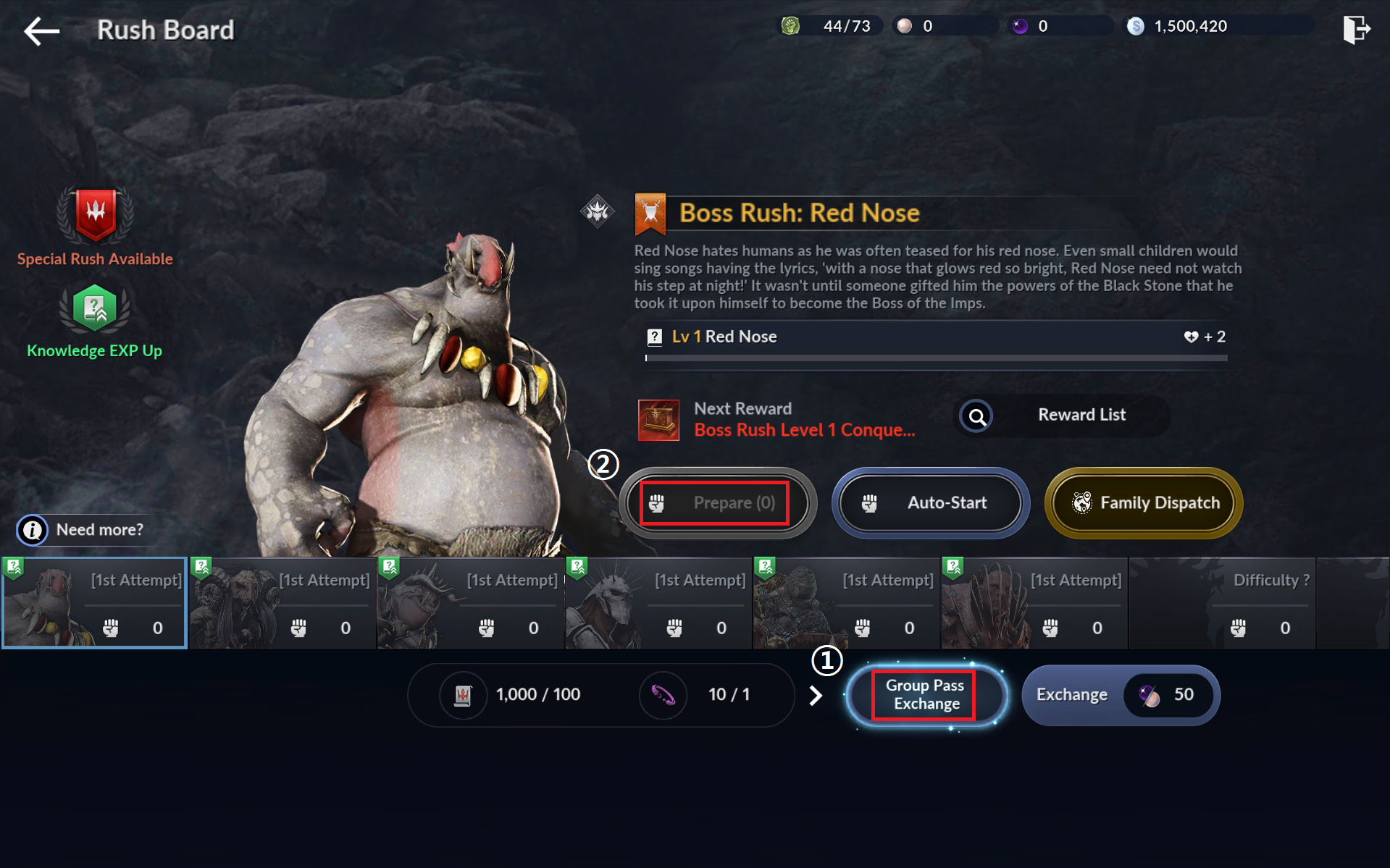
1. Tap [Group Pass Exchange] then tap [Max] to exchange all resources in possession for entries.
2. Select Boss Rush: Red Nose, then tap [Prepare] to begin the Boss Rush against Red Nose.
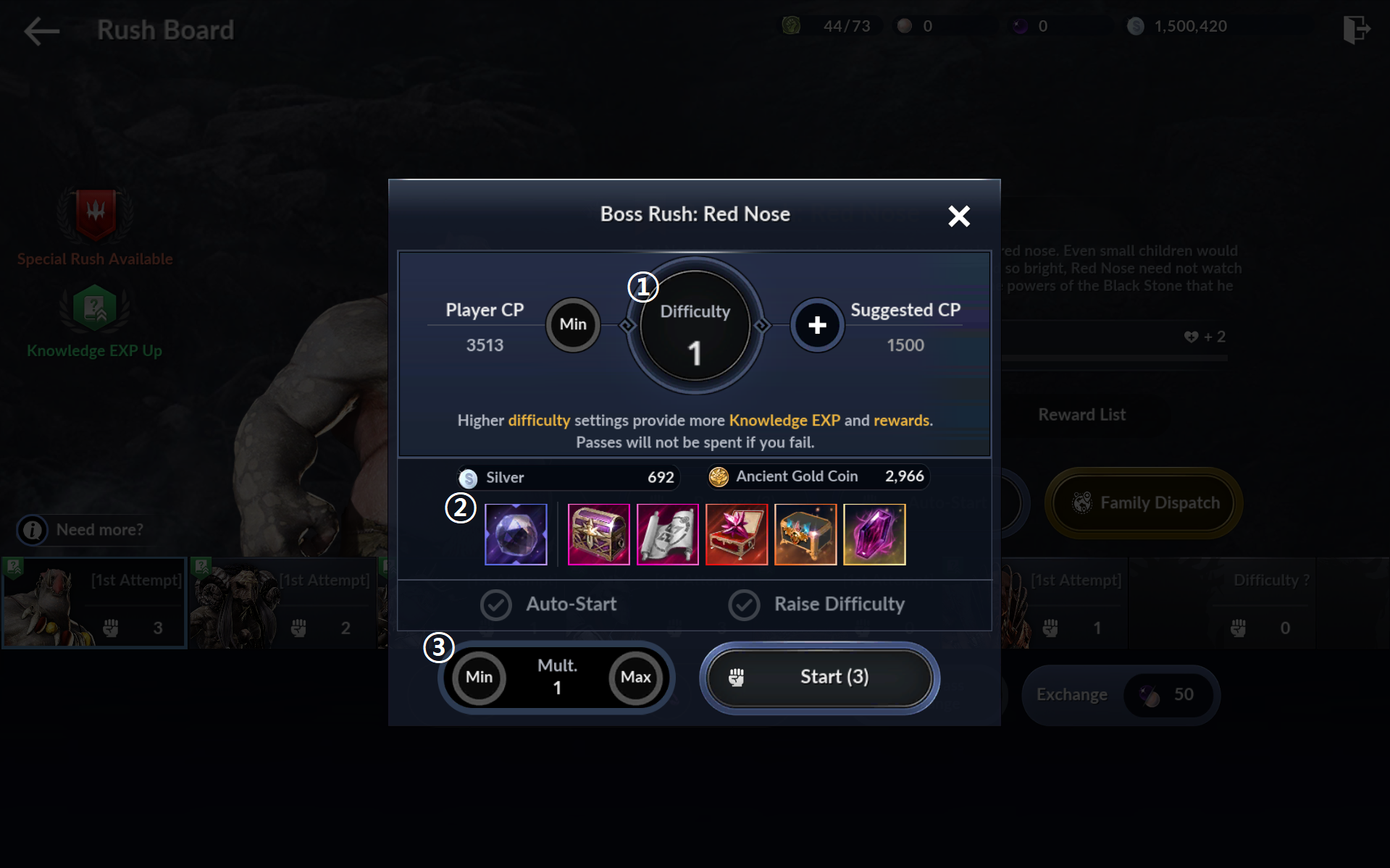
|
Number |
UI |
Details |
|
1 |
Difficulty |
You can set the Boss Rush difficulty. Higher difficulty grants better rewards. |
|
2 |
Available Rewards |
These are the rewards you can obtain if you complete the Ancient Ruins of this difficulty. |
|
3 |
Multiplier |
Increase multiplier to consume more entries and obtain more rewards with a single run. E.g., Completing the Ancient Ruins with a multiplier of 2 will consume 2 entries and grant double rewards. |
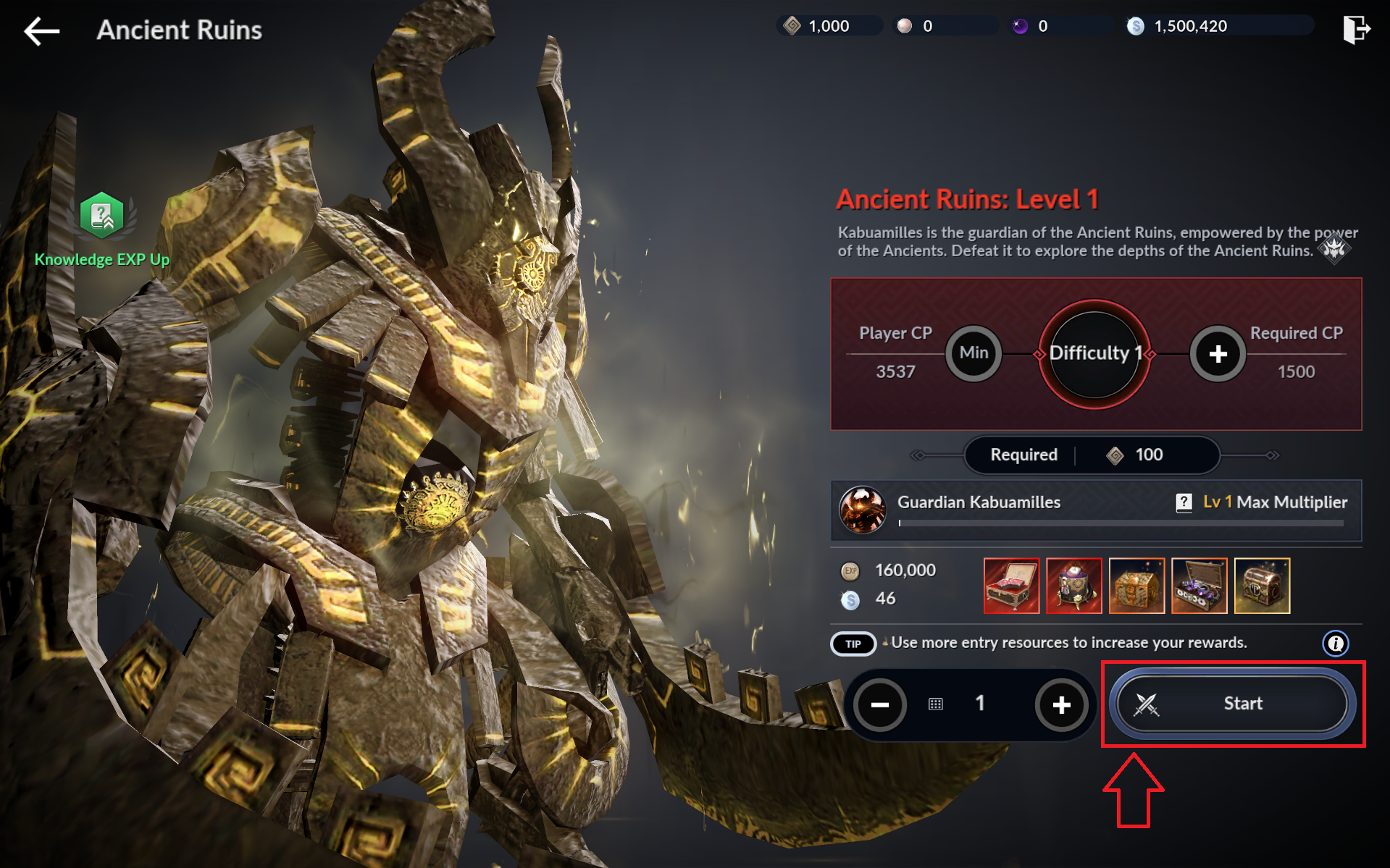
9) Expedition, Ancient Ruins I: Explore Ancient Ruins x1
- Tap [Go] or [Menu] - [Expedition] - [Ruins] to enter the Ancient Ruins menu.
- Tap [Start] to begin exploring the Ancient Ruins.
10) Enhance Accessory I: Enhance a Chaos or higher-grade Necklace to +1 or higher or equip one
- Tap [Go] or [Black Spirit] - [Enhance / Force Enhance] to enter the Enhancement menu.
- Tap the bar on the right, then tap the Accessory tab. You'll find the Chaos Necklace you obtained from the Season Pass.
- Tap [Enhance] to attempt +1 enhancement on the Chaos Necklace.
* Primal or higher-grade (Primal, Chaos, or Eternal) accessories use Primal accessories of the same slot as enhancement materials.
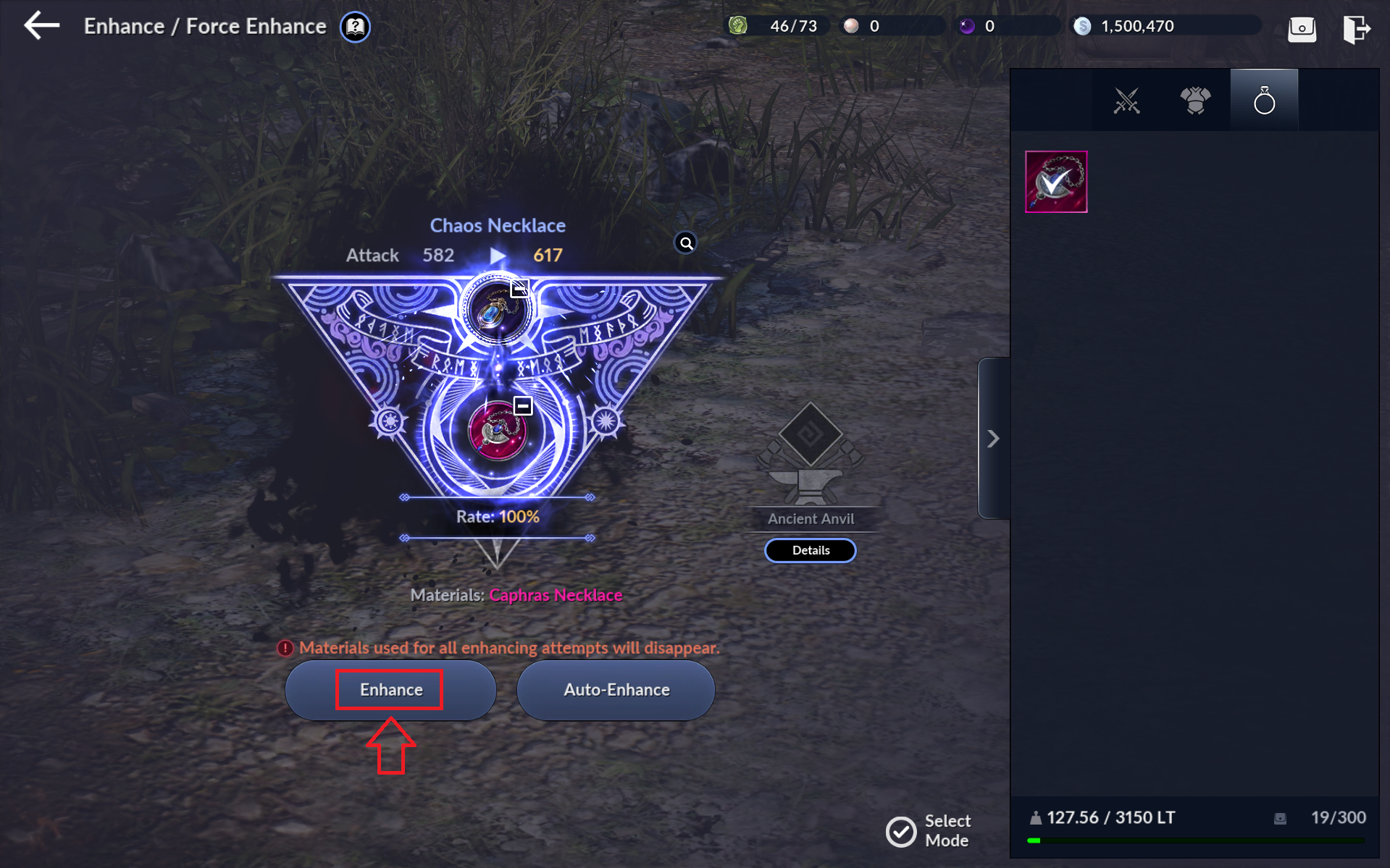
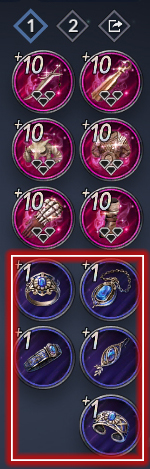
- Enhance the Chaos Necklace to +1, then tap [Auto-Equip] at the inventory to equip it.
- Enhance the Ring, Belt, Earrings, and Bracelet you obtain from the Season Pass to +1 the same way and equip them.
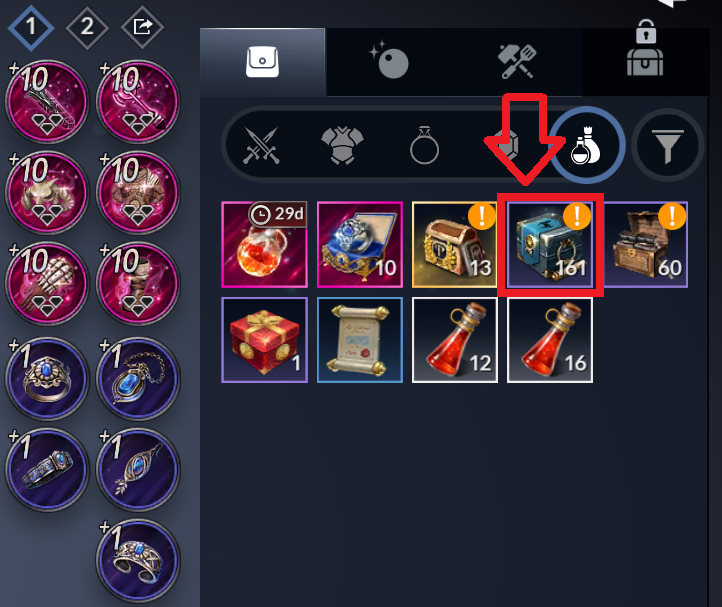
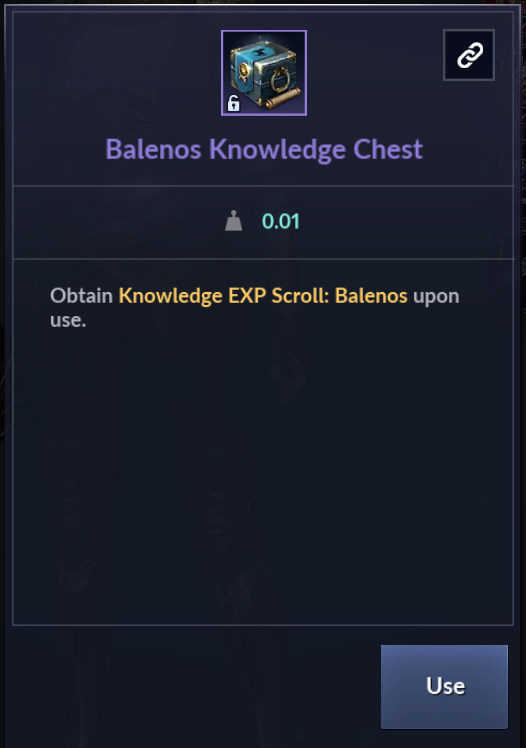
11) Monster Knowledge I: Use Balenos Knowledge Chest
- Tap [Go] or the bag icon to enter [Inventory].
- Use the Balenos Knowledge Chest in your inventory to acquire Knowledges of monsters in Balenos.
 ㅋ
ㅋ
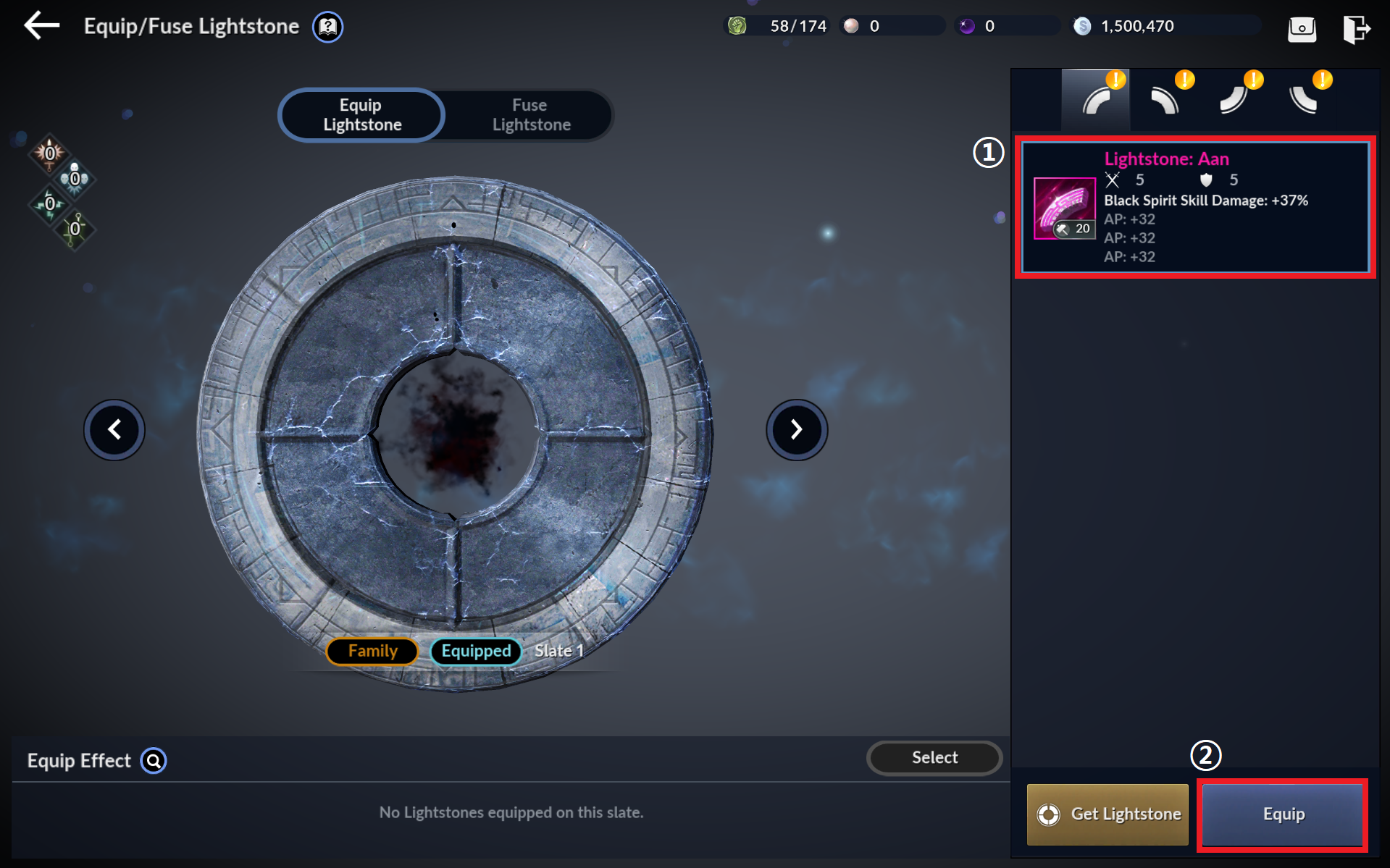
12) Equip Lightstone: Equip a Primal or higher-grade Lightstone: Aan
- Tap [Go] or [Black Spirit] - [Equip/Fuse Lightstone] to enter the Equip/Fuse Lightstone menu.
1. Tap the Lightstone you wish to equip.
2. Tap [Equip] to equip the Lightstone.
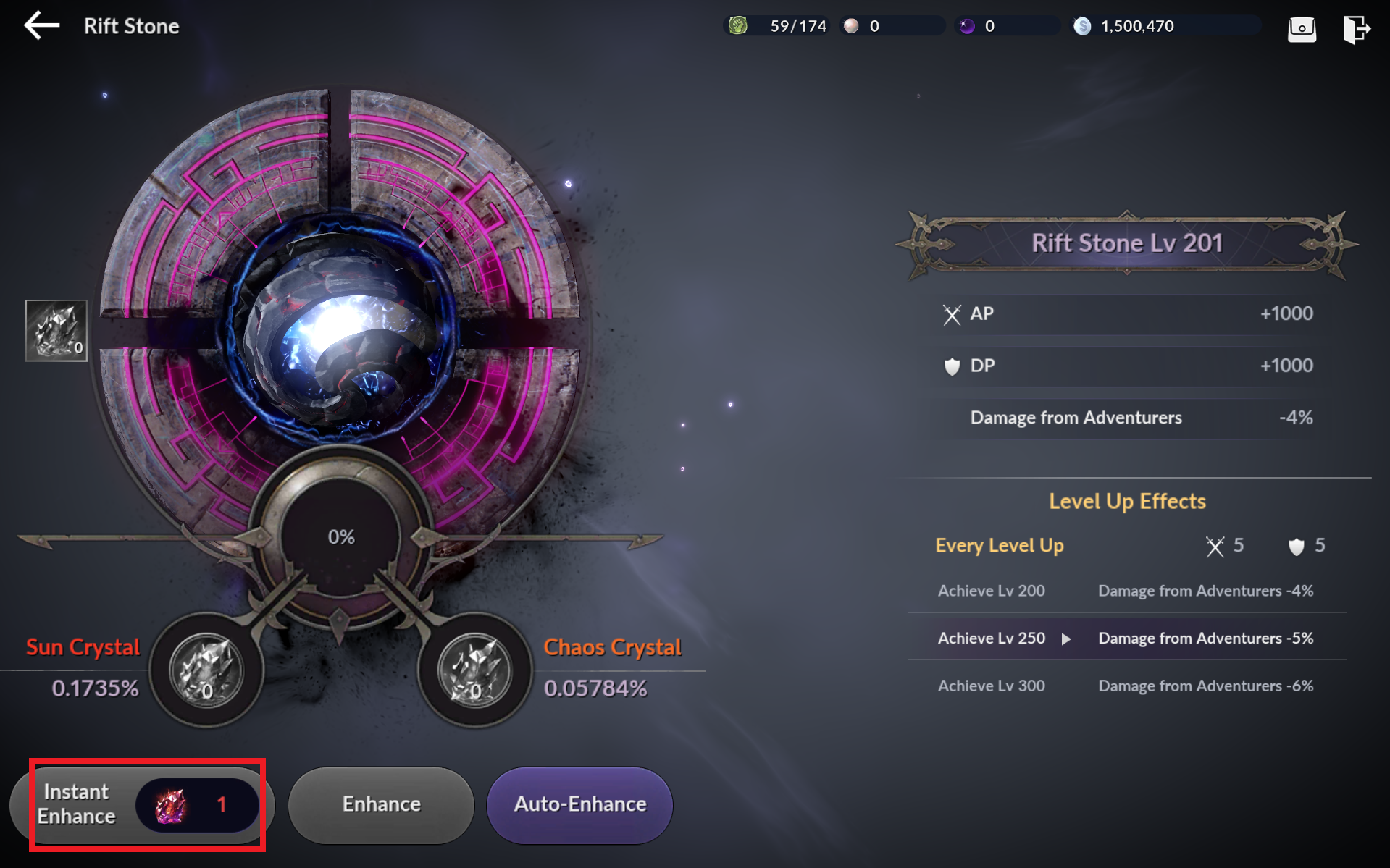
13) Rift Stone: Reach Rift Stone Level 200
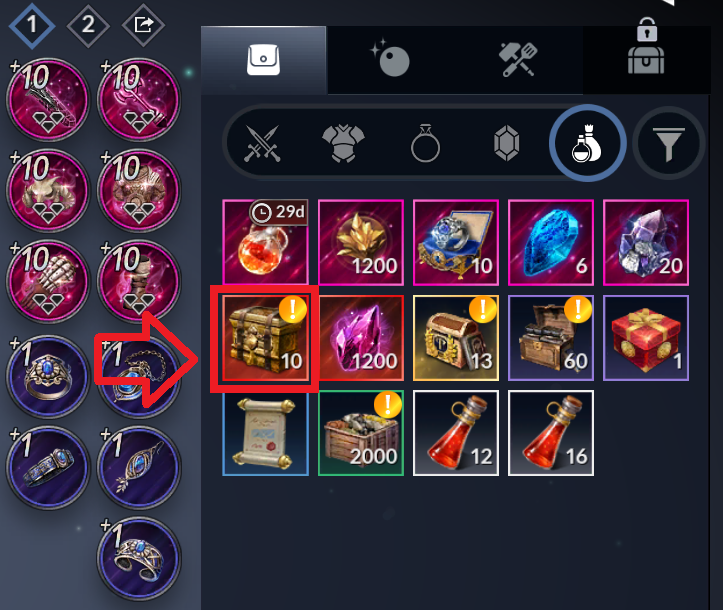
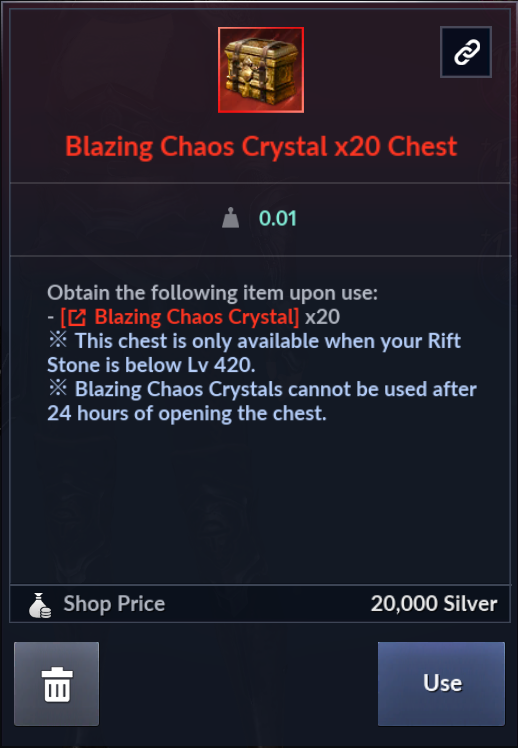
- Use the Blazing Chaos Crystal x20 Chest you obtained from the Season Pass at your inventory.
- Tap the Blazing Chaos Crystal icon, then tap [Rift Stone] to enter the Rift Stone menu.
- Tap [Instant Enhance] to reach Rift Stone Level 200.
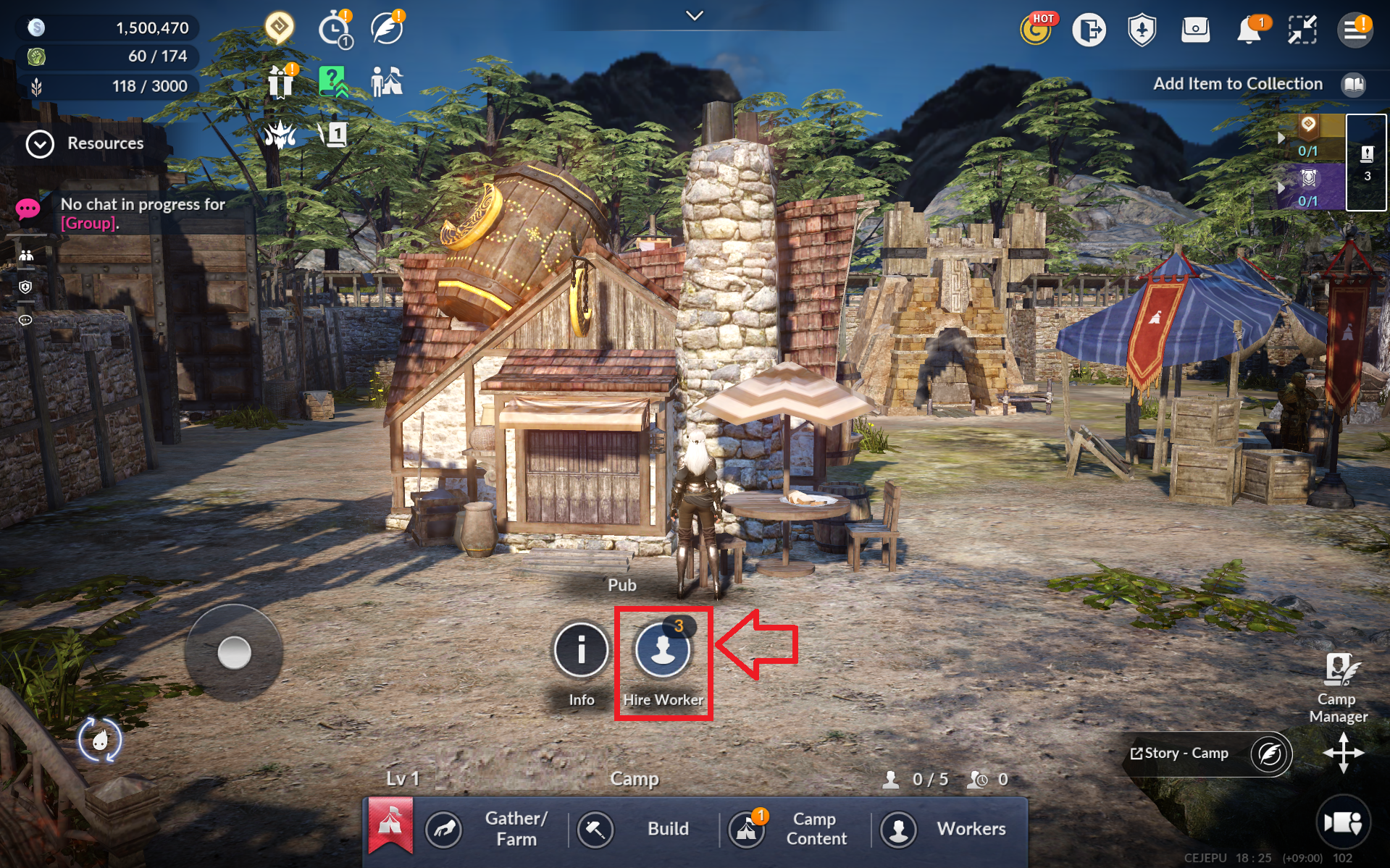
14) Camp I: Own 1 worker or hire one at the Camp Pub
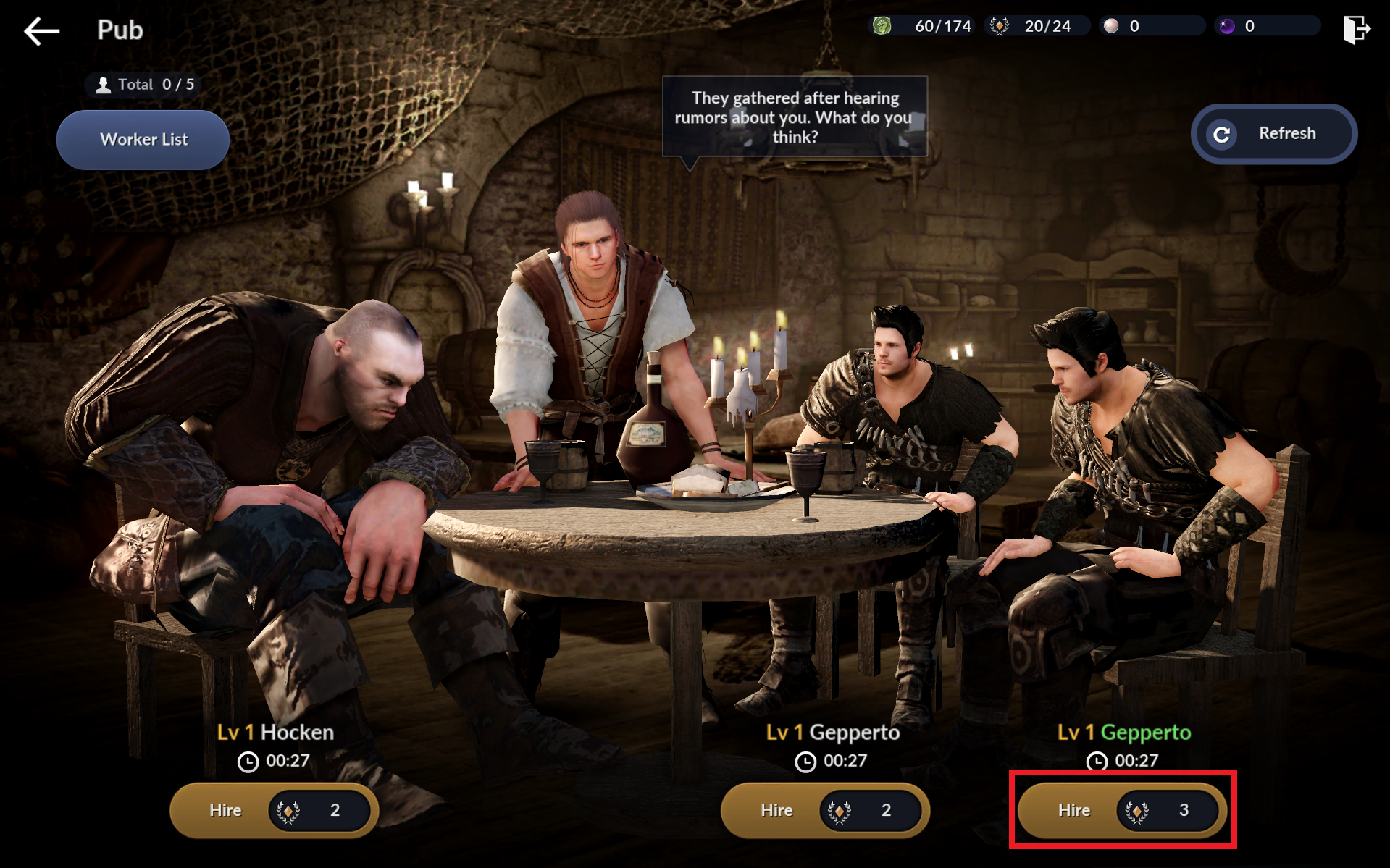
- Enter your Camp via [Menu] - [Camp] and enter the Pub menu to hire workers.
- Tap [Hire] to hire the worker you want.
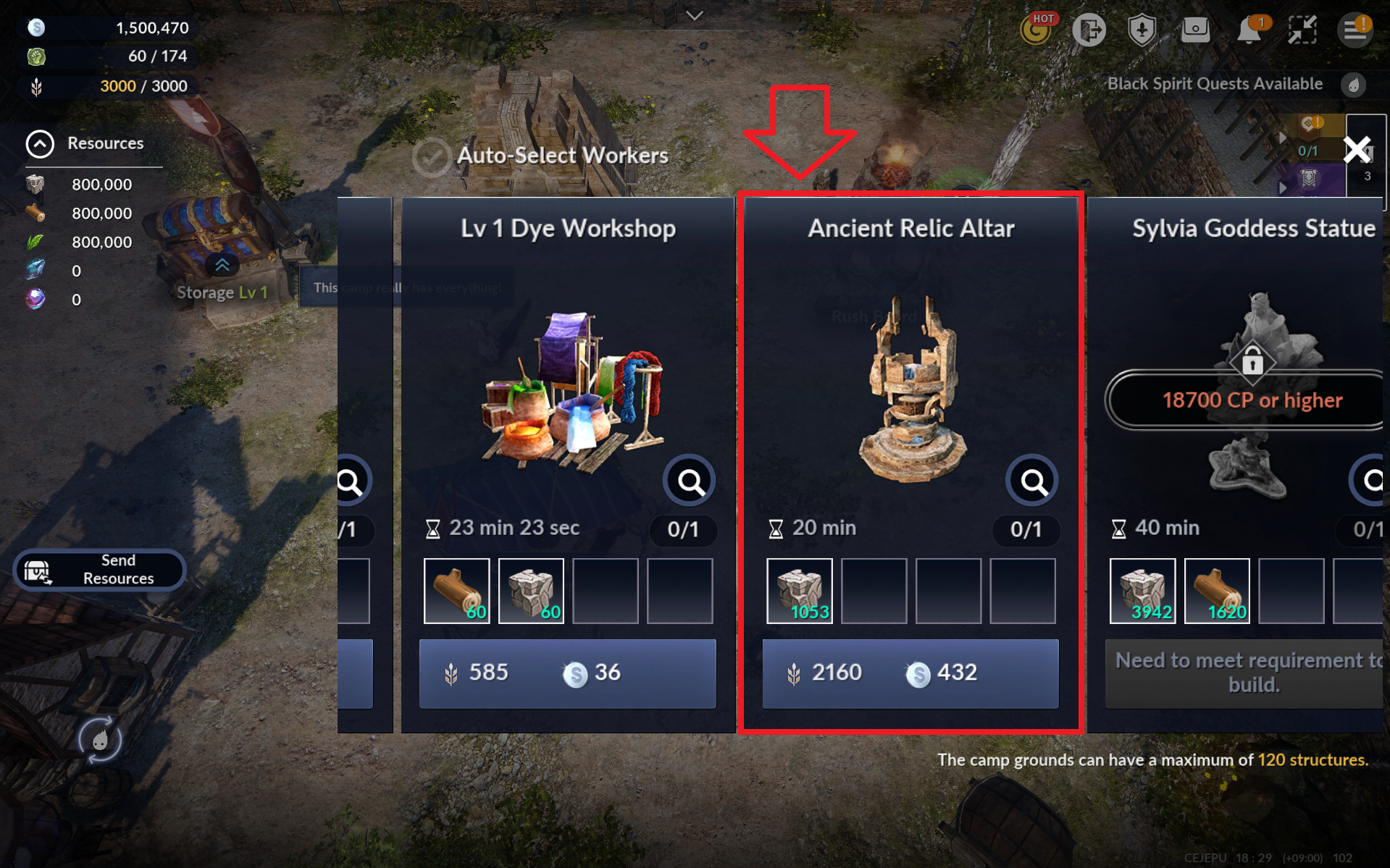
15) Camp II: Build an Ancient Relic Altar in your Camp
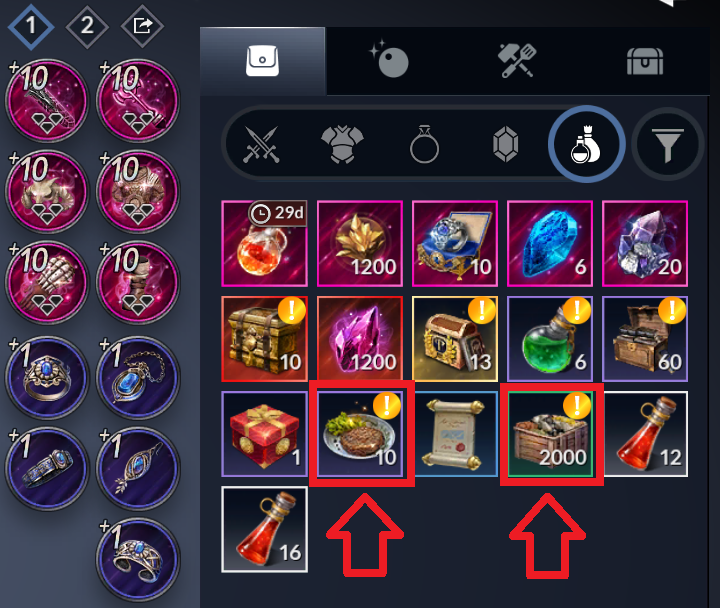
- You need resources and Food to construct buildings in your Camp.
- Use Camp Growth Chests and Jumbo King of Jungle Hamburg Steaks to obtain resources and Food.
- Now with enough resources and Food, select [Ancient Relic Altar] at the [Build] menu.
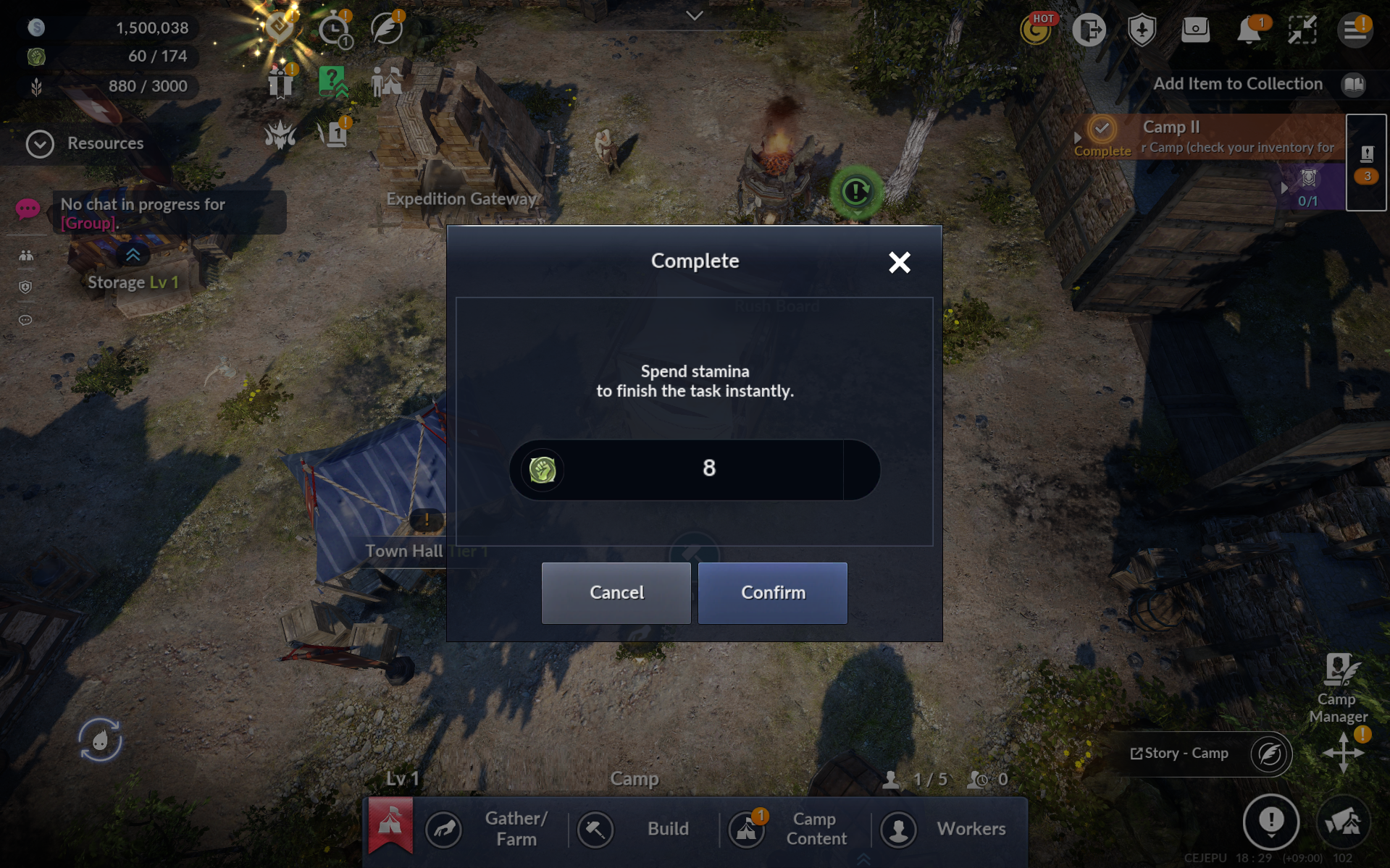
* Tap the hammer icon on the bulding under construction to instantly complete construction with stamina.
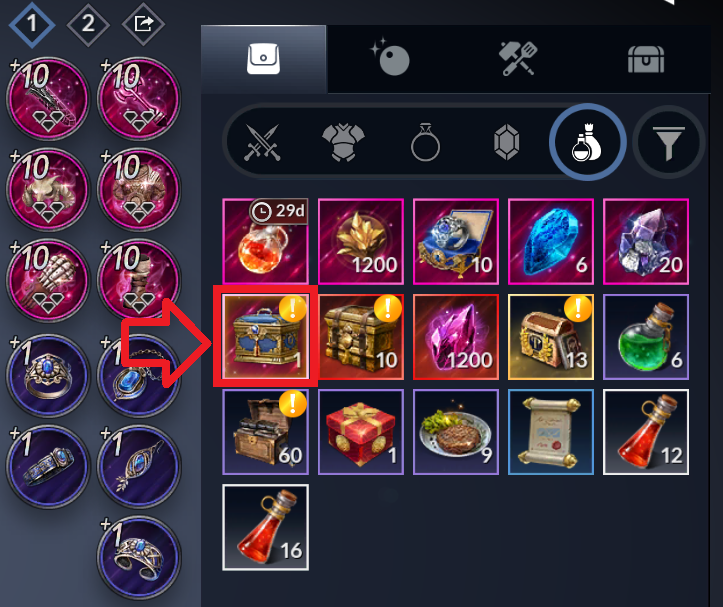
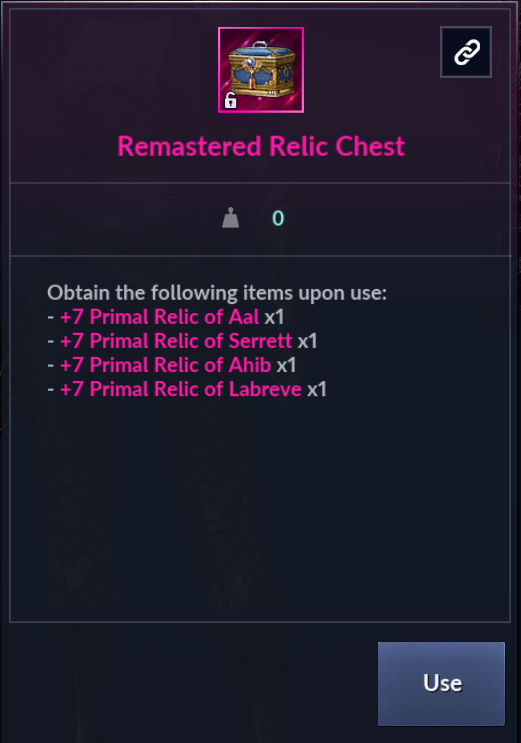
16) Equip Relics: Use the Remastered Relic Chest from your inventory and equip two Primal or higher-grade relics
- Tap [Go] or move to the inventory and use the Remastered Relic Chest.
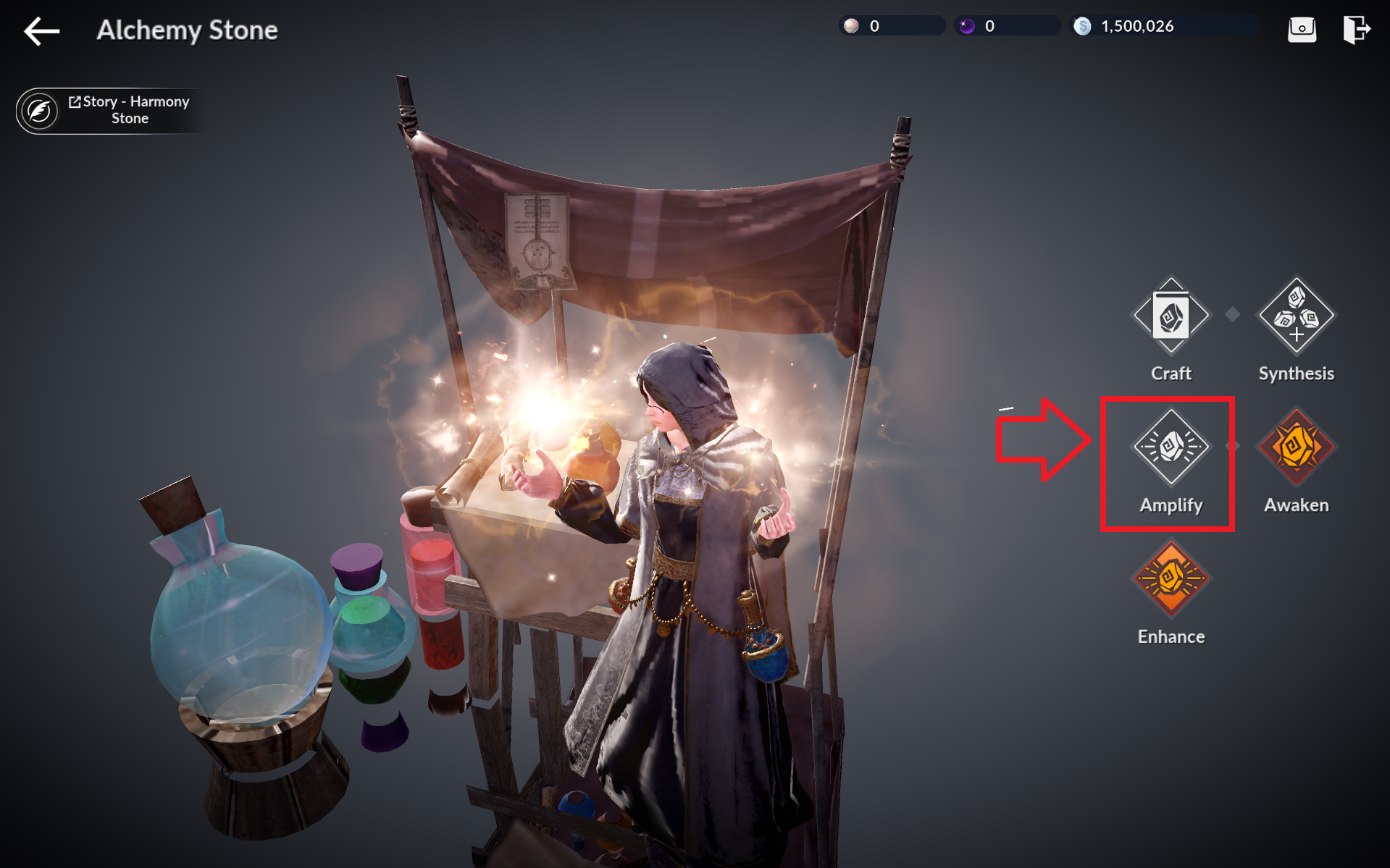
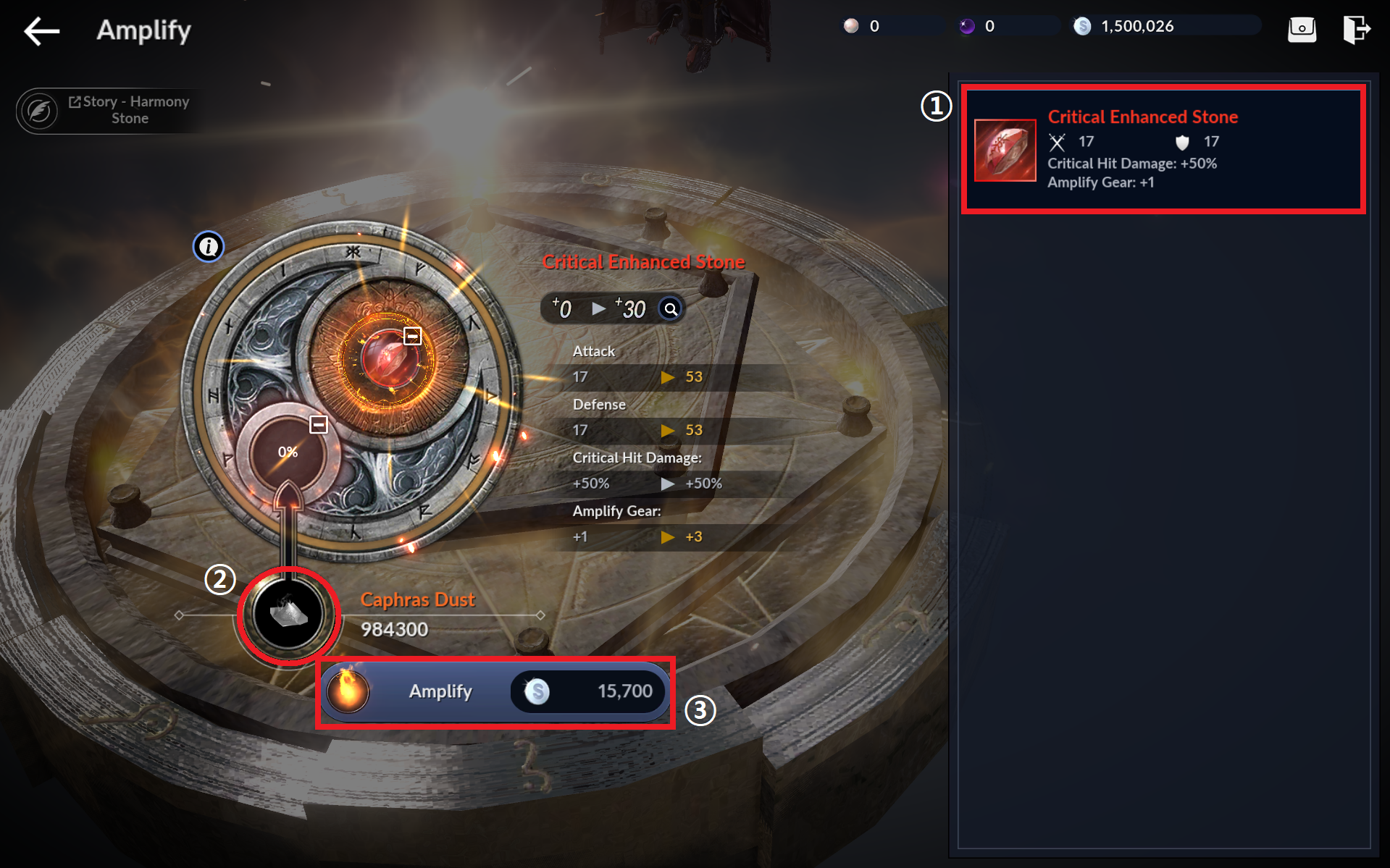
17) Amplify Alchemy Stone: Amplify Critical Enhanced Stone to +30, then equip it
- Tap [Go] or the Alchemy Lab building in your Camp to enter the Alchemy Stone menu, then proceed to the Amplify menu.
* If you haven't built an Alchemy Lab yet, go to your Camp and build the Alchemy Lab first.
1. Select the Alchemy Stone from the right.
2. Hold the Caphras Dust icon until the target Amplify level reaches +30.
3. Tap [Amplify] to amplify the Alchemy Stone.
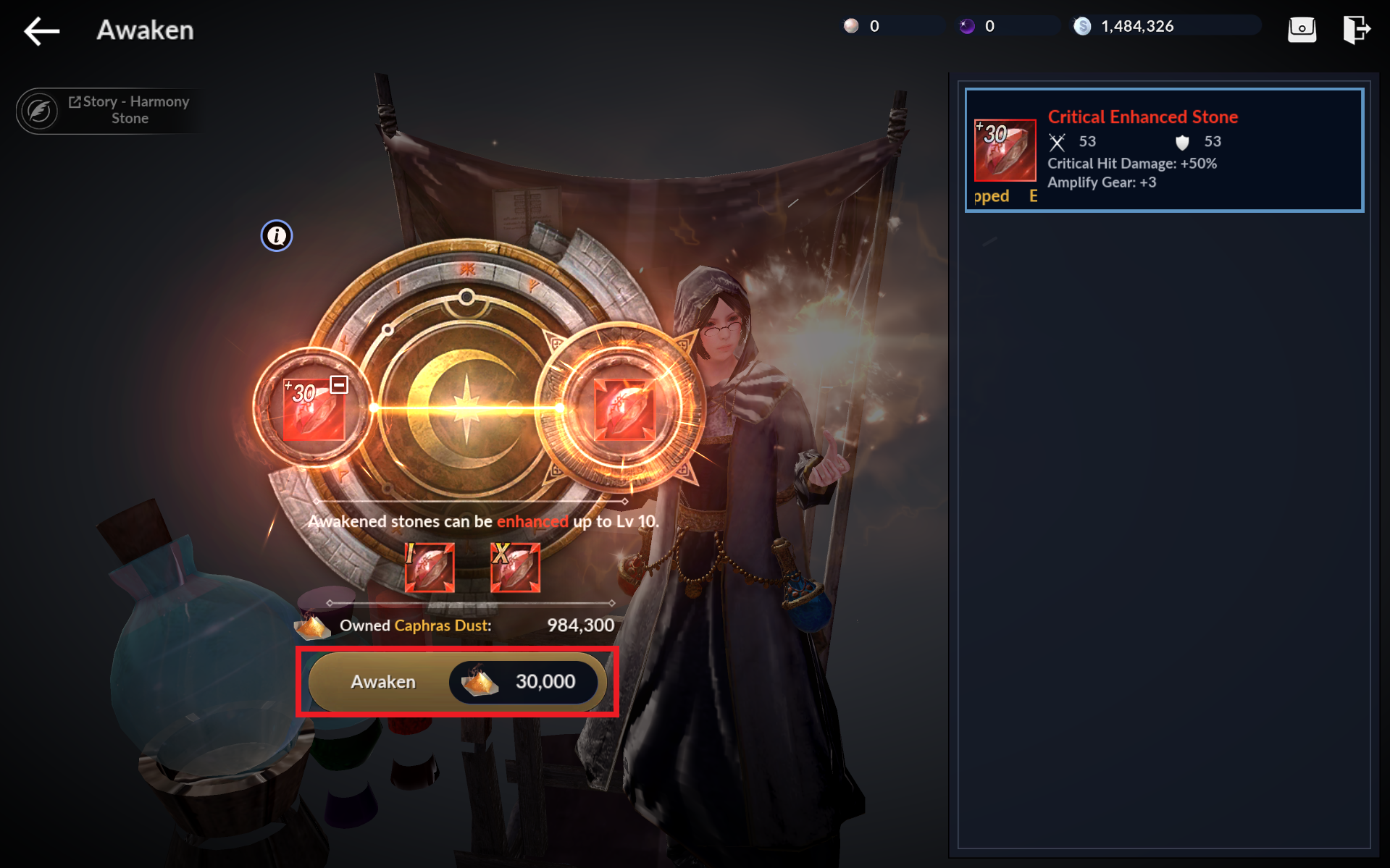
18) Awaken & Enhance Alchemy Stone: Awaken Critical Enhanced Stone and enhance it once, then equip it
- Tap [Go] or the Alchemy Lab building in your Camp to enter the Alchemy Stone menu, then proceed to the Awaken menu.
- Select the Alchemy Stone from the right, then tap [Awaken] to awaken it.
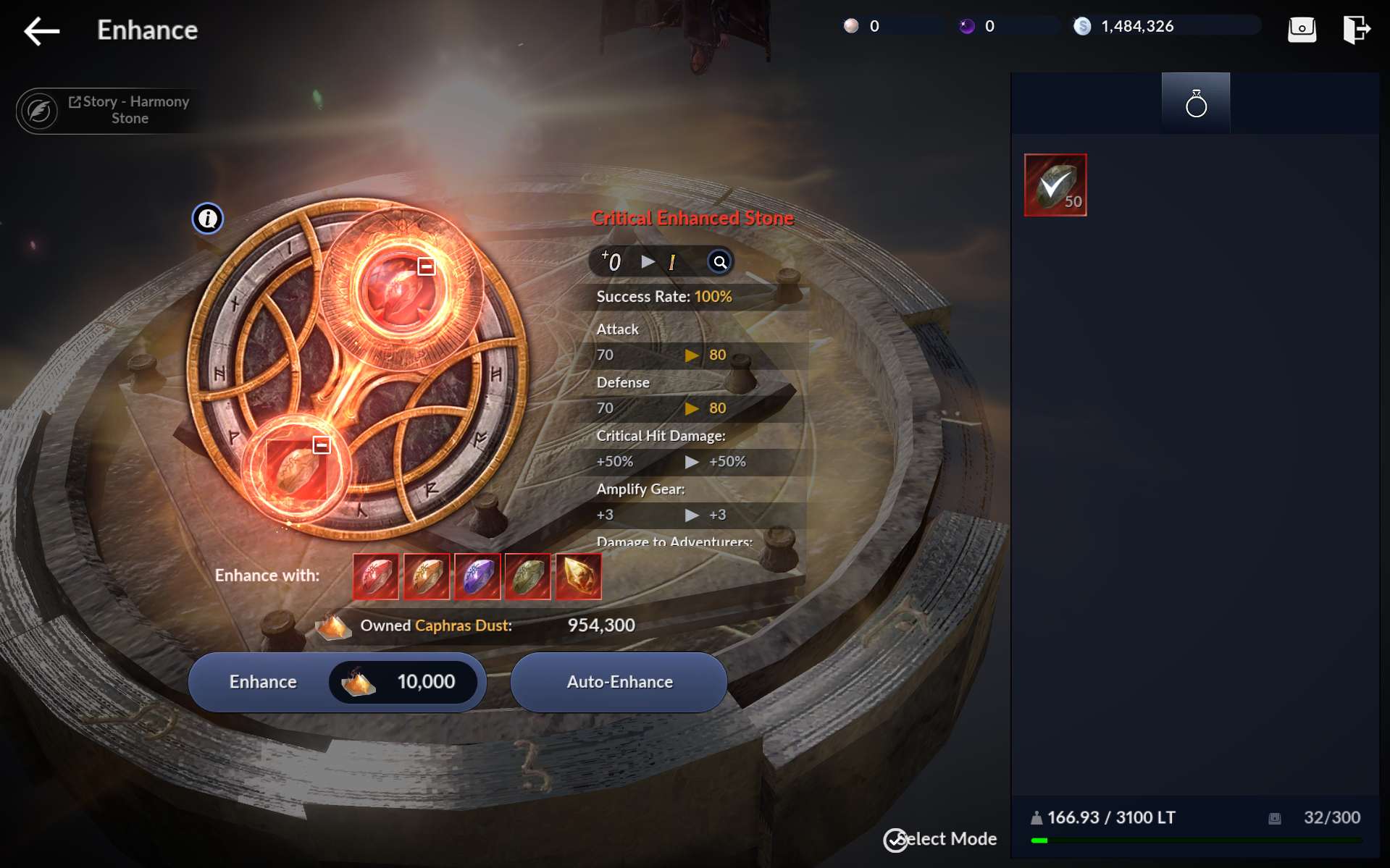
- Go back to the Alchemy Stone menu and proceed to the Enhance menu.
- Select the Alchemy Stone and enhancement materials, then tap [Enhance] to attempt enhancement.
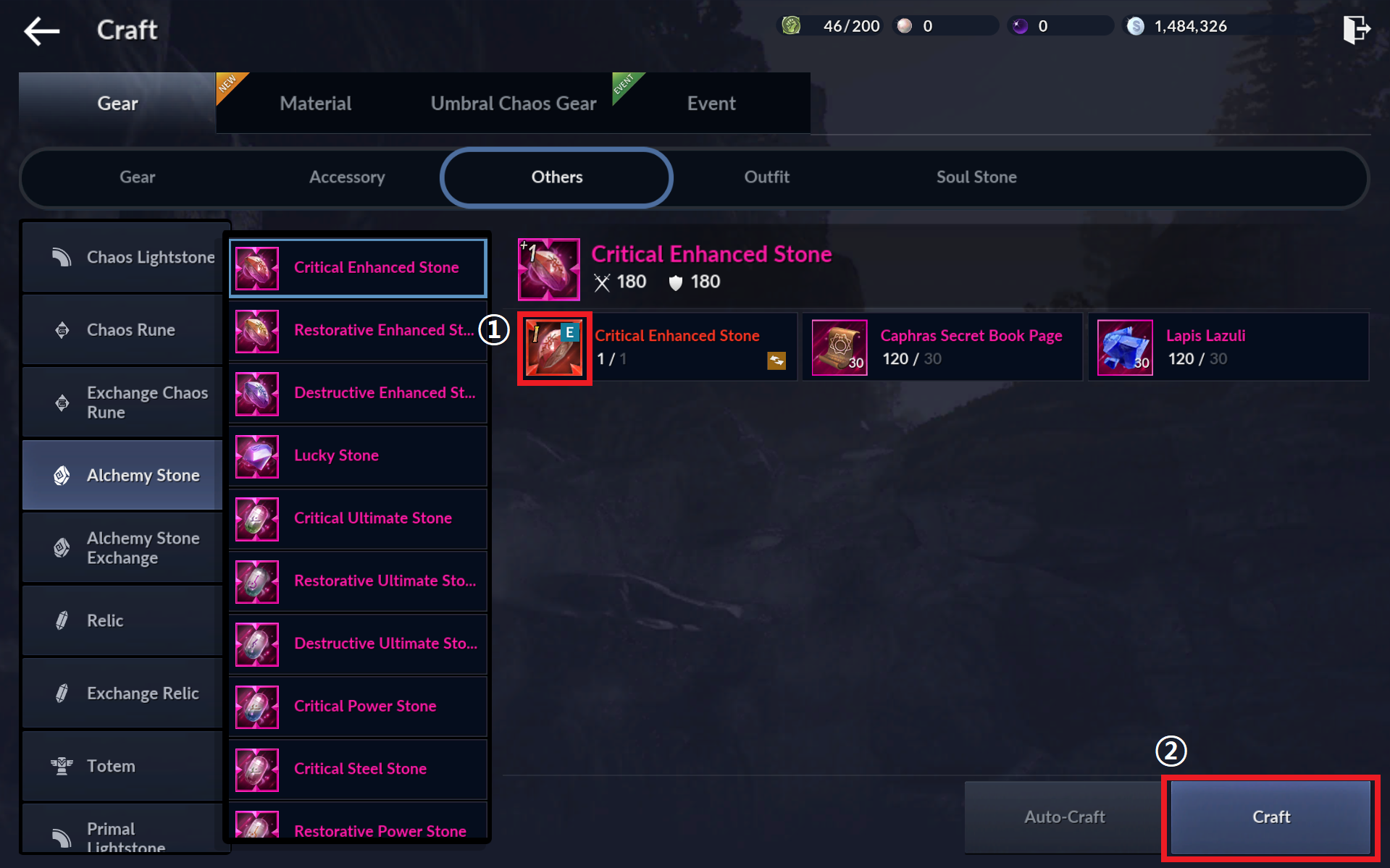
19) Primal Alchemy Stone: Craft or equip a Primal or higher-grade Alchemy Stone
- Tap [Go] or [Craft] - [Gear] - [Others] - [Alchemy Stone] to craft a Primal-grade Alchemy Stone.
1. Register the Abyssal-grade Alchemy Stone as materials.
2. Tap [Craft] to craft a Primal-grade Alchemy Stone.
20) Outfit I:: Equip an Epic or higher-grade Outfit
- Tap [Go] or the inventory icon and use Epic Outfit Set Chest.
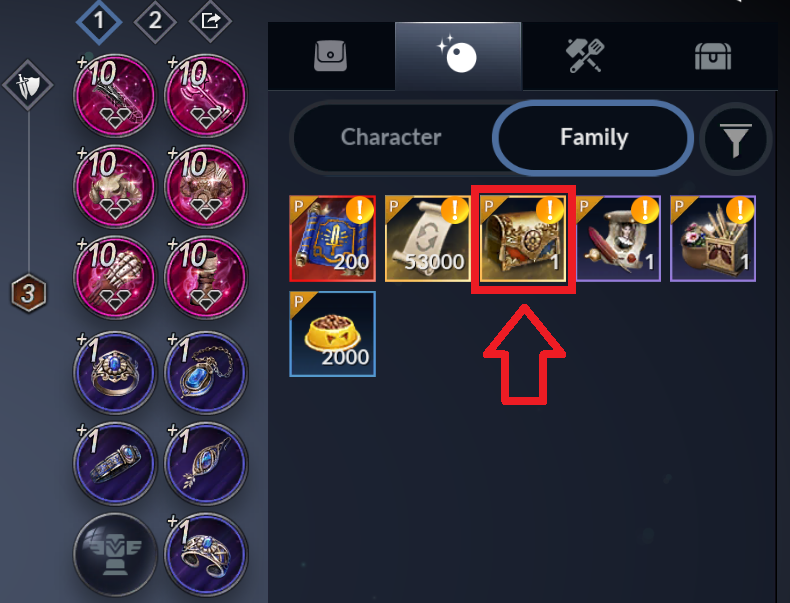
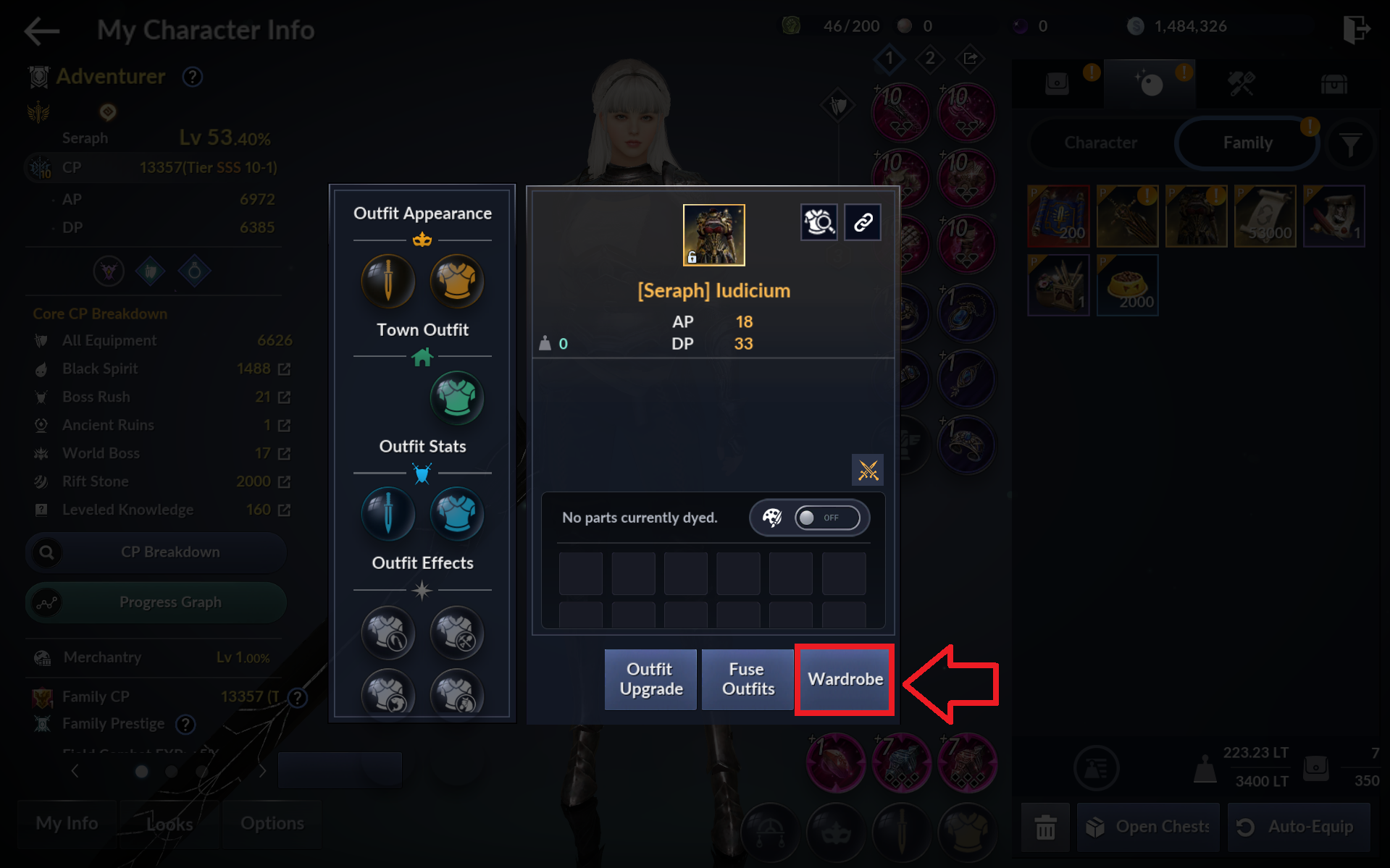
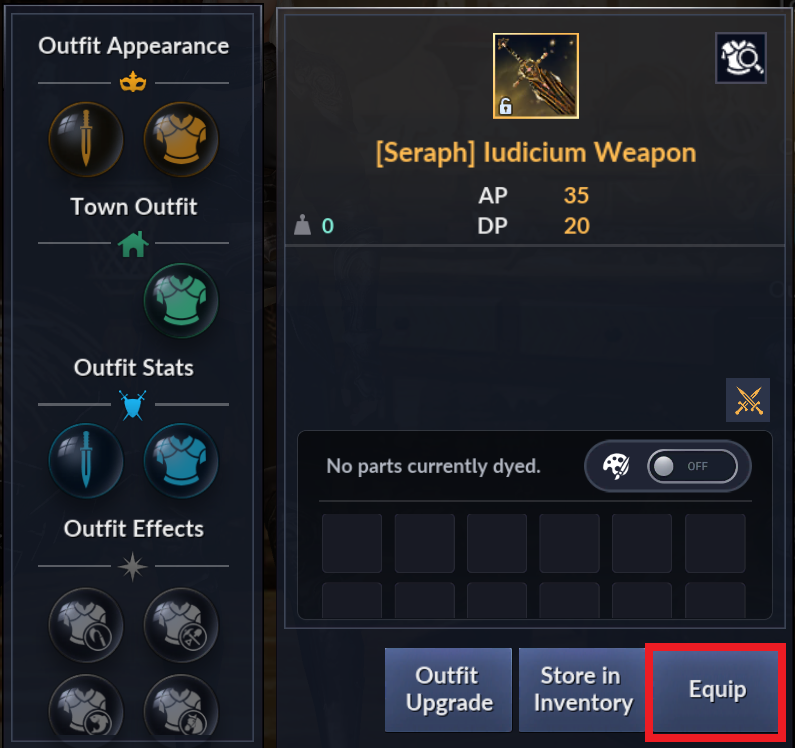
- Tap the outfit icon you obtained, then tap [Wardrobe].
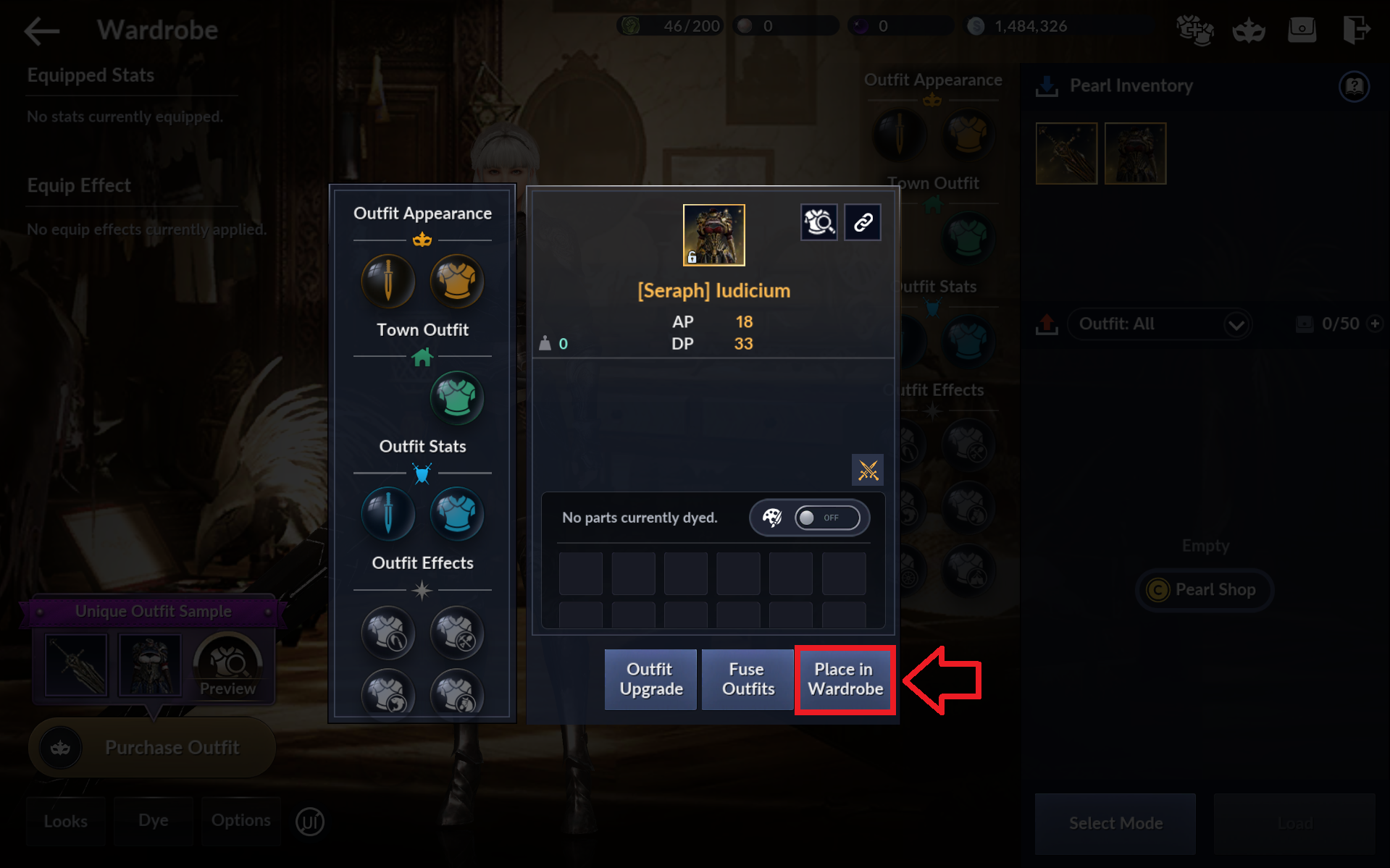
- Tap the outfit icon from the Pearl Inventory section, then tap [Place in Wardrobe].
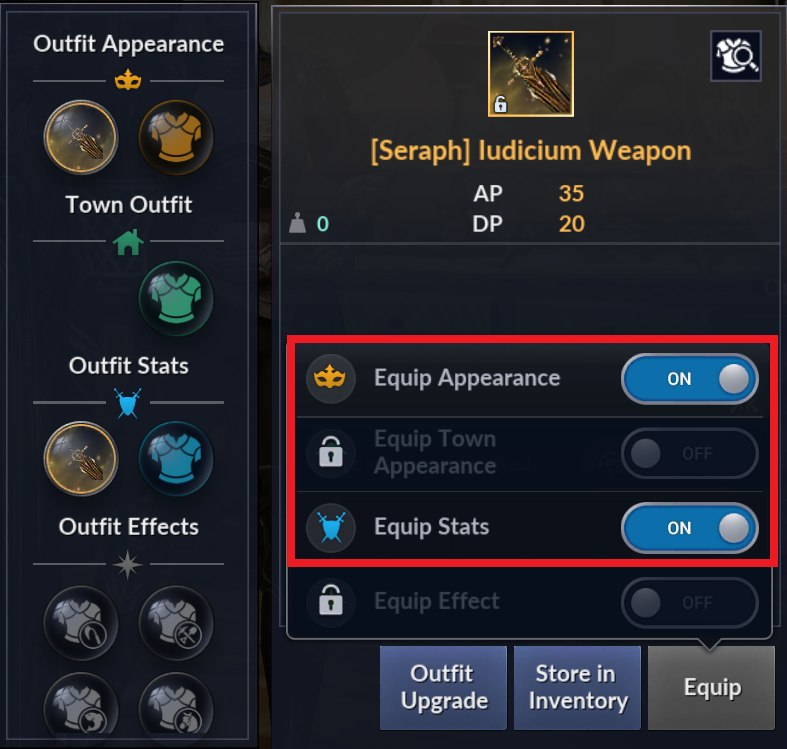
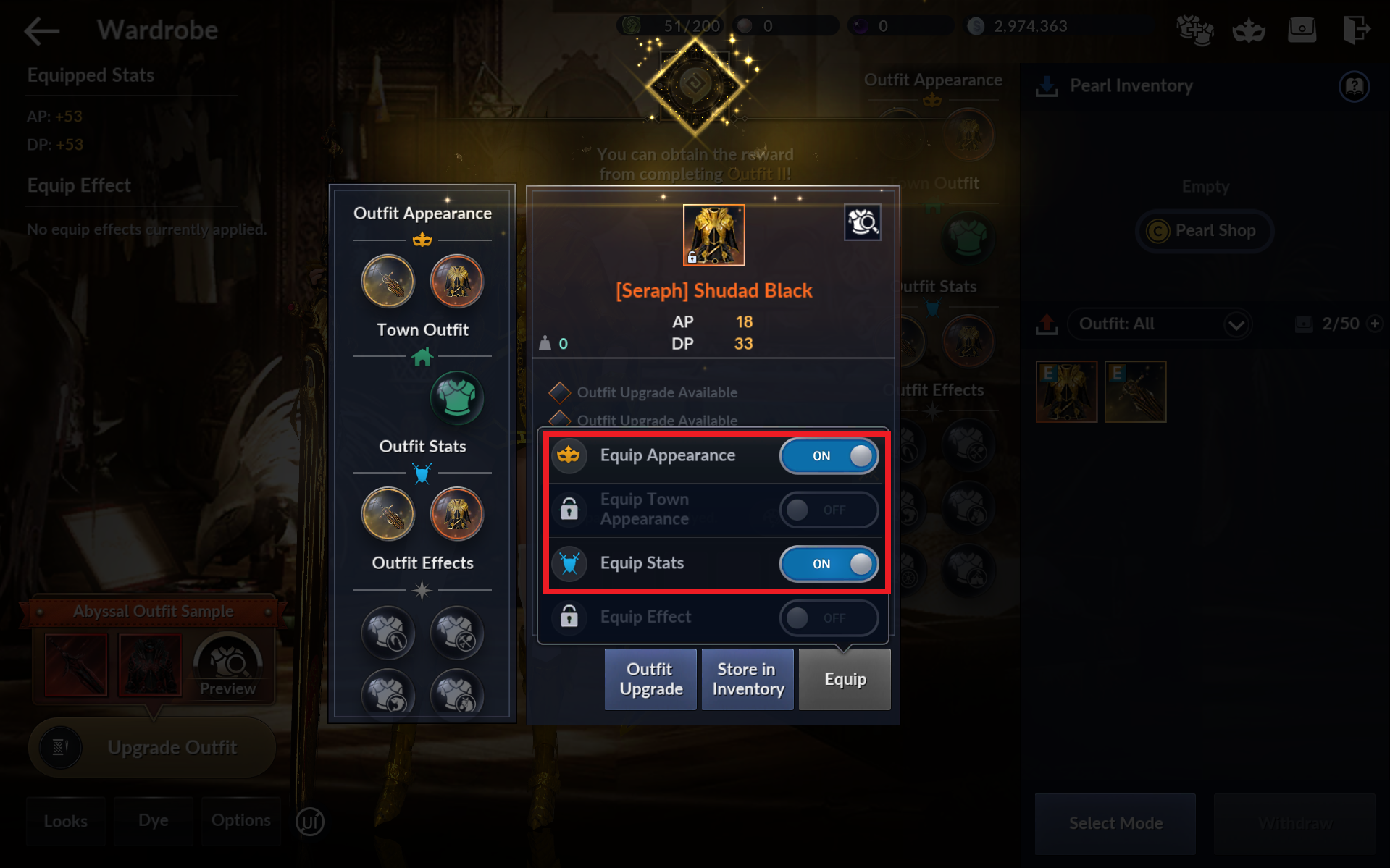
- Tap the outfit icon from the Wardrobe, then tap [Equip]. Toggle [Equip Appearance] and [Equip Stats] to ON.
21) Story - Outfit: Complete Story - Encarotia's Outfit Shop
- Tap [Go] or [Menu] - [Stories] - [Outfit], and tap [Encarotia's Outfit Shop] to accept the quest.
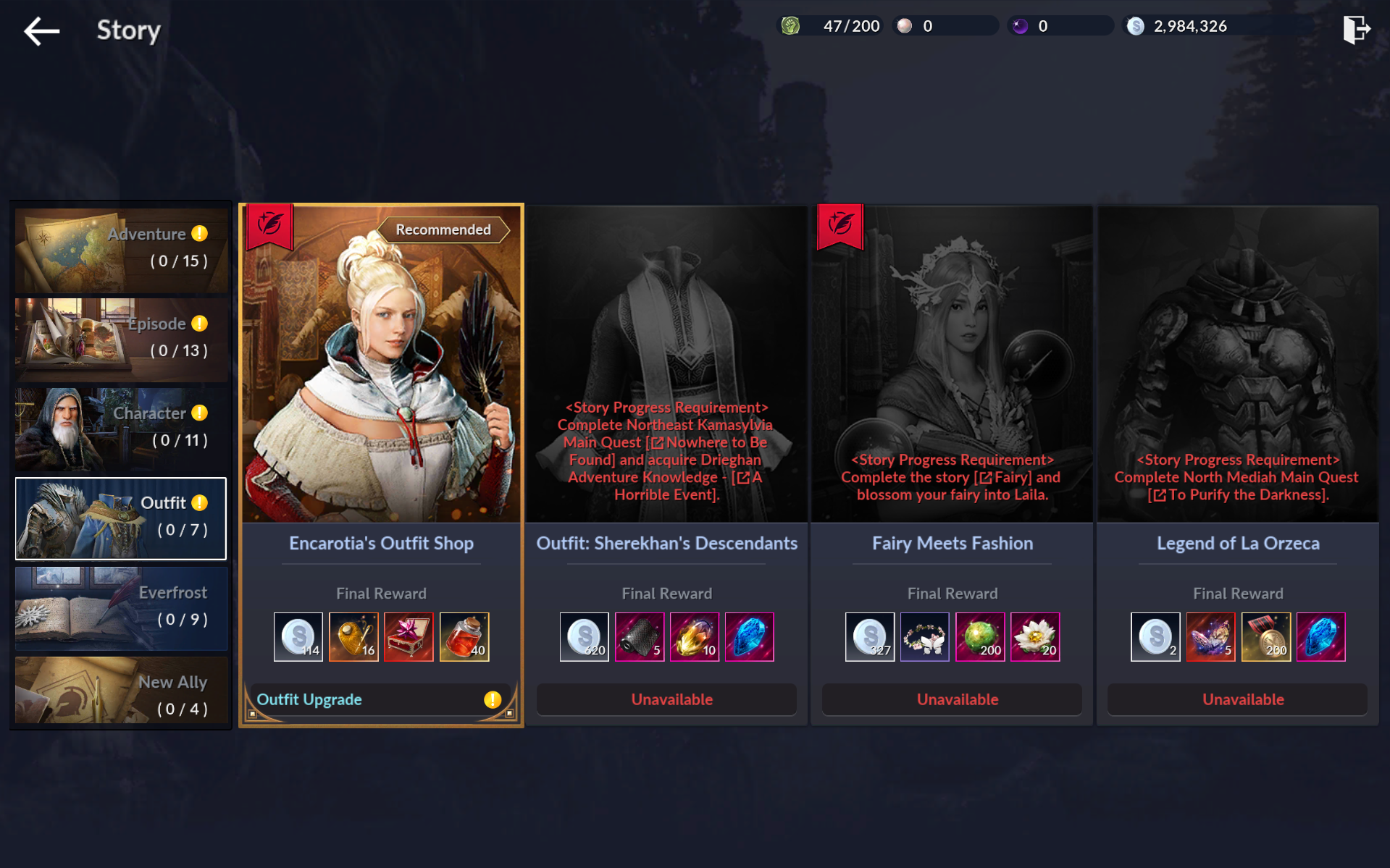
- Progress through the story via the Quest UI.
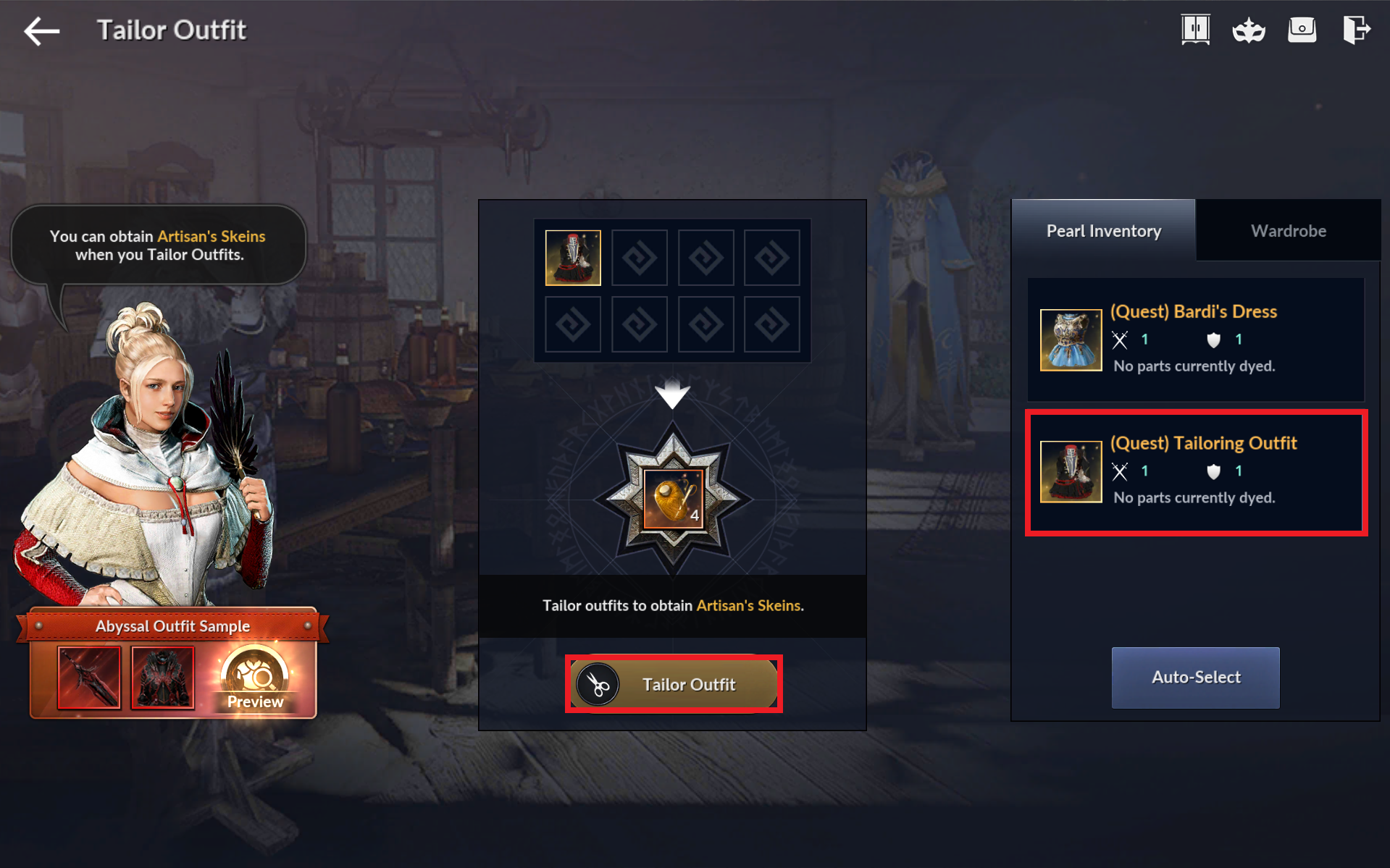
- There is a quest "Outfit Tailoring" during the story questline.
- The quest will take you to the Tailor Outfit menu. Select "(Quest) Tailoring Outfit" on the right, then tap [Tailor Outfit] to proceed.
- The next quest will ask you to upgrade an Outfit to Mystical grade.
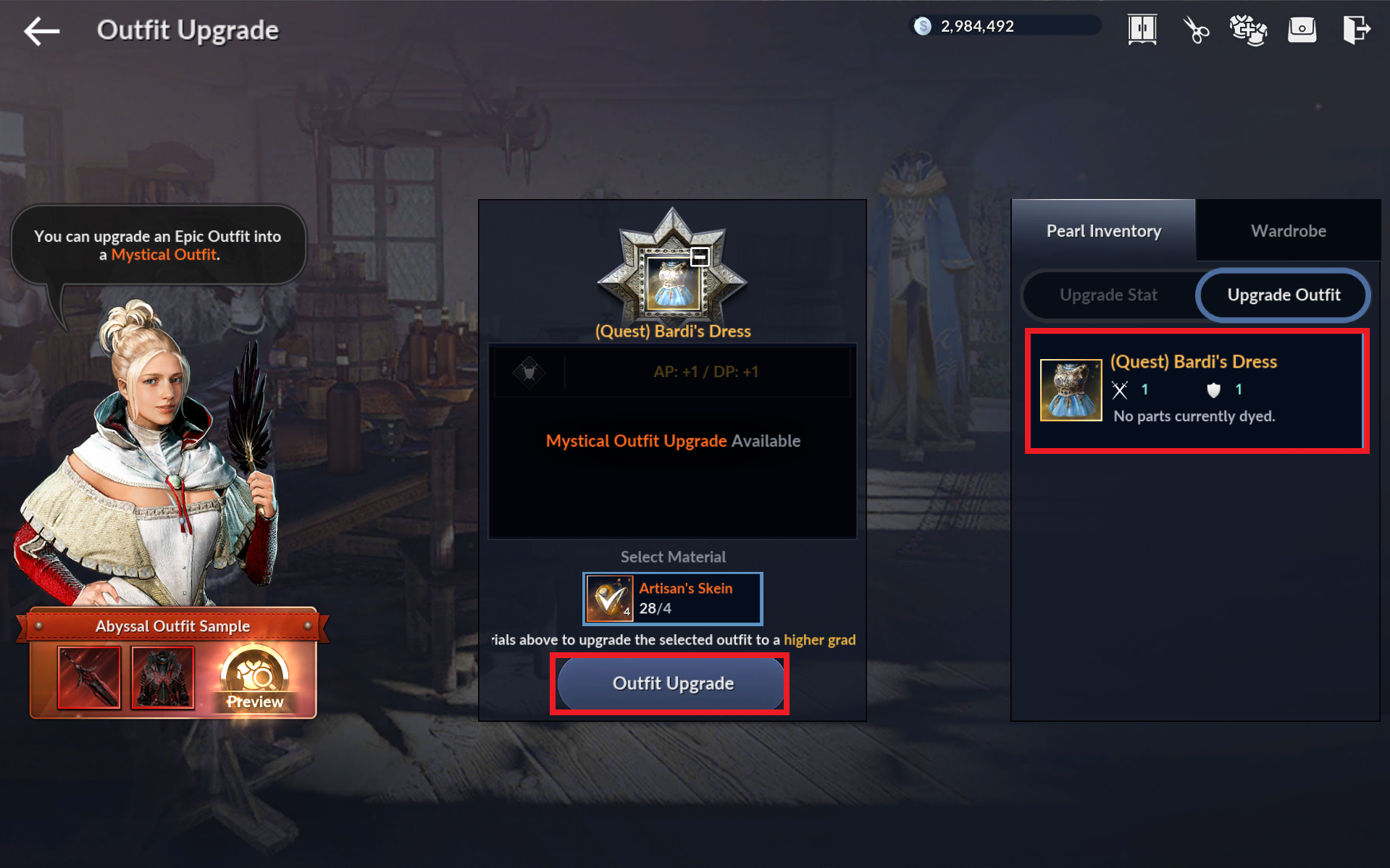
- The quest will take you to the Outfit Upgrade menu. Select "(Quest) Bardi Dress" on the right, then tap [Upgrade Outfit] to proceed.
22) Outfit II: Upgrade and equip a Mystical or higher-grade Outfit
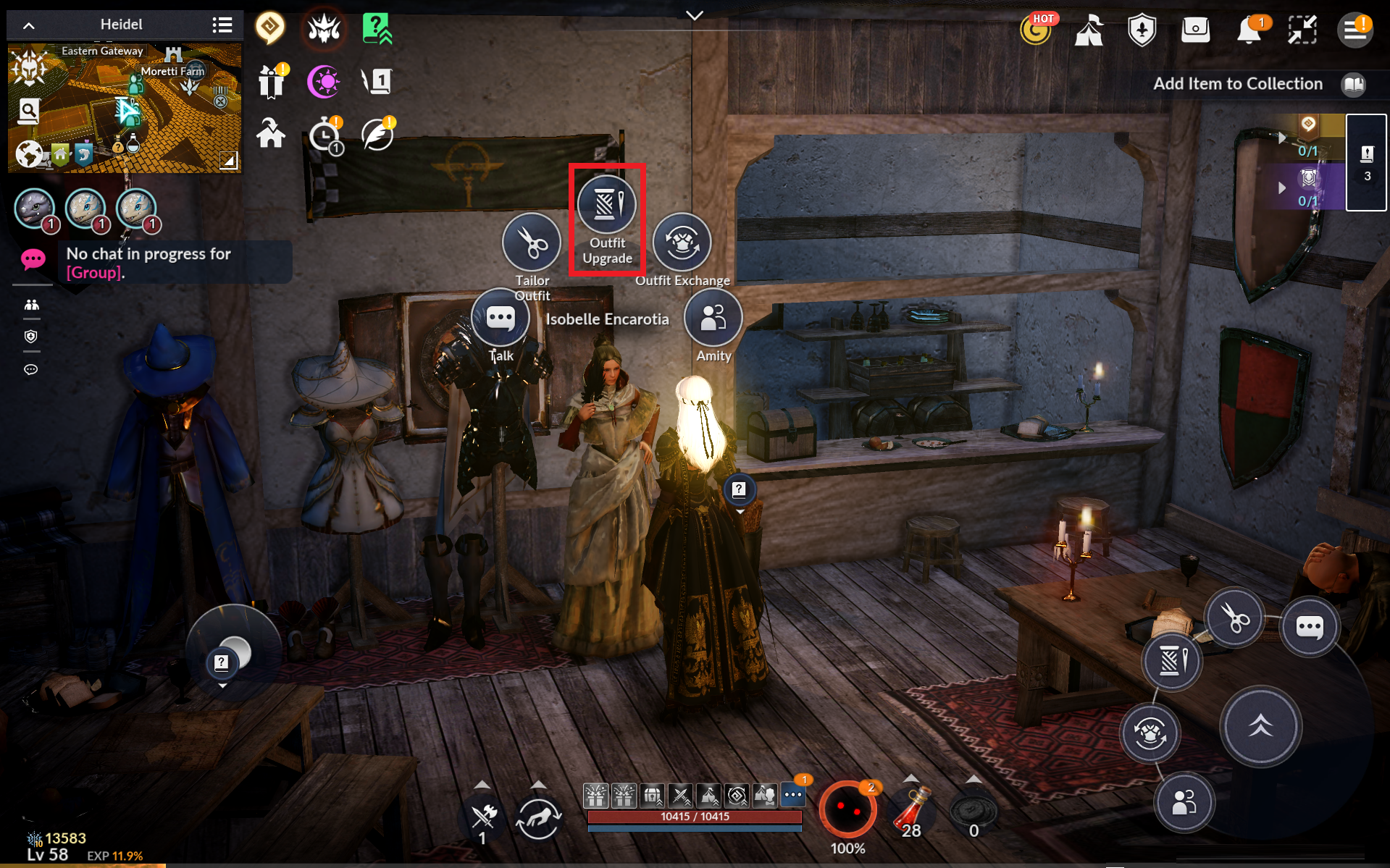
- Go to the NPC Isobelle Encarotia, then tap [Outfit Upgrade].
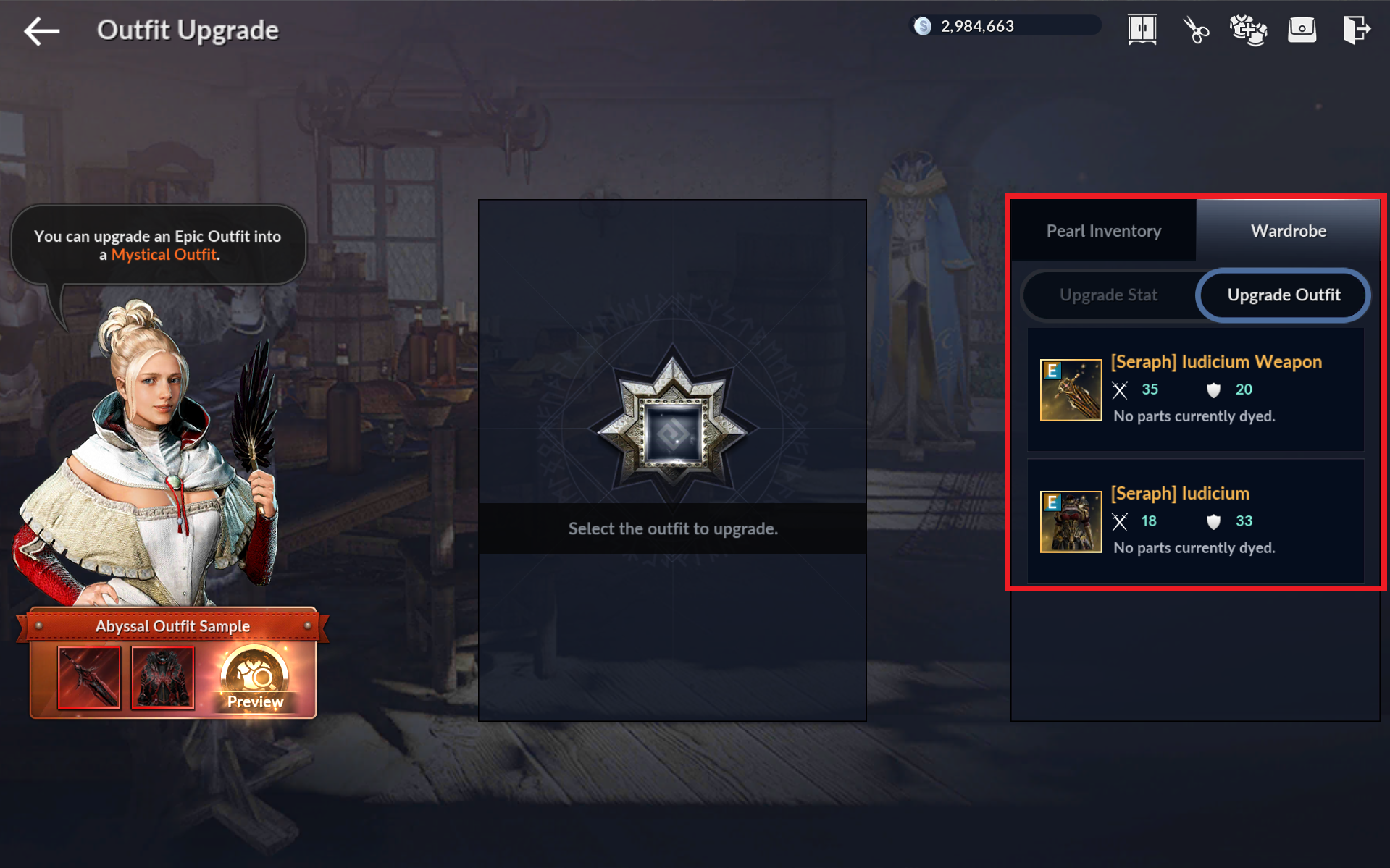
- Select [Wardrobe] - [Upgrade Outfit], then tap the outfit you equipped.
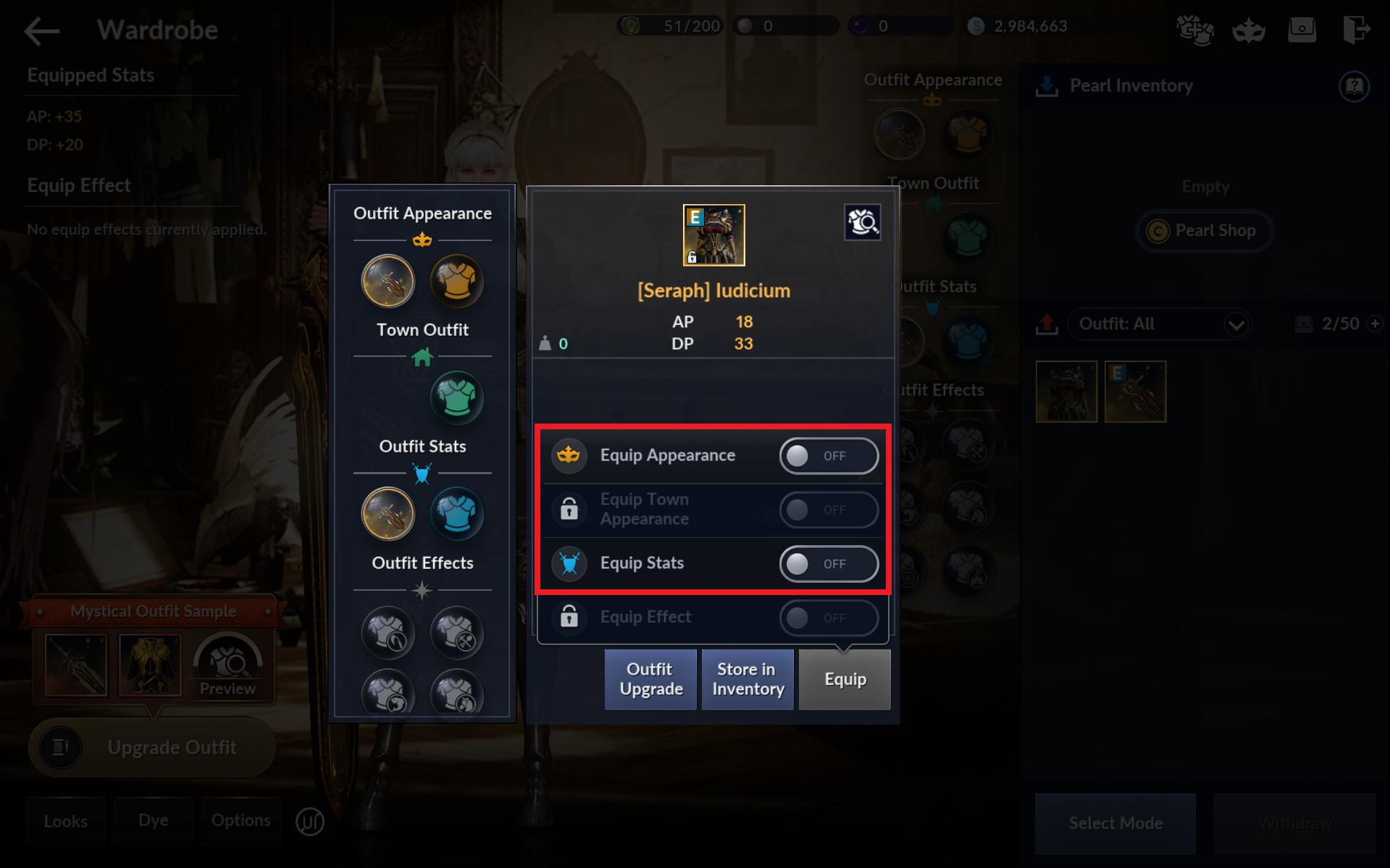
- Proceed to your Wardrobe, select the Epic Outfit, then tap [Equip] and toggle [Equip Appearance] and [Equip Stats] to OFF.
- Move the Epic Outfit from the Wardrobe to the Pearl Inventory.
- Go back to Isobelle Encarotia's Outfit Upgrade menu, select the Epic Outfit from [Pearl Inventory] - [Upgrade Outfit].
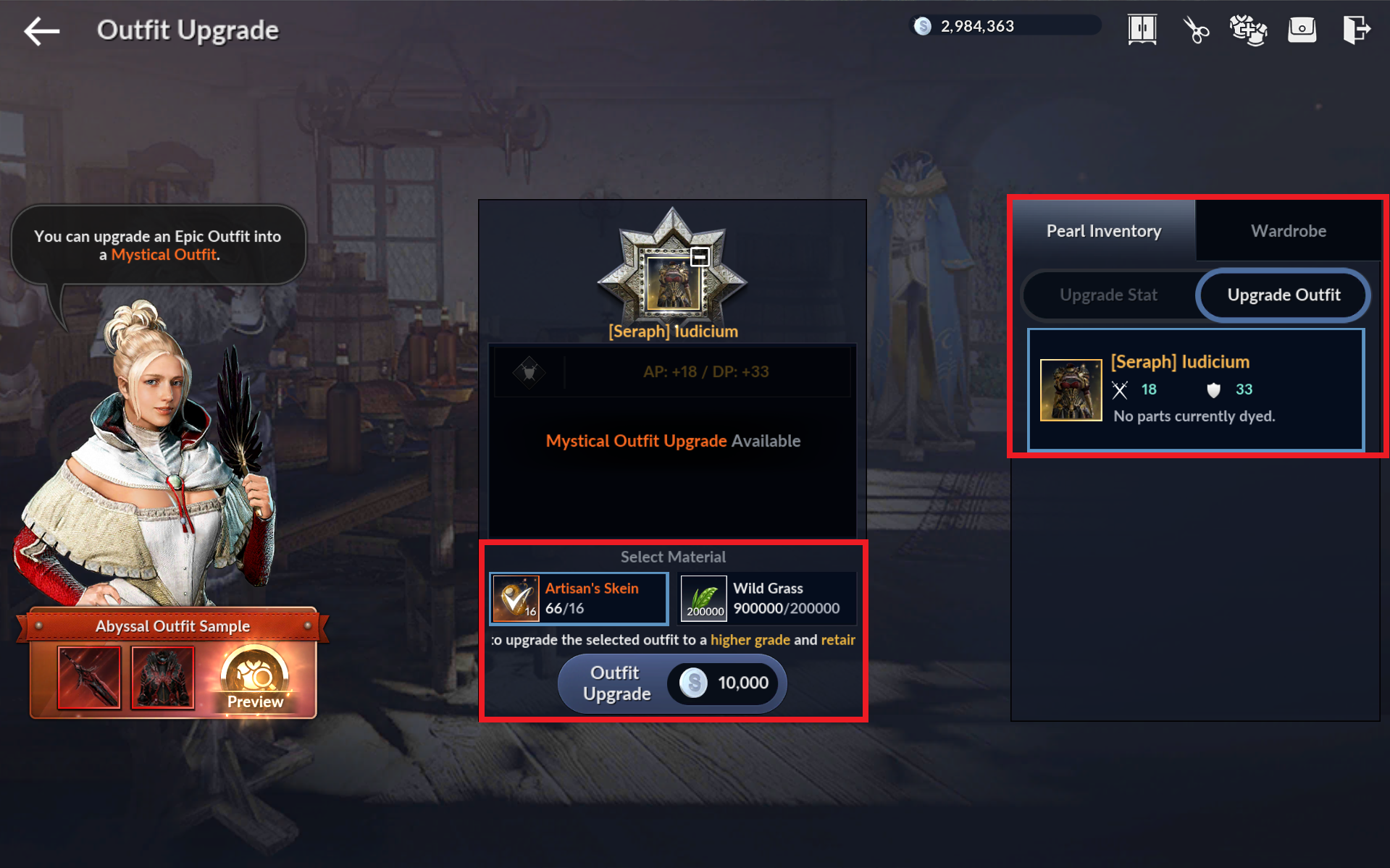
- You'll find the upgraded Mystical Outfit in your inventory or Wardrobe.
- Put the outfit back into the Wardrobe, then toggle [Equip Appearnce] and [Equip Stats] back to ON to equip the outfit.
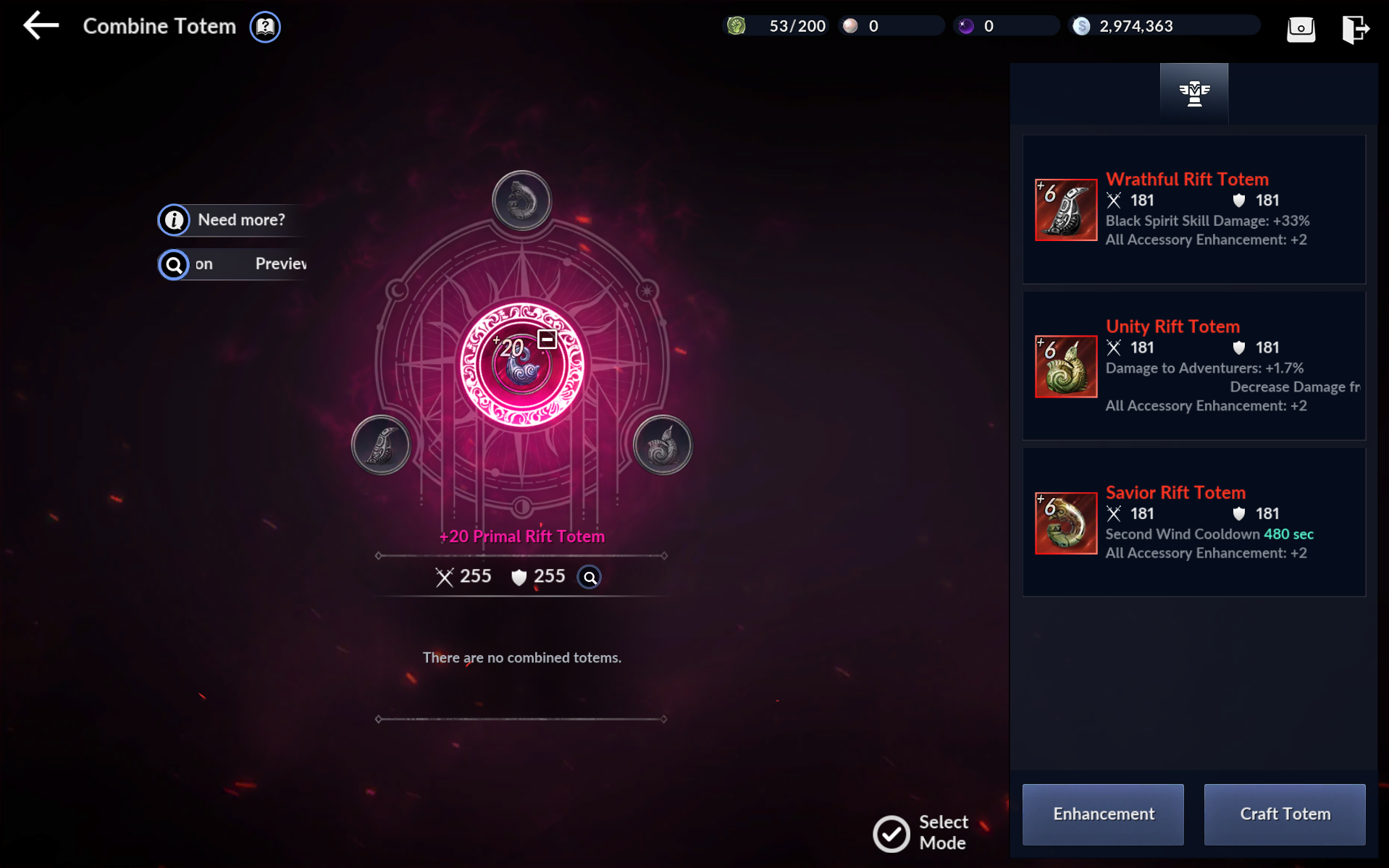
23) Primal Rift Totem: Use the Remastered Totem Chest from your inventory and equip a Primal or higher-grade Rift Totem
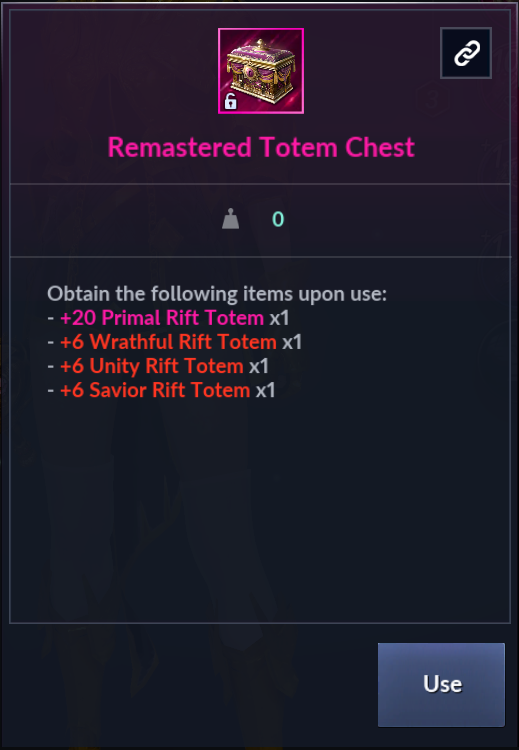
- Tap [Go] or the inventory and use the Remastered Totem Chest.
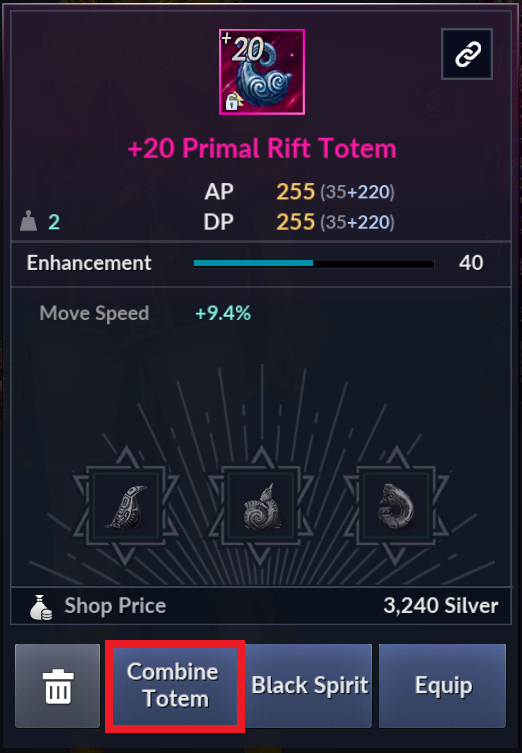
- Tap [Auto-Equip] to equip Primal Rift Totem. Tap [Combine Totem] to attach 3 Abyssal Rift Totems to Primal Rift Totem.
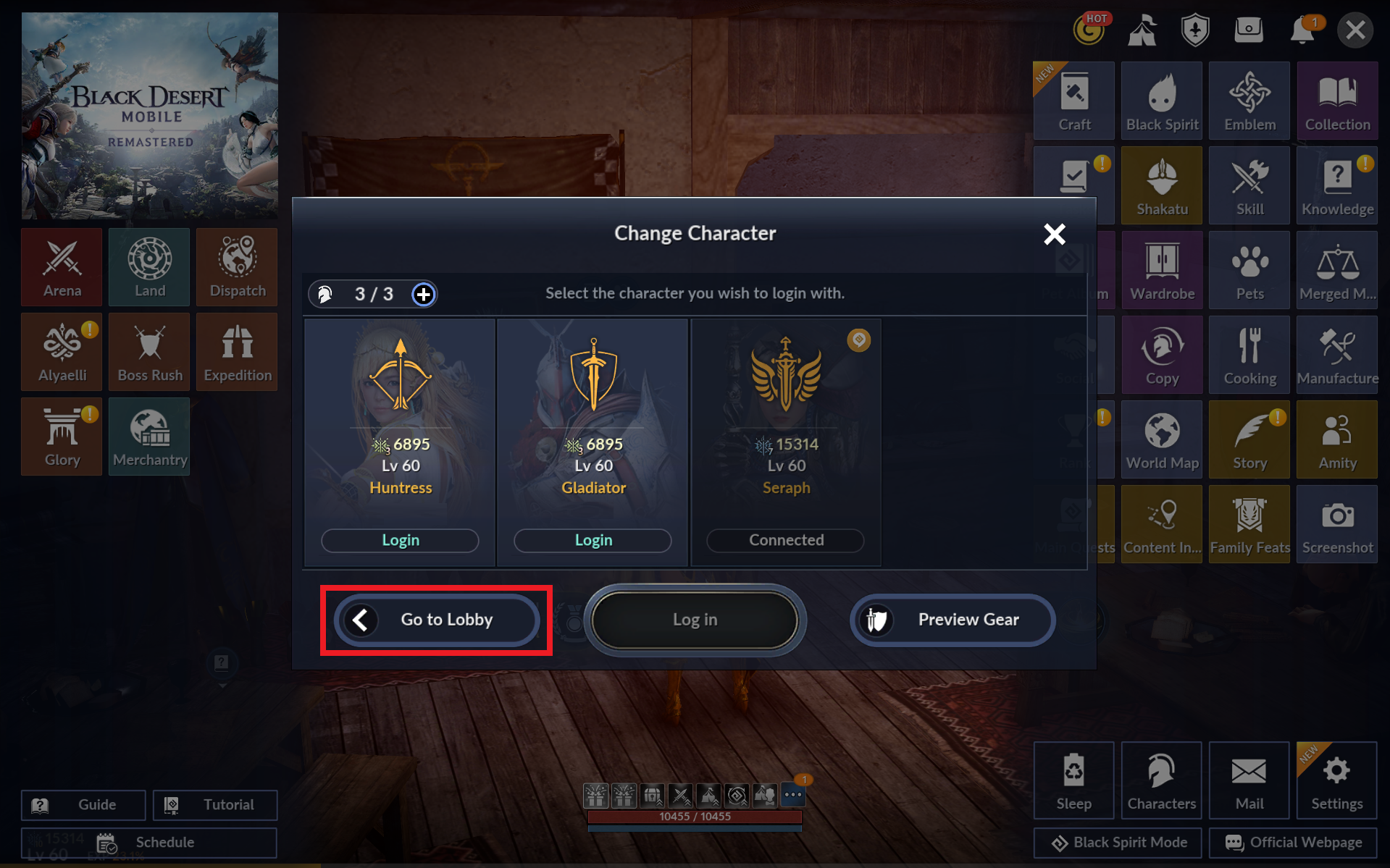
24) Family Character: Go to the Select Character screen with 3 or more characters in your Family
- Tap [Go] or the inventory and use Lv 60 Character Generator Coupon x3 Bundle.
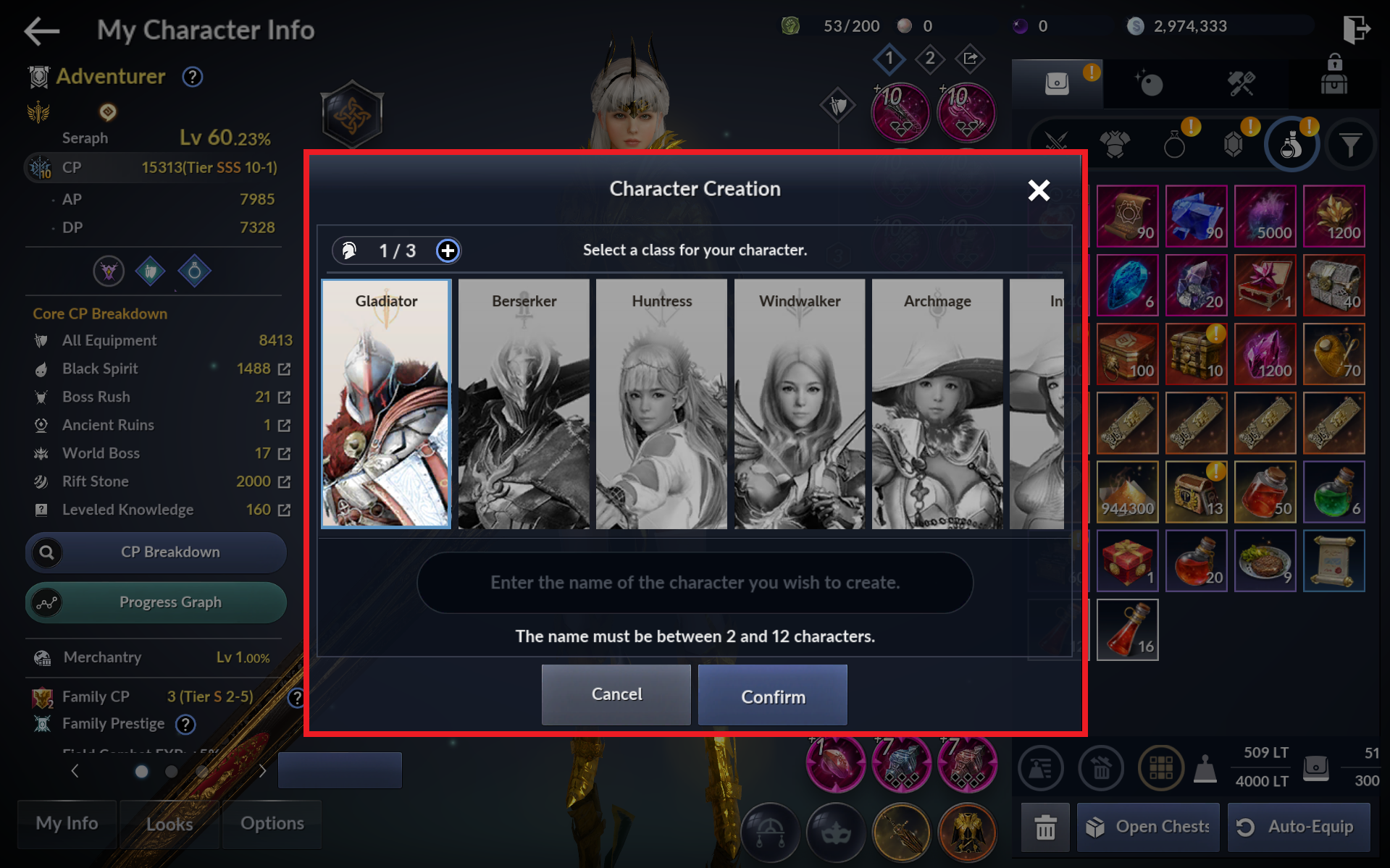
- Use the Lv 60 Character Generator Coupons to create new characters.
- After you finish creating the characters, return to the Lobby via [Menu] - [Characters], then log back into the game with the Season Character.
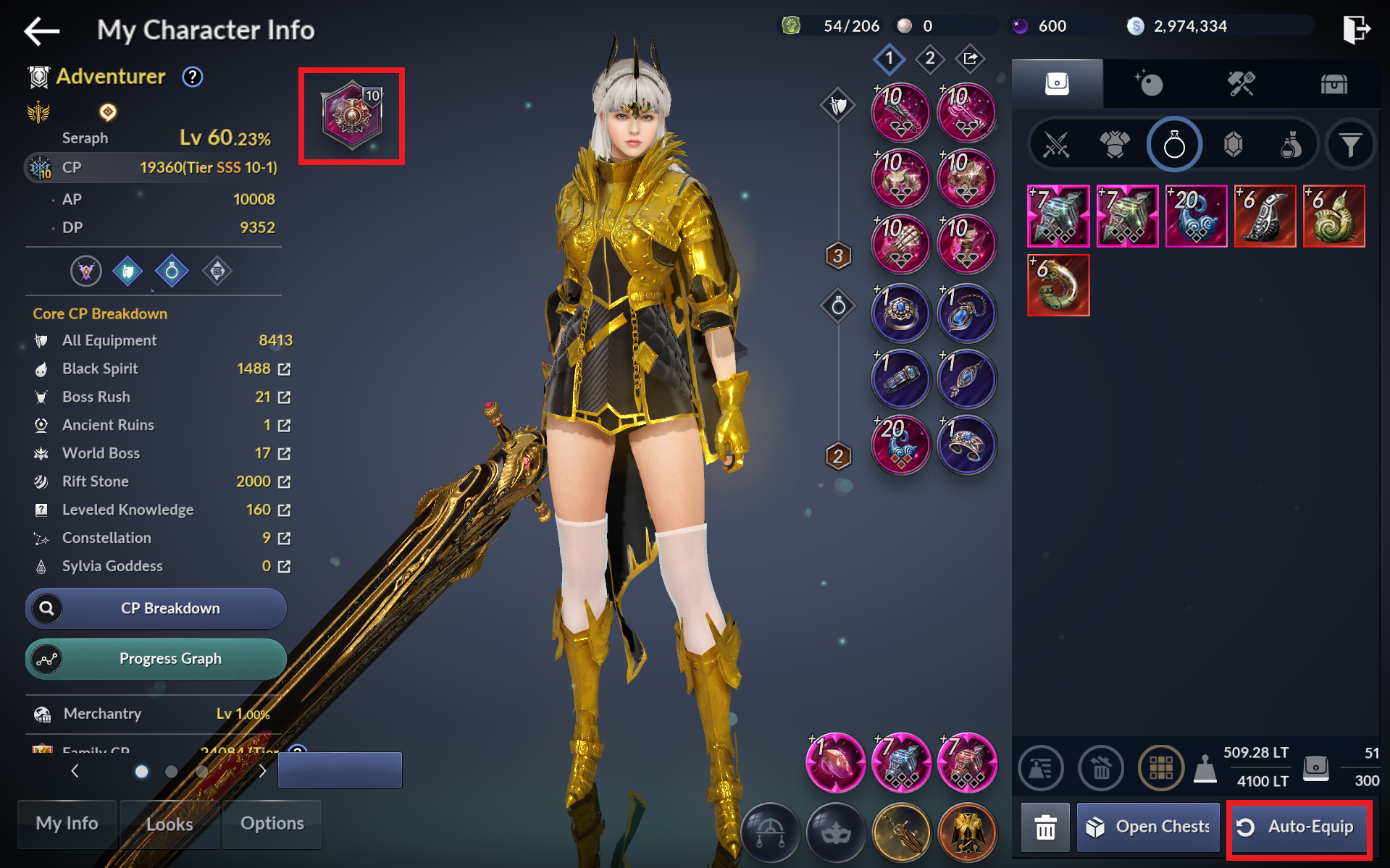
25) Emblem: Equip a Primal or higher-grade Emblem (Emblem of Glory)
- Tap [Auto-Equip] in the inventory to equip the Emblem of Glory obtained from the Season Pass.
26) Equip Runes: Use the Remastered Rune Chest from your inventory and equip 8 Runes
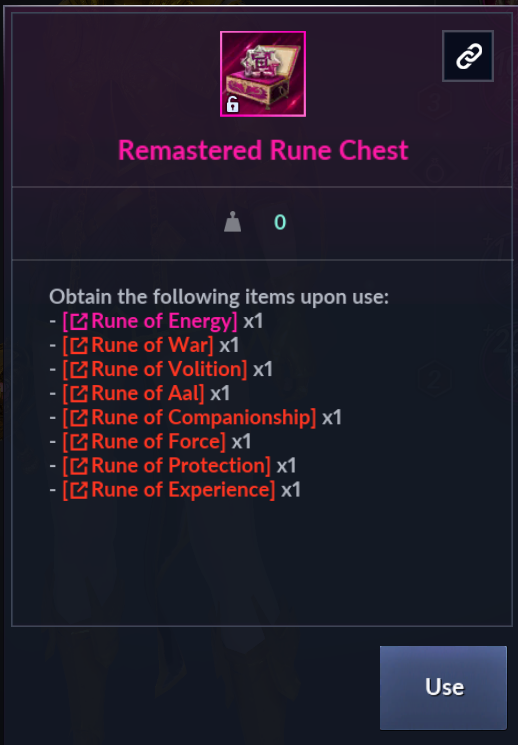
- Use the Remastered Rune Chest obtained from the Season Pass to obtain Abyssal and Primal Runes.
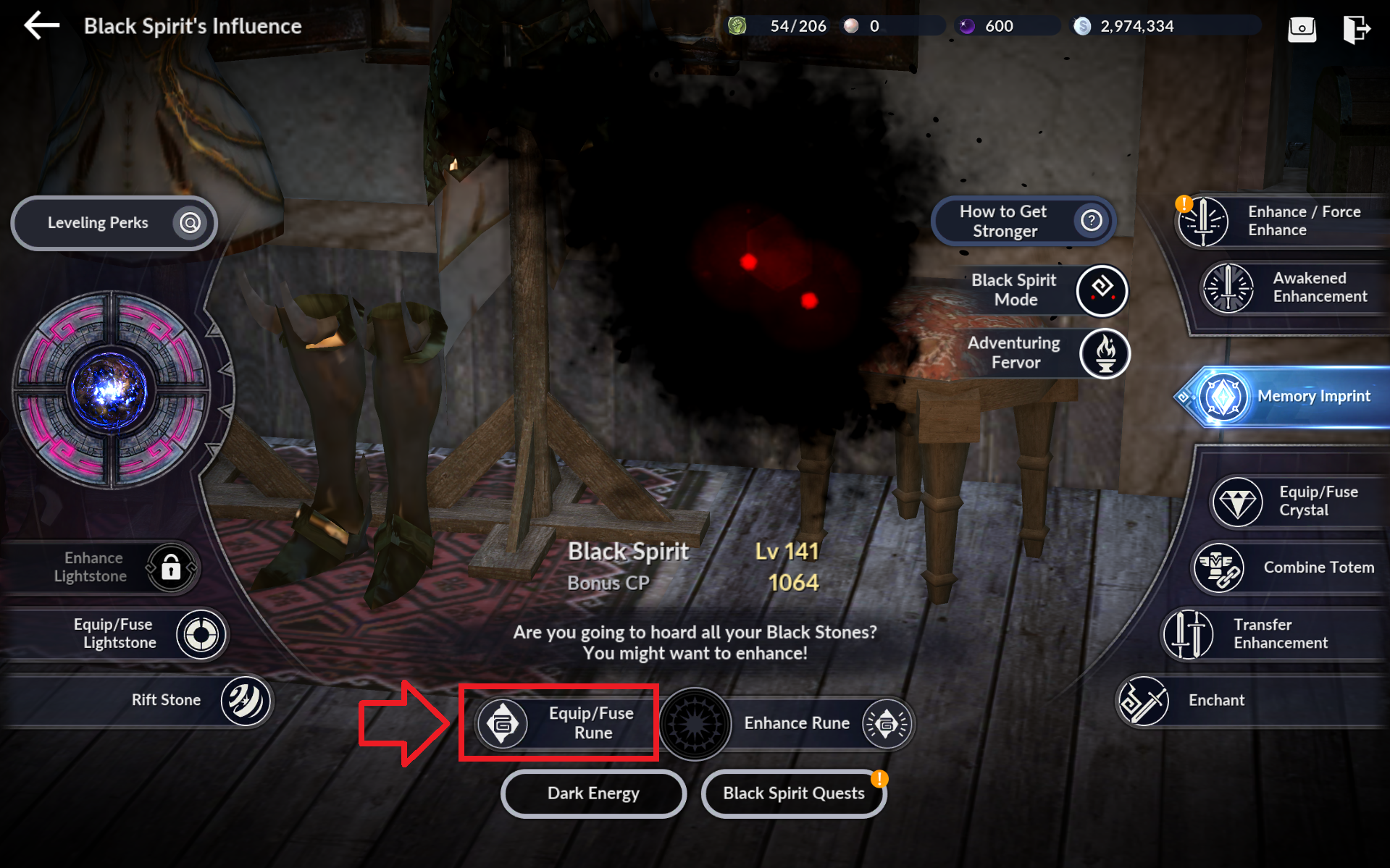
- Enter the Equip/Fuse Rune menu via [Black Spirit] - [Equip/Fuse Rune] after obtaining the Runes.
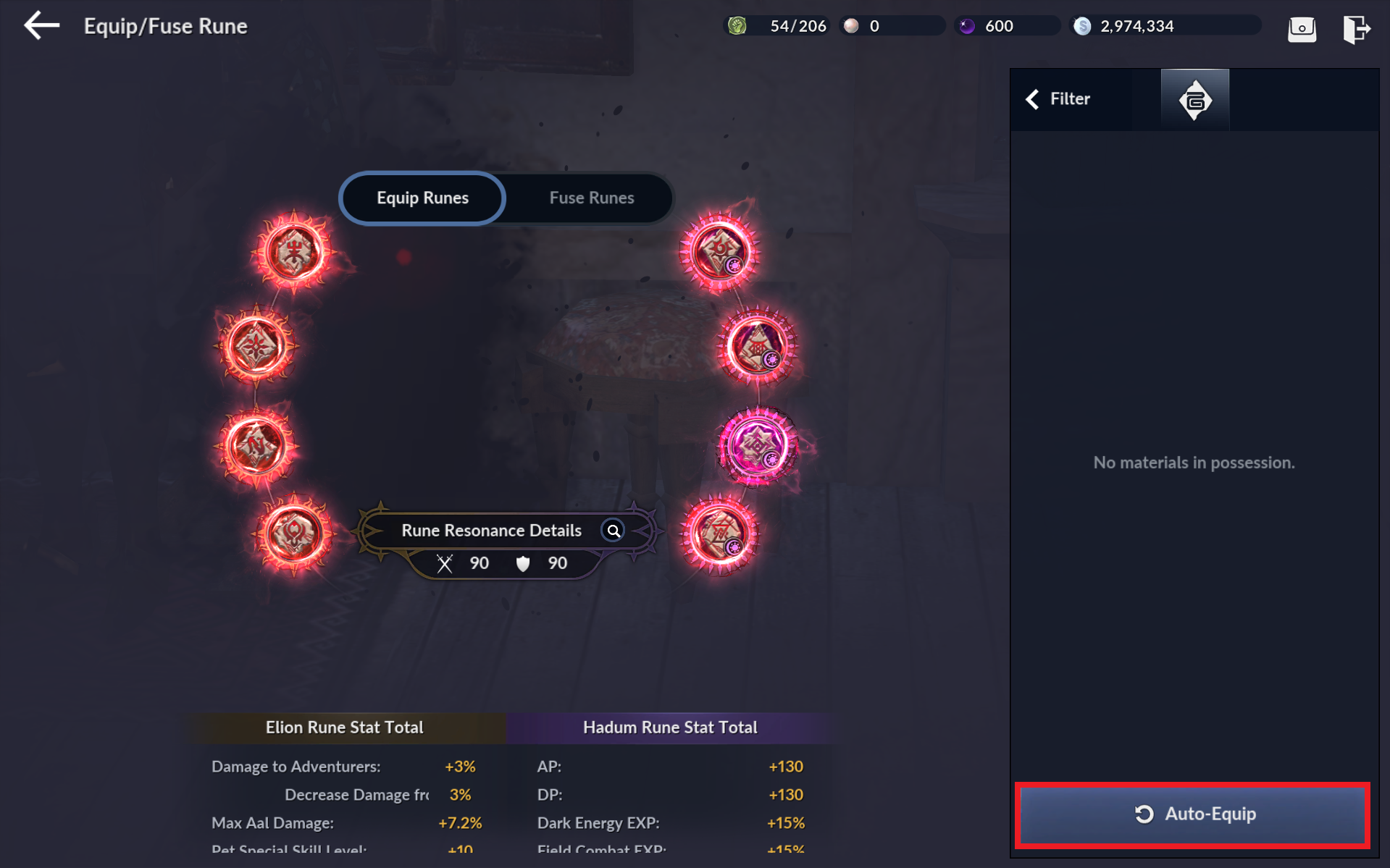
- Tap [Auto-Equip] to equip all Runes you've just obtained.
27) Constellation: Explore Constellation x5
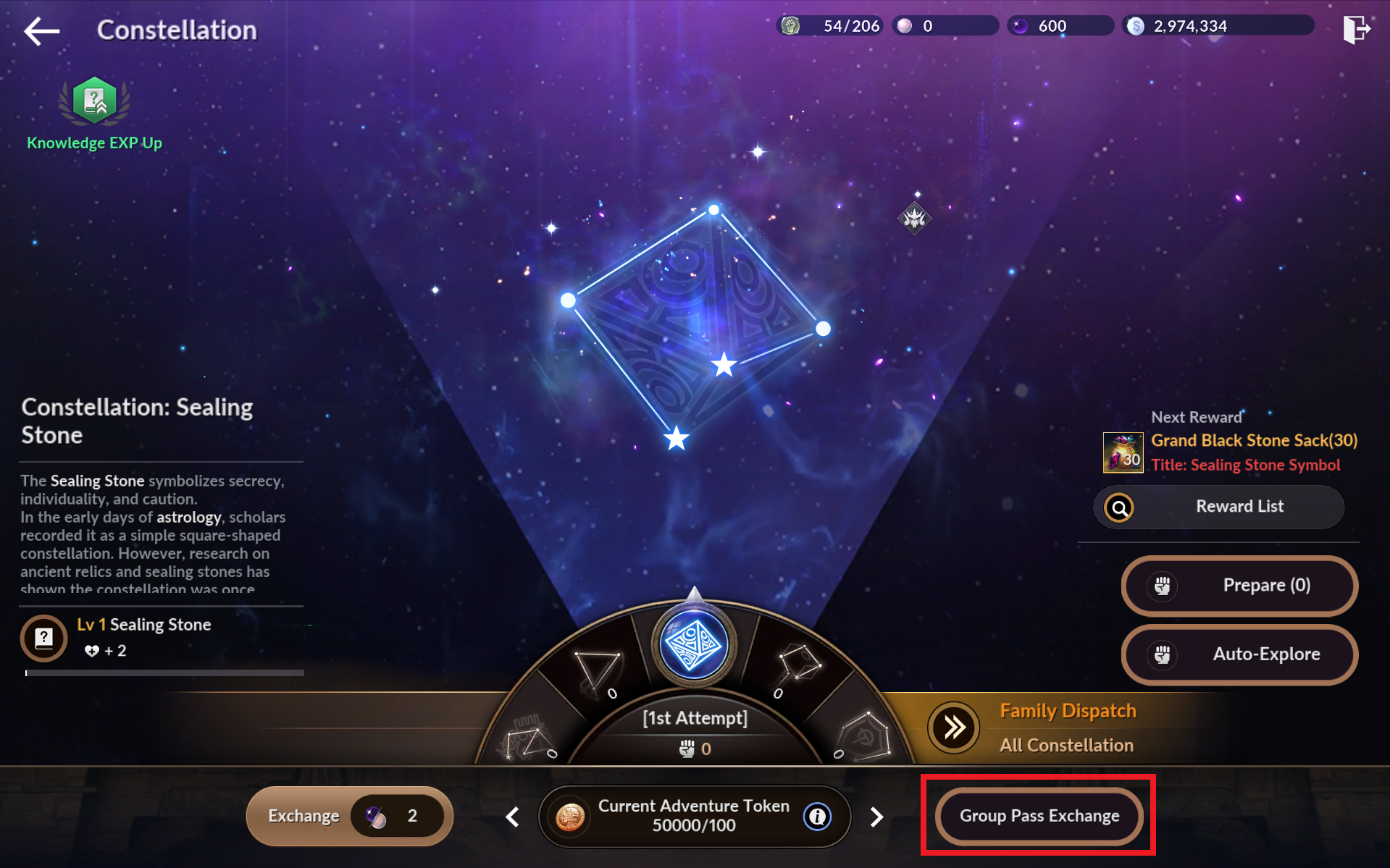
- Tap [Go] or [Menu] - [Stars] to enter the Constellation menu. Tap [Group Pass Exchange] for entries.
1. Select a Constellation and set its difficulty.
2. Set the multiplier.
3. Tap [Start] to start exploring the Constellation.
* The multiplier option is enabled after clearing the Constellation at least once.
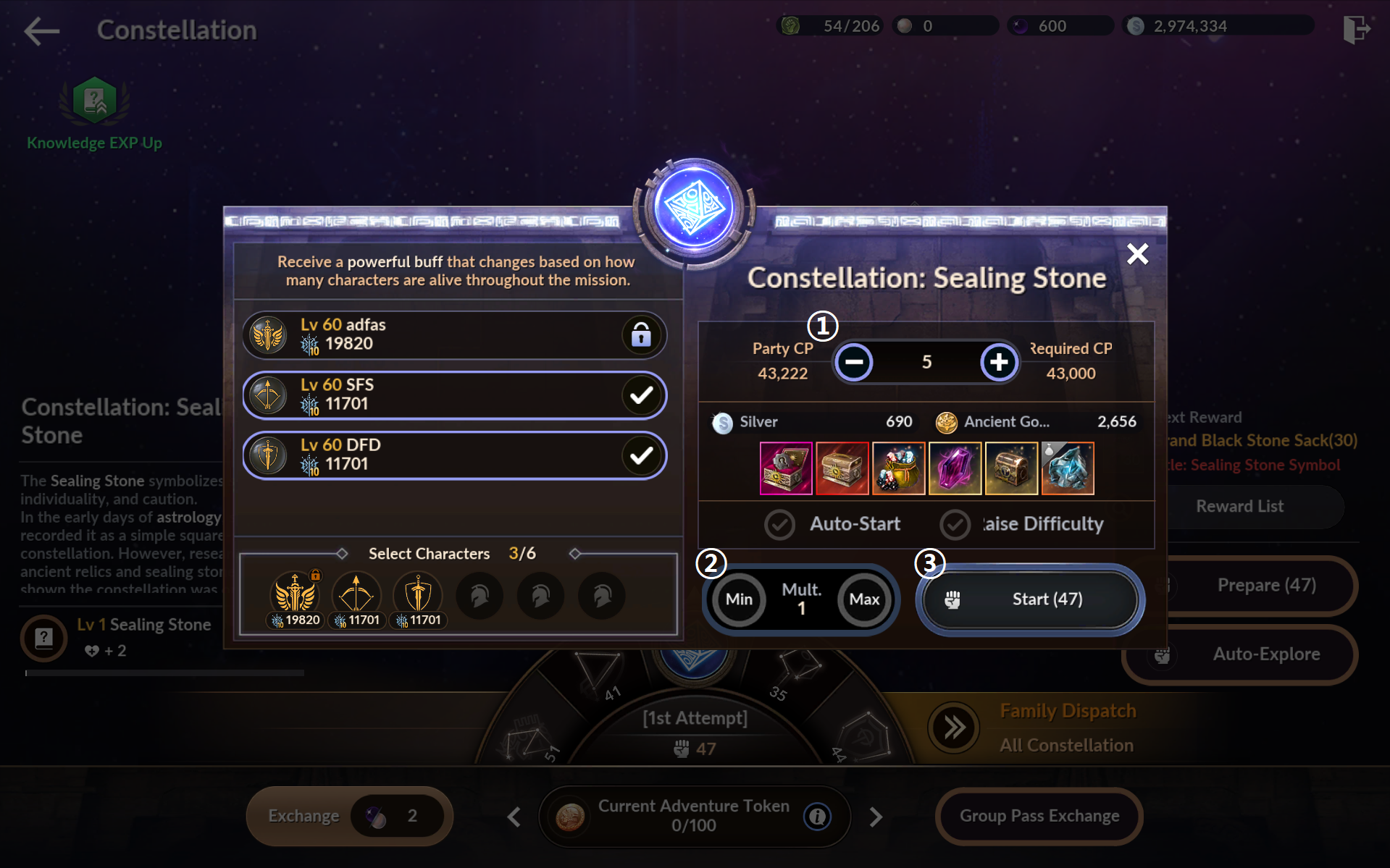
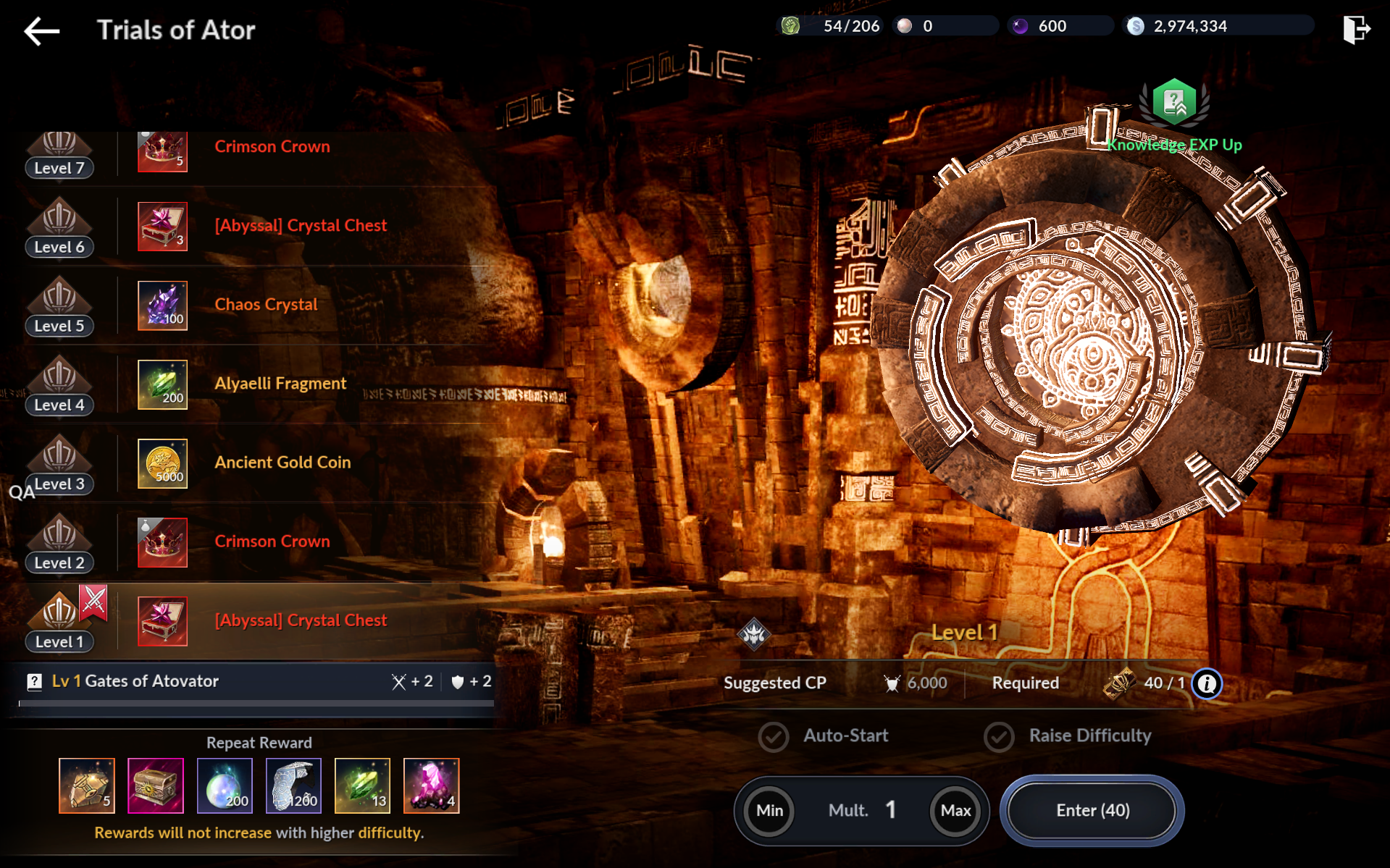
28) Trials: Complete Trials of Ator: Ancient x1
- Tap [Go] or [Menu] - [Trials] to enter the Trials of Ator menu. Tap [Enter] to begin the Trials of Ator.
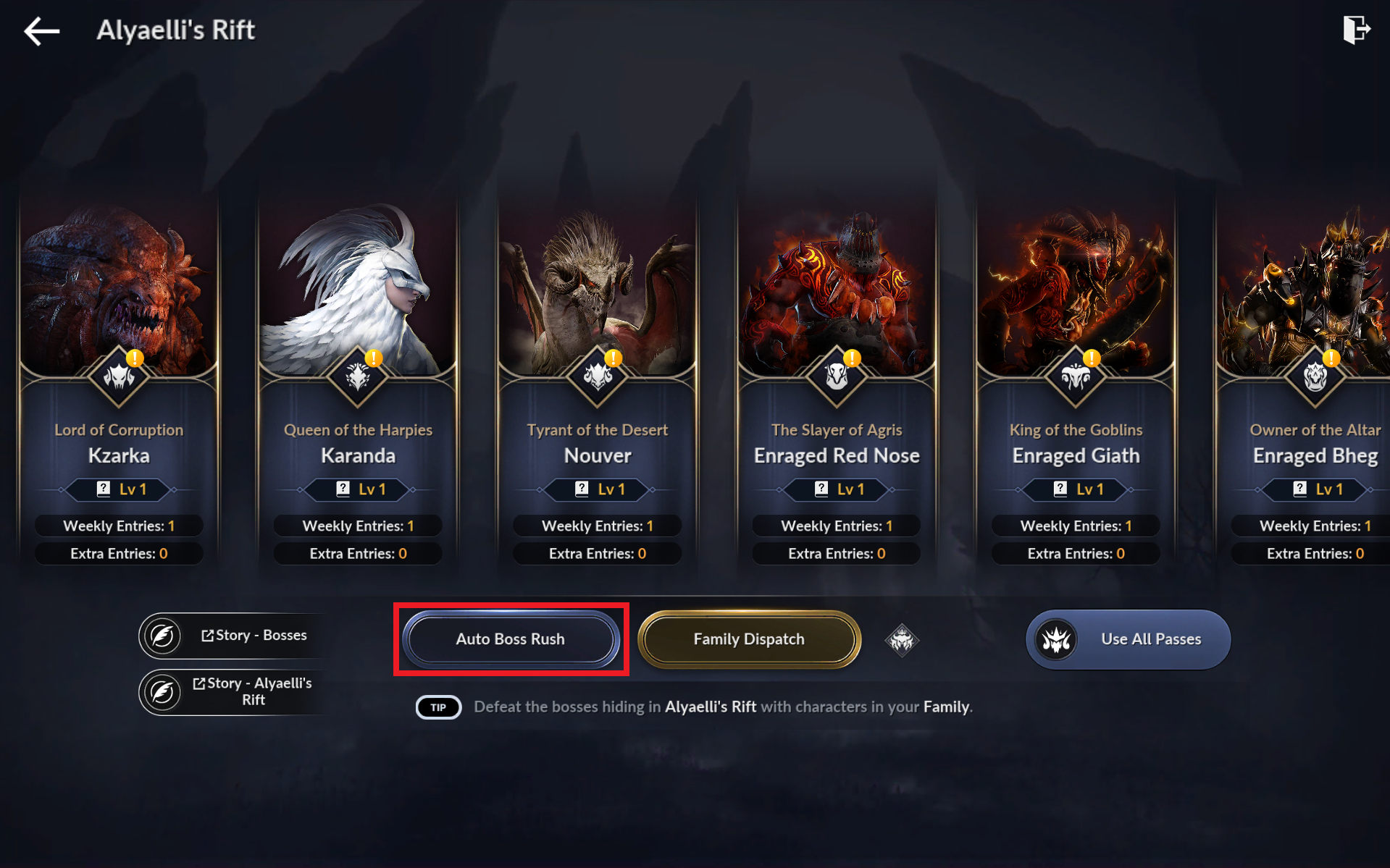
29) Aryaelli's Rift: Defeat Aryaelli's Rift Boss x1
- Tap [Go] or [Menu] - [Aryaelli's Rift] to enter the Aryaelli's Rift menu. Select a Boss or [Auto Boss Rush] to begin the Boss Rush.
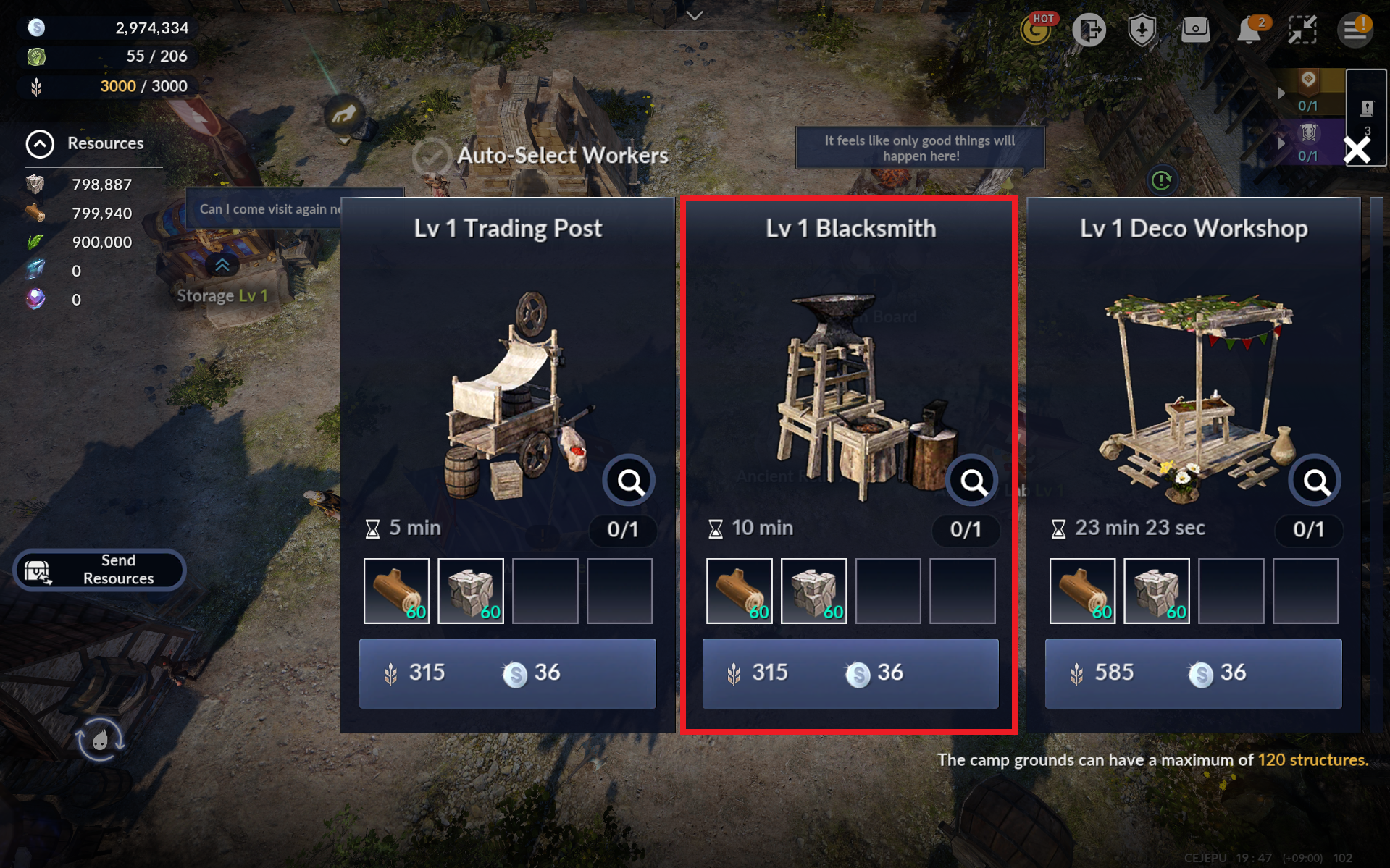
30) Camp IV & V: Build a Blacksmith at your Camp and awaken a Primal-or higher gear
- Tap [Go] or move to your Camp and build a Blacksmith.
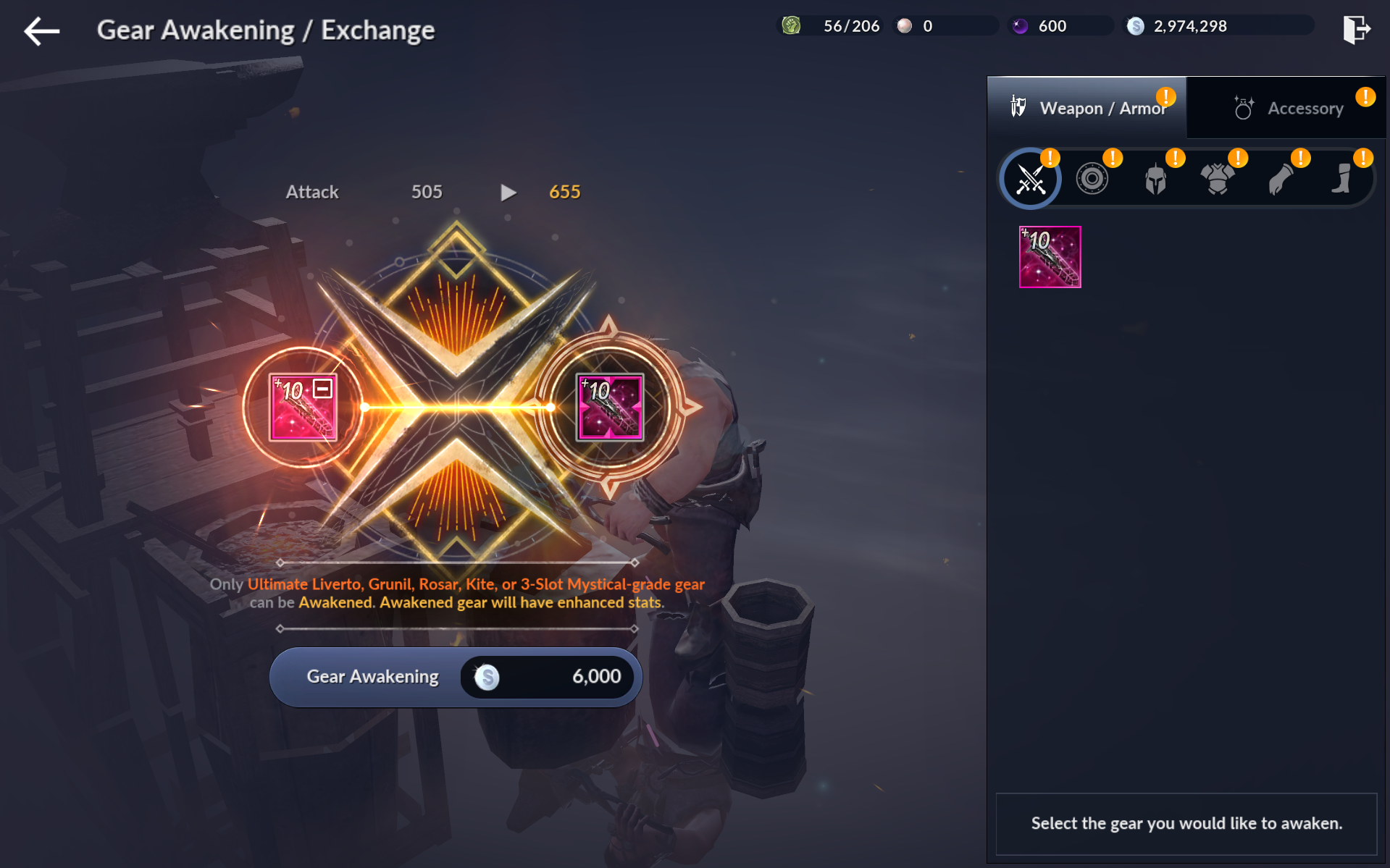
- Tap [Go] or [Gear Awakening/Exchange] at your Camp Blacksmith.
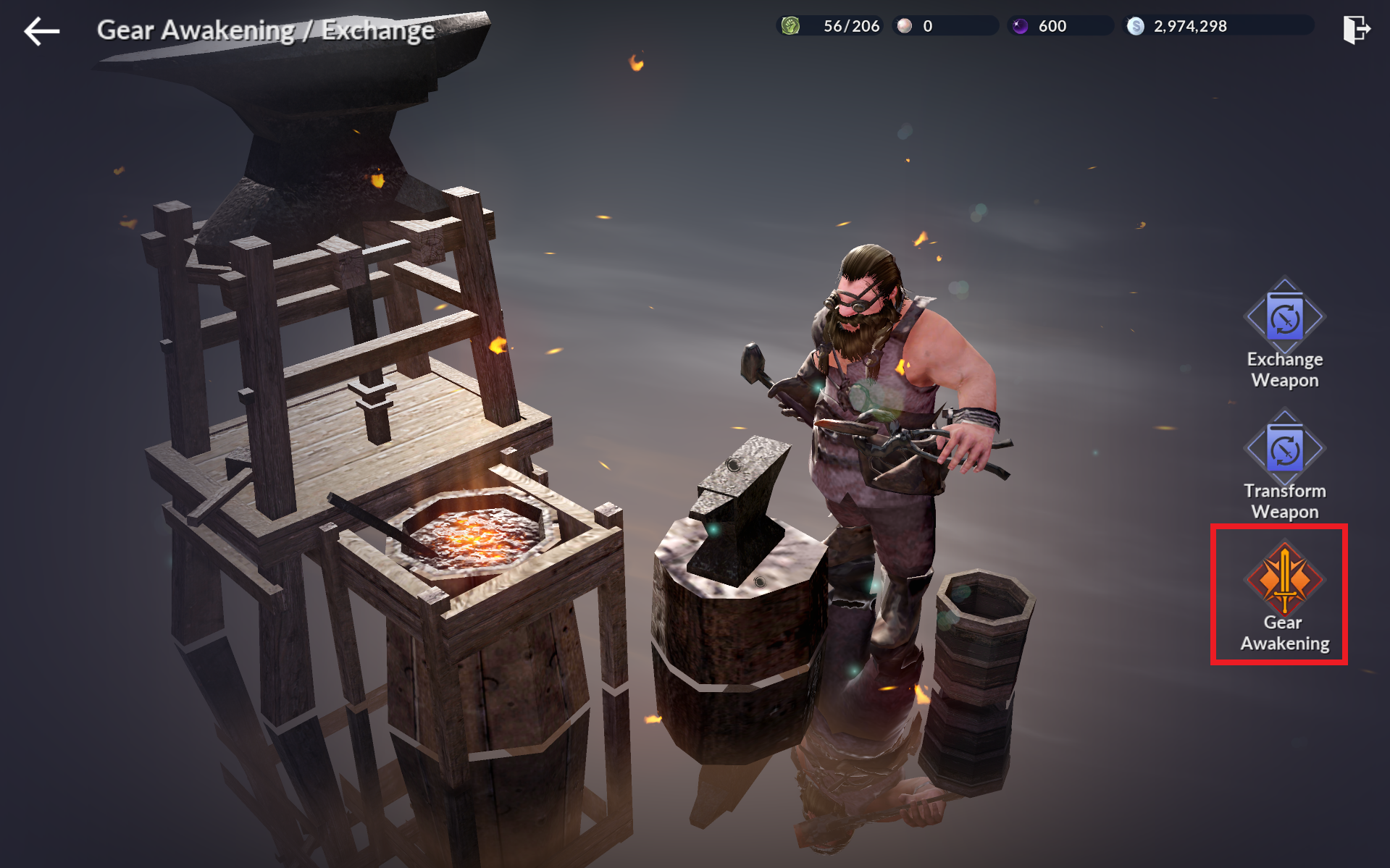
- Select [Gear Awakening] and awaken all equipped gear.
31) Craft: Craft or equip a Chaos or higher-grade Main Weapon
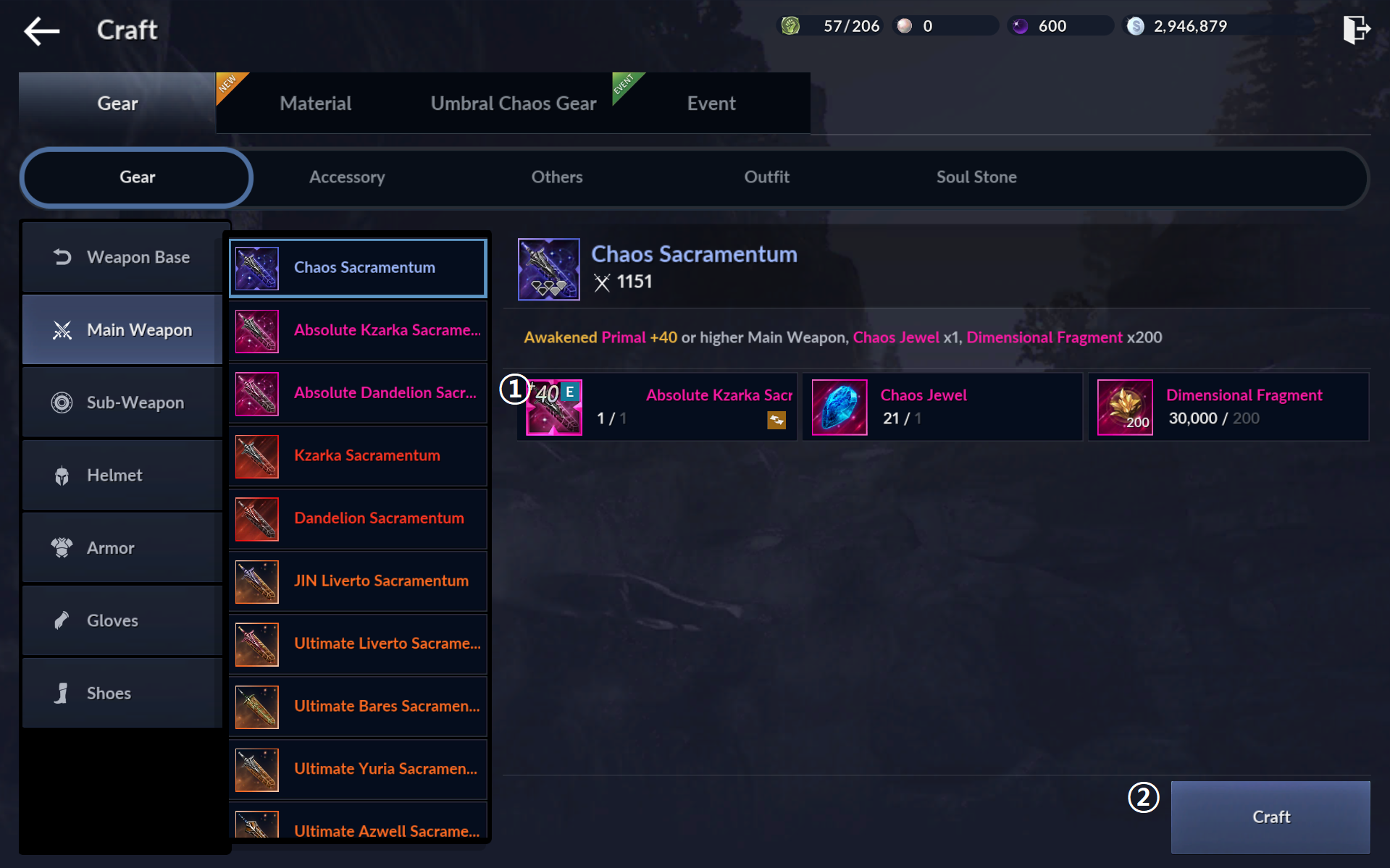
- You need an Awakened +40 Primal gear to craft a Chaos gear.
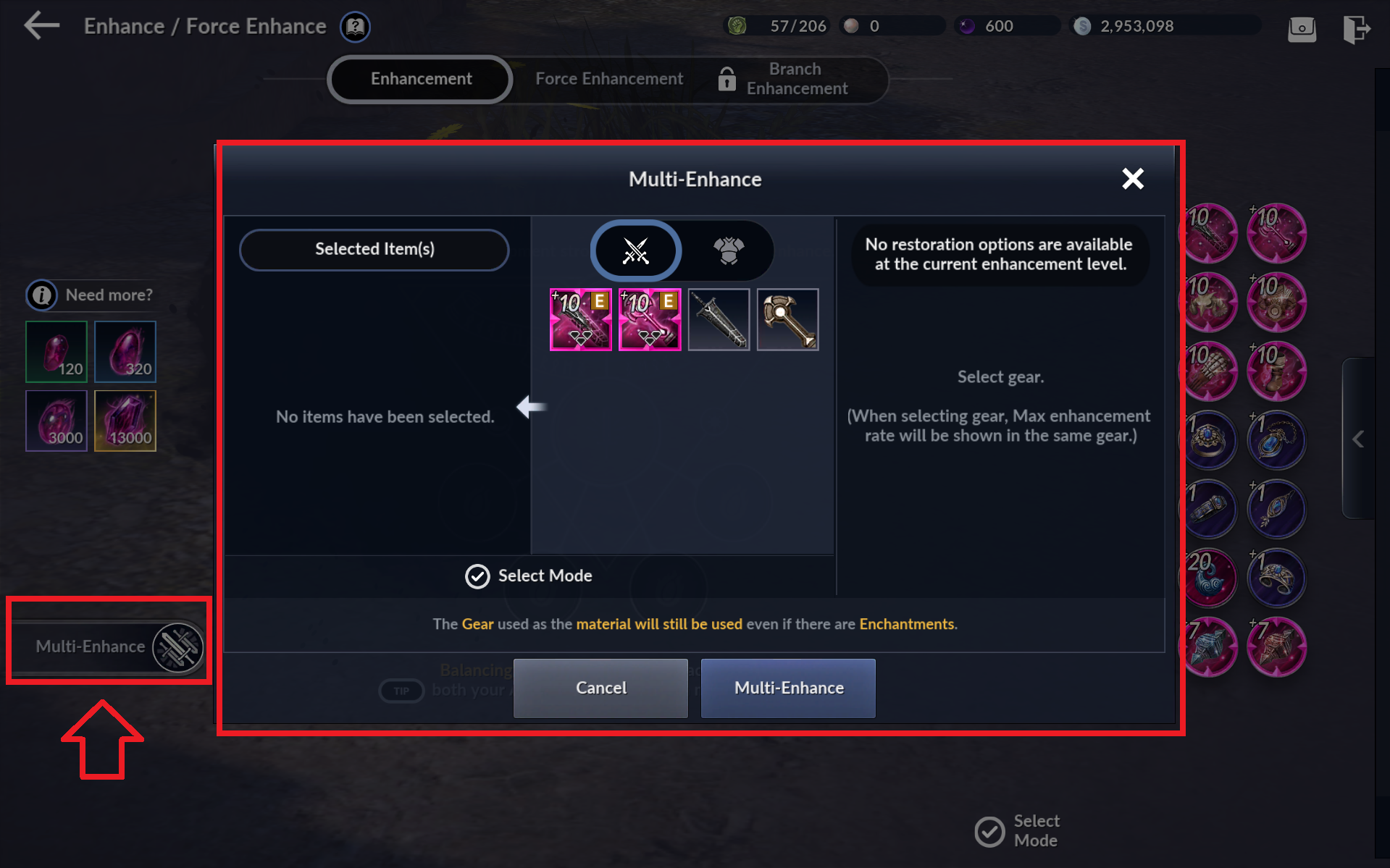
- Enhance all equipped gear to +40 via the [Multi-Enhance] feature on the bottom left corner of the [Black Spirit] - [Enhance/Force Enhance] menu.
- Use the +40 Primal gear as materials to craft Chaos-grade gear via [Craft] - [Gear].
32) Camp VI & VII: Build a Sylvia Goddess Statue at your Camp and reach Sylvia Goddess Statue Level 10
- Tap [Go] or move to your Camp and build a Sylvia Goddess Statue.
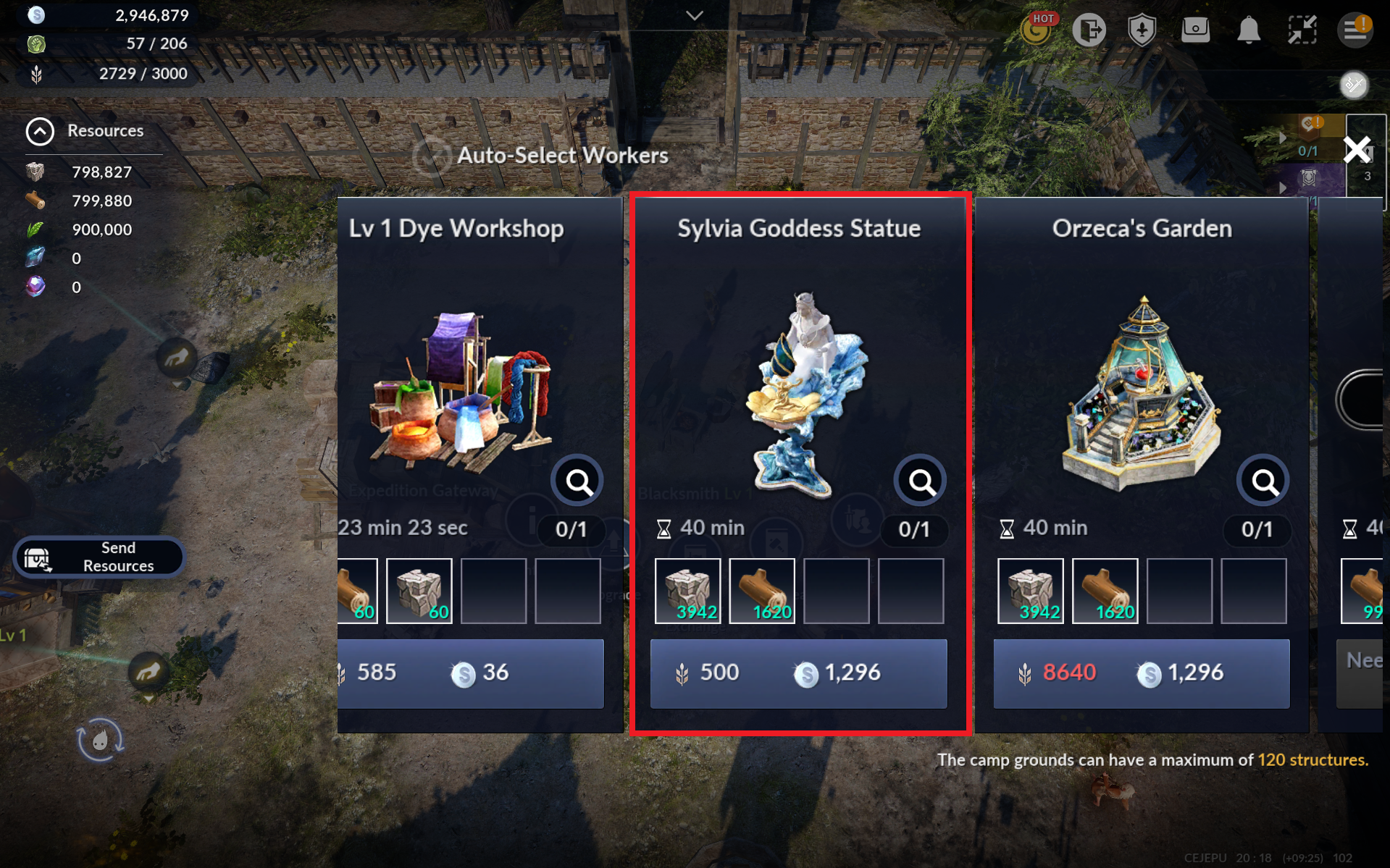
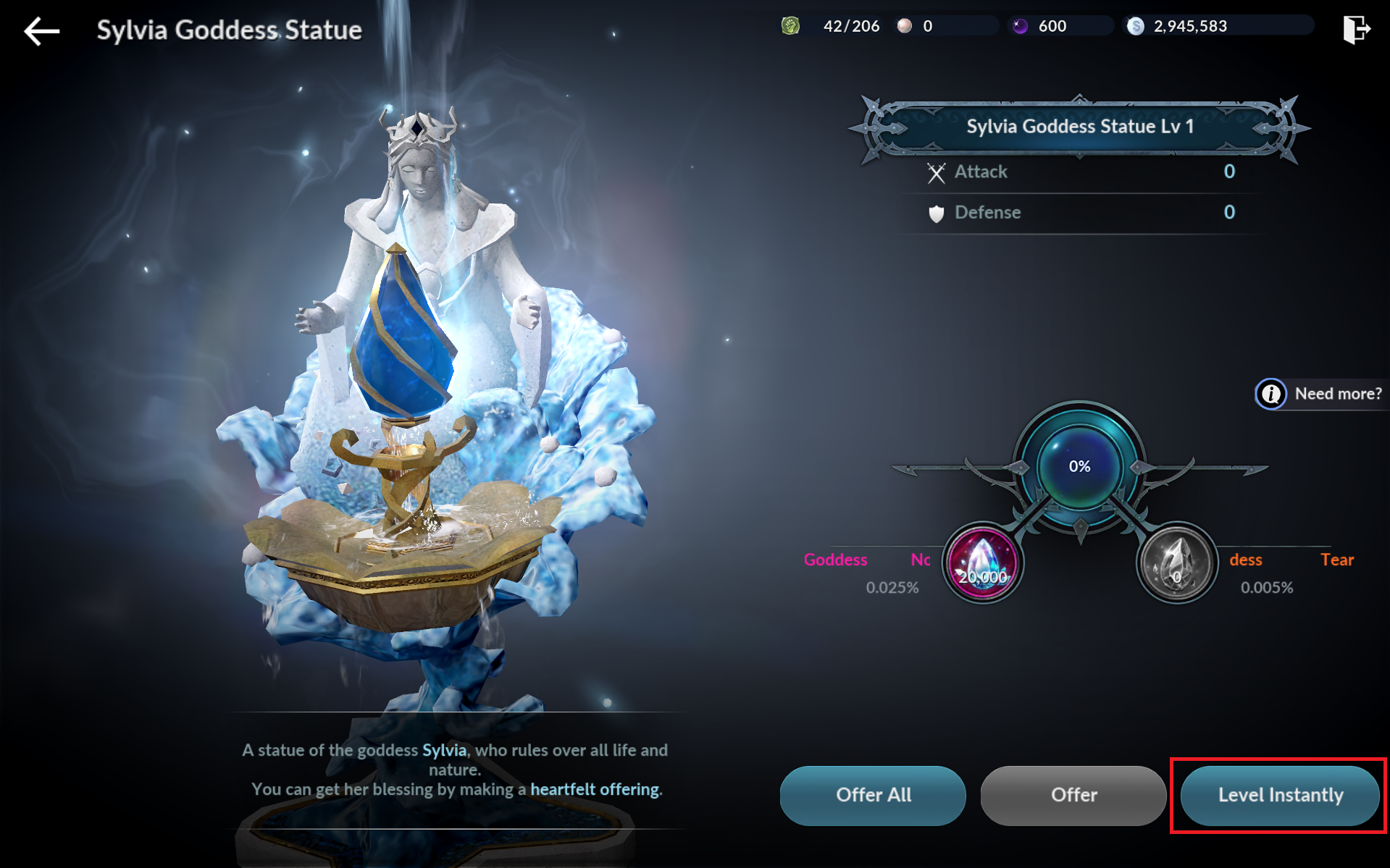
- Offer the Rippling Tear of the Goddess obtained from completing the building quest to the Statue until it reaches Lv 10.
33) Season Pass Completion
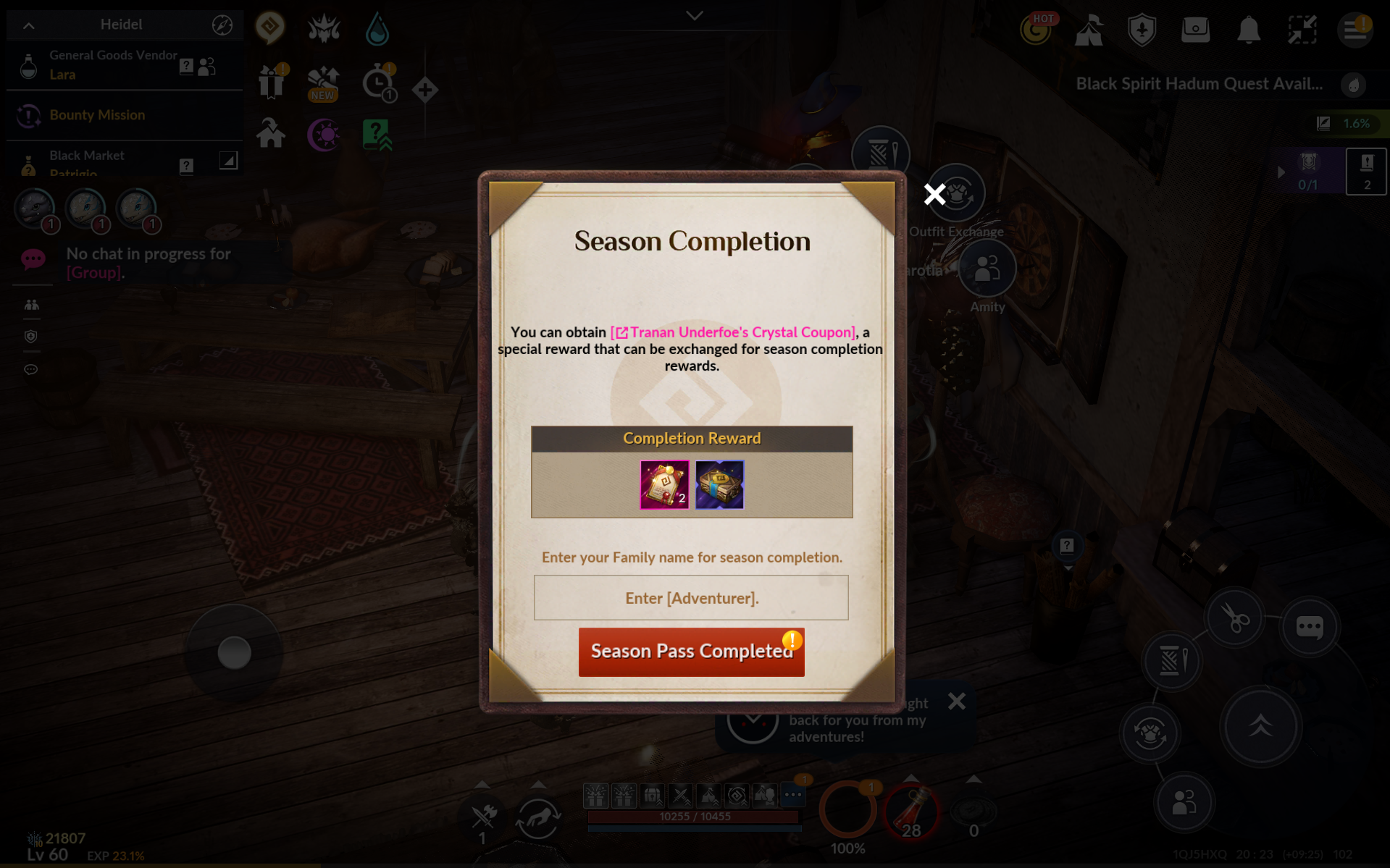
- Congratulations. You completed the Season Pass!
- Items obtained from Season Pass quest rewards and completion rewards will boost your CP even further!
- Go to Tranan Underfoe in Velia and tap [Exchange] to exchange Tranan Underfoe's Crystal Coupons for either Perilla's Star or Secrua Crystal.
* Use the Ornament Selection Chest you obtained from the Season Pass and choose an Ornament that you can equip. Then, equip the exchanged Secrua Crystal onto the Ornament via [Black Spirit] - [Equip Crystal].
* If you already have both Perilla's Star and Secrua Crystal, Tranan Underfoe's Crystal Coupons can be sold to vendors for 100,000 Silver each.