- Adventurer's Guide
- Recommended Guide
Season Character Season 2 Guide

🌟 Season 2 Character Guide
We have gathered all the essential information in one place for
Adventurers who are starting Season 2.
For those who have completed the first Season and are now embarking on the 2nd Season! How about developing your "Fairy", your reliable companion in your travels, along with the new season?
📖 Season Guide ▲ 접기
🔸 Creating a Season 2 Character
Converting an Existing Character
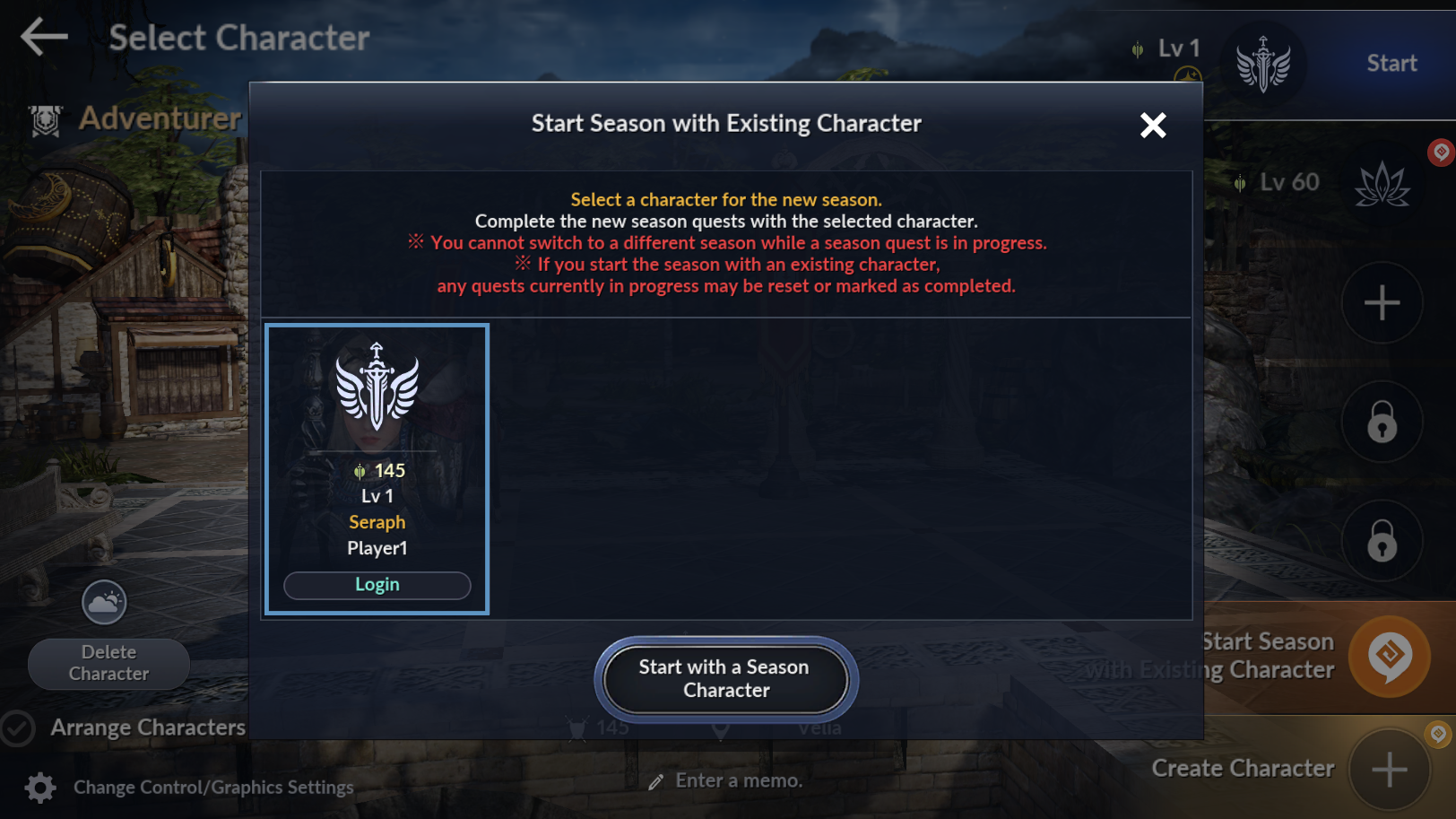
※ Tap the [Start Season with Existing Character] button, select a previously created character, and tap [Start as Season Character] to convert them.
Creating a New Season Character
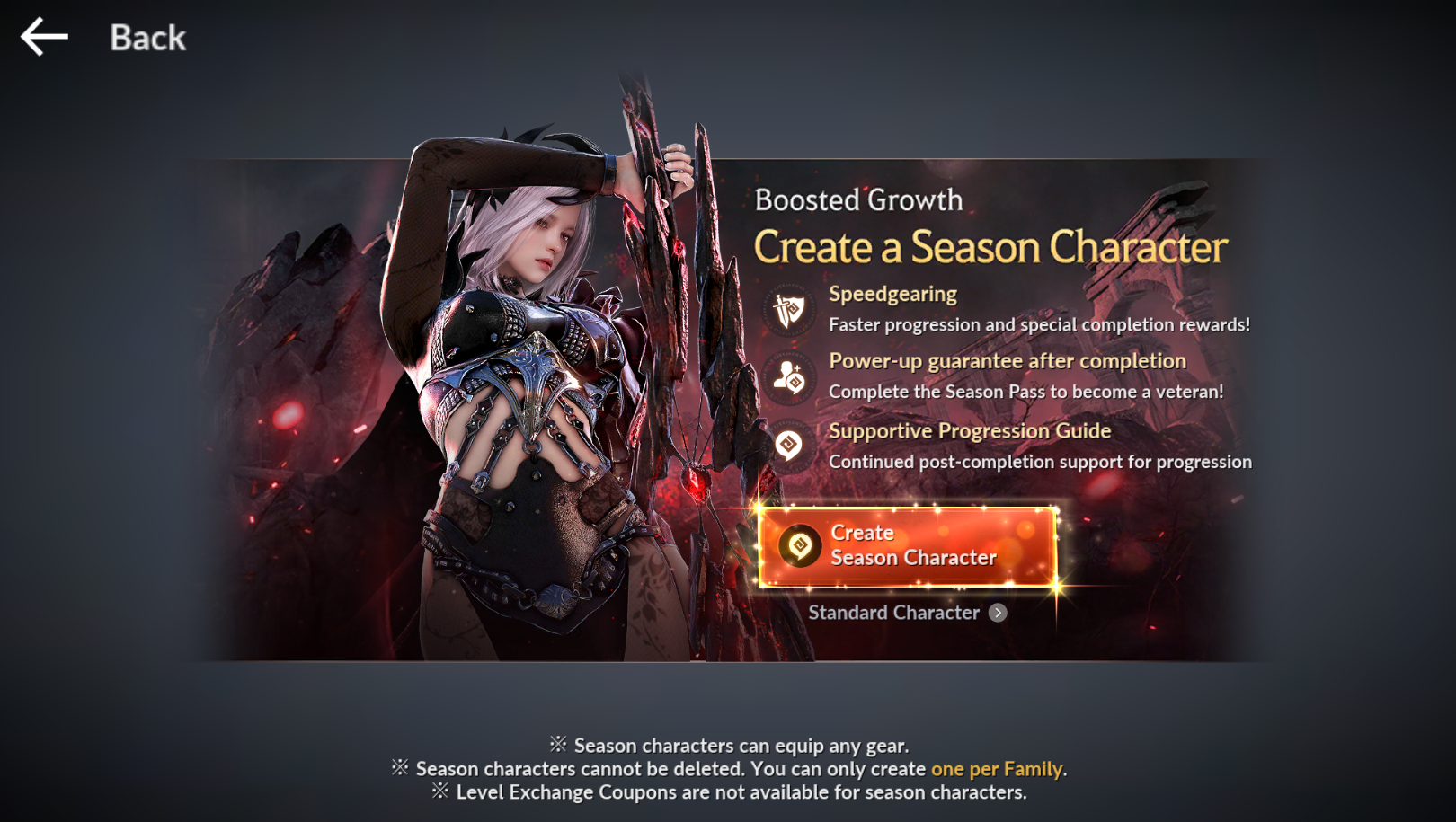
※ Tap [Create Character] to create a brand new Season Character.
· Once creation is complete, tap the [Season Pass] icon.
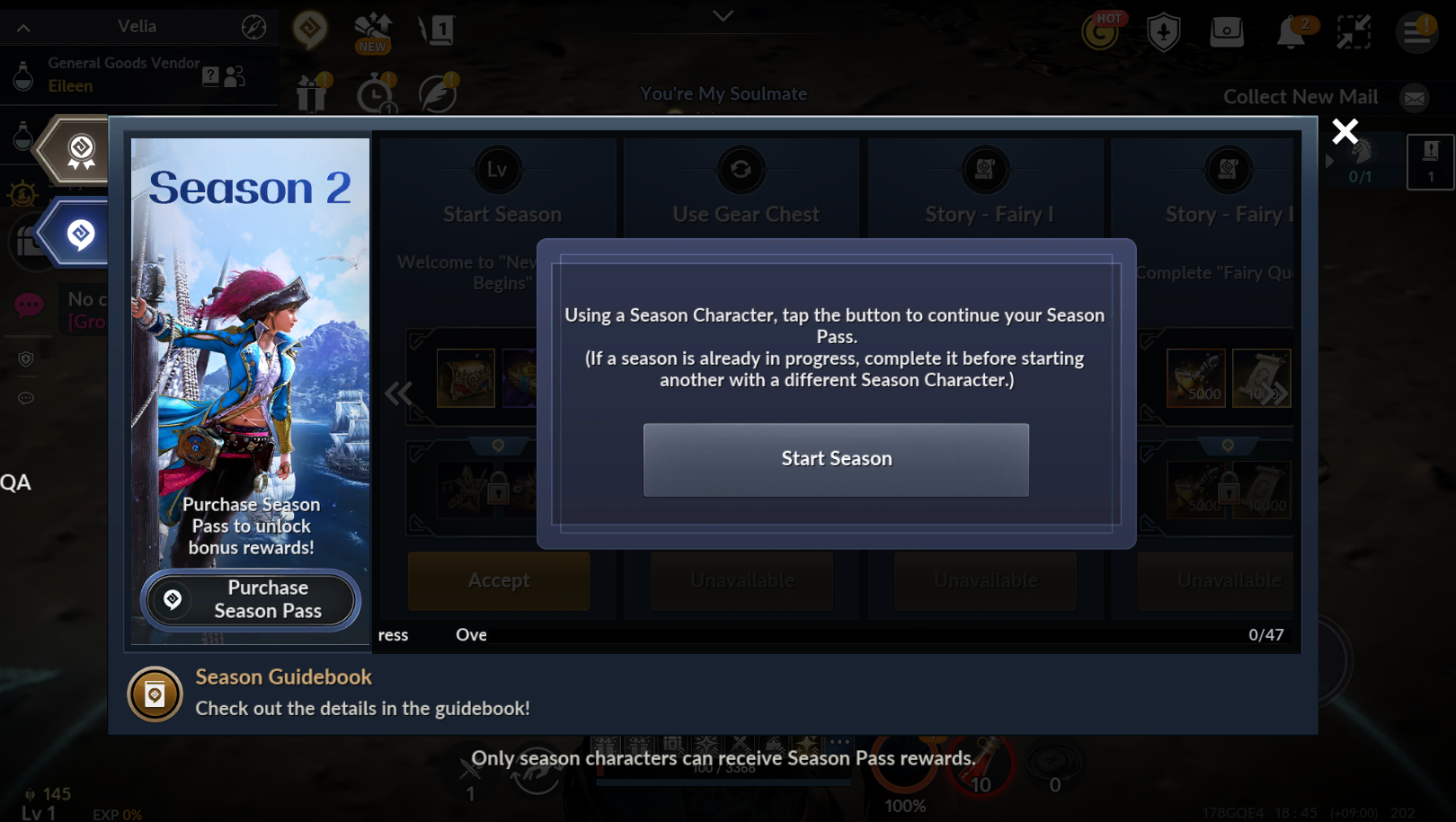
· Tap the [2nd Season] button within the Season Pass to begin.
🔸 What is a Season Character?
🔸 Season Character Basic Interface
· This is the screen you will see immediately after creating your Season Character.
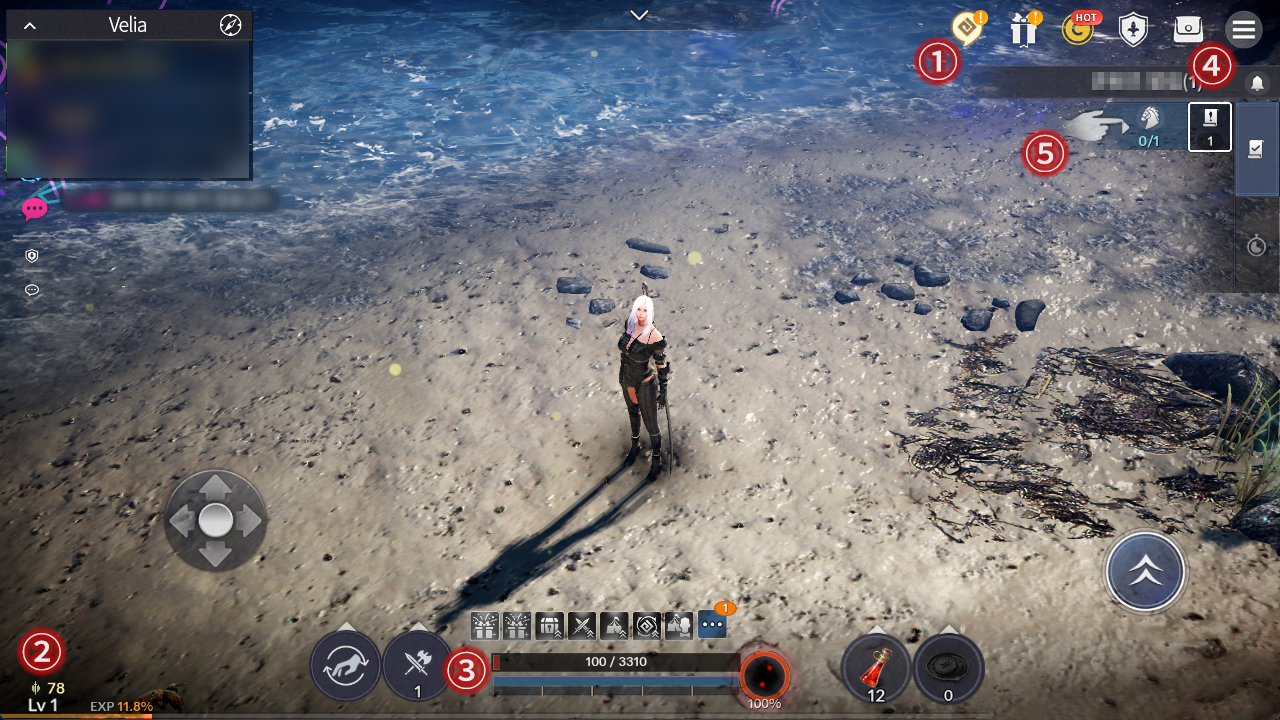
| No | Category | Description |
|---|---|---|
| 1 | Season Pass Button | Tap the yellow Black Spirit icon to view the Season Pass. You can claim rewards, check progress, and use the [Move] function. |
| 2 | CP / Level | Displays your character's current CP (Combat Power). You can check your Level and EXP gain through the Lv indicator at the bottom. |
| 3 | Character Status | View active buffs, HP, MP, Black Spirit status, and equipped Potions |
| 4 | Menu | Frequently used menus are in the upper right. Tap the [≡] button to view the Main Menu. |
| 5 | Quest Widget | Check current quest info. Tap to trigger Auto-path to the quest location |
🔸 Season Pass
· The Season Pass consists of quests designed to support rapid growth and help you adjust to the game.
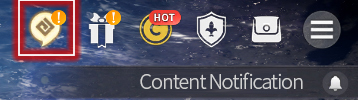
· If rewards are available, an exclamation mark (!) notification will appear.
🗺️ Season 2 Season Pass Guide ▼ 펼치기
Search for the name of the Season Pass quest you need help with in the search bar at the top right!
1) Season Start: Welcome to the 'Start of a New Season'
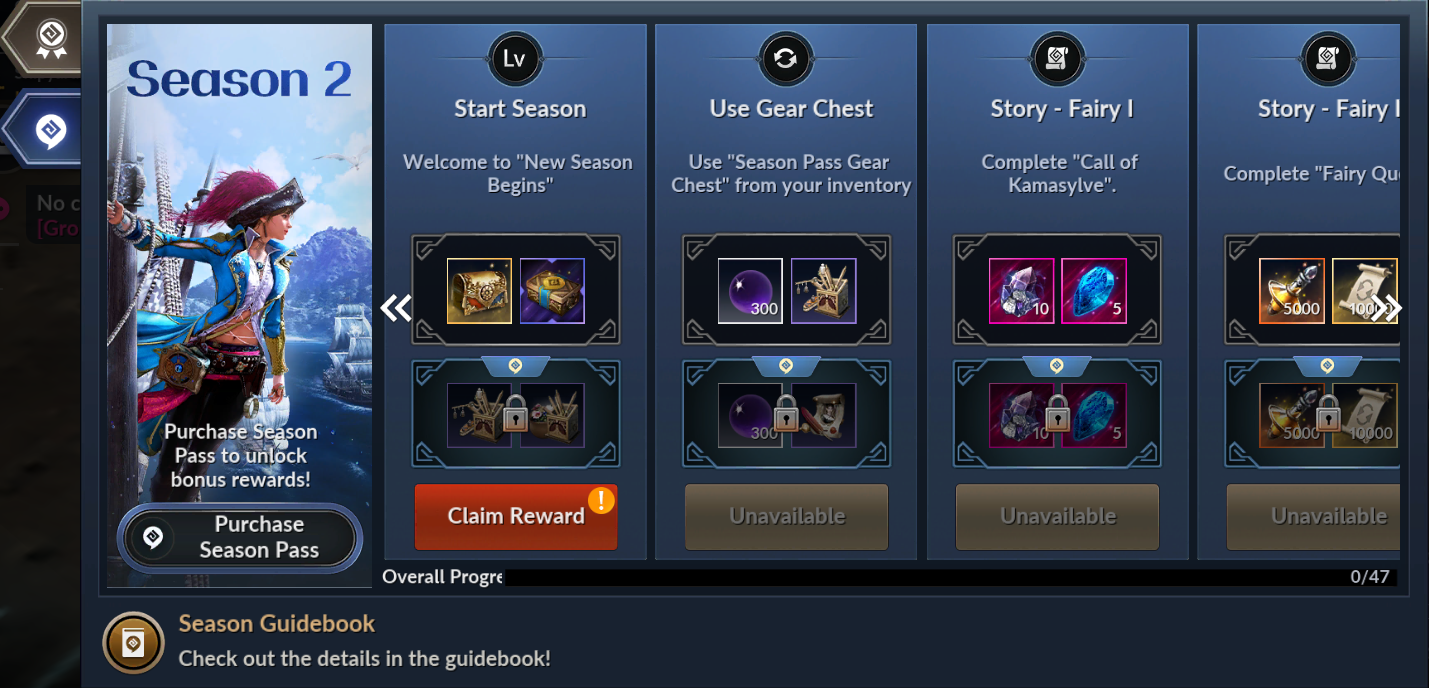
- The 2nd Season has begun.
- Tap the [Receive Reward] button to obtain the Season Pass Gear Chest
2) Using the Gear Chest: Use the 'Season Pass Gear Chest' in your Inventory
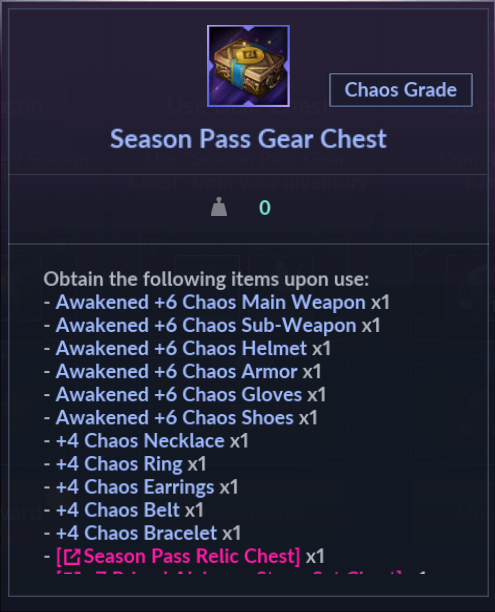
- Open your Inventory and use the Season Pass Gear Chest
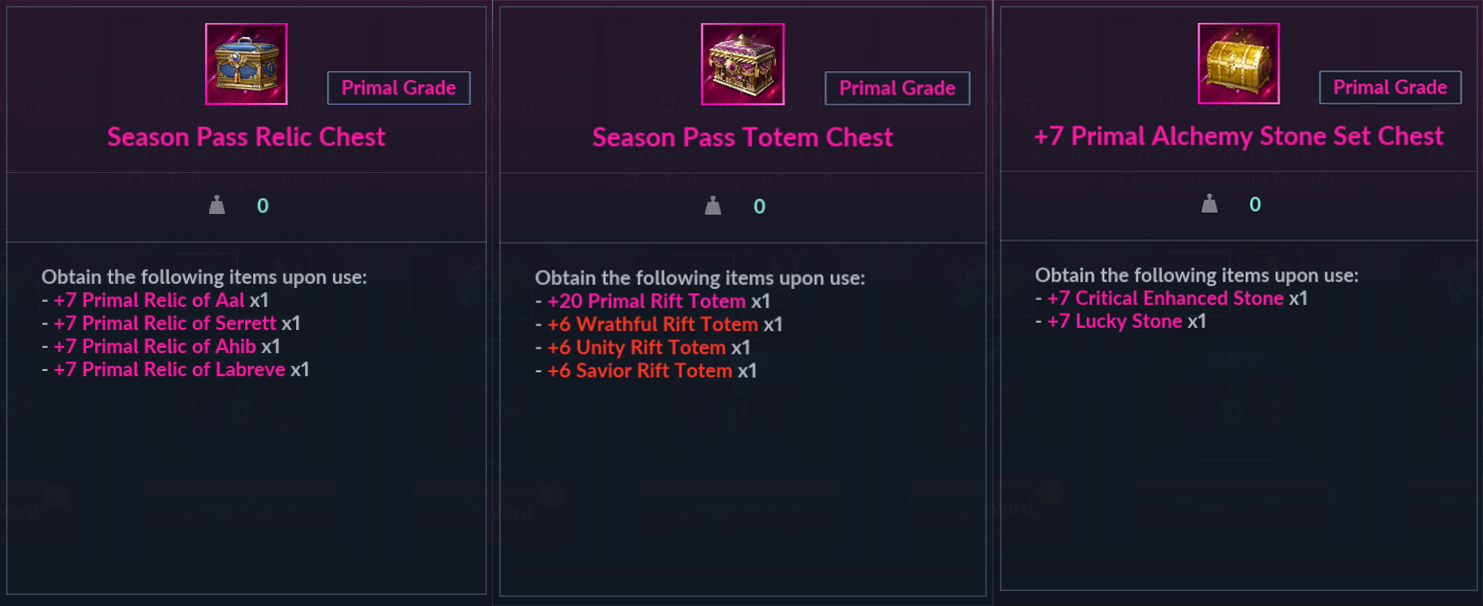
- Use the Primal +7 Alchemy Stone Set Chest, Season Pass Totem Chest, and Season Pass Relic Chest found inside.
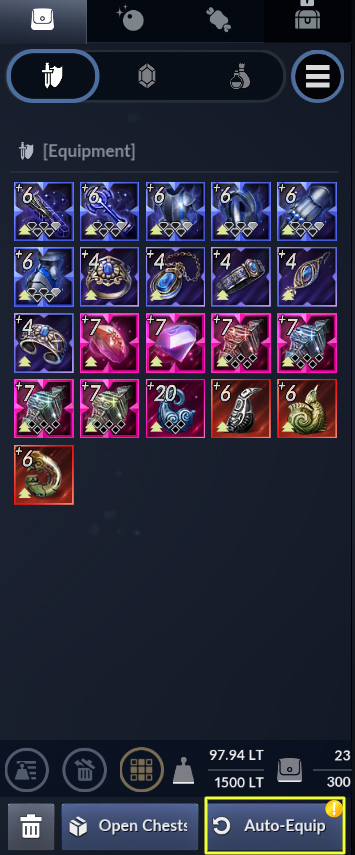
※ Auto-Equip: Tapping this will equip the gear that provides the highest CP increase.
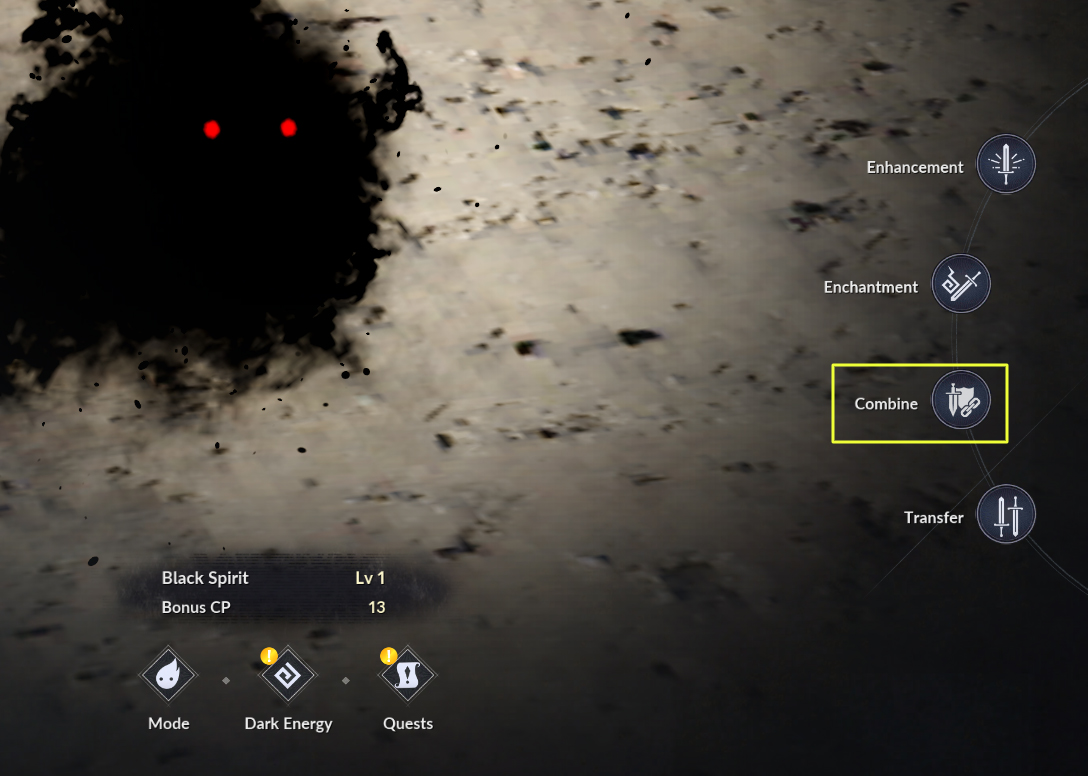
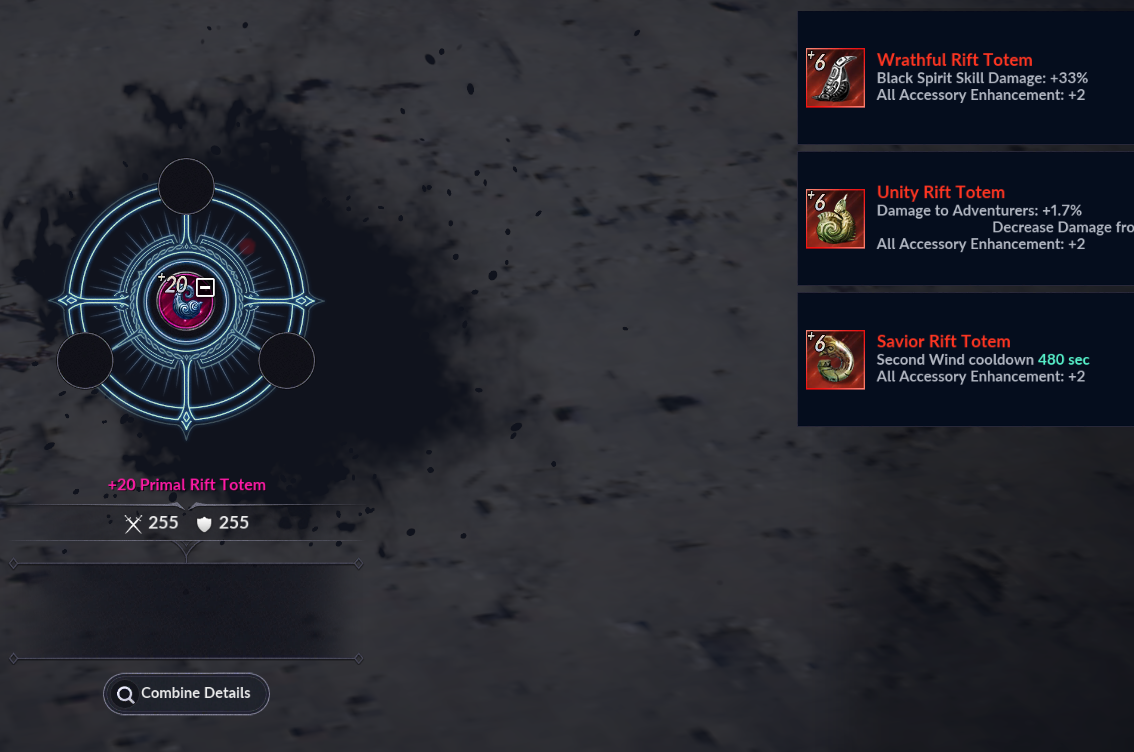
- Black Spirit: Via the [Black Spirit] - [Combine] menu, you can combine [Abyssal] Totems with a Primal Rift Totem, or imbue Relics with Glyphs
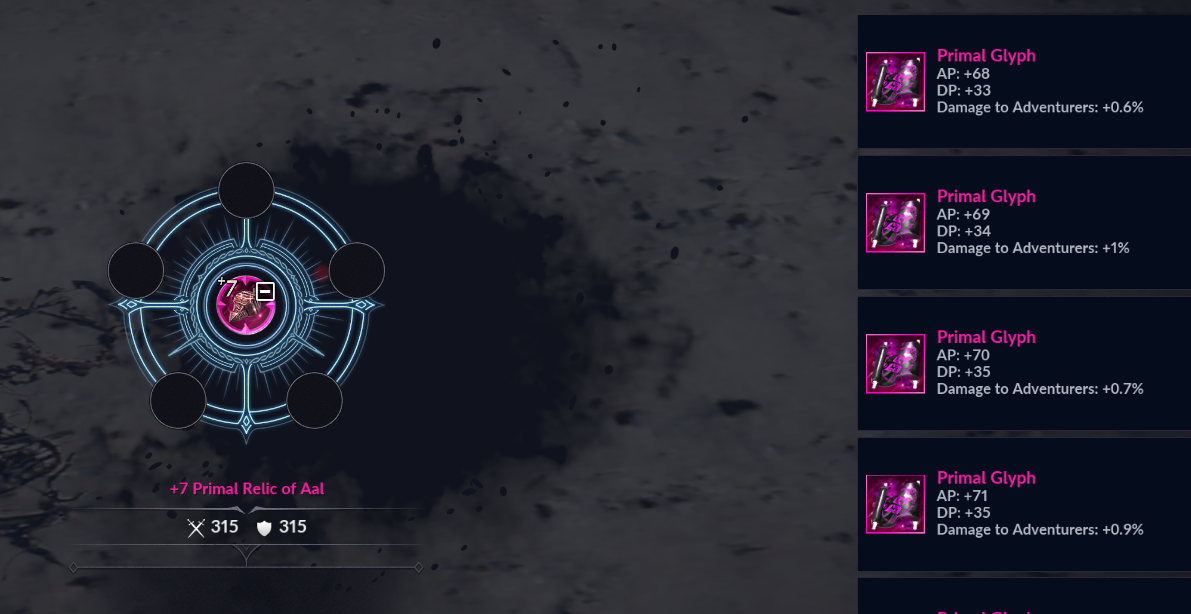
- Using Glyphs: Use the Primal Unidentified Glyph in your inventory and imbue it into a Relic in the Combine menu.
3) Story, Fairy: Complete the 'Fairy' Story Quests
The 2nd Season focuses on Story quests. Use the [Go] button to navigate to the Fairy Story screen.
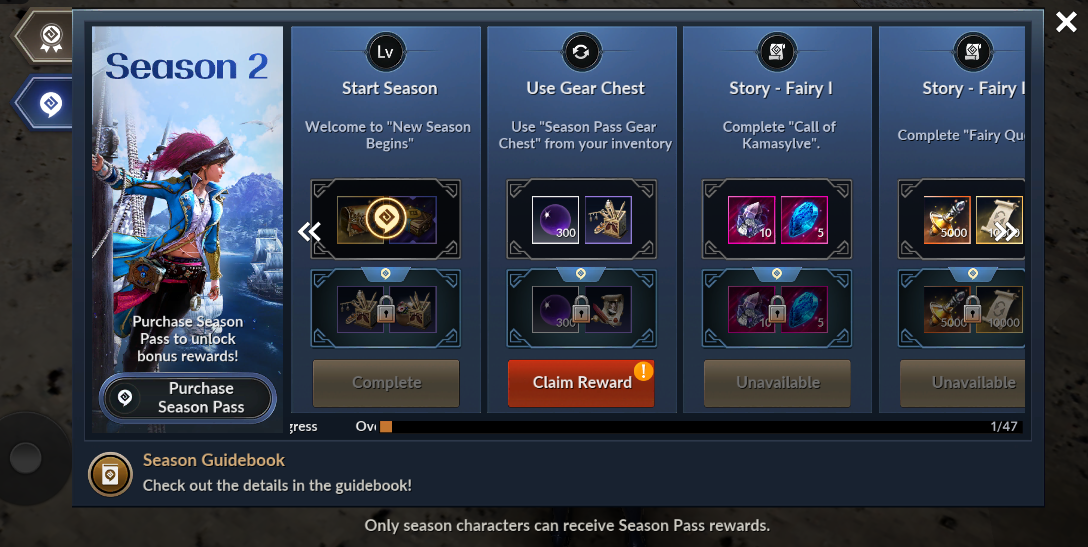
Fairy Story I: Accept 'Call of Kamasylve' and move to meet Herawen.
※ In [Story] within the [Menu], you can check various stories in Black Desert Mobile through quests.
Talk to Theiah: After meeting Herawen, speak to the Fairy Queen Theiah.
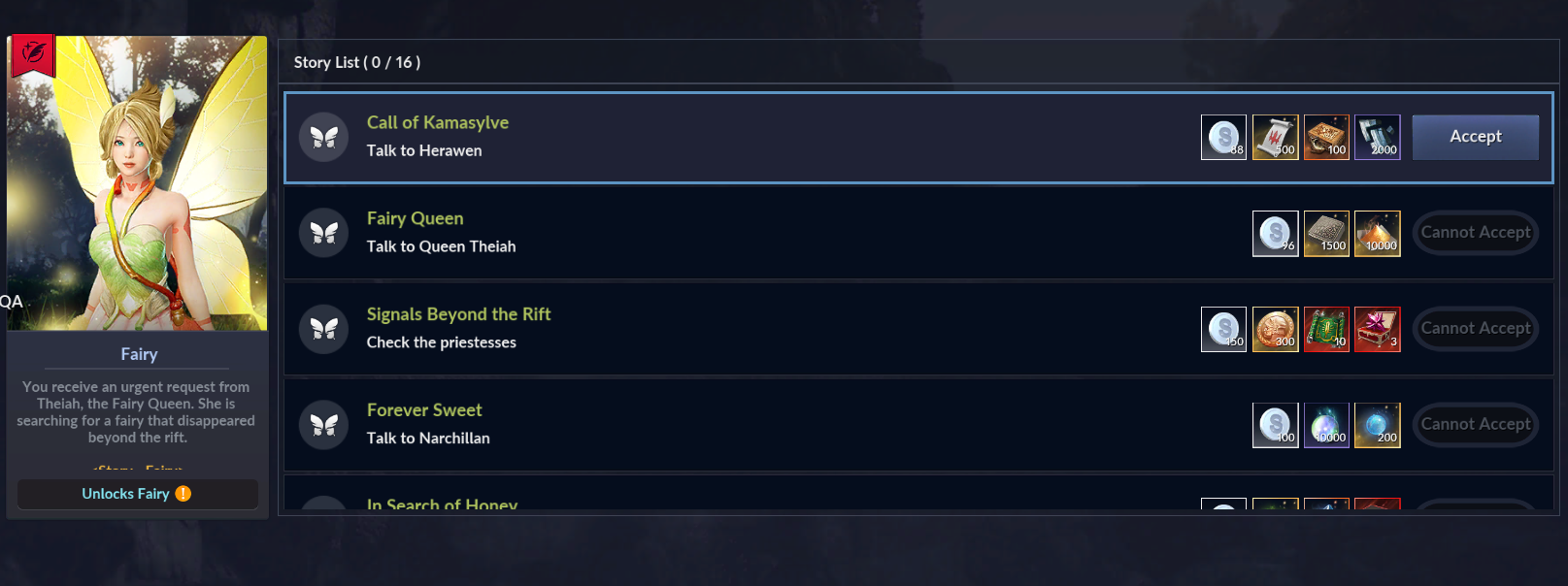
- Please tap the [Accept] button for 'Call of Kamasylve' to accept the quest.
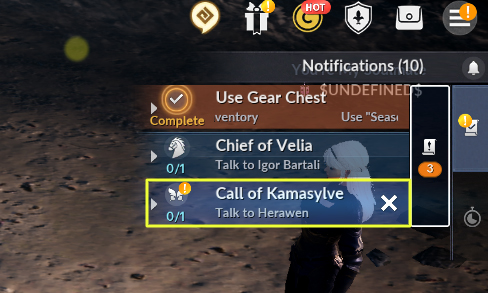
Tapping the 'Call of Kamasylve' quest on the quest screen will move you to where Herawen is located.
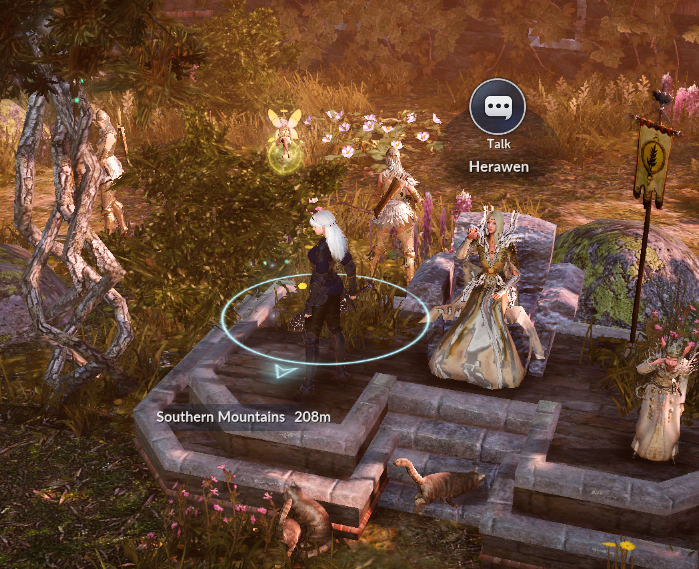
After completing the 'Call of Kamasylve' quest, you can talk to the Fairy Queen 'Theiah' located next to Herawen to proceed with the next quest.
- Complete the Season Pass while proceeding with the 'Fairy' Story quests.
※ You can move to the quest location through the Season Pass 'Go' button or quest auto-path.
| Fairy Story XII: Complete 'For Endless Delight' by delivering items.
Select and deliver the items collected while proceeding with the quest.
※ Item delivery can be done through the following steps.
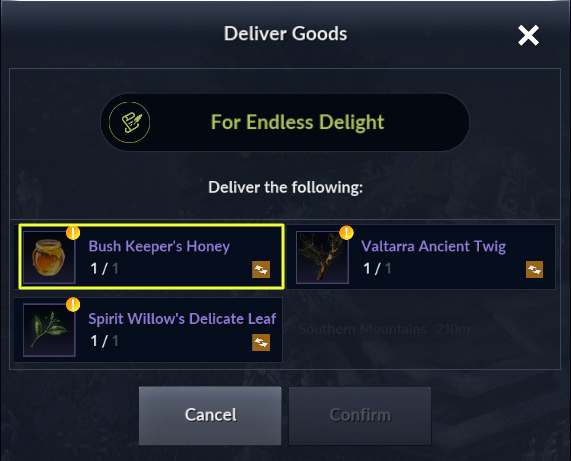
Please select the items you wish to deliver.
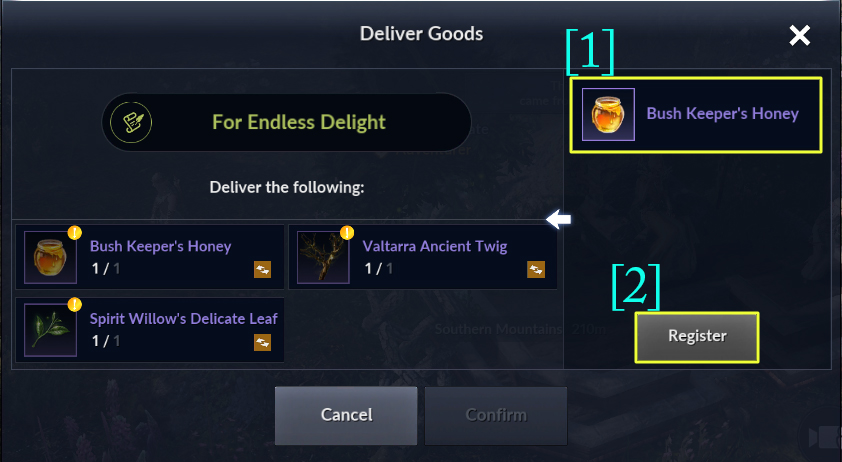
2-1. Please select the items you wish to deliver.
2-2. Once item selection is complete, please press Register.
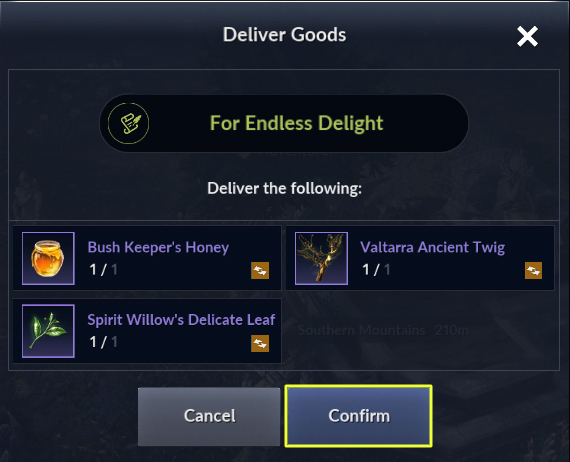
3. After registering all items, you can press Confirm to complete the quest.
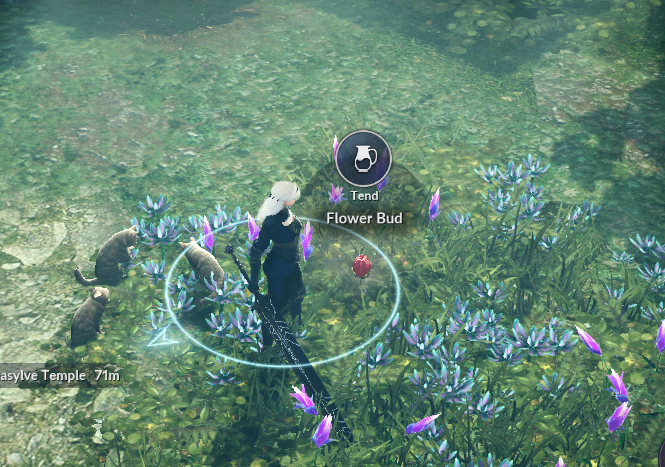
- Upon obtaining the quest item, you can enter the Rift to save the Fairy, and after talking to the Fairy inside the Rift, you can nurture the flower bud.
- After completing nurturing the flower bud, you can meet the newborn Fairy.
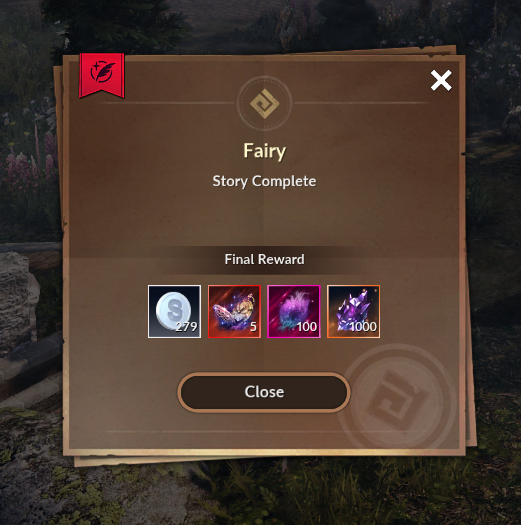
- After completing all 'Fairy' Story quests ending with the 'Back to Kamasylve Temple' quest, you can go on an adventure with the Fairy.
4) Fairy Growth I: Attempt 'Fairy Blossom by filling 1,000 Twinkle' 2 times (1 time for Adult Fairy).
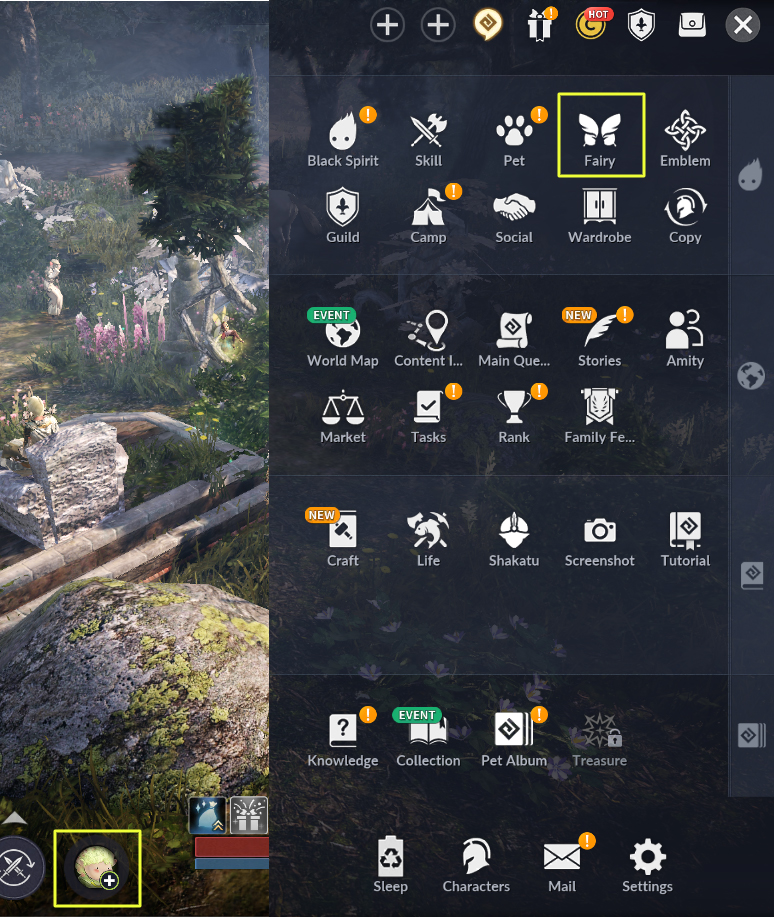
- Tap the Fairy button at the bottom of the screen or in the main menu.
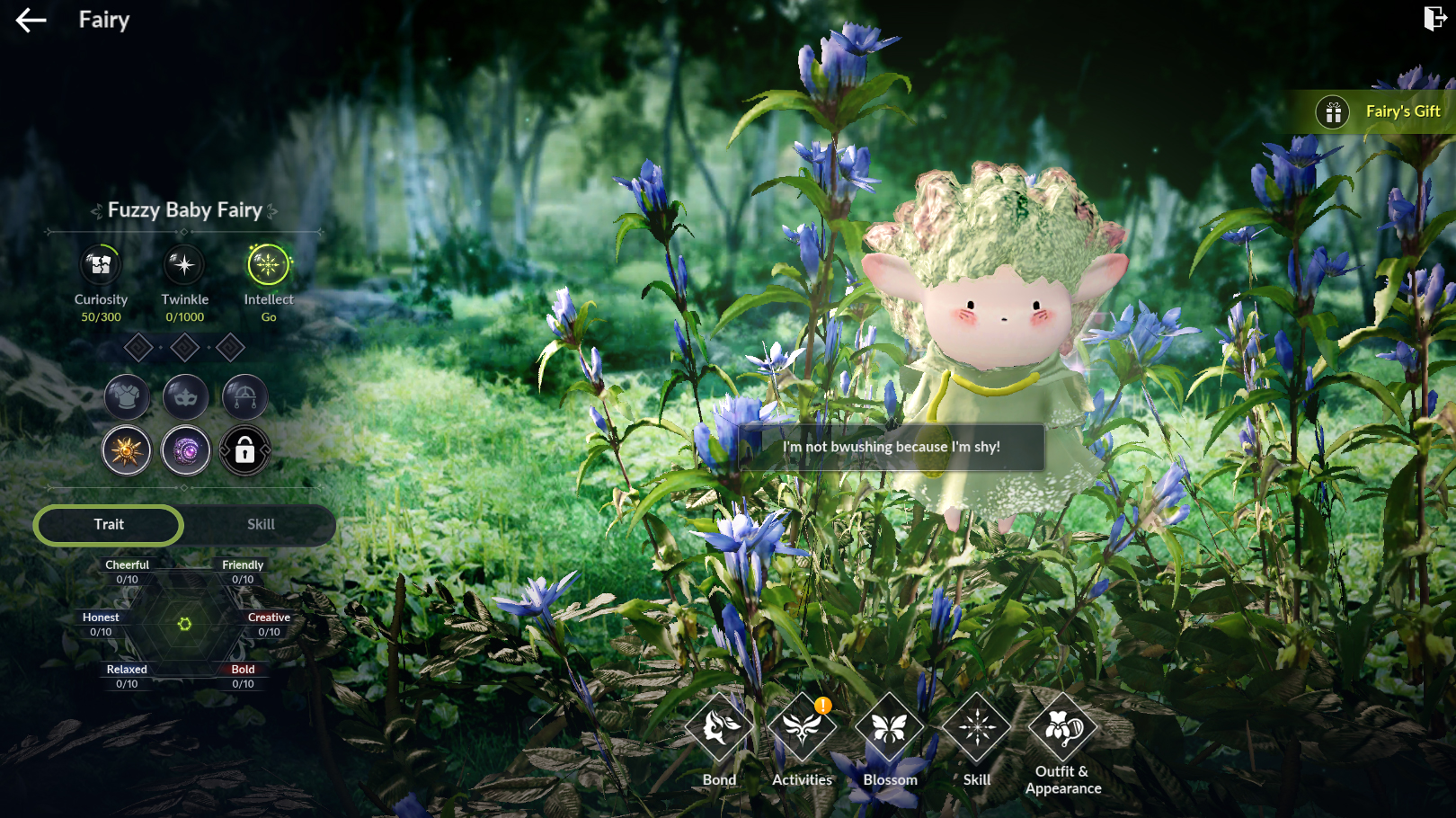
- In Fairy Info, you can check Fairy Bond, Fairy Activity, Blossom, Fairy Skills, and Fairy Appearance/Outfits.
- To obtain the Twinkle required for the quest condition of Fairy Blossom, you must bond with the Fairy.
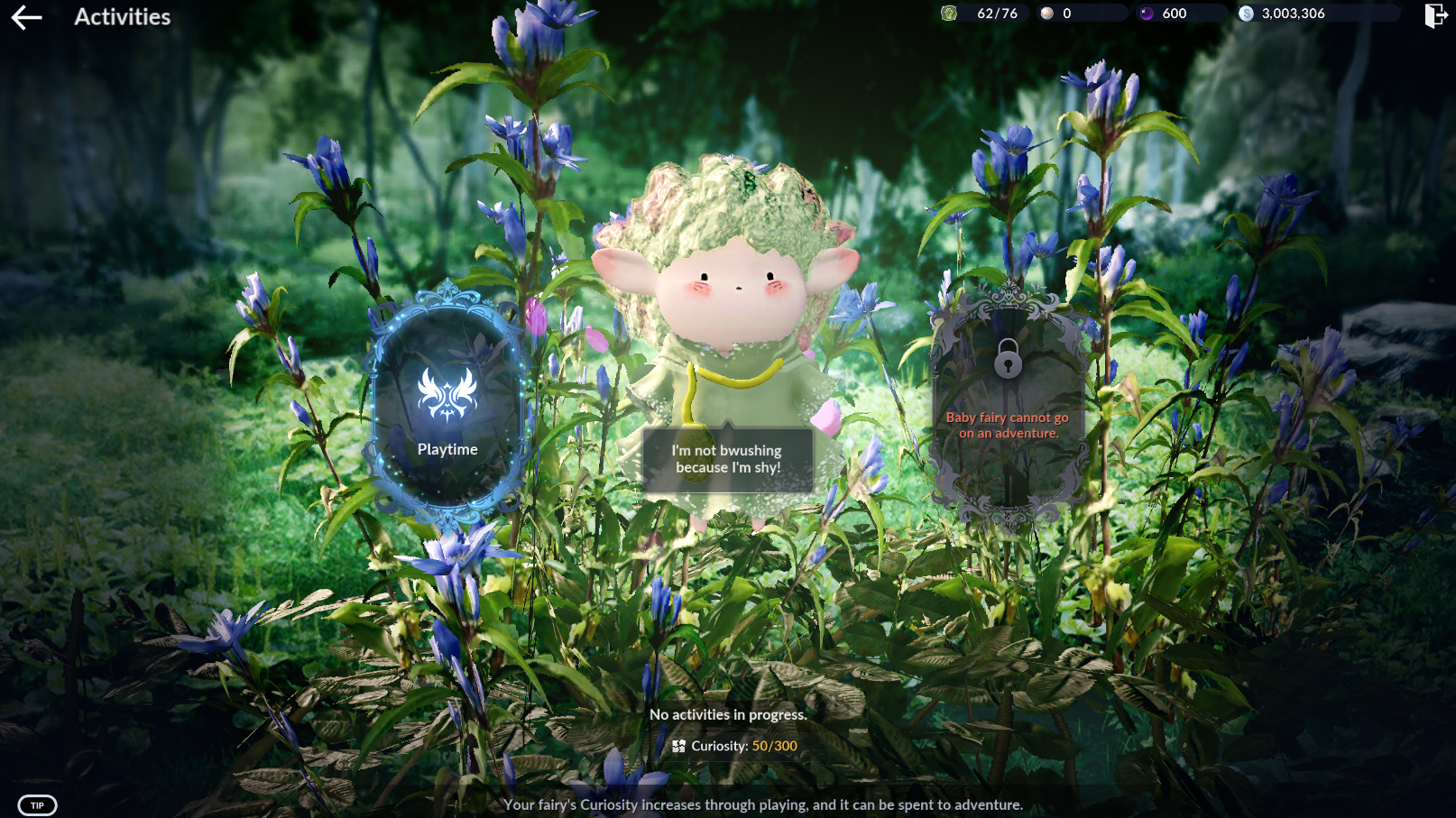
Fairy Bond requires Interest, which can be obtained through Fairy Play in Fairy Activity.
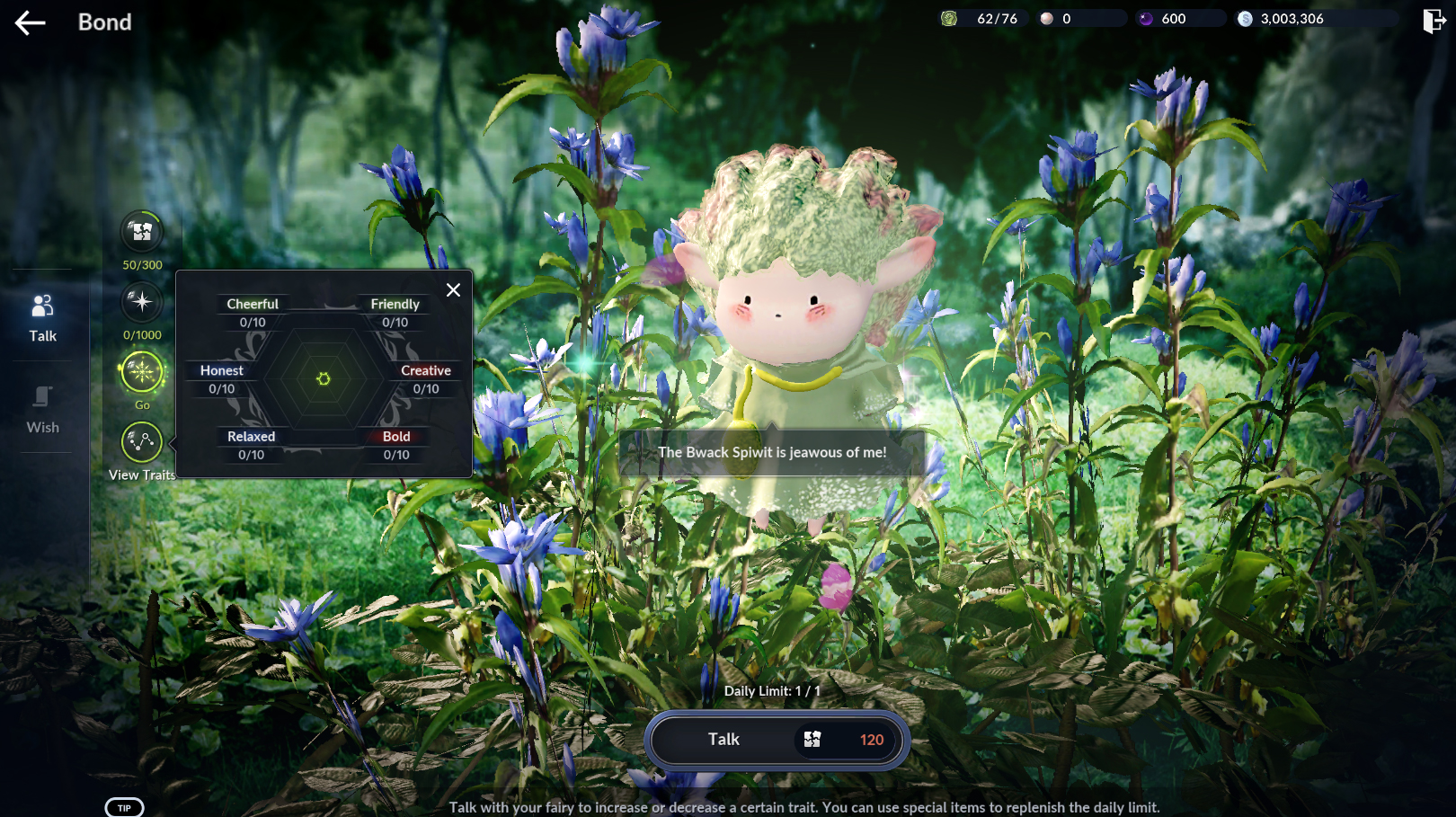
- If you use Talk or fulfill a Fairy's Request in the Fairy Bond menu, the Fairy obtains Twinkle.
- Twinkle is used for the Fairy's Blossom, and you can meet a higher-grade Fairy through Blossom.
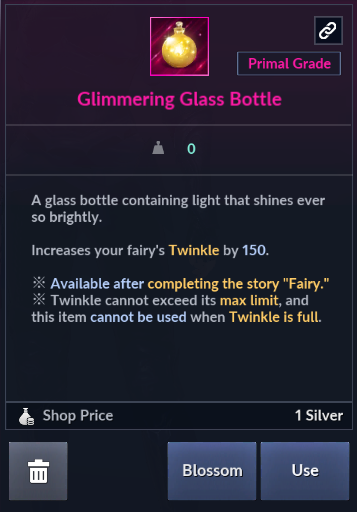
※ You can increase Blossom by using the 'Glimmering Glass Bottle' obtained as a completion reward for 'Story, Fairy XVI'.
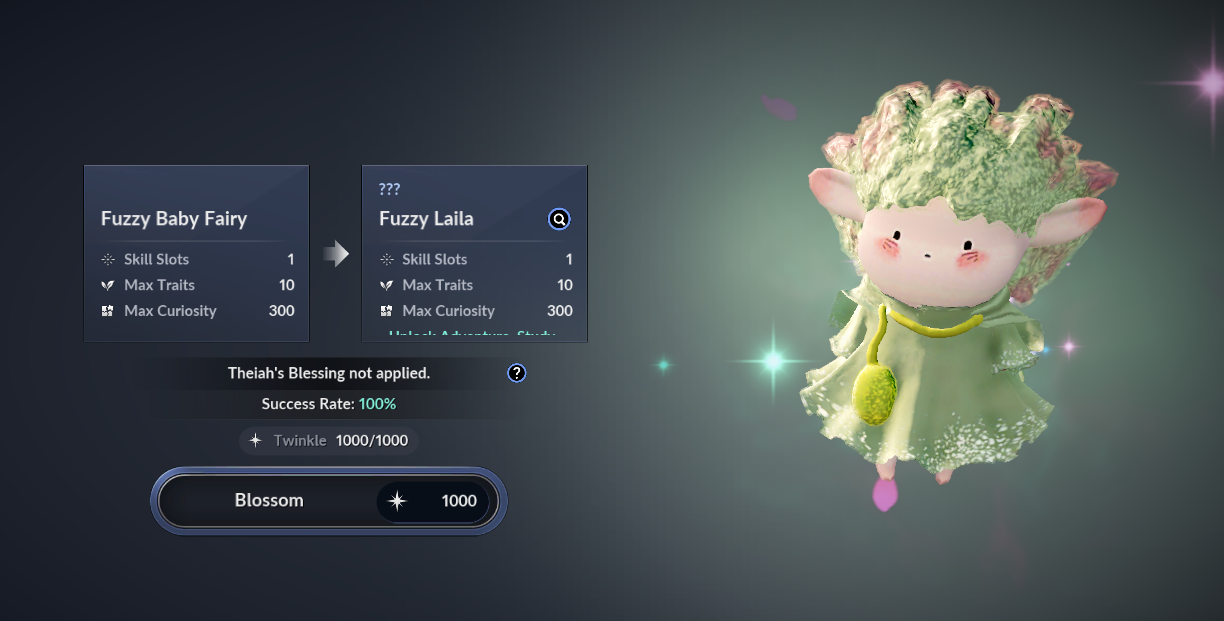
- When the Fairy's Twinkle reaches 1,000, you can proceed with Blossom.
- If Blossom is successful, the Fairy's grade increases, and as the grade becomes higher, the skills that can be learned and equipped increase.
※ You can check more detailed information about the Fairy through the Fairy Adventurer's Guide.
5) Story, Fairy Meets Fashion: Complete 'Human Clothes' story quest.
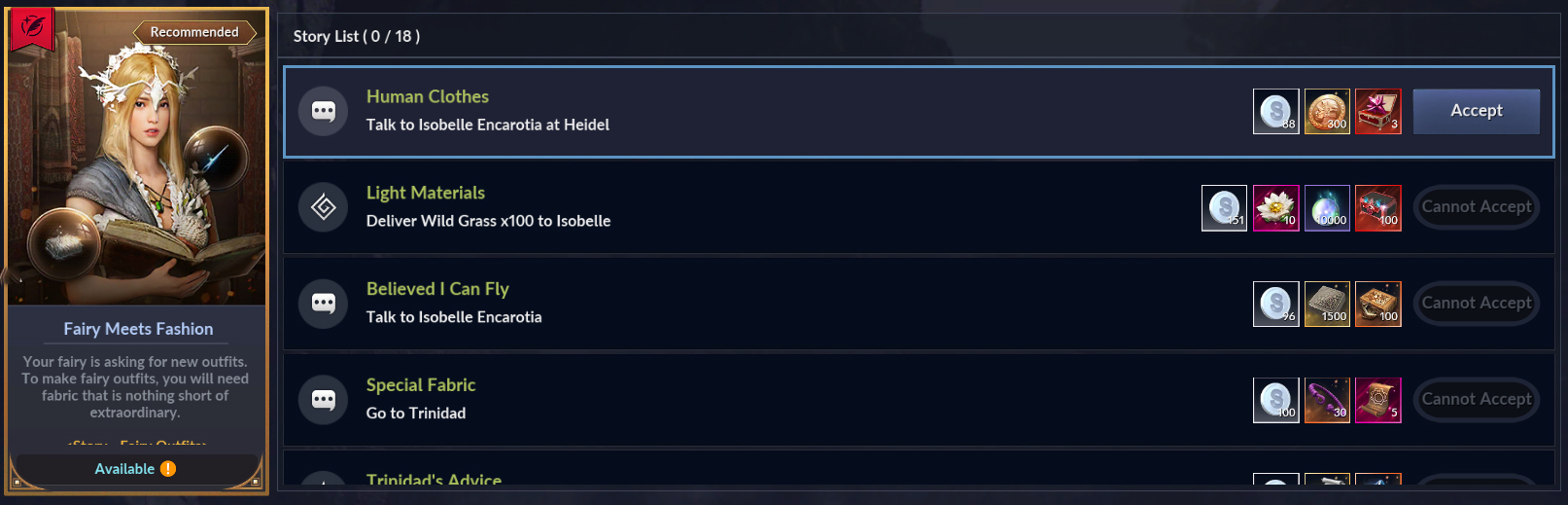
- If you have an adult Fairy by succeeding in Fairy Blossom, you can proceed with the 'Human Clothes' story.
- Complete the Season Pass while proceeding with the story quests.
※ You can move to the quest location through the Season Pass 'Go' button or quest auto-path.
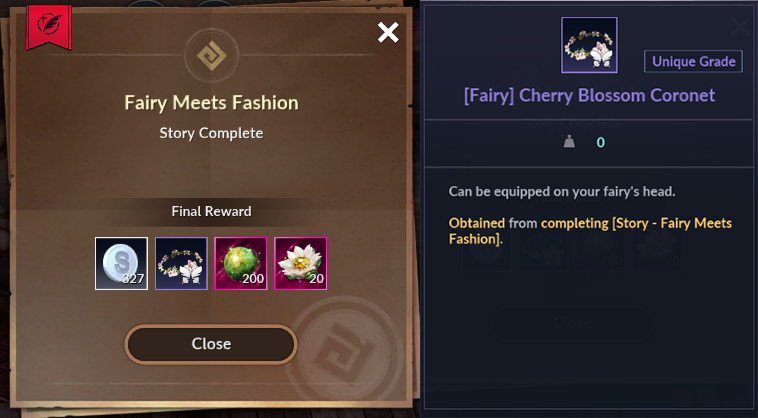
After completing all stories, you can obtain the [Fairy] Cherry Blossom Crown item that the Fairy can equip.
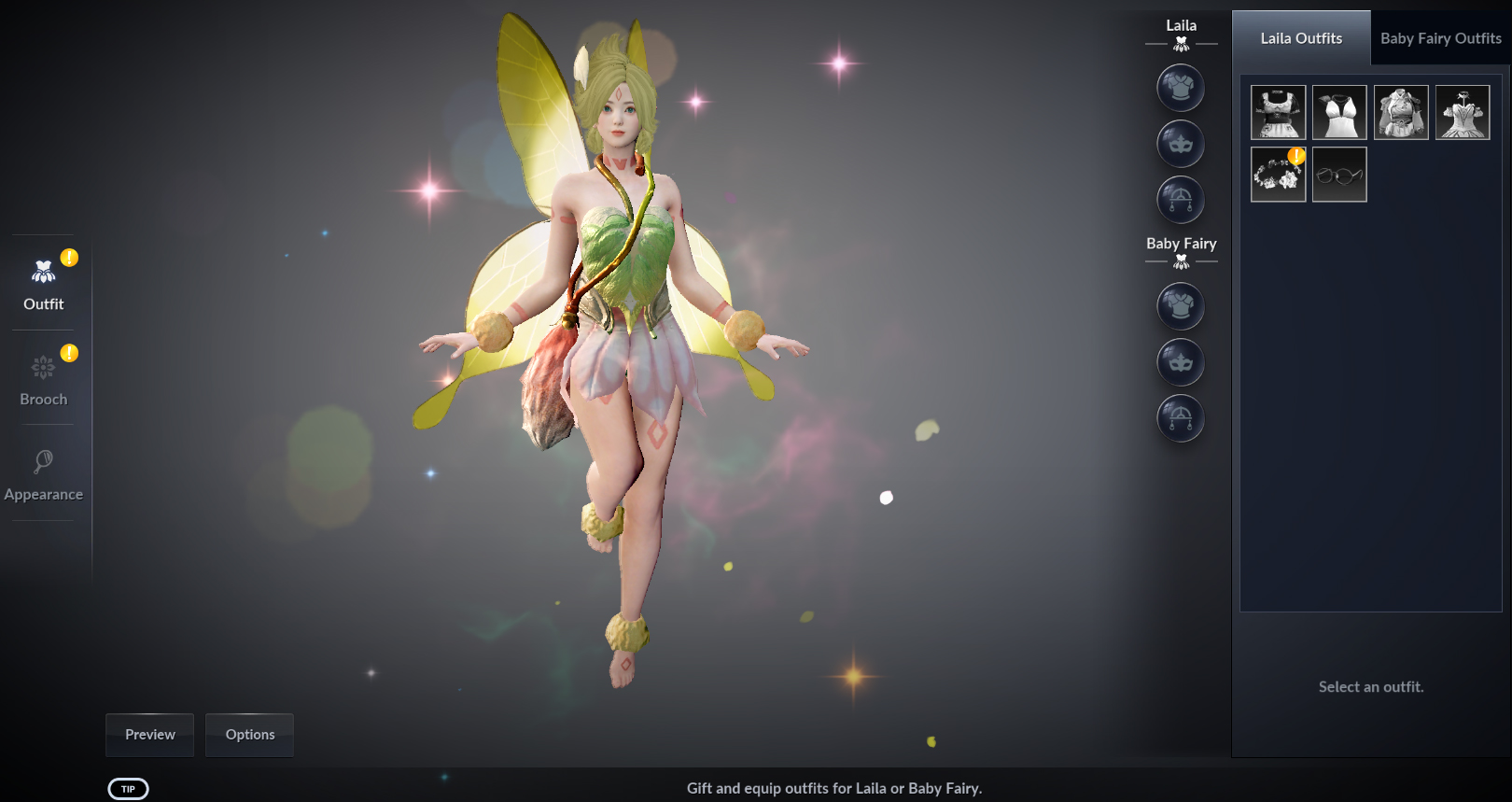
- The obtained [Fairy] Cherry Blossom Crown can be selected and given in Fairy Appearance/Outfits in the Fairy menu.
- [Fairy] Cherry Blossom Crown can be equipped or unequipped.
6) Fairy Growth II: Use 'Cheerful Dawnlight Dew' in the Pearl Inventory.
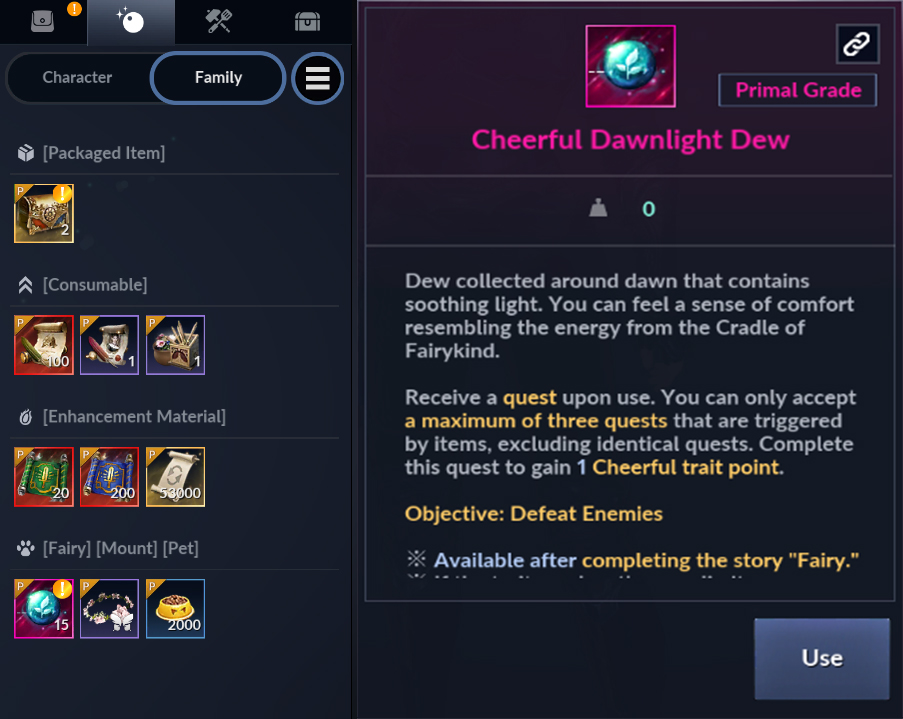
- Dawnlight Dew items obtained through the Season Pass are special items that increase the Fairy's stats through quests, and can be checked and used in the Pearl Inventory.
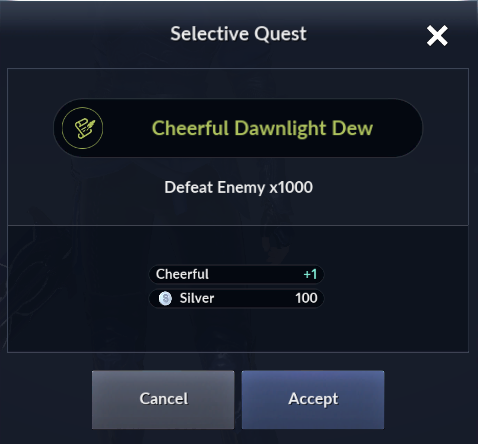
- Using the item will receive a 'Defeat All Enemies' quest, and upon quest completion, the stats corresponding to each item will increase.
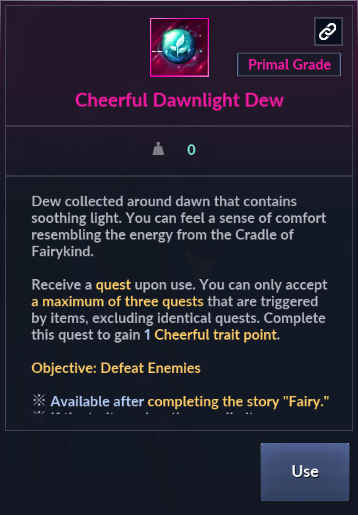
※ In the Kamasylvia region, you can obtain Forest Dew items that have the same effect as Dawnlight Dew through hunting.
※ You can use up to 3 Dawnlight Dew and Forest Dew items at once to proceed with quests.
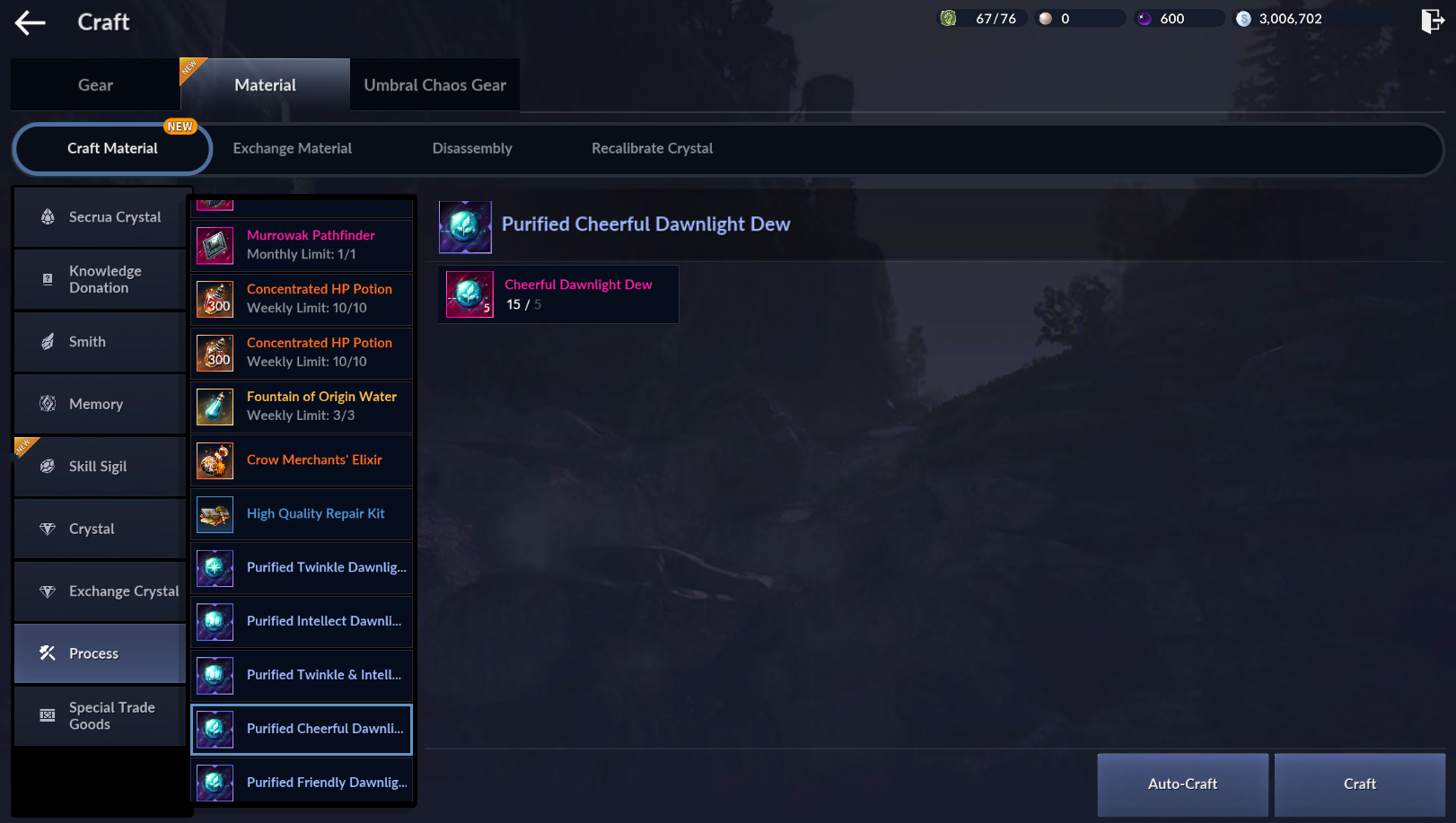
※ Dawn Dew items can be crafted into [Chaos] grade 'Purified Dawnlight Dew' by using 5 of the same items at once through [Craft] - [Materials] - [Process] in the menu.
7) Fairy Growth III: Use 'Friendly Dawnlight Dew' ~ 'Honest Dawnlight Dew' in the Pearl Inventory.
- Use Friendly, Creative, Bold, Relaxed, and Honest in order according to the Season Pass quest order.
※ Since up to only 3 quests can be accepted at once, if a message appears saying the number of accepted quests has been exceeded, please complete the Dawnlight Dew quest before proceeding.
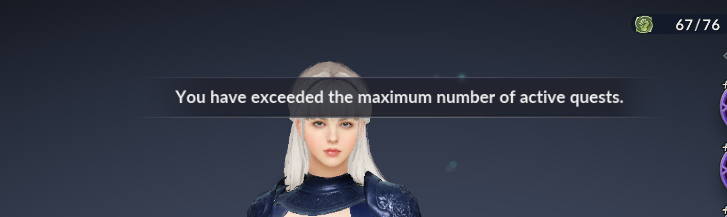
※ If the number of quests is exceeded, a message will be displayed as shown above.
8) Boss Rush Board I: Let's proceed with 'Boss Rush' once for growth.
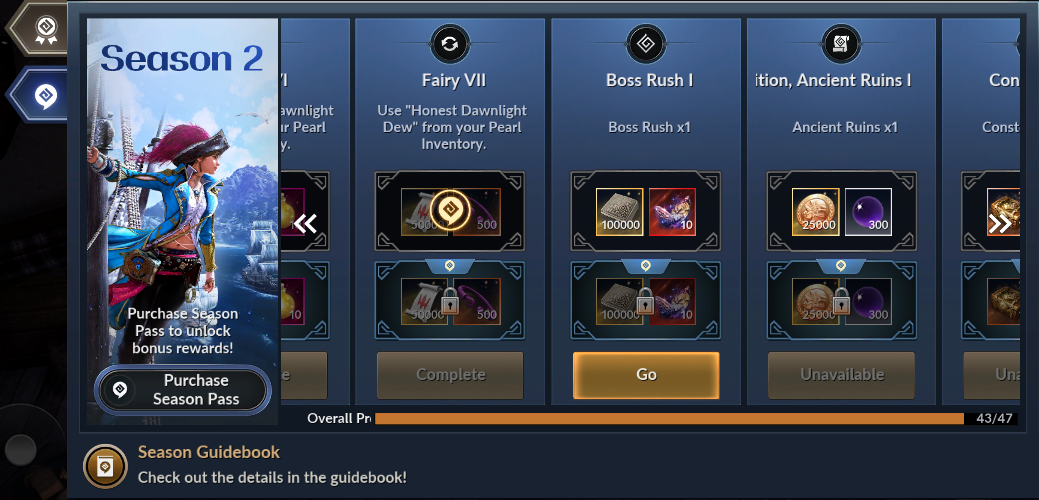
- Please proceed with 'Boss Rush' by pressing the Season Pass 'Go' button or the Boss Rush button in the menu.
※ You can complete the quest by proceeding directly using the currently logged-in character or by completing it through Family Dispatch.
9) Expedition, Ancient Ruins I: Let's proceed with 'Ancient Ruins' once for growth.
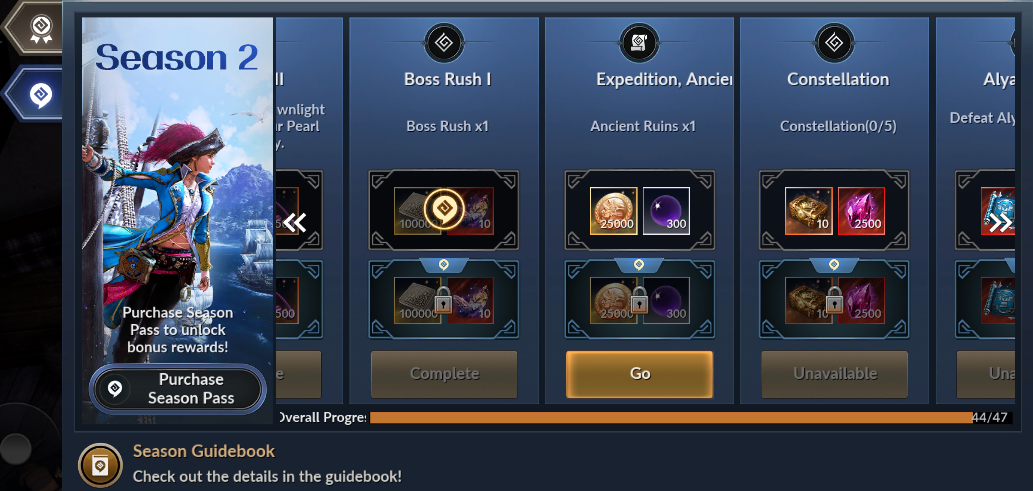
- You can enter Ancient Ruins by selecting the Season Pass 'Go' button or [Expedition] in the menu.
10) Constellations: Explore 'Constellations' 5 times for growth.
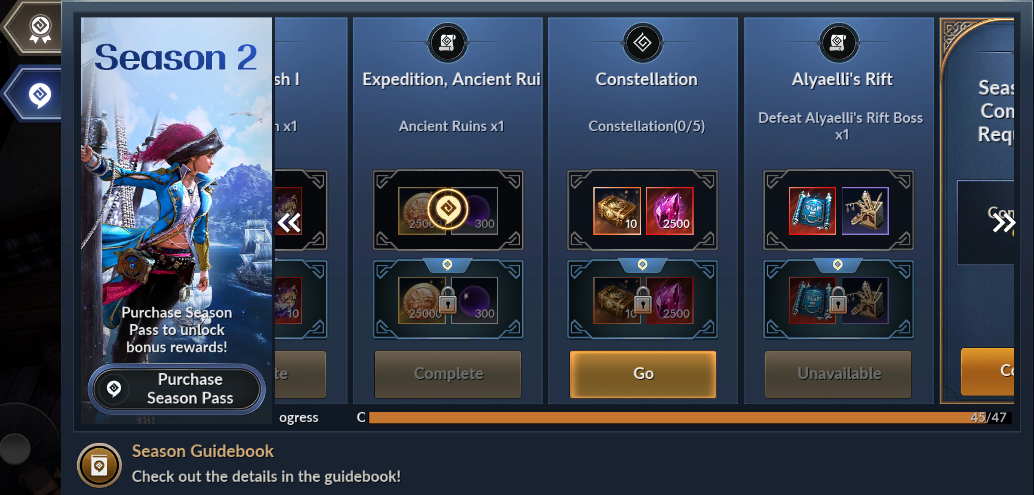
- You can explore constellations by selecting the Season Pass 'Go' button or Constellations in the menu.
※ You can complete the quest by proceeding directly using the currently logged-in character or by completing it through Family Dispatch.
11) Alyaelli's Rift: Defeat 'Alyaelli's Rift Boss' once for growth.
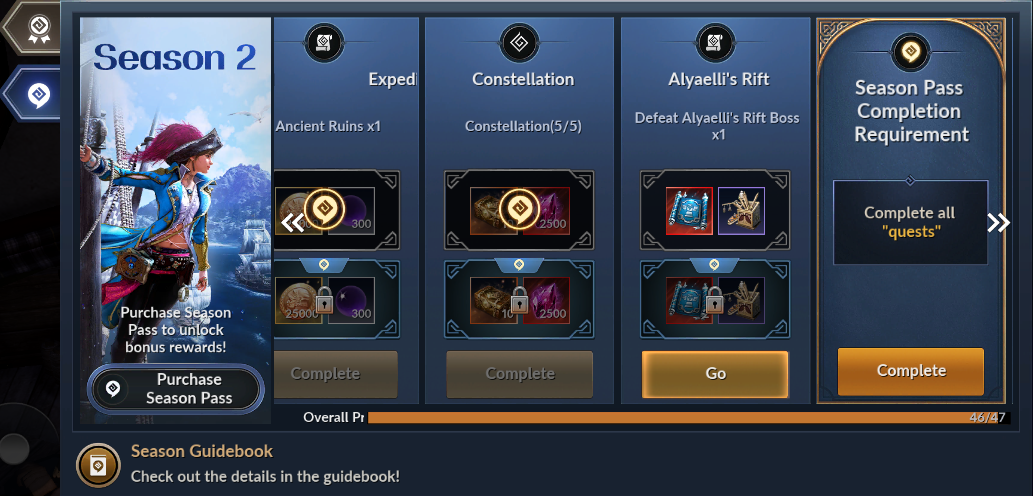
- You can perform boss rushes by selecting the Season Pass 'Go' button or Alyaelli's Rift in the menu.
※ You can complete the quest by proceeding directly using the currently logged-in character or by completing it through Family Dispatch.
🎓 12) Season Pass Completion
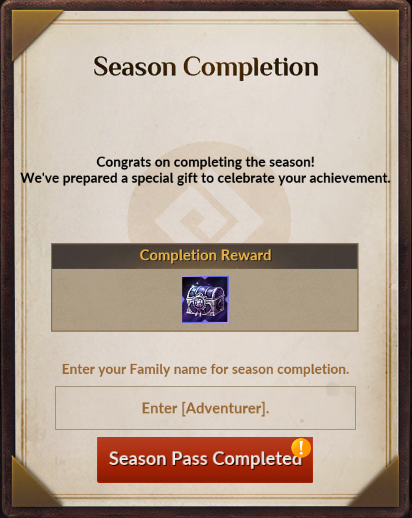
- Congratulations. You have completed the second Season Pass!
- You can obtain a [Chaos] Skill Sigil Selection Chest as the second season graduation reward.
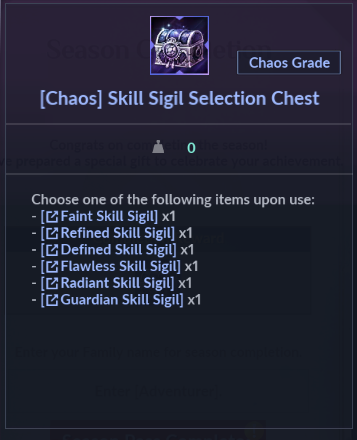
- From the [Chaos] Skill Sigil Selection Chest, you can choose and obtain one of the following: [Faint Skill Sigil], [Refined Skill Sigil], [Defined Skill Sigil], [Flawless Skill Sigil], [Radiant Skill Sigil], or [Protection Skill Sigil].
- Using the obtained Skill Sigil allows you to obtain one of the selected Sigils items in Chaos grade.
🗓️ Adventurer's Progression Log
- Adventurers who have not yet completed the 'Adventurer's Progression Log', please proceed to make your character stronger!
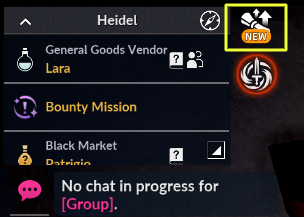
- After completing 'Camp VII', the last quest of the Remastered Season, move to the 'Character Selection Screen' and log in to the game again to activate the Adventurer's Progression Log.
- After activation, you can check and proceed with quests by tapping the [Adventurer's Progression Log] icon located on the right side of the mini-map.
Grow your character as you progress through the Adventurer's Progression Log!
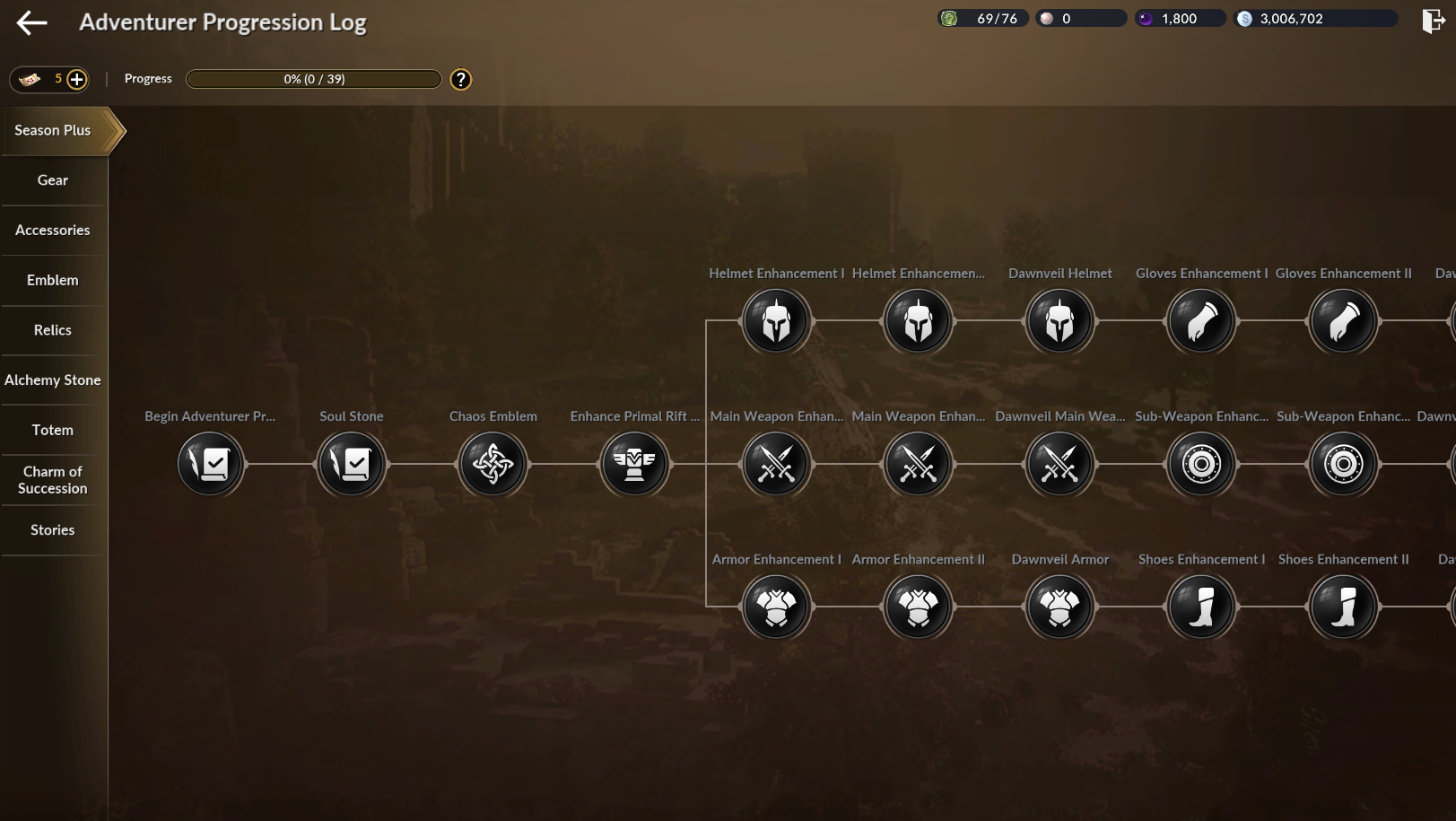
- Detailed information about the 'Adventurer Progression Log' can be found through the move button below.