News
PC Launcher
Installation Guide
Cutting-edge graphics and immersion beyond the limits of mobile gaming!
Experience optimal gameplay with the PC Launcher!
Check out the coupon in celebration of the PC Launcher release!
List of Coupons
How to Install
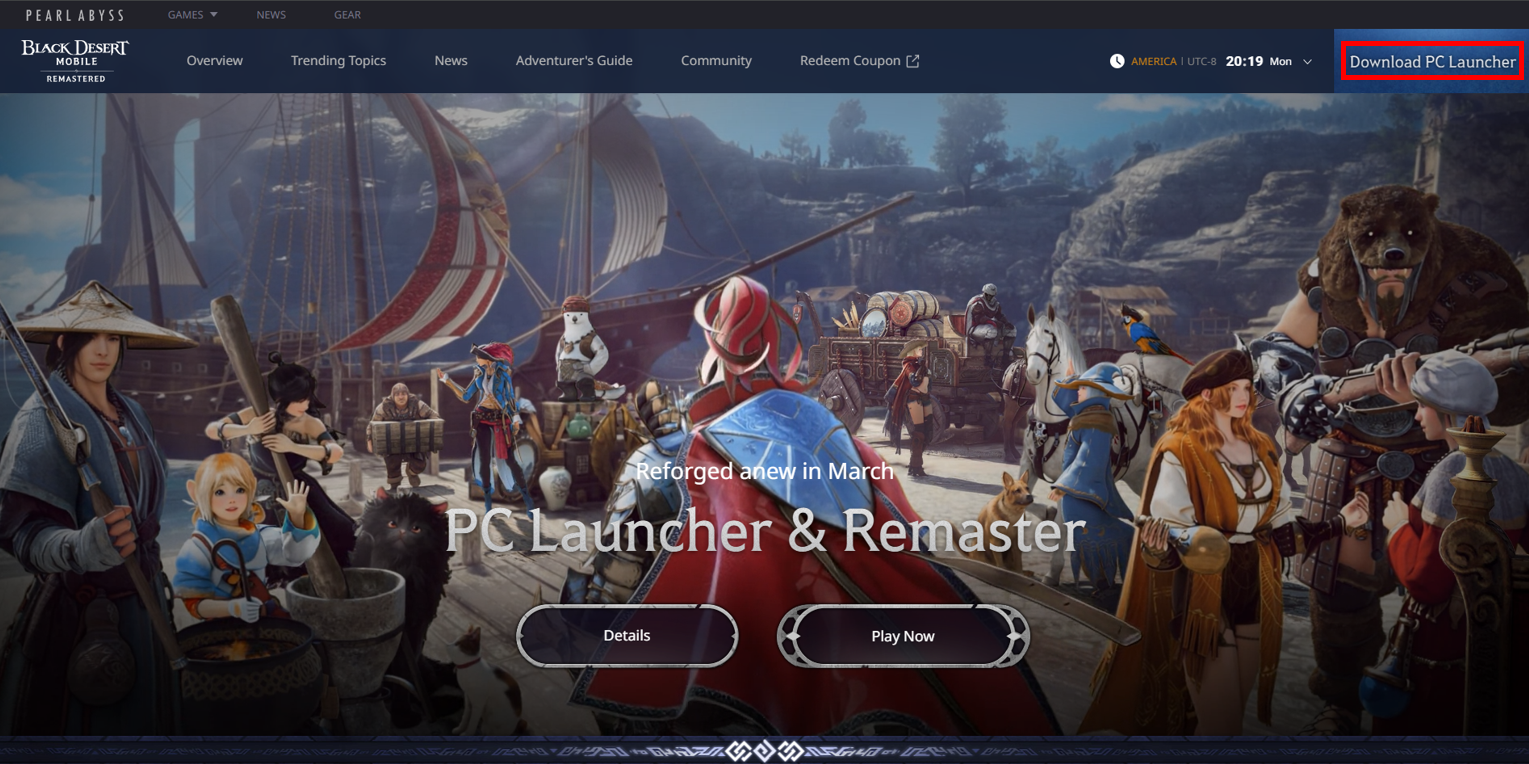
Click [Download PC Launcher] in the upper right corner of the official Black Desert Mobile webpage
to go to the download page for the PC launcher.
* You can also click the button below to go to the download page.
PC Launcher
Download Page
Download PC Launcher
※ If the first button does not take you to the download page,
click the second button to download the PC launcher.
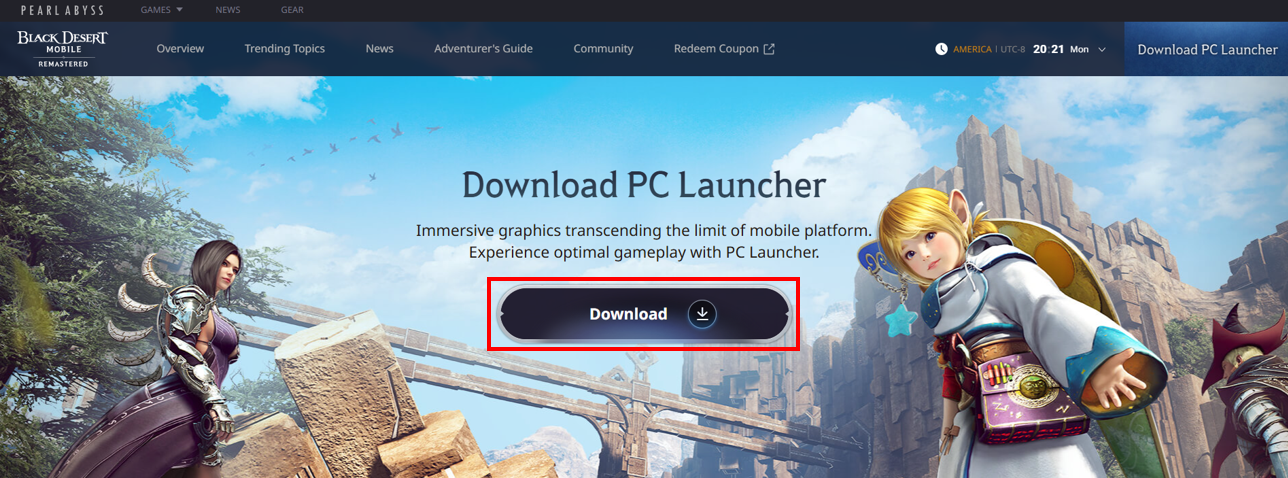
Click [Download] to download the PC Launcher,
then run the downloaded file.
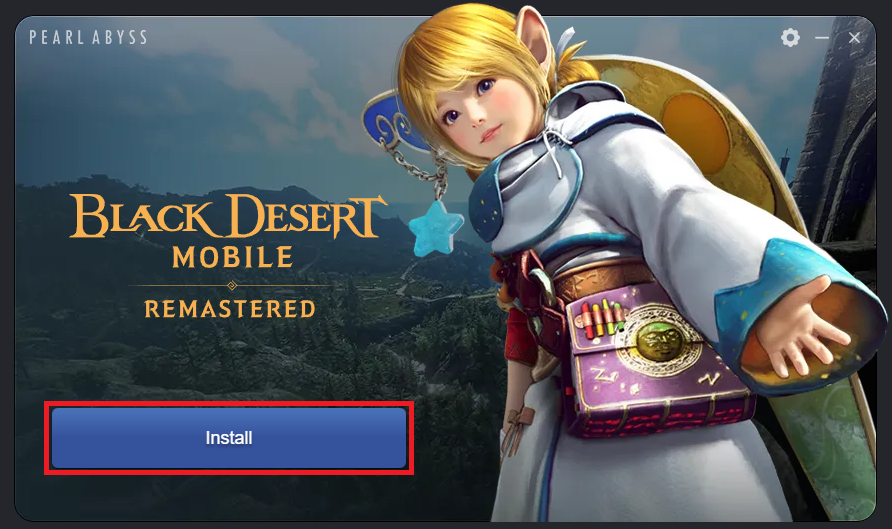
Click [Install] on the launcher,
then select the installation path for Black Desert Mobile.
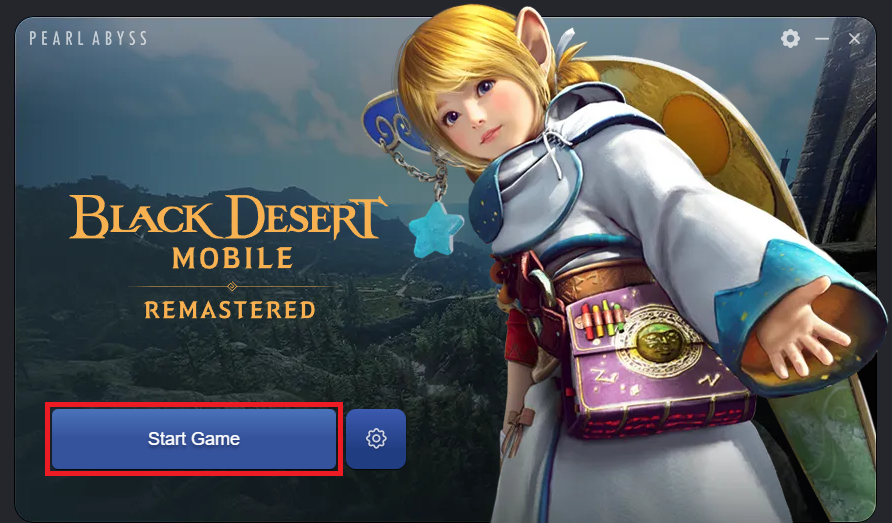
Once the installation is complete,
click [Start Game] to launch Black Desert Mobile on your PC.
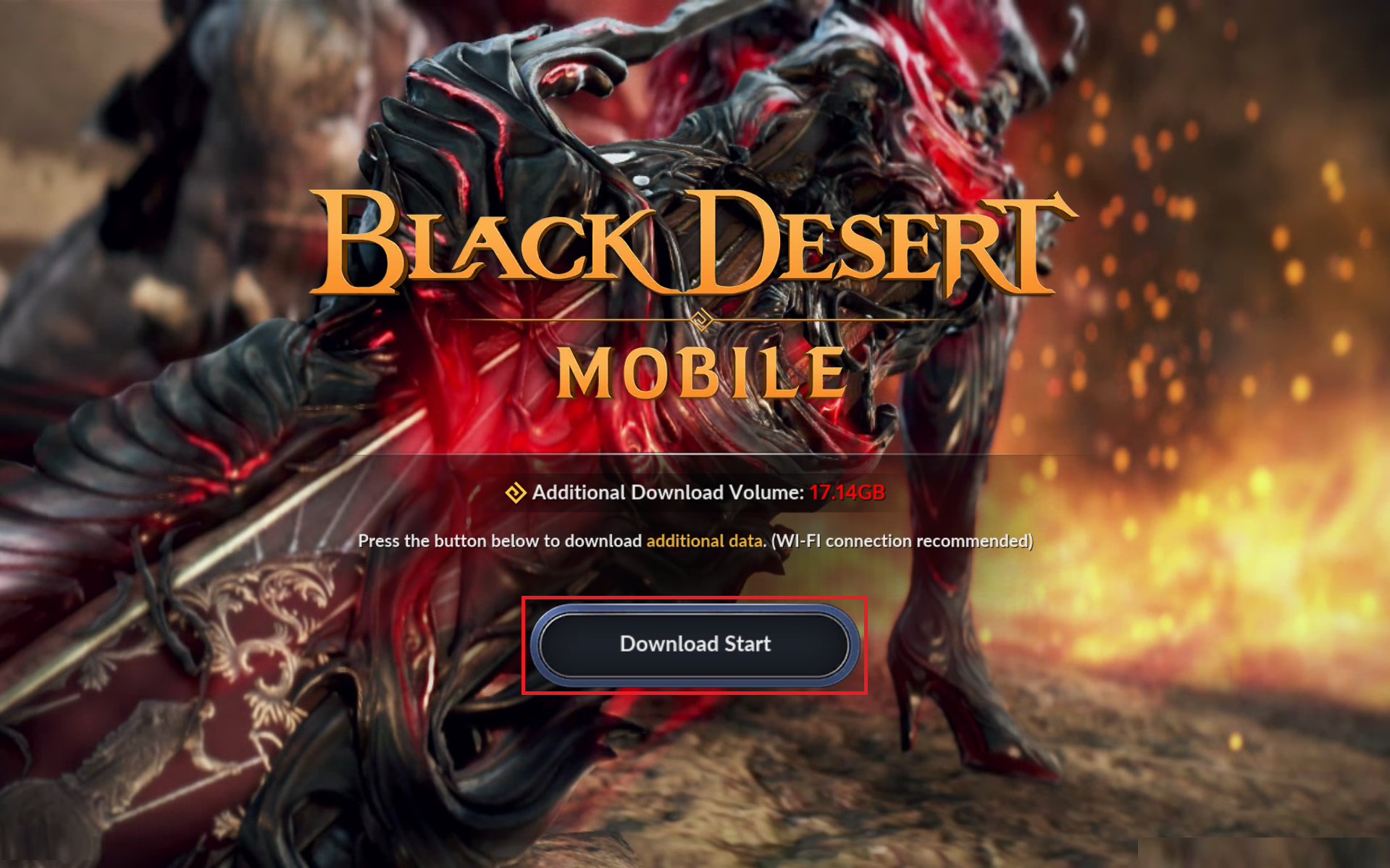
Download the additional files after launching the game.
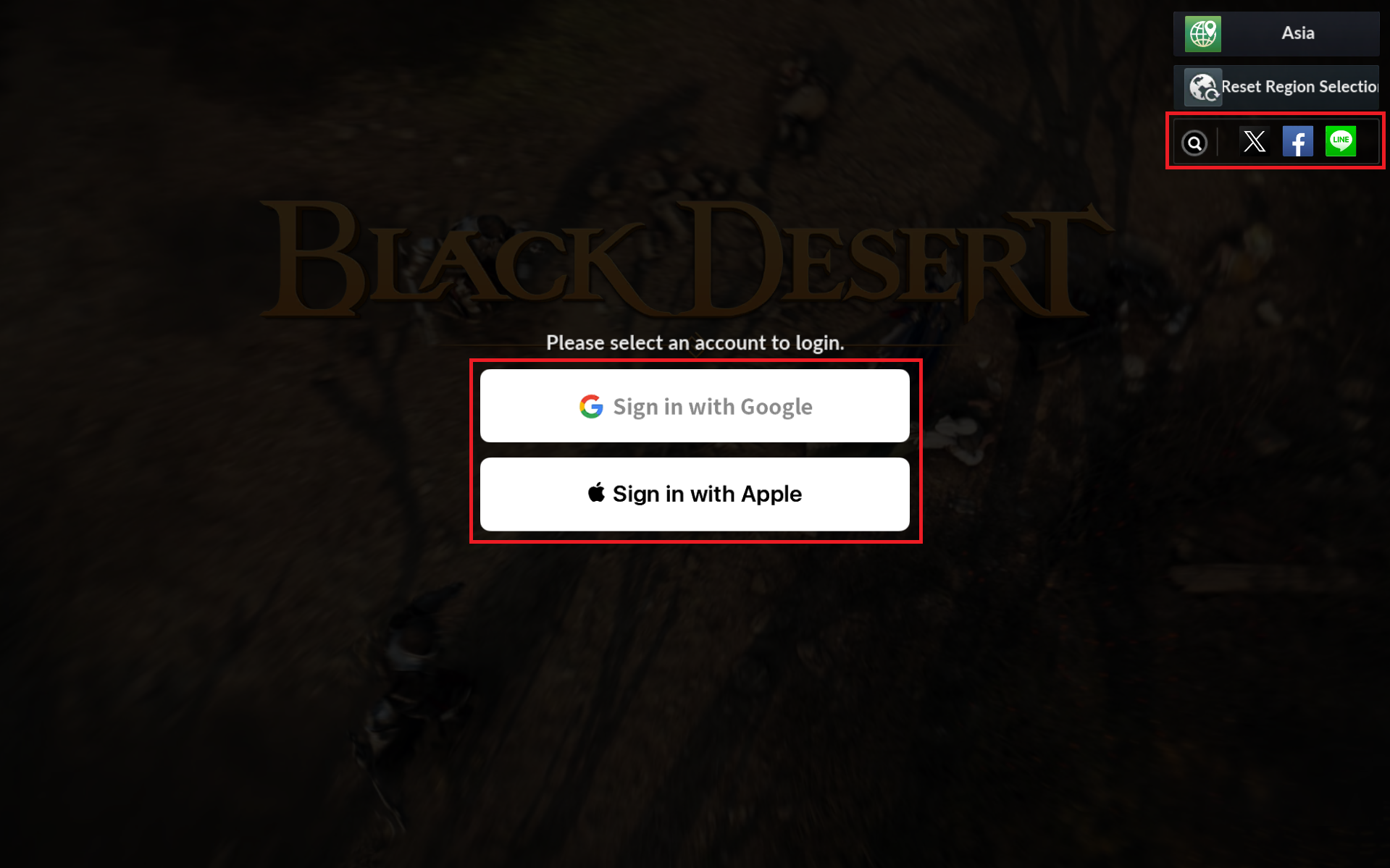
Select your account and proceed to log in.
will open in your PC's default browser.
※ You cannot create new accounts using the PC Launcher.
Create an account via the Black Desert Mobile app if you are new to the game.
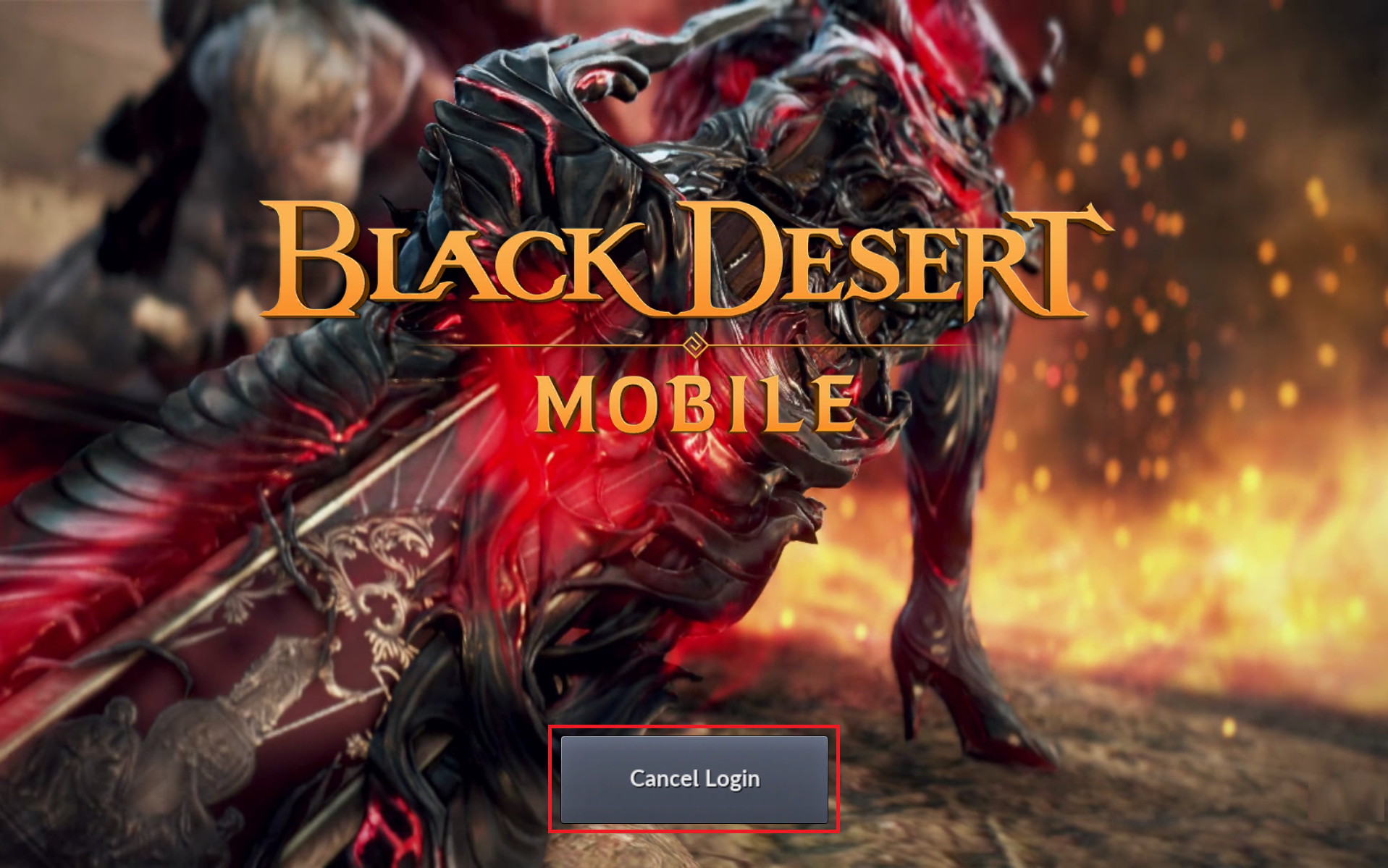
※ If you closed the browser before completing the login process,
click [Cancel Login] to go back to the platform selection page.
System Requirements
| Category | Minimum | Recommended | Recommended (Remaster) |
| Operating System (OS) | Windows 10 (64-bit) | ||
| CPU | Intel i5-6500 Ryzen 5 1400 |
Intel i5-9400 Ryzen 5 3600 |
Intel i5-12400 Ryzen 5 5600 |
| RAM | 8GB | 16GB | 24GB |
| Graphics Card | GTX 1050 Ti (4GB) Radeon RX 560 (4GB) |
GTX 1660 Super (6GB) Radeon RX 5600XT (6GB) |
RTX 3060 Ti / RTX 4060 Radeon RX 6700XT |
| DirectX | DirectX 11 | ||
| Storage | 30GB | ||
※ Actual game performance may vary depending on your PC environment, network conditions, and device settings.
※ It is recommended to install the latest version of DirectX and graphics card drivers for optimal gameplay.
※ System requirements are subject to change as new content is added with future updates.
FAQ
Please refer to the following FAQs if errors occur during installation.
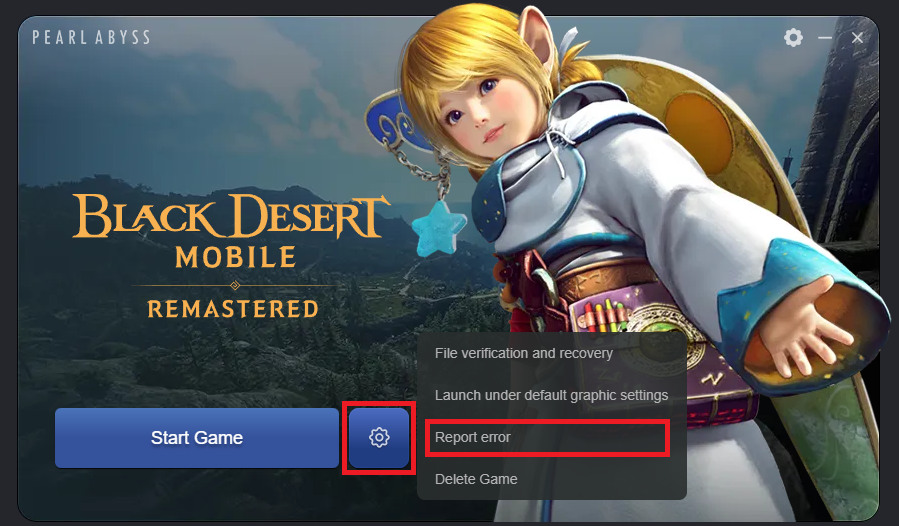
Please report the error via [Settings] - [Report error] in your launcher, or submit a 1:1 inquiry to Support if the issue persists.
Q. An issue occurred while installing or running the PC Launcher.
The program may not install or run properly if there is not enough storage or memory on your PC device.
Please ensure you have enough disk space and install the latest DirectX and graphics card drivers for optimal gameplay.
Please also note that since the Black Desert Mobile PC Launcher was released on Mar 31, 2026 (Tue), Windows OS may have blocked the download.
Please follow the steps below to disable [Block downloads]. We will do our best to improve the service and minimize any inconvenience.
1) Go to [Start] - [Settings] - [Windows Security].
2) Click [App & browser control].
3) Click [Reputation-based protection settings].
4) Turn off the [Block downloads] option under [Potentially unwanted app blocking].
If the steps above do not resolve the issue, or if an error message or pop-up appears during installation or launch, please submit a 1:1 inquiry to Support along with screenshot(s) of the issue.
Q. A file error occurred when launching the game.
Please run [File verification and recovery] from the PC Launcher.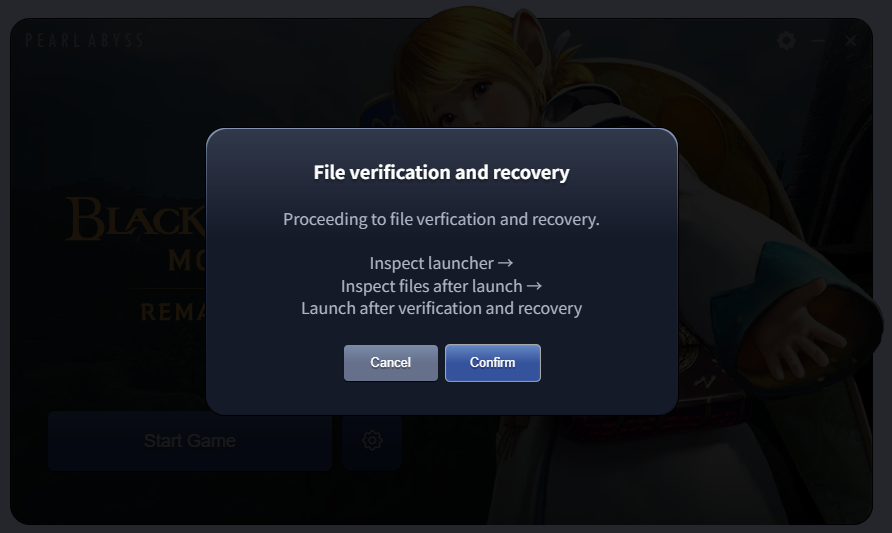
If the file error persists, please uninstall and reinstall the game.
1) Click [Delete game] from the PC Launcher or go to [Settings] (Shortcut: WIN + I) - [Apps] - [Installed apps] and uninstall "BlackDesertMobile Launcher."
2) Go to the download page and reinstall the launcher.
Q. The PC Launcher won't install or run the game because it is blocked by antivirus software.
The game won't install or run properly
if the PC Launcher is blocked by your PC's antivirus software.
If the game does not install or run after clicking [Start Game],
please check if your antivirus program is blocking the PC Launcher.
Q. I have enough storage on my PC, but the download fails due to lack of storage.
If the download fails due to storage issues,
please ensure you have an additional 10% margin of free disk space beyond the file size and try again.
Q. The download is too slow.
You may experience slow download speeds if you have manually changed your DNS settings to one different from your internet service provider's.
Please follow the steps below to resolve this issue:
◆ Solution
1. Go to [Start] - [Control Panel] - [Network & Internet] - [Status] to enter [Network and Sharing Center].
2. Click [Local Area Network] and select [Properties].
3. Check the [Internet Protocol Version 4 (TCP/IPv4)] checkbox.
4. If the [Use the following DNS server addresses] checkbox is checked, select [Obtain DNS server address automatically].
Q. The launcher crashes during the installation.
The Black Desert Mobile PC Launcher may be modified or damaged by other programs on your PC, causing it to crash.
Please follow the steps below to resolve this issue:
◆ Solution
1) Uninstall (delete) the Black Desert Mobile program
2) Close all running programs (including antivirus software).
3) Delete and reinstall the PC Launcher.
Q. The game does not proceed to the Google login screen.
Google login may not function properly
if your default browser is not the latest version of Google Chrome.
Google login may not function properly with browsers other than Google Chrome.
This issue may occur if you use other browsers on your PC.
This issue may also occur if you are using an outdated version of Chrome. Please set your default browser on your PC to Chrome and update it to the latest version.
Q. The game crashes or freezes while playing on the PC Launcher.
The game may become unstable if your device does not meet the system requirements.
Please adjust the in-game settings to better match your device specifications.
If an error message or pop-up window appears when the issue occurs, please take a screenshot and submit it via a 1:1 inquiry to Support.
Q. Can I run the PC Launcher on other operating systems (OS)?
The Black Desert Mobile PC Launcher supports 64-bit Windows of version 10 or later.
The program may not be compatible with other operating systems. Please run the program on a 64-bit Windows 10 or later OS.
Report Errors Feature
You can click [Settings] - [Report errors] if any issues occur while installing or launching the game.
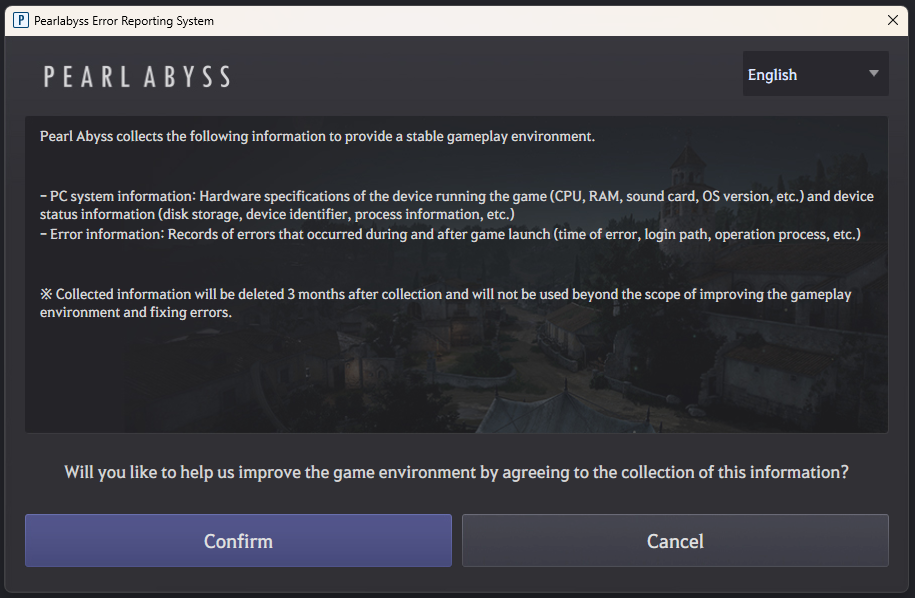
Error reports and your PC device information will be automatically submitted after consenting to the collection of information.
Submitted information will be used to improve the gameplay environment and fix errors.
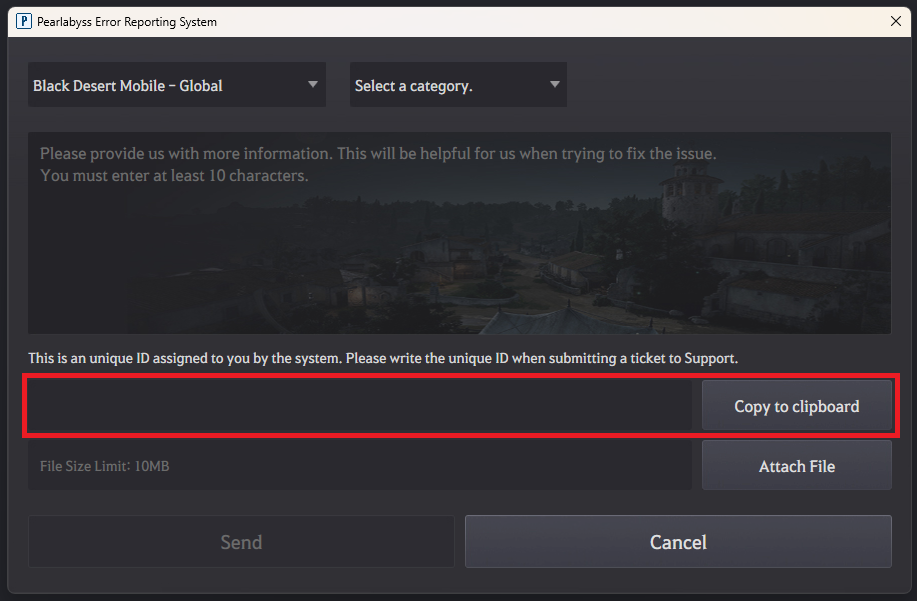
※ Including your unique ID when submitting a 1:1 inquiry to Support will greatly speed up the investigation.