News
Making My Own ✦ Remastered UI ✦
ANNOUNCEMENTS
2026.07.07
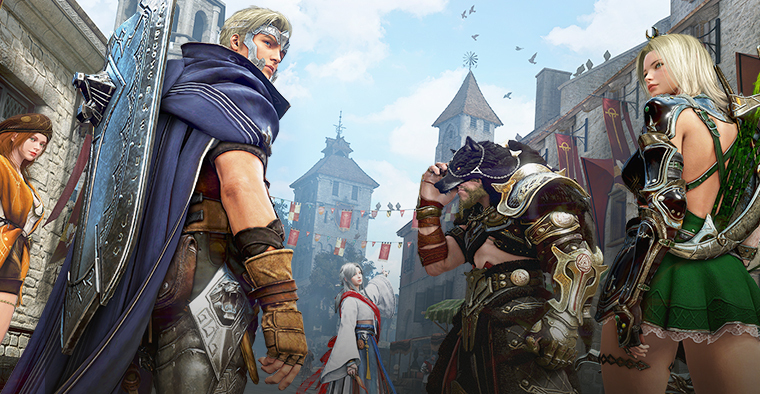
Making My Own
✦ Remastered UI ✦
With the Remastered UI update last March,
you can now customize your UI with even more freedom by
pinning your favorite icons, placing them where you want, and more!
We highly recommend the quality-of-life and new features of the Remastered UI.
Check out its key features in the guide below.
you can now customize your UI with even more freedom by
pinning your favorite icons, placing them where you want, and more!
We highly recommend the quality-of-life and new features of the Remastered UI.
Check out its key features in the guide below.
Please note that support for the Classic UI will be discontinued in the future.
Why use the Remastered UI?
1 More Screen Space and Cleaner Layout
The Remastered UI mode arranges key menus and displays information more efficiently,giving you a wider, cleaner view.
This makes it easier to check your surroundings during combat or while moving,
keeping your screen refined and clutter-free.
| Classic |
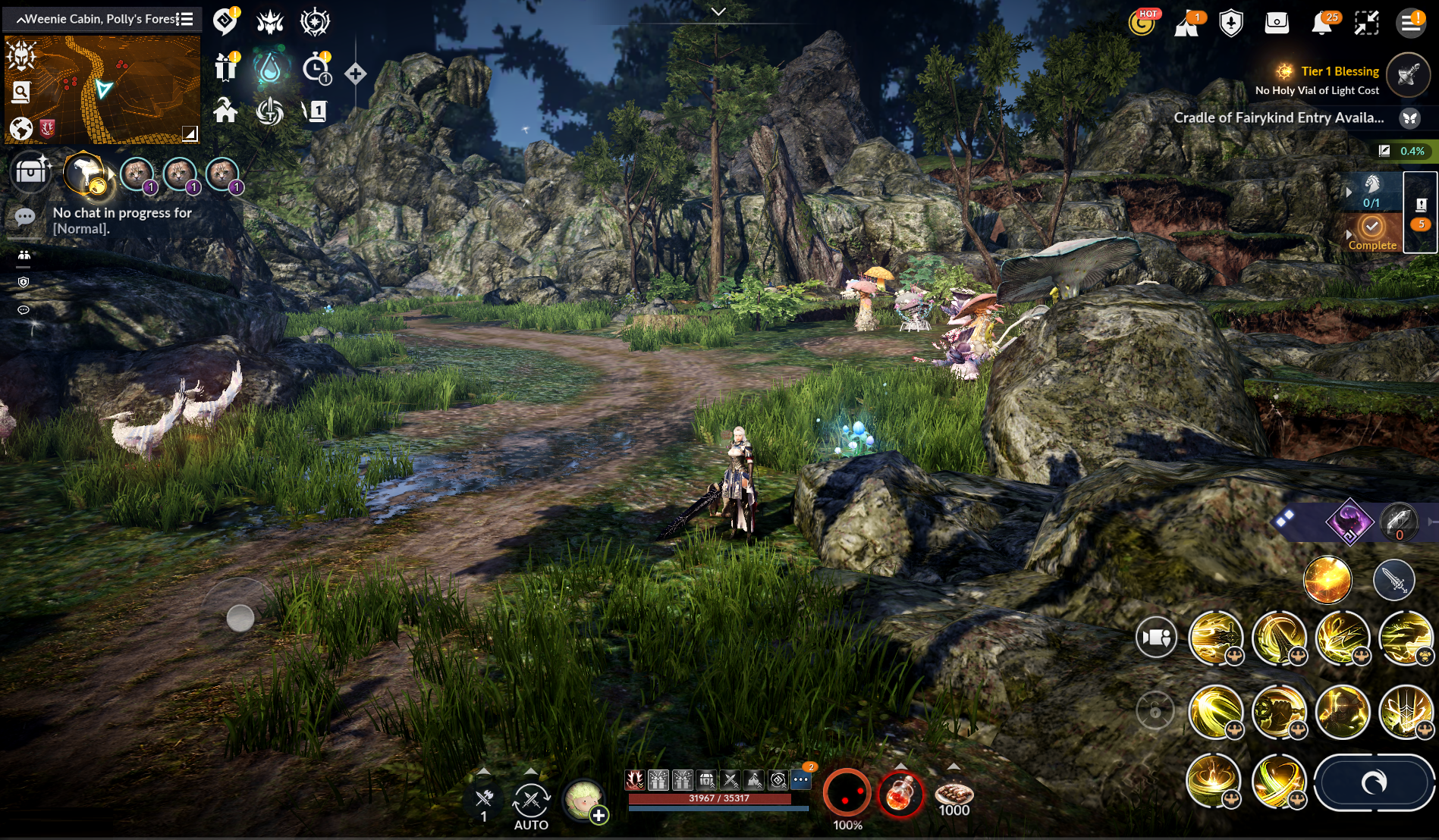 |
| Remastered |
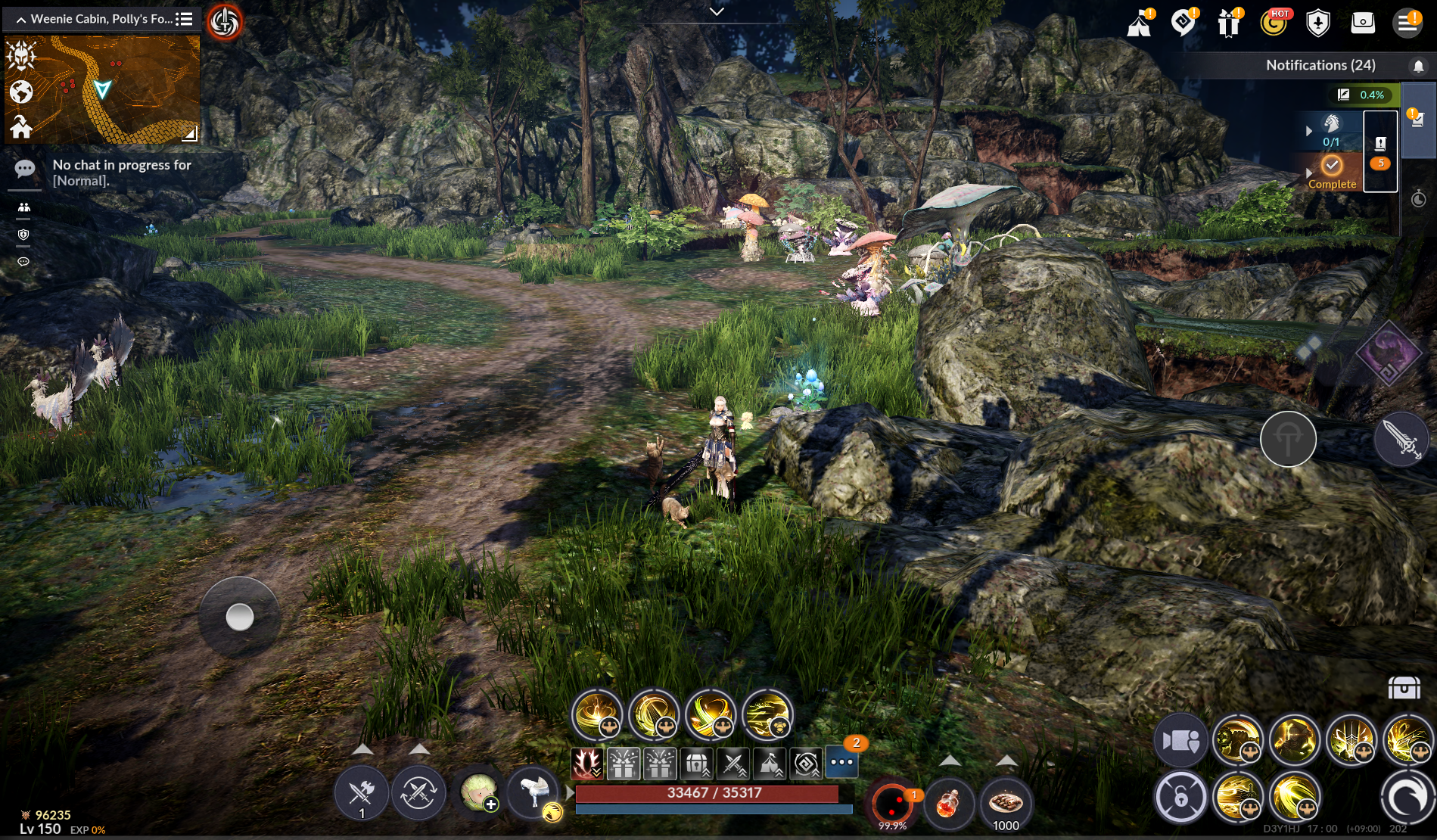 |
2 More Accessible Information
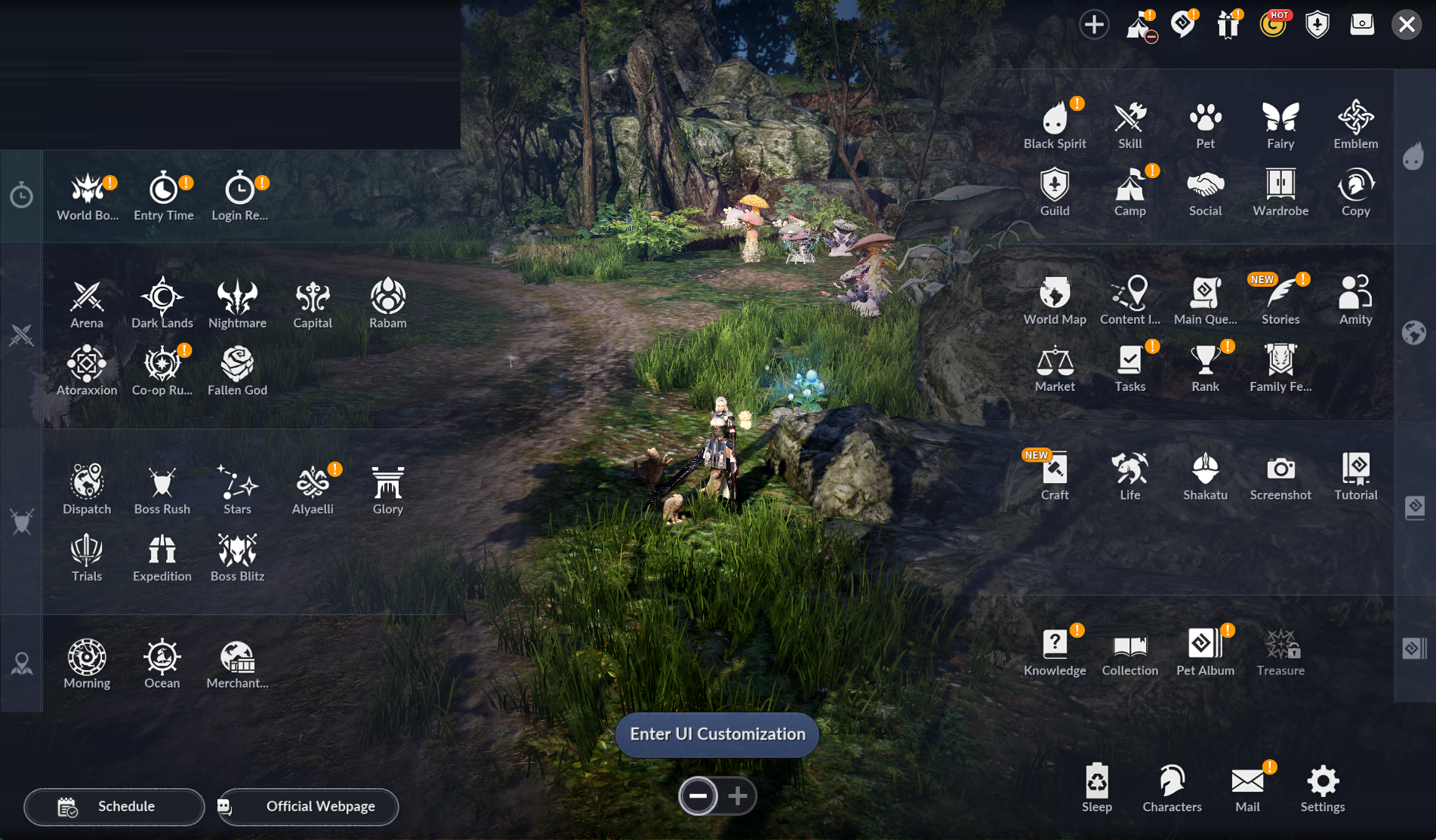
Menus, buttons, and key information are now more intuitively arranged,making it easier for you to find and use the functions you want.
With quicker access to frequently used features like your Inventory, skills, quests, and content menus,
it reduces unnecessary inputs and makes your adventures more comfotable.
| Classic |
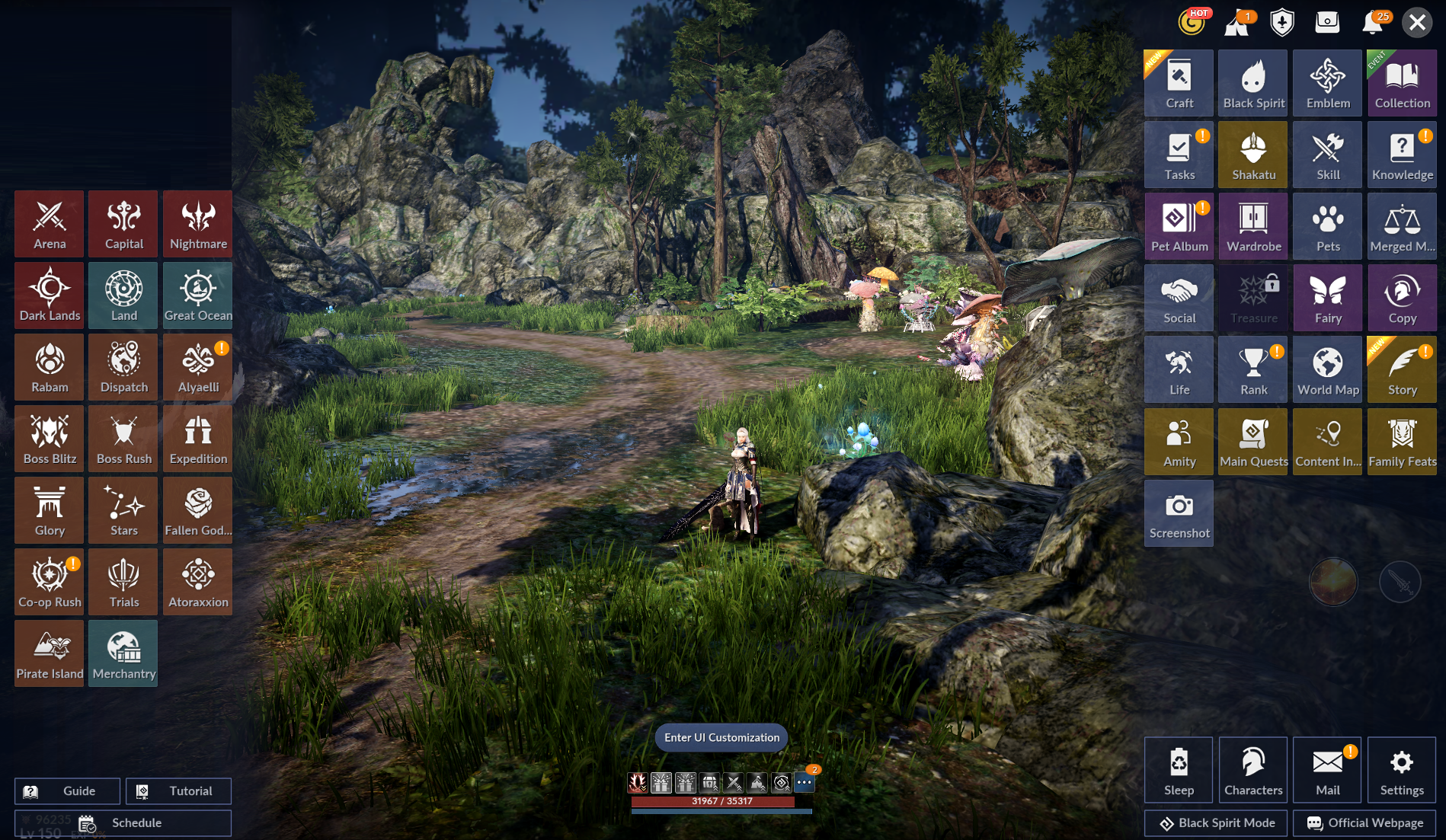 |
| Remastered |
 |
3 Customize the UI to Fit Your Playstyle
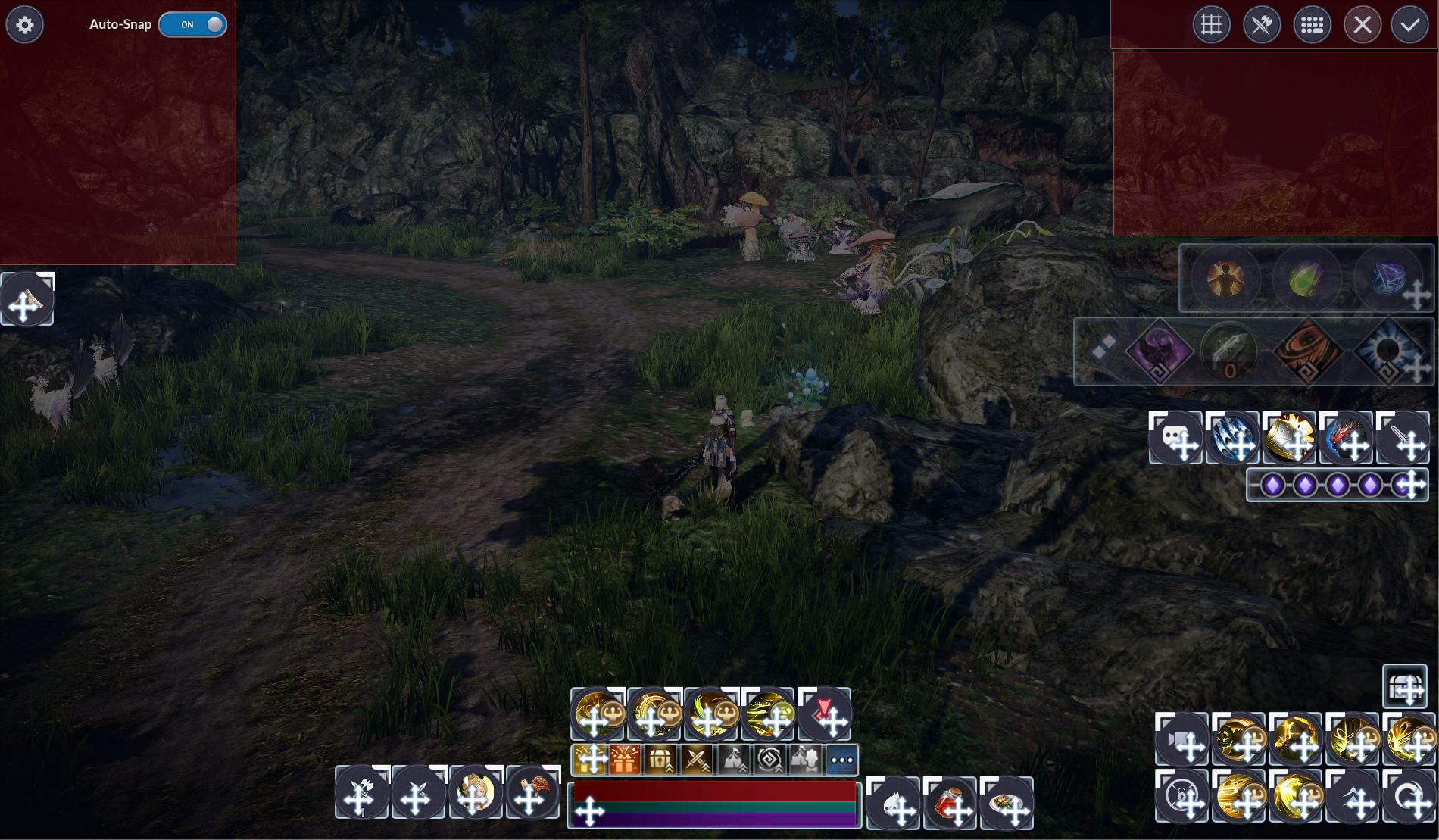
You can customize the Remastered UIto adjust key UI elements to fit your playstyle.
Create your perfect gaming environment
by placing frequently checked information where it is easy to see,
or moving buttons for combat to the most comfortable spot.
Since every Adventurer prefers different controls and screen layouts,
customizing your UI will help you make your adventure more plesant.
4 Perfect for Future Content
The Remastered UI is designed to best support upcoming content and quality-of-life featuresin ways that are stable and natural to use.
To ensure you can continue your adventure in a consistent and convenient environment
as new content and features are added,
we will continue to improve usability based on the Remastered UI.
Where can I change to the Remastered UI?
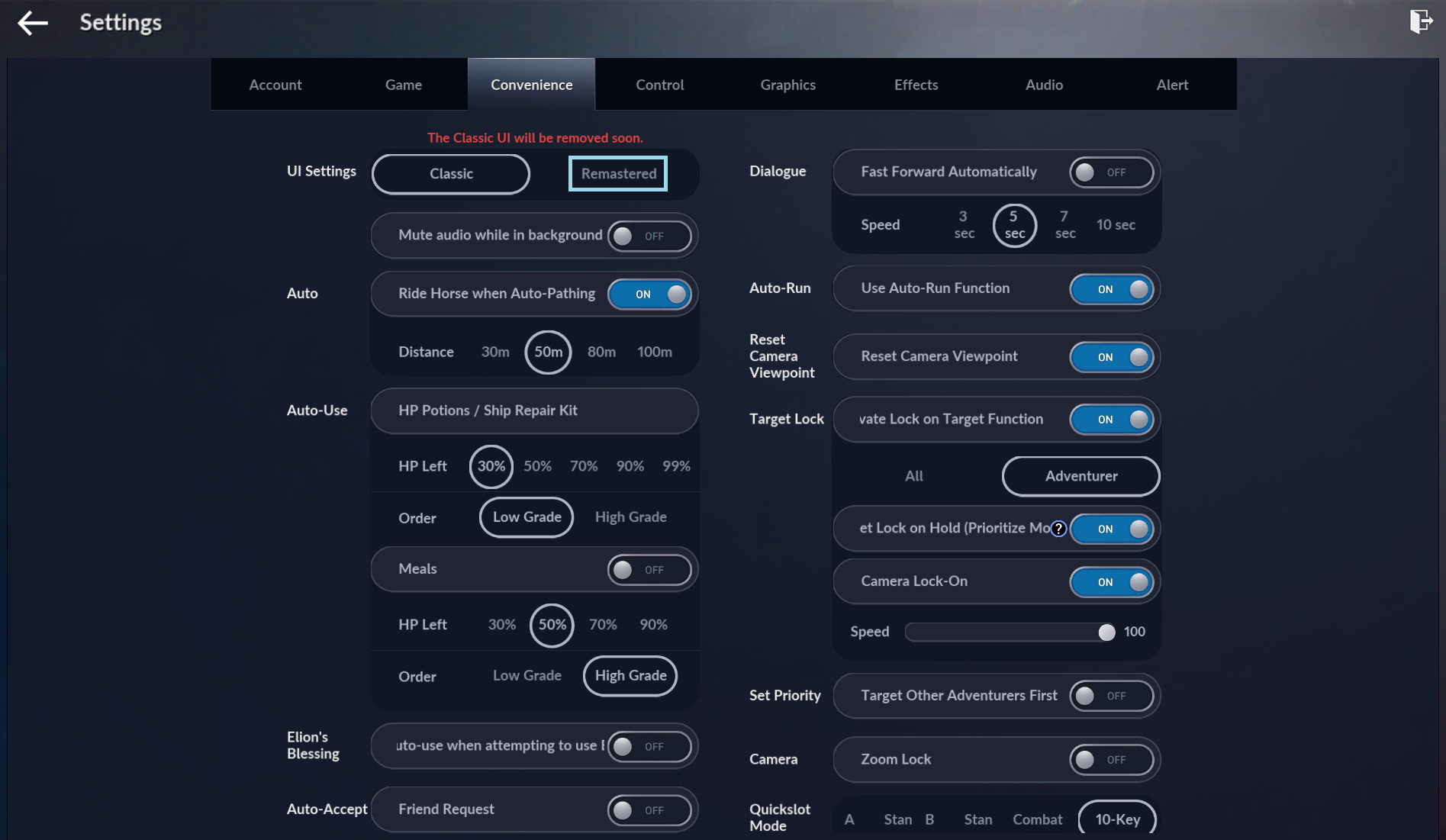
You can switch to the Remastered UI in the in-game settings.Go to Settings > Convenience > UI Settings > Select "Remastered"
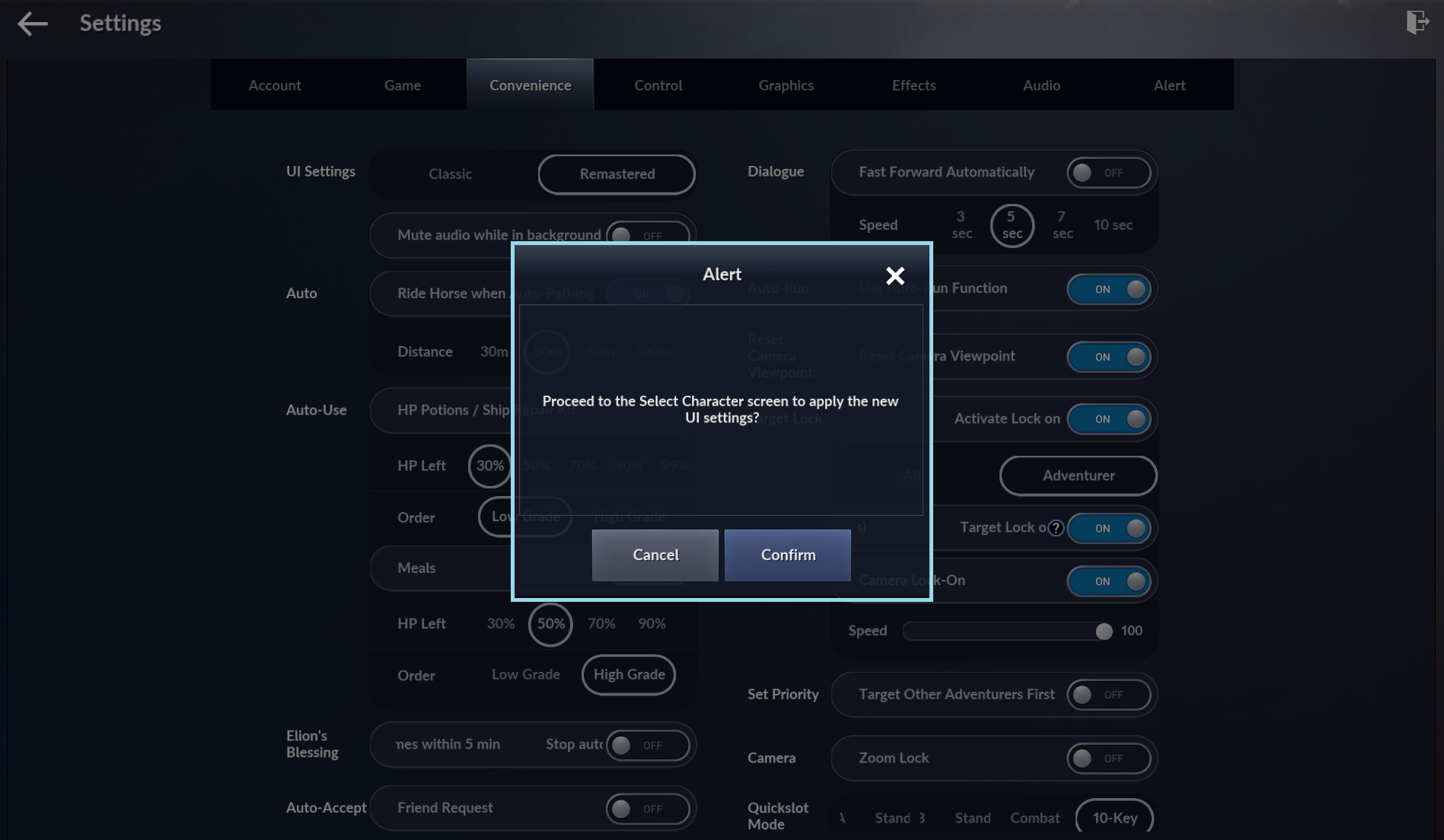
Changing your UI mode will take you to the Character Selection screen. Once you reconnect, the selected UI mode will be applied.
※ The Classic UI will no longer be supported soon.
Providing a Better UI for Adventurers
To ensure you can enjoy the game in a more convenient and comfortable environment,
Black Desert Mobile is continuously improving UI usability and quality-of-life features.
If you experience any inconveniences or have suggestions while using the Remastered UI,
please feel free to share your feedback through Support.
We will continue to work towards building a better adventure
with your valuable feedback.
Thank you.
To ensure you can enjoy the game in a more convenient and comfortable environment,
Black Desert Mobile is continuously improving UI usability and quality-of-life features.
If you experience any inconveniences or have suggestions while using the Remastered UI,
please feel free to share your feedback through Support.
We will continue to work towards building a better adventure
with your valuable feedback.
Thank you.
Back to Top