News

Guide
Greetings, Adventurer! This is the Black Desert Mobile Service Team.
On Apr 14, 2026 (Tue), BDM Test Server will open.
On the test server, you can preview upcoming content for a period of time announced for each content ahead of its release,
Please refer to the information below for detailed instructions on how to install and launch BDM Test Server.
How to Install the Test Server
[STEP 01] Download the Test Server Launcher
· Click the [Download PC Launcher] button at the top right of the Black Desert Mobile official website to go to the download page, then download the test server launcher.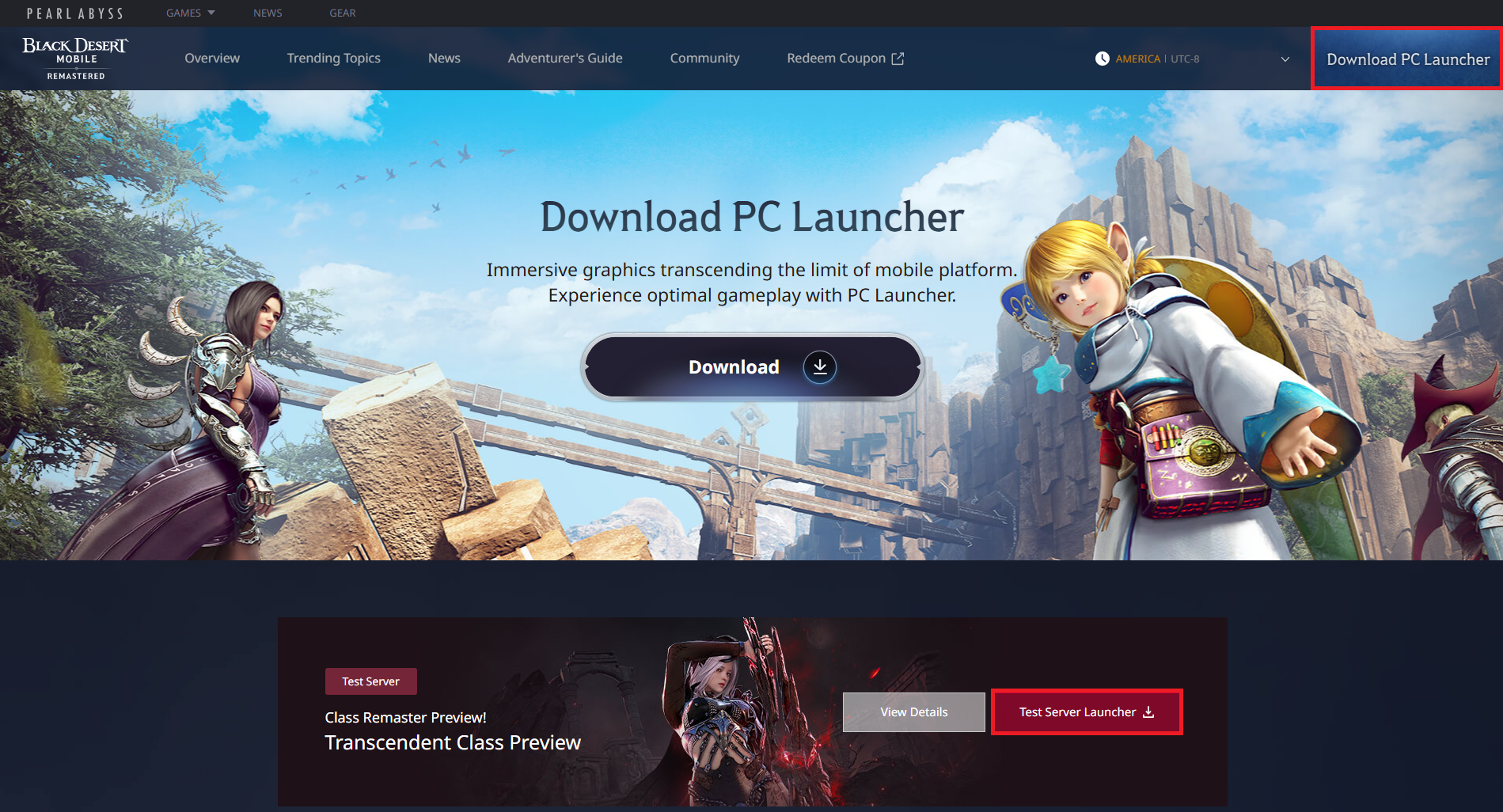
· You can also go to the download page using the button below.
Test Server Launcher
Download Page
· If you're having trouble accessing the download page, click the button below to download it directly.
[STEP 02] Install the Test Server Launcher
· Run the downloaded launcher file, then choose an installation path to install the test server client.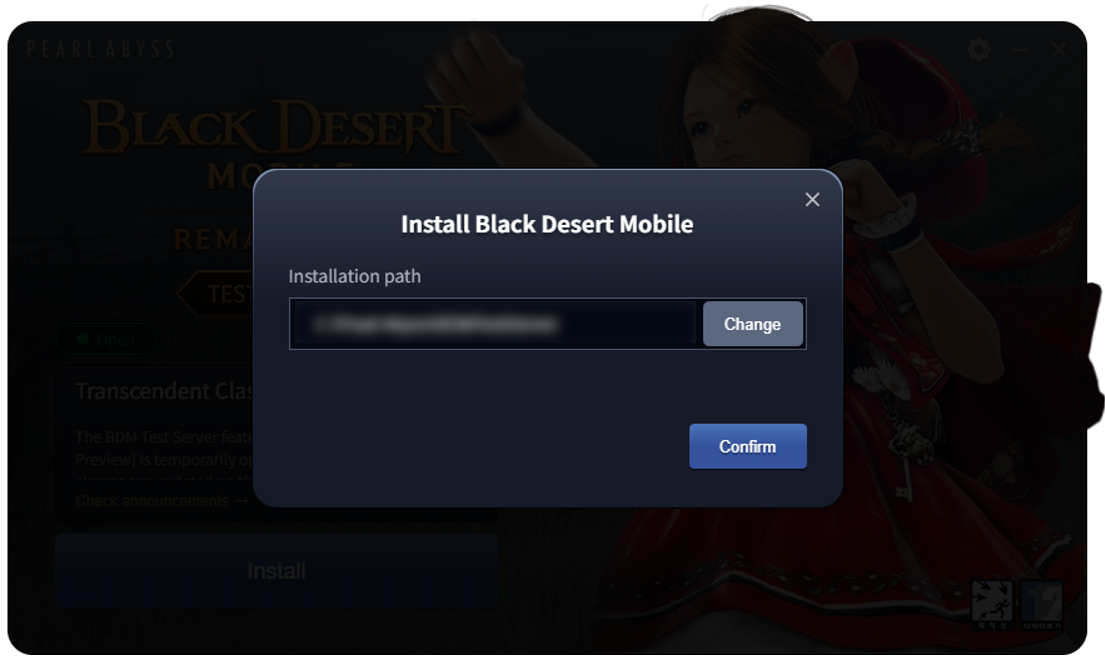
[STEP 03] Launch the Test Server Client
· Once the installation is complete, click the [Start Game] button in the launcher to launch the test server. 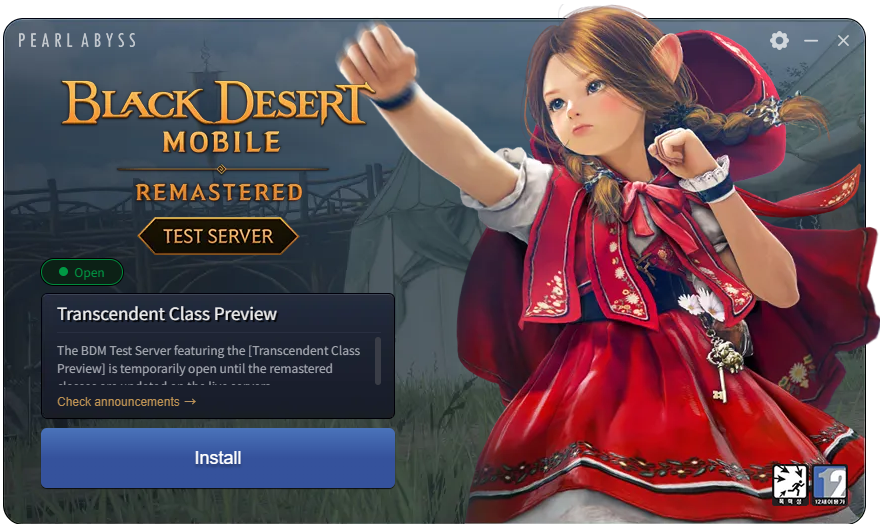
· After launching the test server, proceed with the additional in-game download.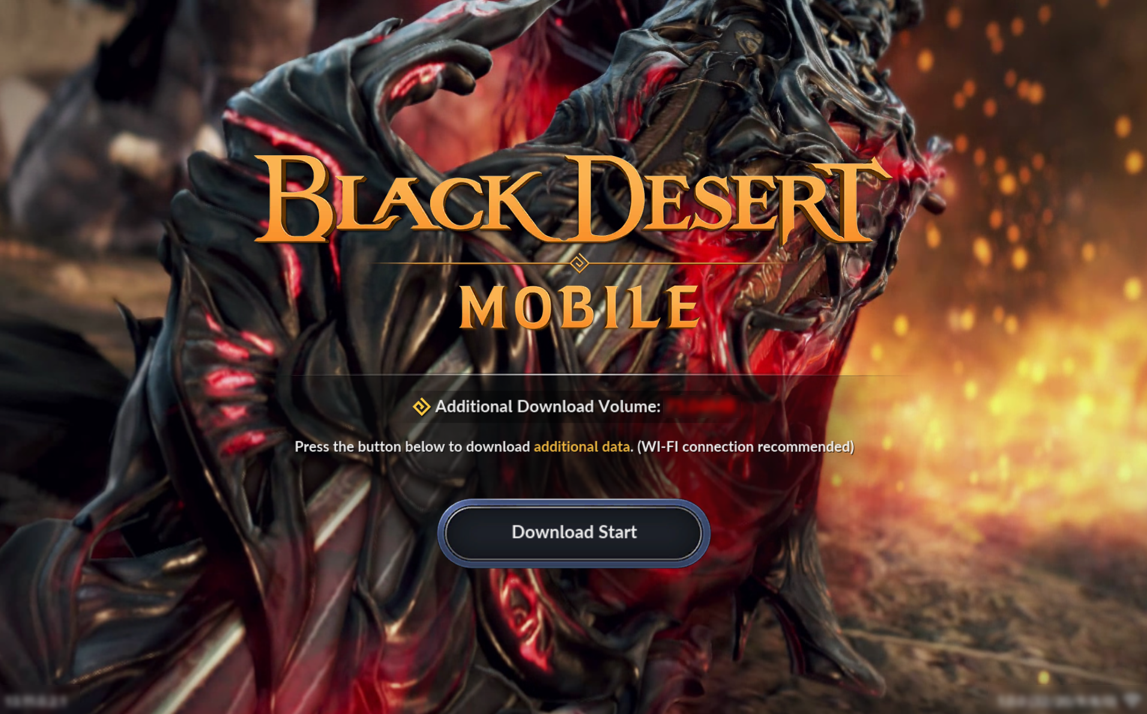
How to Play in the Test Server
[STEP 01] Apply for Test Server Access
· On the live server, press [BDM Test Server] Apply for Access button in the top left of the Character Selection screen to apply for the test server.
※ You cannot register new accounts on the test server, and only the accounts that have applied for access on the live server will be able to log in.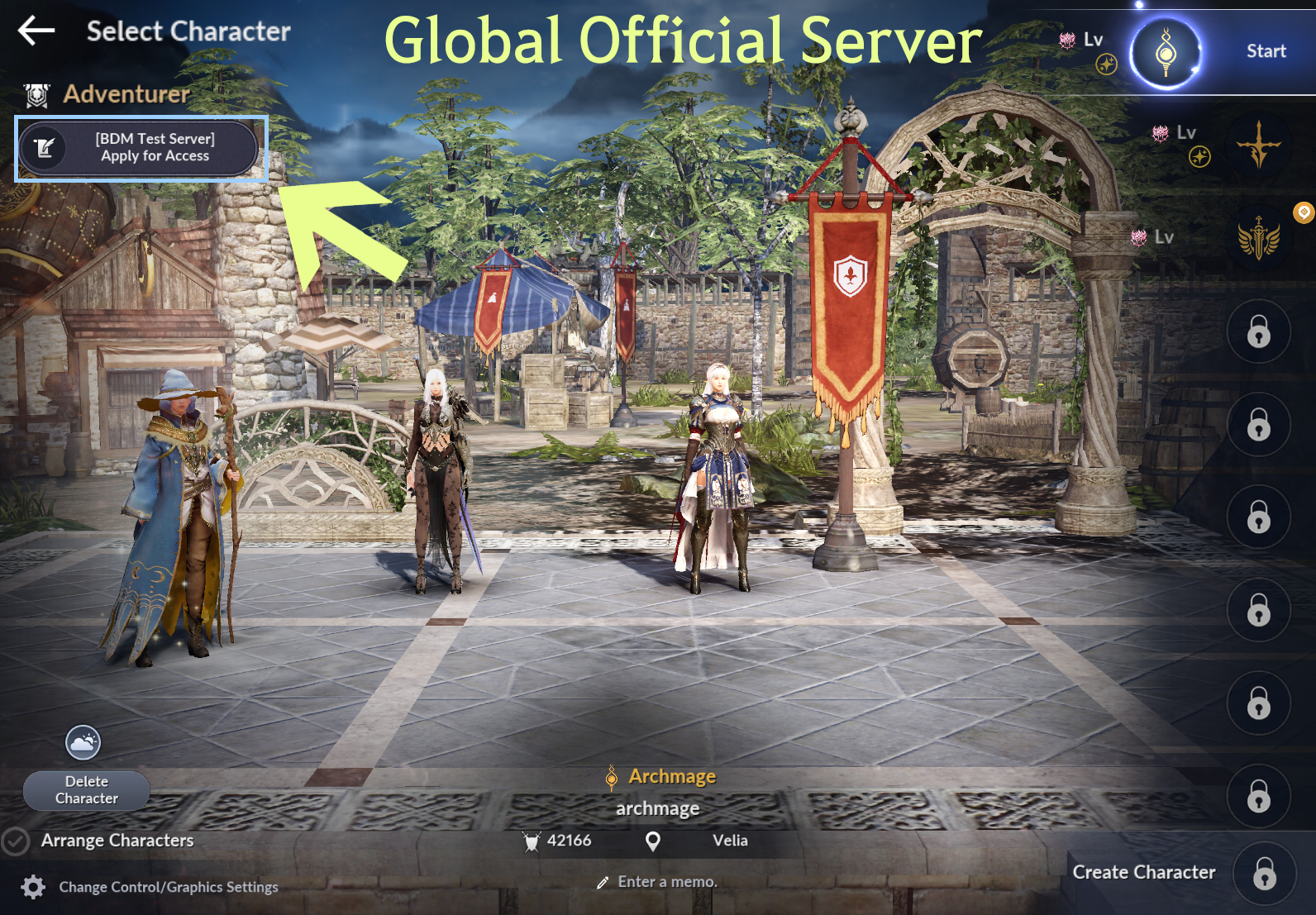
[STEP 02] Log In with Your Black Desert Mobile Account & Create a Character
· Run the BDM Test Server launcher, then log in using the account you applied with on the live server.
Example:
If you have applied for the test server with a Google account "abc123@gmail.com" on the live server,
use the same Google account "abc123@gmail.com" to log in to the test server.
※ You cannot use a guest account to apply for the test server. Please sync your account with Google or Apple.
※ New Adventurers must first create a Family on the live server mobile app, then apply for access before logging in to the test server.
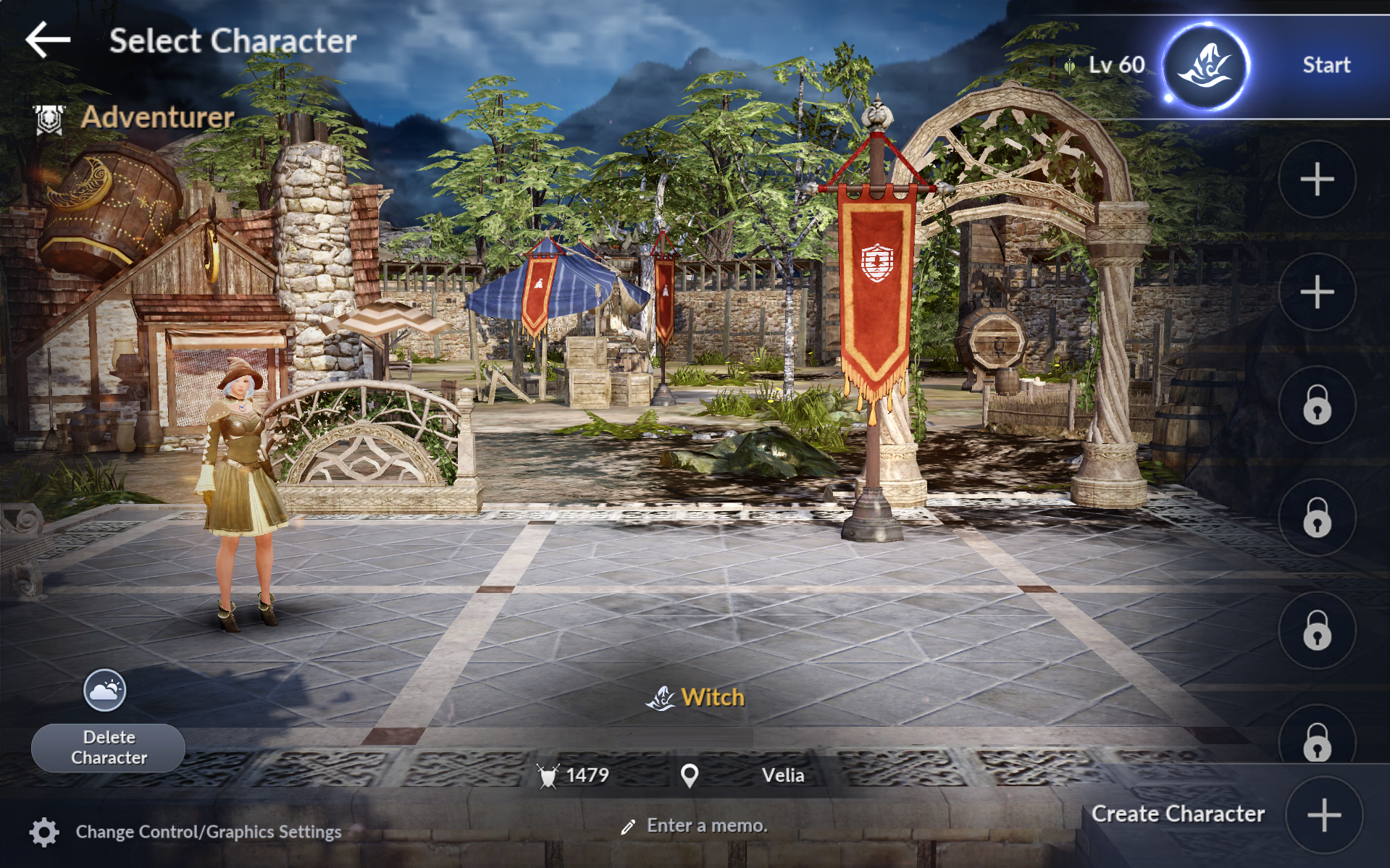
· Create a character from the Select Character screen after logging in.
※ The test server does not carry over your account data from the live server, so you must create a new character.
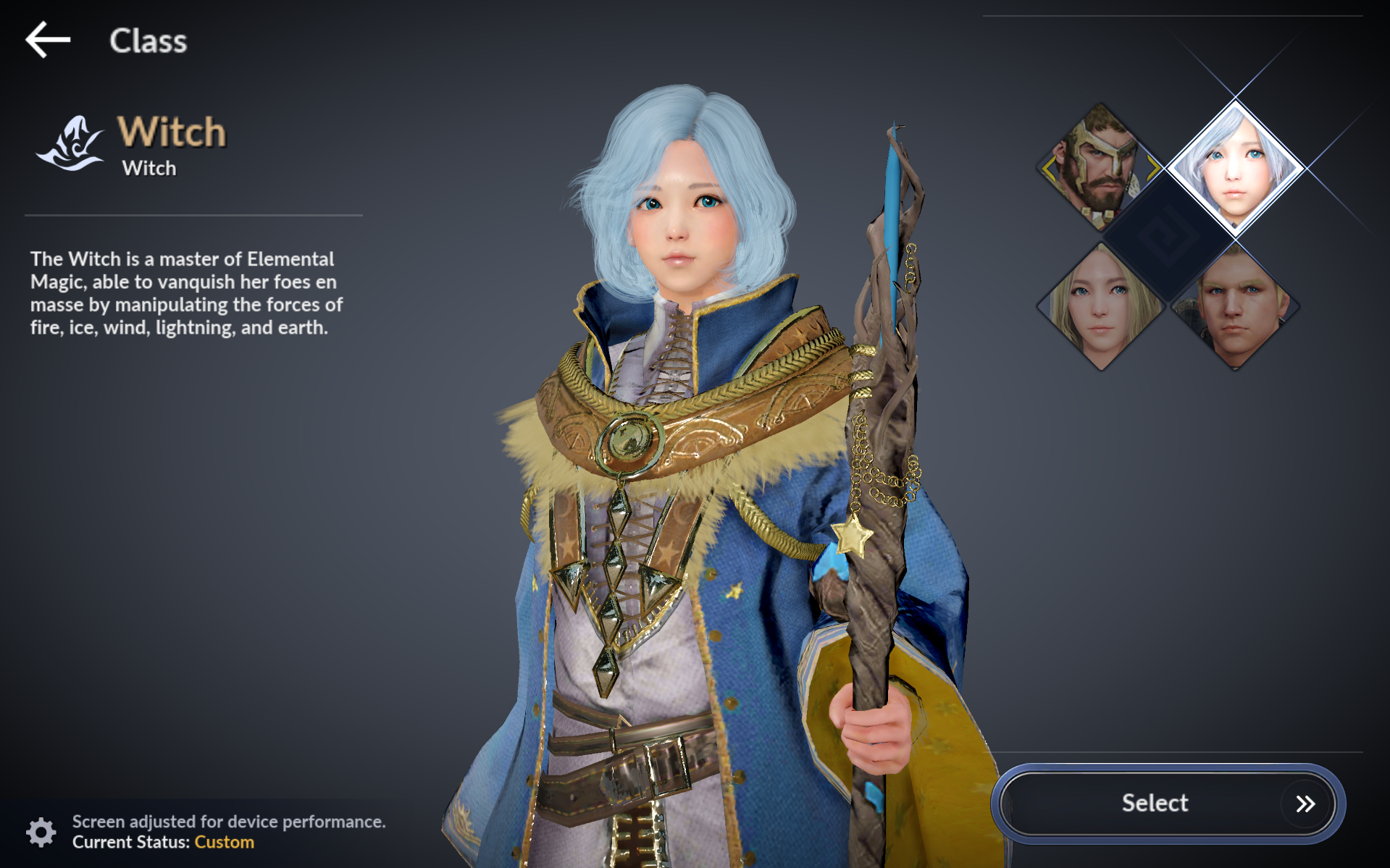
※ Only Standard Characters can be created in the test server.
※ Only certain Classes are available on the test server.
- Currently, only the Transcendent Classes (Warrior, Ranger, Witch, and Sage) are available.
[STEP 03] Setting up the Character
ㆍ The test server supports Adventurers in various ways for optimal testing environment.
- Please refer to the following and set up your Character to your taste.
① Characters created on the test server will start at Lv 60.
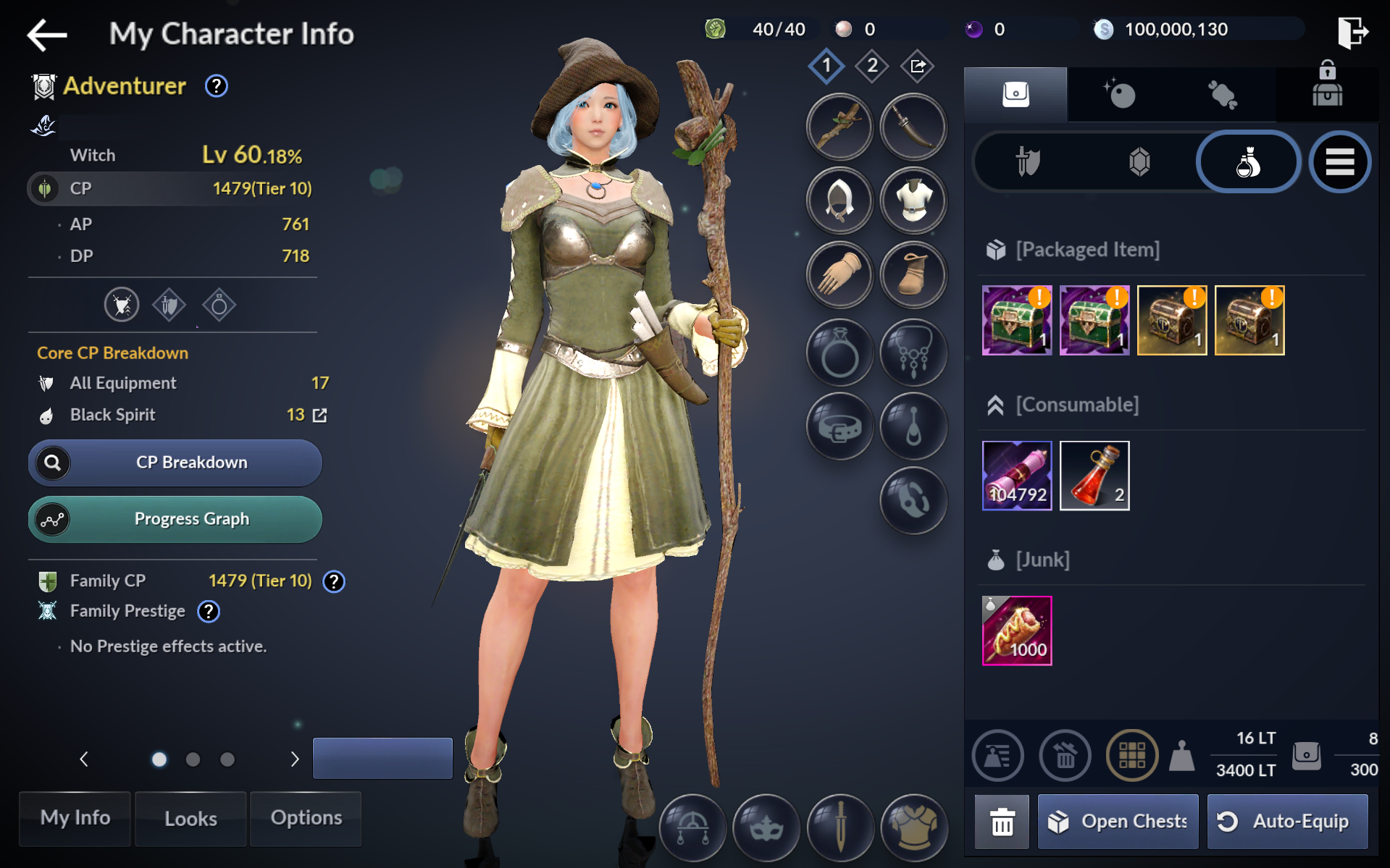
② Use the "Remastered EXP Scroll" from your Inventory to raise your Character level.
- The maximum Character Level on the test server is 115.
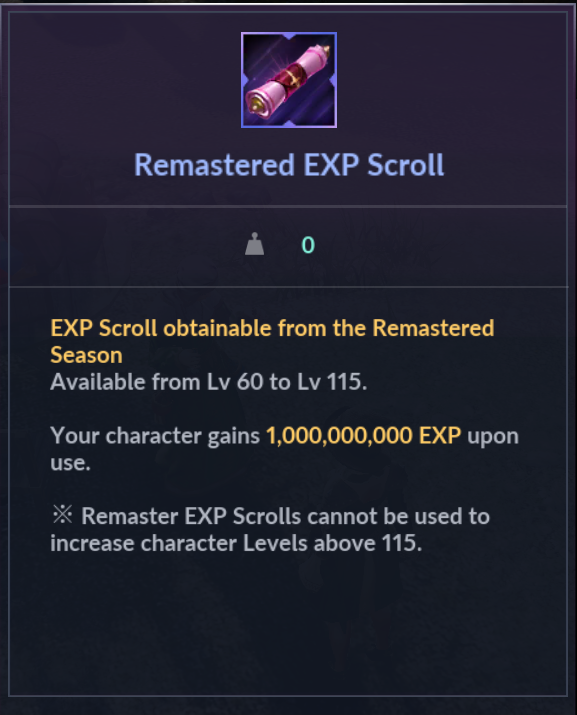
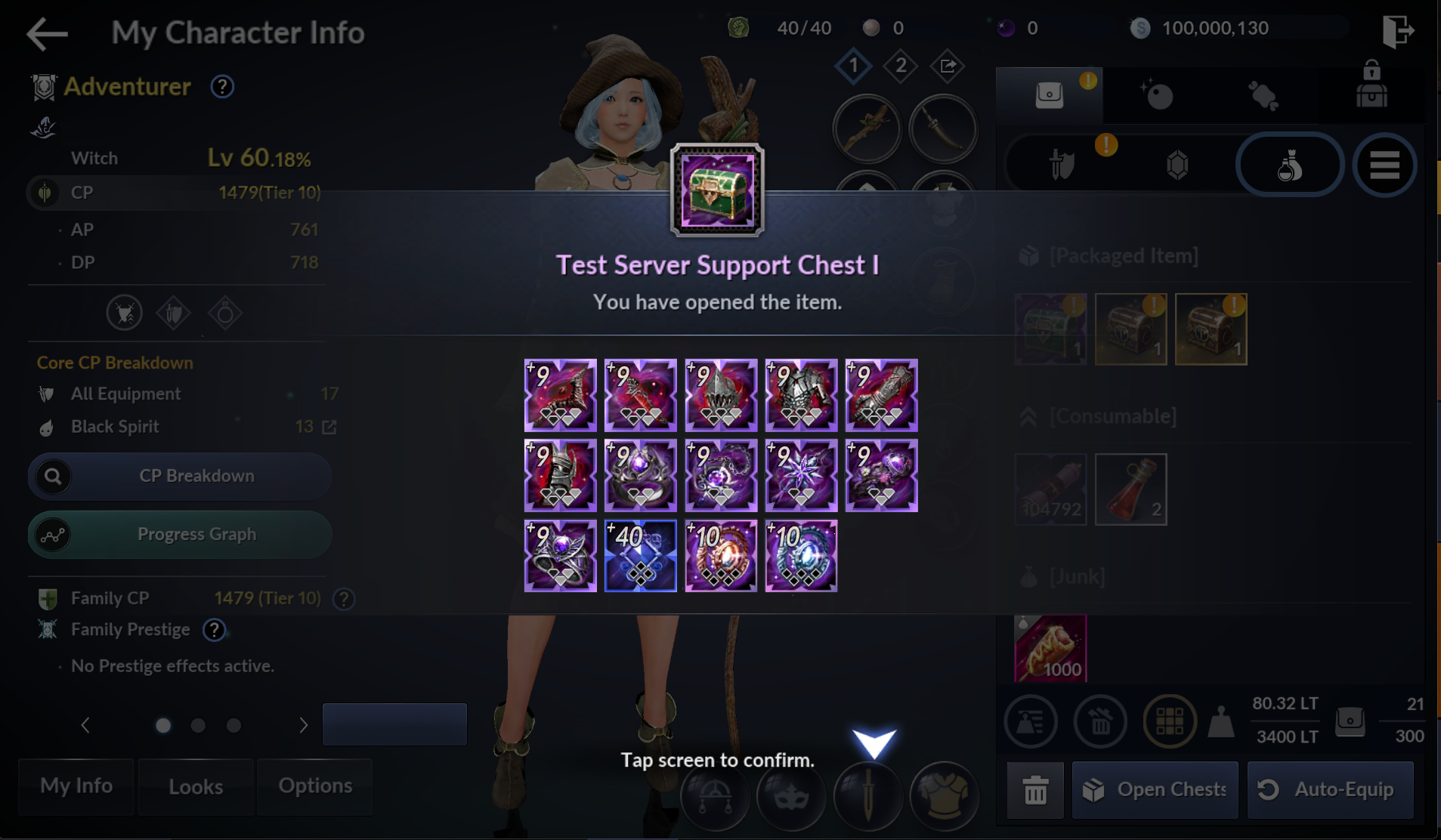
③ Open the "Test Server Support Chest" in your Inventory and equip all the gear obtained from it.
- Press the Auto-Equip button twice to equip all gear.
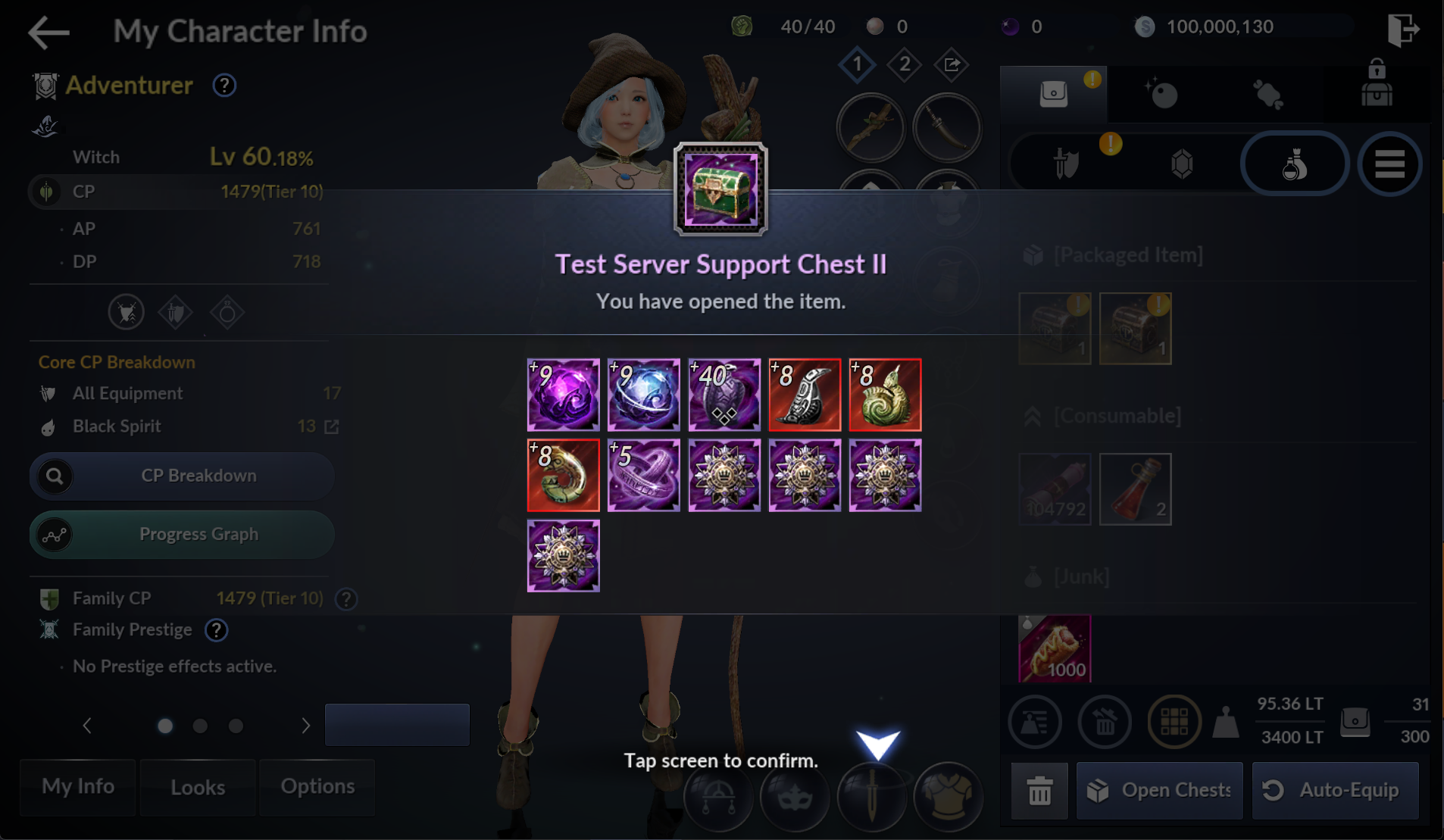
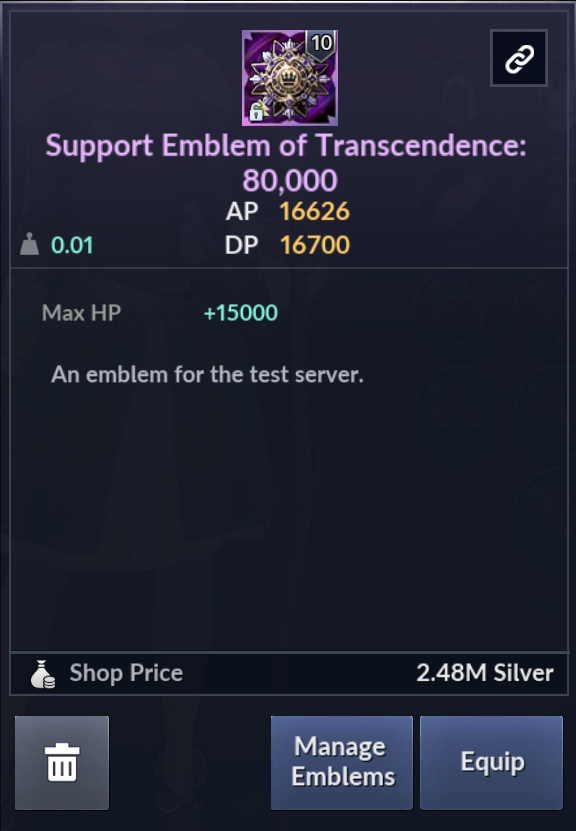
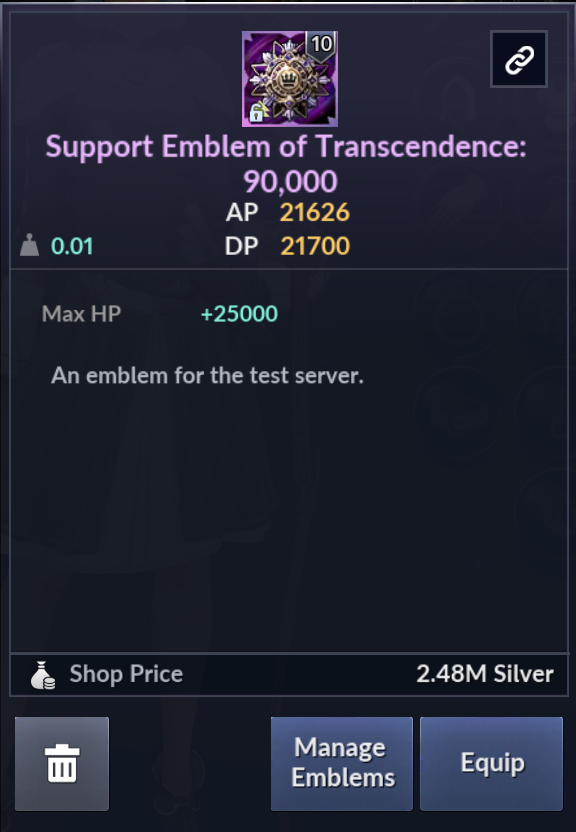
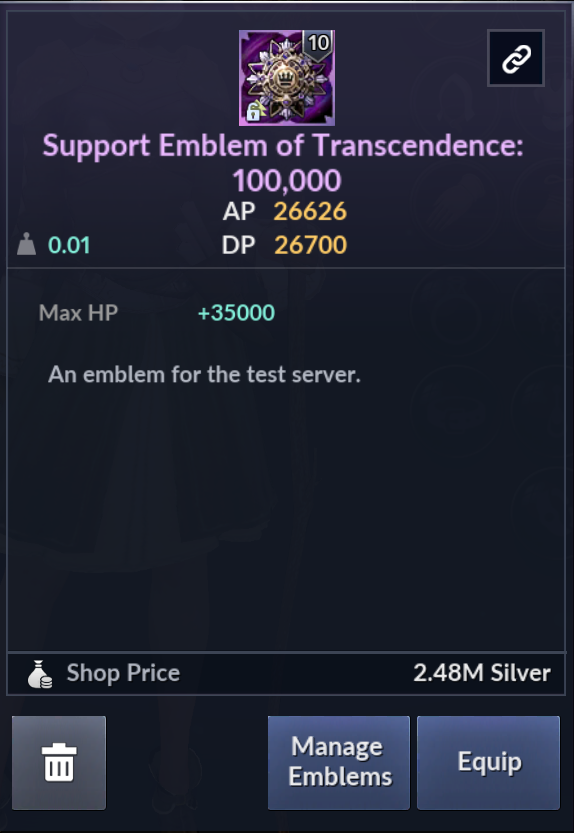
④ After equipping your gear, equip a "Support Emblem of Transcendence" for your desired CP.
- Support Emblems of Transcendence are test server-exclusive items, and set your Character's CP to value applied to each emblem.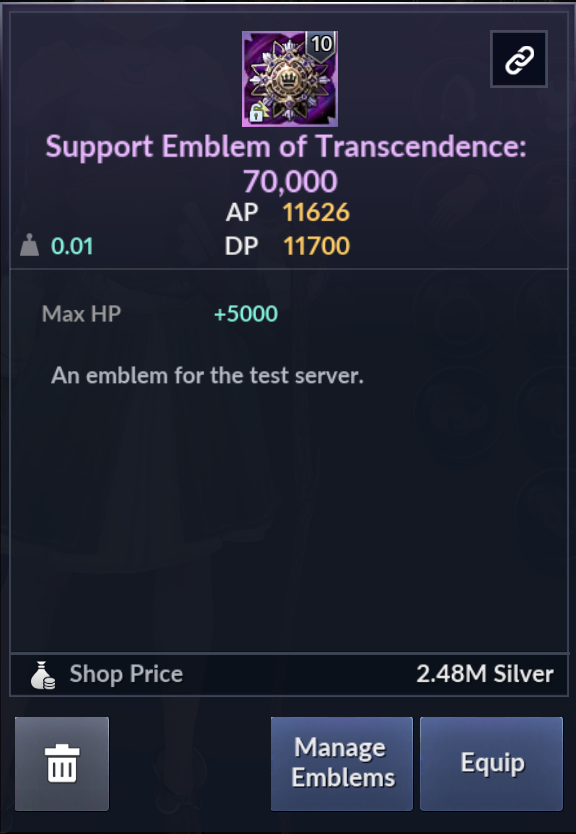
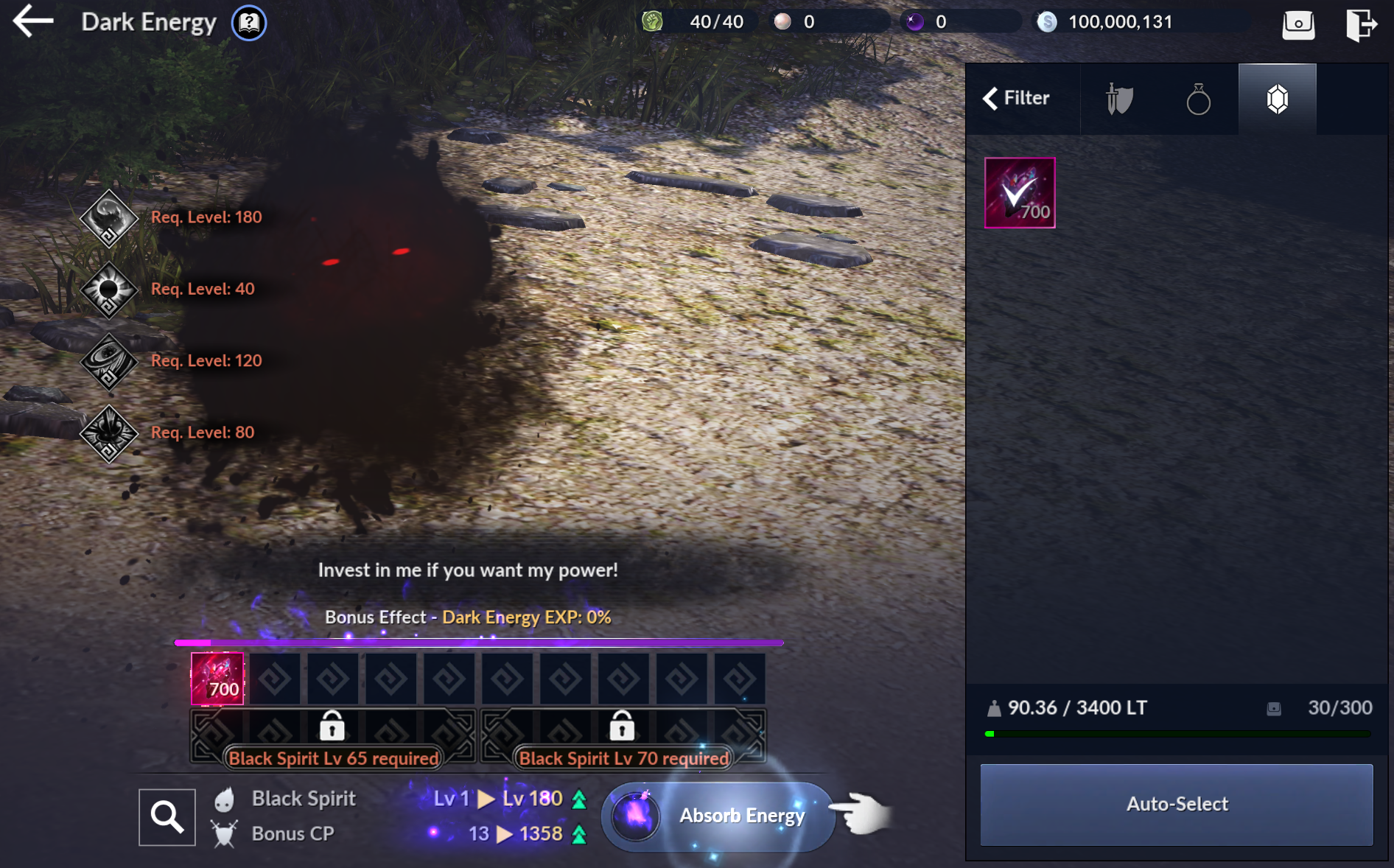
⑤ Use the "Condensed Dark Energy" from your Inventory to raise your Black Spirit Level.
⑥ Purchase any additional items you need from the NPC Eileen in Velia.
- You can buy items such as HP Potions, food, Skillbook Chests, Character Class Change Coupons, and Unknown Memory.
- You can obtain Silver by selling the "Crimson Crown"s in your Inventory.
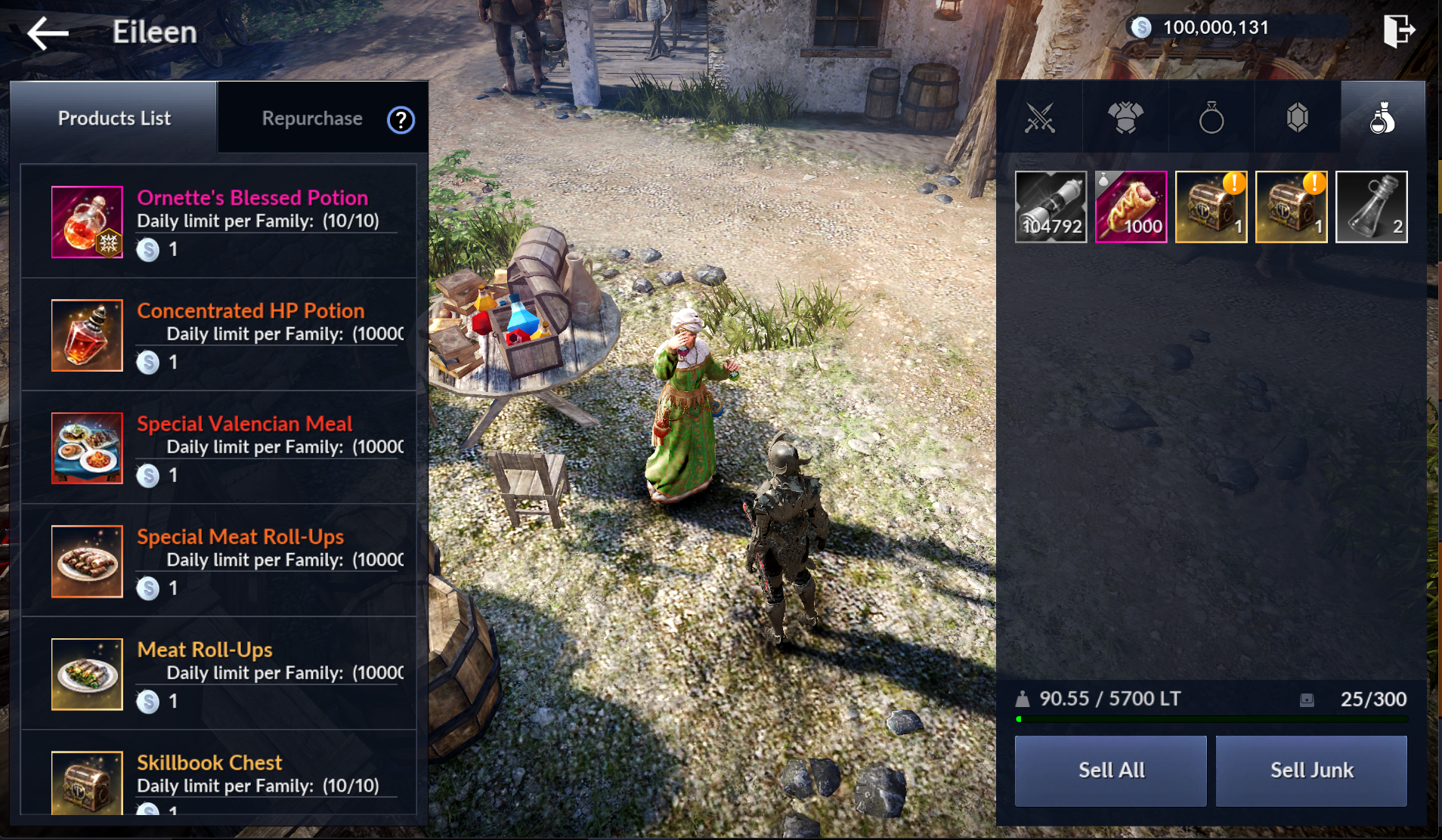
※ Some items are exclusive to the test server and are provided to set up your Character.
ㆍ Press [Go to Eileen] at the bottom of the test server event banner to Auto-Path to her.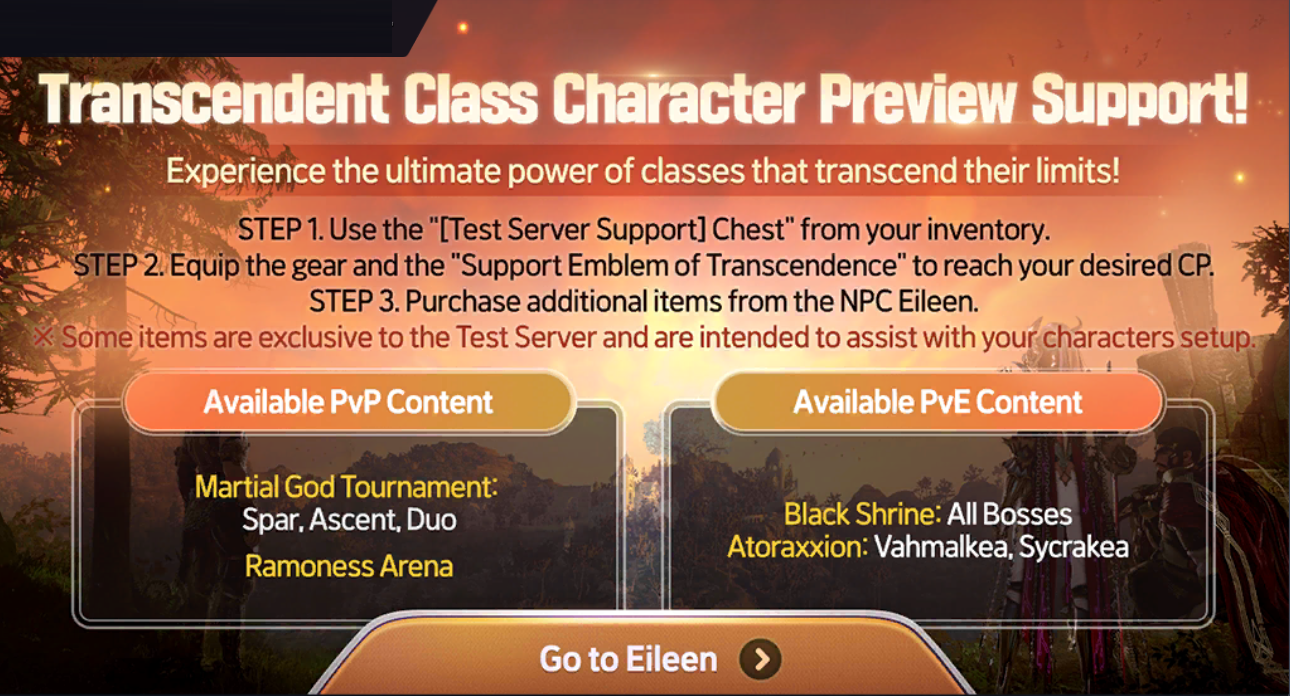
■ Important Notes
- Some content may not be available depending on the content being tested.
- The test server has a lower player capacity than the live server, so there may be a queue depending on the number of online players.
- Updates made to the live server may differ from the test server.
- The test server may close early due to unforeseen circumstances.
- The test server may close without prior notice in case of an unexpected issue.
- Outside the test server period, the test server launcher cannot be launched and access to the server is unavailable.
- Some items are exclusive to the test server and are provided to set up your Character.
- For an optimal testing environment, game data and access to the test server may be modified, added, deleted, or reset at any time.
- The test server does not support restoration of in-game data through Customer Support Center.
FAQ
Can I access the live server and the test server at the same time with a single account?
You can log in to both servers at the same time using the account you created on the live server to play the game.
Which platforms can I access the test server on?
The mobile version of BDM Test Server is currently only available on Google Play Store.
For the most stable testing environment, we recommend using the PC launcher.
Can I use the same Character from the live server on the test server?
While the access to the test server is granted to your live server account, you will need to create a new character as your account information does not carry over to the test server.
Can my character from the test server be transferred to the live server?
Family, Character, and acquired items from the test server cannot be transferred to the live server.
Can lost game data on the test server be restored?
The test server is run to provide previews for certain content before it is updated on the live server, so lost game data (Character, items, Achievements, etc.) cannot be restored.
Additionally, game data may be modified or deleted without prior notice, and any such data will not be restored.
For more information, please refer to the [BDM Test Server Terms of Service] and [BDM Test Server Operational Policy].
Can I expect the same level of service on the test server as on the live server?
The test server provides a preview of content still in development that are not polished, and may contain some errors.
In addition, please note that no compensations will be made for any disconnections or data resets that you may experience while playing on the test server.
Is the game content on the test server the same as on the live servers?
As the test server allows Adventurers to test content before they are updated to the live server, its content may differ or have limited access compared to the live servers.
Please also note that content may be changed at any time without prior notice.
How long does the test server stay open for?
The test server is run for a set period each time for a specific content, which may vary depending on the content being tested.
Can I buy items from the Pearl Shop on the test server as well?
The Pearl Shop is not available on the test server.
In addition, access to certain content may also be restricted unless it is being tested.
We will continue to strive to provide a stable gameplay environment to our Adventurers.
Thank you.